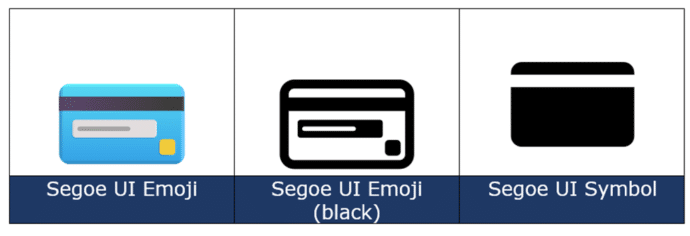
Credit Card 💳 symbol in Word, Excel, PowerPoint and Outlook
There’s more than one Credit Card 💳 image available in Microsoft Word, Excel, PowerPoint or Outlook. Both in Office for Windows and Office for Mac. How Credit Card 💳 looks in different fonts. Only two standard Windows fonts have the credit card symbol; Segoe UI Emoji and Segoe UI Symbol. The Apple device version is […]

Checklists now in Microsoft Word
Make a ‘clickable’ checklist in Microsoft Word for the web that you can mark off tasks as they are done. The checklist feature is mostly for a list of tasks to be marked as done when completed. A checklist in Word could be handy for a small group of people working on a task. Each […]

Three more Word features reach the web version
Three more familiar Microsoft Word features have reached the ‘on the web’ or browser based version of Word. Editing header/footer, columns and line numbering. Headers/Footers Word for the web has been able to view headers/footers for some time but now they can be added or edited as well. Go to Insert | Header & Footer. […]
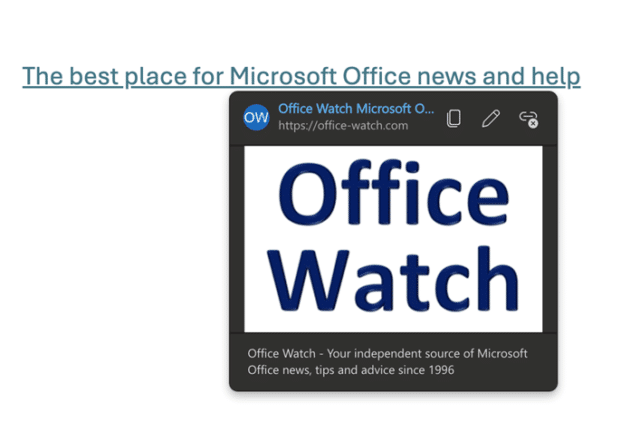
Web link previews in Word for web
Word in a browser now has nicer web link preview that the plain ones in other versions of Word plus obvious choices for copy, edit or deleting a link. Hover over a web or internal link in Word on the web and you’ll see a better tooltip with buttons to copy the link, edit the […]

Copilot appears in Word whether you like it or not
The paid versions of Copilot AI in Microsoft Word often appear when it’s not wanted and Microsoft isn’t giving their paying customers any choice. Microsoft is assuming that anytime there’s a blank document or even paragraph that customers want Copilot to jump in. So they’ve put Copilot ‘front and center’ on the screen. This applies […]
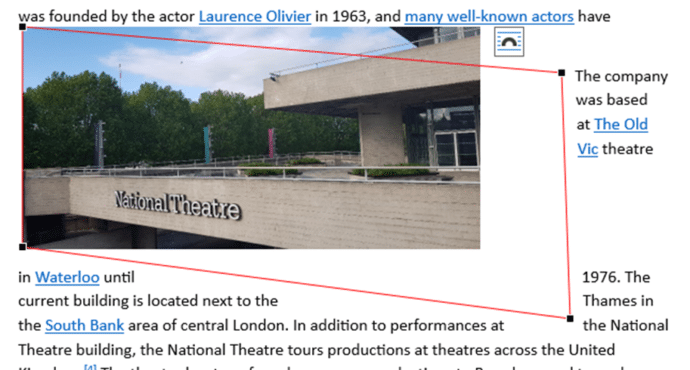
Discover the Edit Points bug in Word
An interesting bug in Microsoft Word, thanks to an Office Watch reader. Changing the edit points around a rectangular image can hide some text that should be visible. It appears to be a bug in the code to wrap text around an object in some narrow circumstances. Here’s how to recreate the bug, start with […]
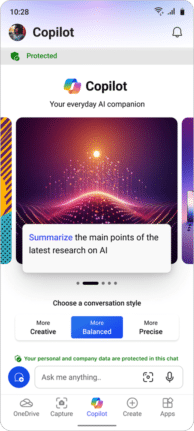
Copilot in Office mobile apps for some
Copilot AI services for Word and PowerPoint are now in the Microsoft 365 mobile app for business or education users with the Copilot add-on. The integration is in the Word and PowerPoint parts of the ‘all in one’ Microsoft 365 mobile app, look for the Copilot logo in the bottom row of the app. All […]
Remove that big AutoSave from the Office toolbar
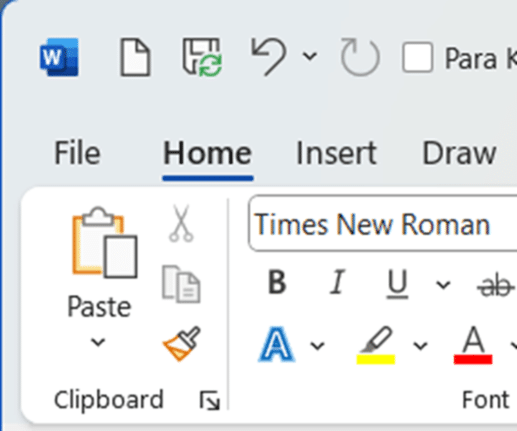
Get rid of the over large ‘AutoSave’ slider on the Word, Excel or PowerPoint status bar. The Autosave button (strictly a label plus slider) takes up a lot of room on the top row of modern Office apps. That space is quite crowded and you need it to fit as many ‘Quick Access Toolbar’ (QAT). […]
Eight WhatsApp formatting shortcuts including four new ones
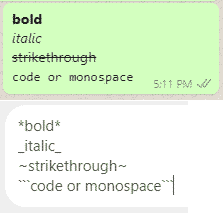
There are shortcuts that automatically format bold and italic text in Word. The same shortcuts and more work in WhatsApp texting as well. There are now four more formatting options; bullet lists, numbered lists, quotes and inline code. AutoFormatting Bold and Italics as you type In Microsoft Word and Outlook it’s possible to make words […]

Use the world’s ugliest color in Word, Excel and PowerPoint
Make an unpleasant point with the world’s ugliest color. A ‘drab dark green’ can be used in any Word document, Excel sheet or PowerPoint slide. And we’ll explain the recommended complement color and font. It’s not our opinion, but the market researched result of an effort to find the most unappealing color. A three-month study […]

What Microsoft Word does with “Drunkonyms”
The British have 546 ‘drunkonyms’ or words for drunkenness according to a new academic study. We could not resist seeing how the Microsoft Word handles them (after we’ve had a quick drink to get us going 😀) We compiled a list of 55 drunkonyms and ran them past the Word 365 spell checker using UK, […]
What do fonts say to each other?
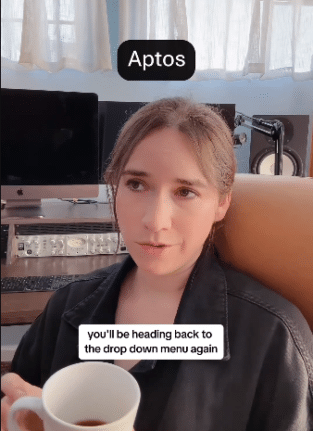
Ever wondered what fonts say to each other. How newcomer Aptos treats Calibri? How Dingbats dance and what Comic Sans wears? Elle Cordova answers these and other important typographical questions in two Instagram videos. Fonts Hanging Out part 1 https://www.instagram.com/p/C2cZBIAr24m/ Fonts Hanging Out part 2 https://www.instagram.com/reel/C2sxcszyLnN/ Enjoy … Excel – switch away from Aptos fontsMicrosoft […]

A Loop feature that should be in all Office apps
Microsoft Loop has a new feature that should be added to Word and PowerPoint, see what text has been written by Copilot AI instead of a human. Loop is adding a tag (‘floatie’) which shows who wrote some text and includes ‘Copilot’ as one of those authors. That’s a very useful piece of information especially […]

Last minute Heart icons for Valentine’s Day
Need a heart symbol or image for your Valentine’s Day message, email, slide or card? Microsoft Office Icons have many choices available including Icons. Many of the stock or supplied resources in Office have passionate ‘heart’ symbols. As you’ll see, there are some anatomically correct icons among the romantic ones, just ignore them <g>. Icons […]

Using AI tools for a personal touch to Valentine’s Day
The latest AI tools can help add a personal touch to Valentine’s Day images, graphics and text like a love poem. Add some details about your loved one (name, hobbies etc.) and AI can do its magic. Free AI tools like Copilot, Microsoft Designer, Dall-E or ChatGPT can make something that’s individual and unique. In […]
Five ways (and more) to type Accent characters in Word and Outlook
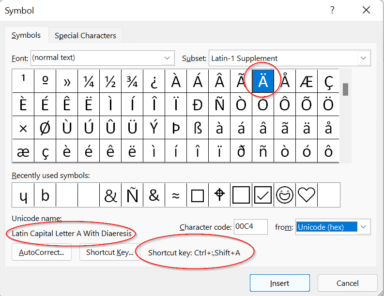
More than five ways to type characters with accent, grave, circumflex, tilde, umlaut, dieresis or cedilla in Microsoft Word and Outlook when they aren’t on the keyboard such as á ã à ä Ç ç ē é ê è ë â ê î ô û and many more. Typing accented letters can be a chore […]









