
Changing text and icons on Office Quick Access Toolbar
Improve your Word, Excel, Outlook or PowerPoint Quick Access Toolbar (QAT) beyond the small changes allowed by Microsoft directly. This works in all modern Office for Windows including Microsoft 365, Office 2016/2019/2021/LTSC. You’ll be able to shorten the overly long text labels or change icons (because too many are the same) with a short list […]

New look for Microsoft 365 and Office 2021
From Tuesday 5 October 2021, a new look is be available to Microsoft 365 and Office 2021. Don’t worry, it’s not a major change. Everything on the tabs, ribbon and dialogs remains exactly where they are. Microsoft grandly calls it a ‘visual update’ we call the changes ‘a new coat of paint’. 5 October is […]
How to Easily Create Numbered or Bullet list in Word without indents
Numbered or bullet lists don’t have to look the way Microsoft sets automatically here’s how to change them to suit your needs and style. In Microsoft Word, it is simple to create a numbered or bullet list. Simply select your text | Home Tab | Paragraph Group| Select the Numbering or Bullets icon. From there […]
Office 2021 prices now revealed plus ‘generous’ extras
Microsoft has confirmed the prices for Office 2021 to consumers and announced some ‘extras’ which aren’t really anything new and, in one case, self-serving for Microsoft. Office 2021 prices Office 2021 is the new perpetual license, single payment or non-subscription version of Microsoft Office. The replacement for Office 2019. It has fixed features compared to […]

New and better features in Office 2021 and Office LTSC
Here’s the new and improved features in Office 2021 and Office LTSC which apply across all the major apps; Word 2021, Excel 2021, PowerPoint 2021 and Outlook 2021. We’ve checked Microsoft’s list of new Office 2021 features against the actual software. See all about Office 2021 for Windows & Mac plus The good and bad in Office LTSC There are stock images, icons […]
Discover a better Print Preview mode in Word
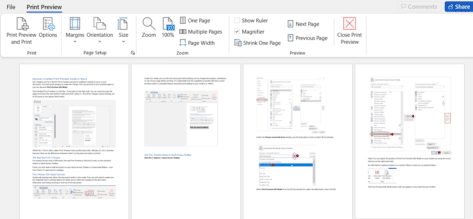
Let’s imagine you’re in Word’s Print Preview and you’ve suddenly noticed an error in your document. You close print preview to make the change, then you go back to print preview again or you can discover Print Preview Edit Mode. Print Preview in Word has all sorts of goodies for making the final adjustments to […]
How to Force a Page Break through Styles Setting in Word
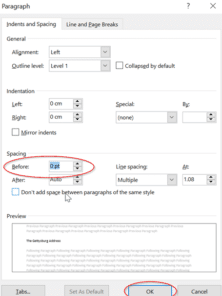
There’s another way you can force a page break before a paragraph in Microsoft Word. By setting this up, the page breaks can automatically appear without you having to worry. This is particularly useful if you have long documents with several different headings. Just simply modify the style to include the page break before. Learn […]

Easy adding check boxes to a Word document
Interactive checkboxes can easily be added to your Word document for a variety of uses. Perhaps you need to create a to-do checklist to help monitor the completion of tasks on top of a collaboration document, or make it simpler for users to read and complete surveys or forms. Either way, we will provide you with a simple and easy […]

Shared editing of encrypted docs now possible but not for everyone
Microsoft has announced that Office desktop apps (Windows and Mac) can now co-author encrypted documents. Until now, encrypted docs could only have shared editing using Office on the web. What’s in the fine print is often overlooked, this feature isn’t for everyone. The announcement in bold from Microsoft has got all the media attention, as […]

Get the patch now for the latest Office security hole
Microsoft has released a patch for the MSHTML security bug that’s being used with Office documents to infect computers. The bug is in MSHTML, the browser rendering engine used by Microsoft Office. If someone is tricked into opening a hacked Office document with ActiveX control, they could infect their computer with some virus, ransomware or […]

There are two official document standards – why?
Here’s what you need to know about the two official international document formats, Microsoft’s OpenXML (.docx .xlsx etc) and Open Document Format (.odt .ods etc) both supported in Microsoft Office and most other office suite software. Each format has been recognized by international bodies so there are two ‘official’ document standards for Planet Earth. Both […]

Better voices for Office Read Aloud
The Read Aloud feature in Word 365 and Outlook 365 is getting fewer but much better and realistic sounding voices. Read Aloud is how documents can be read to you. Great for ‘reading’ without adding more eye-strain or proof reading against an original document. These options are at Review | Read Aloud in Word. Message […]

Bumper month for new features in Office 365
The September 2021 release preview has a lot more than usual new and updated features in Office 365 for Windows. Almost as if Microsoft has been saving them up for a bumper surprise! It’s all in the ‘Current Channel (Preview)’ release v2109 build 14430.20088 that’s out now. This is the last stage before the updates […]

Get Microsoft 365 free in 4.5 different ways
If you’re not willing or able to spend the money, there are several ways you can access Microsoft Office for free. These tips are just good for saving money. Some are useful standby’s to keep in mind if you can’t use the full Microsoft 365 desktop programs. Maybe your computer is playing up or you’re […]
Why font selection is important for lawyers
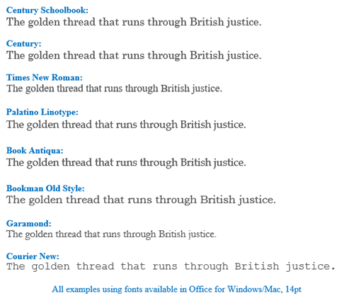
If you think font selection is hard, spare a thought for lawyers who have to deal with different official rules, recommendations and accepted practice for court submissions. Jason Steed at JDSupra sets out the complications for US lawyers. The D.C Circuit court started ‘discouraging’ use of Garamond font but no change in the actual rules. […]

Office now supports ODF version 1.3 documents
Microsoft has updated the Office programs to support the OpenDocument format (ODF) to version 1.3. Most people use Office Open XML format (OOXML) which is the official name for what is usually called the ‘new’ Microsoft Office formats, .docx .xlsx .pptx etc. OpenDocument files .odt .ods .odp etc are also supported in Office 365 and […]









