Drop in some Easter flavor to your documents, slides or emails from right inside Word, PowerPoint, Outlook and Excel. Either religious (Ascension, Crucifix etc) or secular (eggs, chocolate, bunnies) images and graphics are available. Modern Office, especially Microsoft 365 have stock images and icons from a large collection compiled by
There’s more than one Credit Card 💳 image available in Microsoft Word, Excel, PowerPoint or Outlook. Both in Office for Windows and Office for Mac. How Credit Card 💳 looks in different fonts. Only two standard Windows fonts have the credit card symbol; Segoe UI Emoji and Segoe UI Symbol.
Here’s what Microsoft has confirmed for the new version of Office. Strictly speaking two new Microsoft Office, a consumer version Office 2024 and Office LTSC 2024. The next single payment “perpetual licence” version of Office will be Office 2024 (for consumers) or the very similar Office LTSC 2024 (for volume
Make a ‘clickable’ checklist in Microsoft Word for the web that you can mark off tasks as they are done. The checklist feature is mostly for a list of tasks to be marked as done when completed. A checklist in Word could be handy for a small group of people
Grouping in Excel lets you collapse or expand sections of a sheet so you can see the ‘big picture’ but still drill-down to how totals were made. Another use for grouping is hiding rows or columns from view. You can organize and manage data more effectively by grouping together rows
Three more familiar Microsoft Word features have reached the ‘on the web’ or browser based version of Word. Editing header/footer, columns and line numbering. Headers/Footers Word for the web has been able to view headers/footers for some time but now they can be added or edited as well. Go to
Word in a browser now has nicer web link preview that the plain ones in other versions of Word plus obvious choices for copy, edit or deleting a link. Hover over a web or internal link in Word on the web and you’ll see a better tooltip with buttons to
GPT-2 can be squeezed into a Microsoft Excel spreadsheet, providing a functional demonstration of the Transformer architecture used in large language models (LLMs). GPT-2 is an older version of the AI system – Microsoft Copilot and ChatGPT use GPT-4. Ishan Anand made the 1.25GB Excel file as a low-code introduction
The safest thing to do is NOT trust any text/SMS message from a bank, delivery company etc. The message might be real but could be a scam and you can lose thousands. Fake bank text messages, usually designed to make you panic and call immediately, are still catching thousands of
The new Outlook (in preview) did seem to be enforcing a Microsoft 365 software license in a way that other Outlook software has never done before. Happily that’s been fixed. Here’s what happened, to explain and debunk stories still going around. Outlook (new) is the preview web app that Microsoft
Microsoft has announced some of their plan for the changeover to the newer, totally rebuilt, Outlook for Windows. The changeover plan will be in four stages; Opt-in, General Availability, Opt-out and finally Cutoff. There are no specific dates given, just a broad structure but the whole switch from ‘classic Outlook’
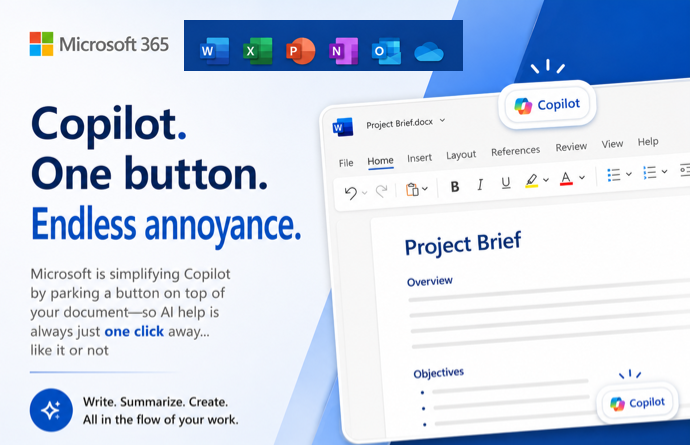
The paid versions of Copilot AI in Microsoft Word often appear when it’s not wanted and Microsoft isn’t giving their paying customers any choice. Microsoft is assuming that anytime there’s a blank document or even paragraph that customers want Copilot to jump in. So they’ve put Copilot ‘front and center’
An interesting bug in Microsoft Word, thanks to an Office Watch reader. Changing the edit points around a rectangular image can hide some text that should be visible. It appears to be a bug in the code to wrap text around an object in some narrow circumstances. Here’s how to
A respected author has a warning about the future of AI using the mixed history of spreadsheet mistakes as an example. Tim Harford is an excellent columnist and author known as “the Undercover Economist”. Check out his “More or Less” podcast for the BBC. In a recent article he argues
Excel has some nice choices for clearing out cells quickly. You can remove the contents, the formatting only or both contents and formatting plus choices for deleting just notes, comments and cleaning up links. As you can see the drop-down menu Home | Editing | Clear offers options such as:
Here’s how to switch away from the new Aptos fonts in Microsoft PowerPoint and back to the old Calibri fonts or something else. Microsoft has forced a change to Aptos as the new default font in PowerPoint but that change doesn’t suit everyone. In particular, Aptos doesn’t make much (or any) visible difference for
Copilot AI services for Word and PowerPoint are now in the Microsoft 365 mobile app for business or education users with the Copilot add-on. The integration is in the Word and PowerPoint parts of the ‘all in one’ Microsoft 365 mobile app, look for the Copilot logo in the bottom
Sticky Notes is a wholly new Windows app which improves on the current Microsoft app of the same name. Here’s how it works, who gets it and the unexpected place Sticky Notes are saved. Why, you may ask, is an Office Watch an MS Office specialist writing about a Windows
The Find My Phone feature in an iPhone or Android device is great even if you think the device is lost for good after a long swim in over 45 feet of water. An iPhone was lost in 15 meters (49 feet) of water off an Australian beach. It was
Our favorite compression tool, WinRAR, has just released version 7. WinRAR supports all the file compression formats including ZIP. We like the RAR format mostly for the ‘Solid’ option which can give better compression across many files in the same archive. ‘Solid’ is great for making a smaller archive of
Get rid of the over large ‘AutoSave’ slider on the Word, Excel or PowerPoint status bar. The Autosave button (strictly a label plus slider) takes up a lot of room on the top row of modern Office apps. That space is quite crowded and you need it to fit as
Copilot can change the style or look of an AI generated image to make endless variations on the same theme with a few clicks. We’ll show you how it really works and how to make it work even better. Ask Copilot for an image such as “make image of a
Cells in a PowerPoint slide table can be split or merged (combined) in PowerPoint for iPad. Word for iPad can already combine or split table cells and now the PowerPoint app works the same way. Select two or more cells in a table and choose Merge | Merge Cells from
WhatsApp can send any file, photo, video or text notes to yourself, in other words between your computers or devices. Files up to 2GB can be moved quickly and securely between machines. Sometimes you need to copy something between two computers or devices you have. That could be a little