Microsoft 365 – the subscription / annual fee plan for Microsoft Office on Windows, Mac, iPhone, iPad and Android.
Includes Word 365, Excel 365, PowerPoint 365, Outlook 365 and many other ‘365’ programs, apps and services.
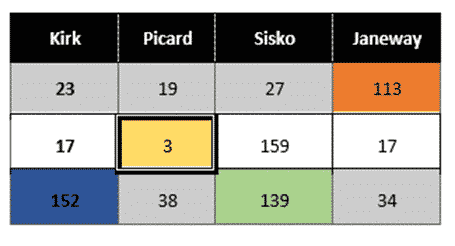
Workaround for styles with table cells in Word
There’s a limitation in Word’s Table Styles; no individual cell styles within a Word table We’ll explain the problem and several options to workaround it. Along the way it’s a chance to dig into some interesting parts of Word and Office and make them do things that might not have occurred to you. There’s a […]

Simple Drop Caps in Word
The Drop Cap function in Microsoft Word provides a simple way of capturing the ornate look of an old book or manuscript. There are many options that can be used to change the look, positioning and behavior of any drop cap to suit your formatting needs or taste. Drop Caps have been in Microsoft Word for many versions, at […]

Microsoft 365 / Office 365 busting (or not) some myths
It’s time to collect some feedback and questions from Office Watchers for a little Microsoft Office 365 myth busting, or not. Even after eight years of ‘subscription’ or annual payment Microsoft Office there are still misunderstandings about some parts of how modern Office works and how ‘subscription’ Microsoft 365 software is different from the traditional […]
Save sales tax on Microsoft Office 365 and more
It’s possible to save even more on Microsoft Office 365, software downloads and ebooks. Here’s how. Microsoft, like many online retailers, charges US state sales tax for virtual products like Microsoft 365 subscriptions or Office 2021. That can add up to 7.5% to the cost of an Microsoft 365 subscription, maybe more. Sales Tax is […]

Easy to see Text Cursor choices in Windows 11 and 10
Windows lets you make the text cursor stand out on your screen. Additionally, you can edit the text cursor thickness to improve its visibility in Word, Outlook and anywhere you type. Changing the cursor is especially helpful in finding your place in Word. With the optional Text cursor indicator preview, the typing position is very […]
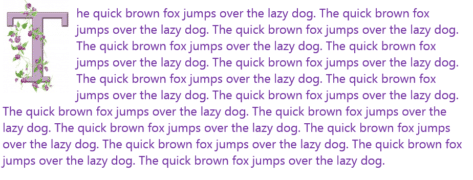
Extra Drop Cap trick using online pictures in Word
If you want even more flair with your Microsoft Word drop cap letters, why not take advantage of the Microsoft online images range? See Simple Drop Caps Word for the basics of Word Drop Caps and Fancy Drop Caps in Word for a lot more. Click where you want a drop cap letter to appear and navigate to “Insert […]

Add opening and closing music for a PowerPoint presentation
Would you like some music to play before your PowerPoint ‘show’ begins? Most people do this by playing music separately from PowerPoint then clumsily switching over when they start speaking. There’s a better way. The more elegant method is adding repeating music to an opening slide. Add the audio file then change these options on the ribbon at […]
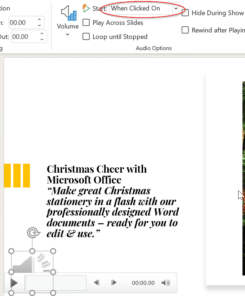
Play audio only when clicked on a PowerPoint slide
Audio on a PowerPoint slide can be played when you click on the audio icon on a slide. Choose the audio icon then on the Playback pane, choose Start: when clicked on. You can have multiple audio tracks on a slide, each one plays when you click. This slide has two sound effects for either a correct or […]
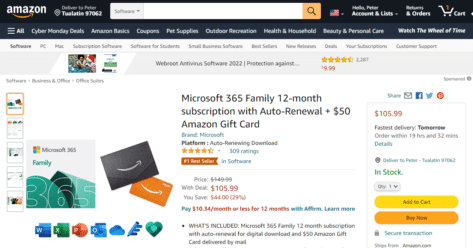
Microsoft 365 Family plus $50 bonus, but be quick
Amazon is offering Microsoft 365 Family for the standard price of $106 but throwing in a $50 gift card to sweeten the deal – making the net price $55.99 for 12 months instead of the usual $99.99. But you’ll have to be quick. The deal is still working on Wed. 1 Dec at 1pm New […]
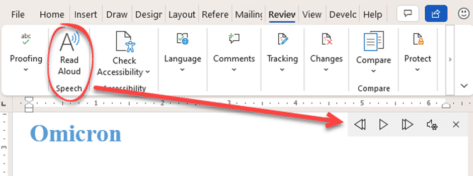
How do you pronounce Omicron? Ask Microsoft Office!
The Omicron variant is spreading across the world and so are questions about how to pronounce the word. A simple job for Microsoft Office 365’s Read Aloud. Just type Omicron into Word then go to Review | Read Aloud or choose the word and press Ctrl + Alt + Space … either way will start […]
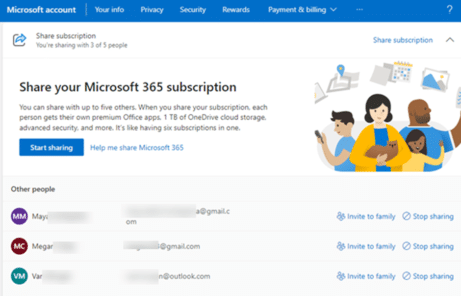
Discover who is sharing your Microsoft 365 Family plan?
If you’re the owner of a Microsoft 365 Family plan how can you find out who the plan is shared with and control their access? Microsoft 365 Family plans can be shared among six people, after a while it can be hard to remember who you’ve shared with and exactly which email address (Microsoft account) […]

Microsoft’s waffle about the Office ‘new look’
The Coming Soon pane in Office 365 is supposed to help people use upcoming features. For the interface changes, the pane is just marketing waffle and misdirection straight from an advertising copywriters desk. Click on the Coming Soon megaphone shows this pane with the option to “Try the new experience” There’s nothing in the text […]

Inside the new look and defaults in Office 365
The look of Microsoft Office 365 for Windows is changing with new features beyond the simple design changes. Here’s what you can do with the new look, mostly changes to the Quick Access Toolbar and important changes to Office default settings. Note: what you see in Office 365 might not match our description. The Office […]
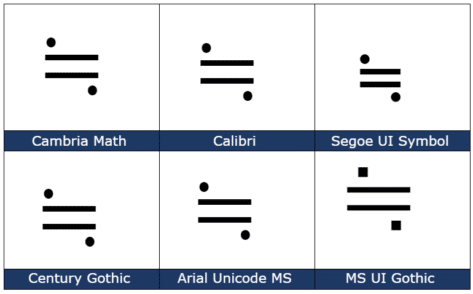
Approximately Equal or image of ≒ in Word and Office
How to insert the Approx Equal or the image of symbol ≒ into Microsoft Word, Excel, PowerPoint or Outlook. Both in Office for Windows and Office for Mac. Approximately Equal To or the Image Of ≒ symbol is commonly used Japan, Korea and Taiwan to indicate two values are approximately equal, but not exactly equal. How Approximately Equal ≒ looks in different fonts. Here are some examples […]

Really fancy and clever Drop Caps in Word
Drop Caps are very old fashioned, there’s space left for them in the oldest printed books in the world, the Gutenberg Bibles. You can do the same thing, a lot more easily, in Microsoft Word. In this Office-Watch.com article we’ll go beyond the simple ‘how to’ for Drop Cap. There’s the basic settings supplied by […]
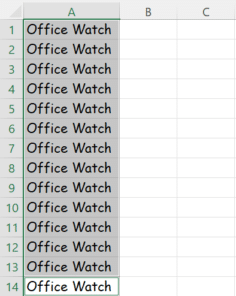
Fast typing the same thing across many Excel cells
Sometimes when you are filling out the cells in an Excel worksheet, the same thing must be written repeatedly. There’s a fast way to do it using a surprising Excel shortcut. Luckily, there’s an easier shortcut around it. Previously we have spoken about Auto Fill hidden tricks in Excel, but you might not be aware of this simple trick. Firstly, […]