
File menu change for the better in Office 365
A small but very welcome change to the File menu in Office 365 for Windows to handle the overflow at the bottom of the window. It’s one of those changes that Microsoft doesn’t promote or even mention. Maybe because it’s quite small or perhaps because it fixes an embarrassing design flaw. The File menu scrolled […]

America has two feet … does Excel?
Did you know that the U.S has two feet? Meaning two different measurements for the term ‘foot’? That got us wondering how Excel’s Convert() handled the standard ‘foot’ and the US Survey ‘foot’. Excel Convert() supports the International Standard Foot and, indirectly, the US Survey Foot. America Has Two Feet. It’s About to Lose One […]
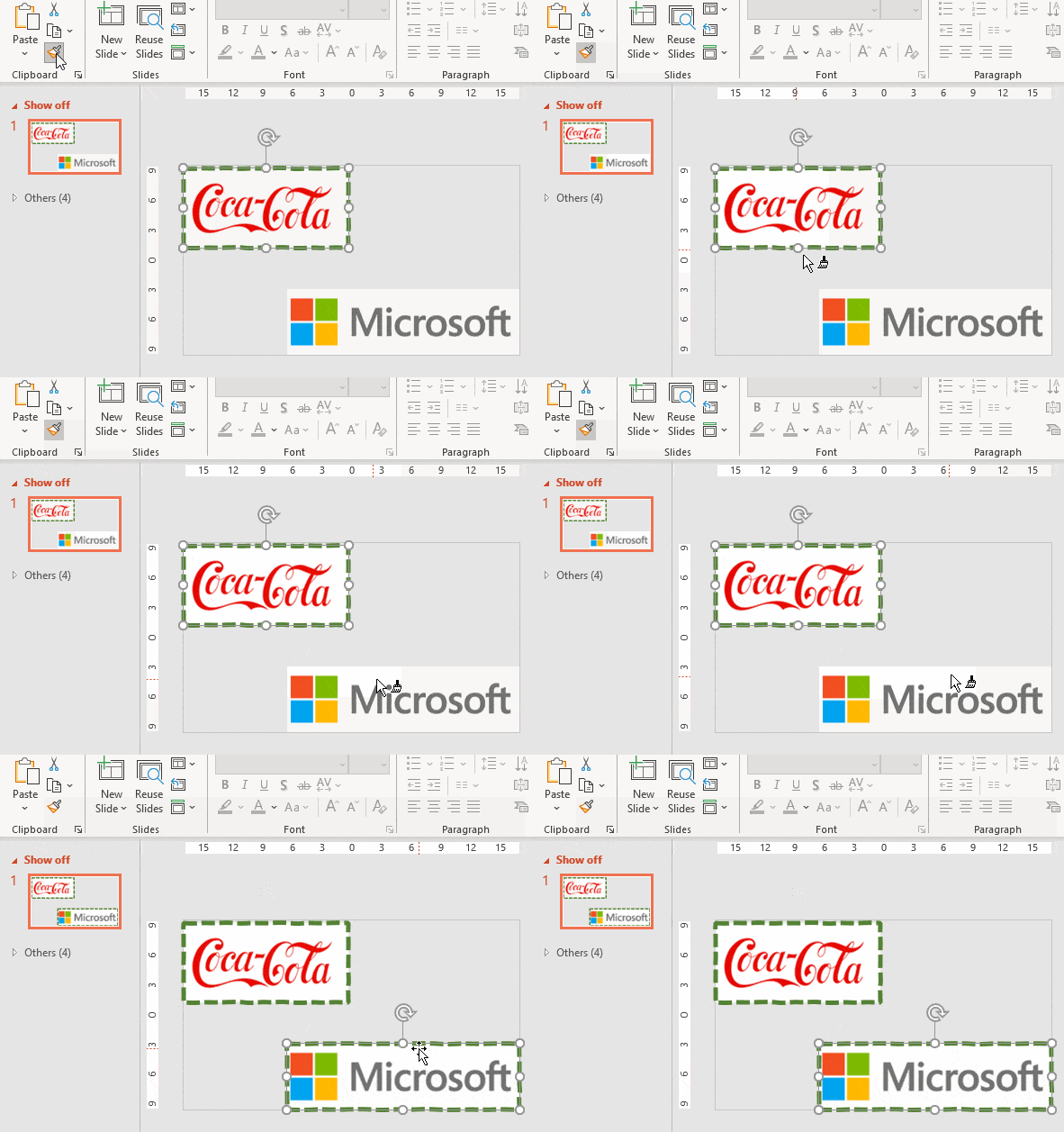
Easily apply the same picture format to many images in Word or PowerPoint
Here’s how to apply the same formatting, borders and picture styles to more than one picture or graphic in Word, PowerPoint or Excel. There’s an unexpected and easy way to do it. Picture Format tools don’t have custom styles (Microsoft please note) only the in-built pre-sets. If you want to apply the same formatting to […]

Reference Mark ※ in Word, Excel, PowerPoint and Outlook
Put the Reference Mark ※ into Microsoft Word, Excel, PowerPoint or Outlook. Both in Office for Windows and Office for Mac. Reference Mark ※ or reference symbol is used in Asian writing (Chinese, Japanese, Korean) like the Asterix * in western languages. It marks some additional notes to text. It’s called komejirushi (Japan) , chamgopyo (Korea) or […]
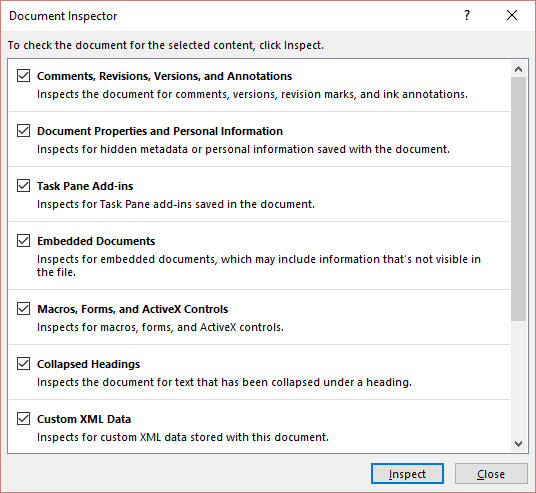
Why you must use the Microsoft Office Document Inspector
Why you must use the Microsoft Office Document Inspector … and why you can’t completely trust it. The Office Document Inspector is an important tool for anyone who shares or sends out Office documents. It helps prevent legal troubles and personal embarrassment. Inspect Document is only in Office for Windows (not Mac). Microsoft Office 365, […]

Check Performance – inside the new Excel tool
A new Excel tool might help with very large, sluggish workbooks but don’t expect a lot despite the promising name “Check Performance”. It took us just minutes to find some undocumented strangeness in this cautious addition to Excel. “Check Performance” looks for unnecessary formatting, metadata and styles that might be cluttering up a large workbook. […]

Quickly type Euro € sign in Word, Excel, PowerPoint and Outlook
Quickly type the Euro € currency sign into Microsoft Word, Excel, PowerPoint or Outlook. Both in Office for Windows and Office for Mac. Euro € symbol is easy on some keyboards but for other keyboards there’s no specific key for Euro. You can [copy content=”€” text=”click here to copy Euro € to clipboard 📋” copied-text=”Euro […]

Questioned Equal To ≟ in Word, Excel, PowerPoint and Outlook
What is the Questioned Equal To ≟ symbol and how to type in Microsoft Word, Excel, PowerPoint or Outlook. Both in Office for Windows and Office for Mac. ≟ is a question mark above an equals sign. It isn’t properly used in equations but can be useful to show an equation to be solved or […]
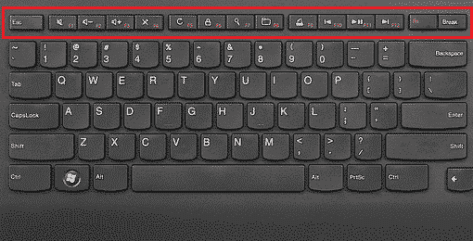
Three Microsoft Office function key alternatives
Function keys can be a hassle, specially on smaller laptop keyboards without a dedicated F key row. Happily there are two alternatives for Microsoft Office user plus another for both Windows or Mac generally. Many laptop users avoid the Function keys because they aren’t directly available on the keyboard. Instead you need to press the Fn […]
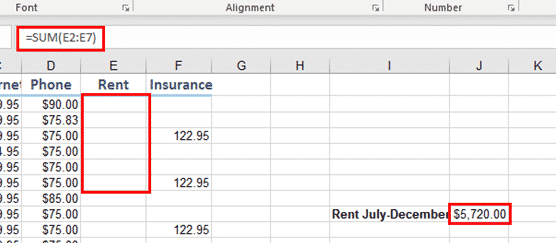
Hiding Cell Contents or Formulas in Excel
There are two ways to hide Excel cell contents that you don’t want visible, but still available able to use in calculations. It’s another case of Office having an official and unofficial hiding option. Here we’re talking about hiding individual cells or ranges. There are separate options for hiding row, columns or entire worksheets (aka […]

What’s really new in the latest Office Insiders
Microsoft has released the latest Office 365 for Windows software for Insiders. There’s only one truly new feature. Two other ‘features’ are really bug fixes! The Office Insider twitter feed promotes the latest Insiders release like this: It’s overstating things more than a bit as Microsoft’s own listing of changes confirms. ‘New’ Office toolbar There’s […]

LET() assigns names to calculations in Excel
Let() is a new function in Windows and Mac versions of Excel 365 and Excel 2021 (plus Excel Online) which is popular with makers of long, complicated functions. The function lets you name a temporary variable to use within a formula. That might seem a strange thing to do but it’s a godsend for advanced […]

Division ÷ symbol in Word, Excel, PowerPoint and Outlook
Type the Division ÷ symbol into Microsoft Word, Excel, PowerPoint or Outlook. Both in Office for Windows and Office for Mac. Division ÷ symbol is an alternative to the / character. Made up of a dash and two dots. ÷ symbol isn’t recommended these days. It’s not universally known and mostly used to mark division […]

Six tips for better spreadsheets
Some good advice for better spreadsheets from the distinguished science journal, Nature, (established 1869!) who have tips about the right way and wrong way to use Excel or Google Sheets. The article Six tips for better spreadsheets opens with a horror story about a list of latitude/longitude “It was a complete mix, The spreadsheet was […]
Hiding stuff in Word, Excel and PowerPoint
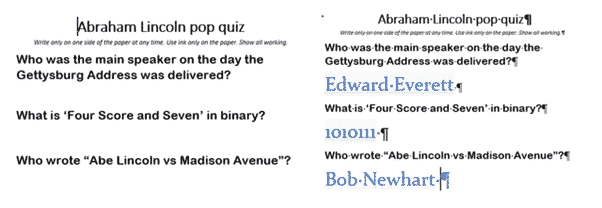
We’ve completed our series on ‘Hidden’ options in Word, Excel and PowerPoint. How to hide text, images, cells, slides etc within documents. Hiding is a useful option and avoids deleting content that might be needed later. It lets you make a different version of a document/sheet/deck without the hassle of maintaining two very similar documents. […]
Showing 12 o’clock as ‘noon’ or ‘midnight’ in Excel
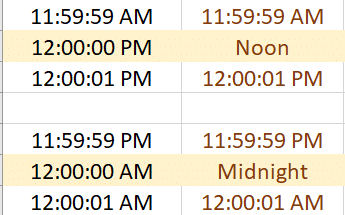
Excel shows midday or noon as 12:00 PM which doesn’t suit everyone, here’s how to change the defaults to a word such as ‘Midnight’ or any other time label you’d like. ABC News in Australia delves into the argument about showing 12 PM – There is no such time as 12pm. The argument is that […]









