CONVERT() could be better in Excel
Excel’s method of converting measurements is good but could be so much better. Once you start looking into the CONVERT function in Excel, you realize that it’s really an incomplete function. Excel has been around for a long time and yet this important feature has lapses that would make it better, easier and more accessible […]
Getting data from Internet into Excel
How to get table or other information from the net into Excel (or Word). Ever seen some data on the Internet and want to copy it for yourself? From small tables to large data chunks, there’s several ways to do it. Simple copying Almost any table or grid on a web page can be copied […]

Vertical Ribbon in Office 2007 or Office 2010
Can you have a vertical ribbon in Microsoft Office? Is it possible to make the ribbon go vertically down the side of a document instead of horizontally? Back in Office 2003, it was possible to move the toolbar from the top row to any side of the Office window – at the bottom or even […]
Nook Color does Office docs
The Nook Color tablet/ereader supports an impressive list of Microsoft Office documents. Office Watch reader, Dale M writes: ” for the NookColor …. it reads natively, office documents in Office 2003 and in Office 2007 format. Works for Word, Excel and PowerPoint and maybe others. Also, PDFs display quite nicely on NookColor. No loss of […]

Text Box in Excel, PowerPoint and Word
Word 2007/2010 Text Box is also in Excel and PowerPoint. We’ve talked a lot about the Text Box feature in Word 2007 and Word 2010. Both Excel 2007 / 2010 and PowerPoint 2007/2010 have Text Box features similar to Word. There’s no gallery to choose from, so you have to click on the Text Box button […]
Landing on the moon with Excel 2010
Microsoft’s promotional videos for Office 2010 continue with a video showing how Apollo 11 could have been made. Following Microsoft’s remaking of the US Declaration of Independence we now have a marketing video showing how NASA could have made the moon shots with Excel 2010. It shows how weight was the most important factor in […]
Putting one document inside another
How to make one Word document appear in another document by linking or embedding. A Word document can be placed inside another so it appears in the second document. This can be done as a ‘one-off’ insertion or a linking where changes to the source document automatically appear elsewhere. For example is a company’s ‘Terms […]

Excel data form
Another way to enter lists in Excel, why Microsoft’s effort sucks and an alternative. Excel has two ways of typing in data, there’s the usual direct entry into the worksheet or you can make a form with a single click of a button. For example here’s a ‘typical’ Excel list: And here’s the same list, […]

How to convert Excel tables to HTML tables
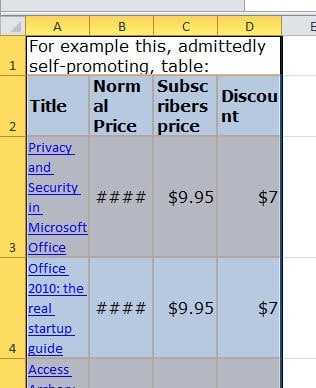
It’s easy to make an Excel list into an HTML table. Excel has great list making features. It’s often the best way to manage a simple list or database. There’s features for sorting, filtering, auto-complete and calculated fields. But using the finished list isn’t always obvious, especially if you want to use an Excel list […]
Free manuals for Microsoft Office
Free training manuals for Office 2007 and before plus Quick References for Office 2010. Mouse Training in the UK has released their training manuals free for all comers plus some Quick Reference Guides. The Training Manuals are for Office 2007, Office 2003, Office XP (2002) and Office 2000. They cover Word, Excel, PowerPoint, Outlook, Access, […]
Exporting Access Data to Excel, Part 1
There are several built-in ways to export Access data to Excel. There are several built-in ways to export Access data to Excel. You can use the Excel button on the Ribbon (or toolbar) to export a report (or other object) to Excel, or the TransferSpreadsheet method in code, to transfer data from the report’s record […]

Print pane in Office 2010
An overview of the Print options in the new Backstage view. In Office 2010 the Print tab is moved to the File menu aka Backstage. Available Printer options, page settings and page preview have all been grouped together in one place and made more obvious. The Print pane is much the same across all Office […]

‘Summary of Payments’ infected ‘Excel’ email
A new spam email, ignored by Outlook’s spam filter, is supposed to have a spreadsheet file for Excel. A new spam email is arriving in Inboxes, trying to trick Excel users into opening it. This email isn’t detected by the Outlook 2007/2010 spam filter (latest update and configured to ‘High’) so it sits in an […]

Editing pictures inside Office
Office 2007 and Office 2010 has tools to edit photos and pictures in your document. Office 2007 and Office 2010 has tools to edit photos and pictures in your document. In olden days (ie 10 years ago) to put an image into a document you had to carefully edit the image file, resize it etc […]

Properties options in Office 2010
There are various places to see and change document properties in Office 2010. In Office 2010 under the File menu is ‘Backstage’ that includes the Info pane. On the right side of the Info pane all the properties pertaining to that particular document will be displayed along with a small thumbnail image of the document. […]

Smart Tags or Actions in Word 2010 and before
A look at Smart Tags from Word 2002 to Word 2010. Smart Tags (or Actions as they are called in Office 2010) is a way to put special commands against certain words or phrases. Smart Tags look at the text and, if applicable, become available – in geek speak they are ‘context sensitive’. For example […]