All about Microsoft Office for Apple Mac. Word, Excel, PowerPoint, Outlook on macOS, Microsoft 365 for Mac, Office 2021 for Mac and earlier versions.
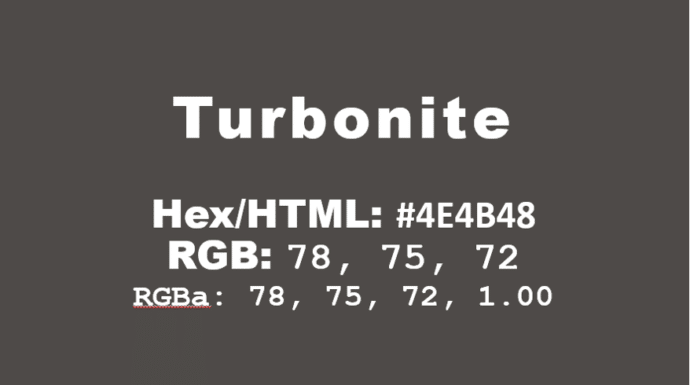
How to get the official Porsche color in Word and Office
How to get the official Porsche color “Turbonite” in Microsoft Office for Word documents, PowerPoint slides and more. The color has been announced by Pantone with the code PMS-2336-C. Porsche Turbonite is described in the usual flowery terms by Pantone: Turbonite color codes It’s easy to apply the Turbonite color to Office documents using these […]

Get more from your Keyboard: How to Turn the Caps Lock Key Into Something Useful (or Disable It)
If you often hit the CapsLock key by accident,sending part of your text into unwanted ALL-CAPS mode, you’re not alone. But rather than letting it stay a nuisance, you can repurpose it or disable it altogether. Stop accidentally turns CAPS ON when you don’t want it. On Windows or Mac you can remap CapsLock to […]
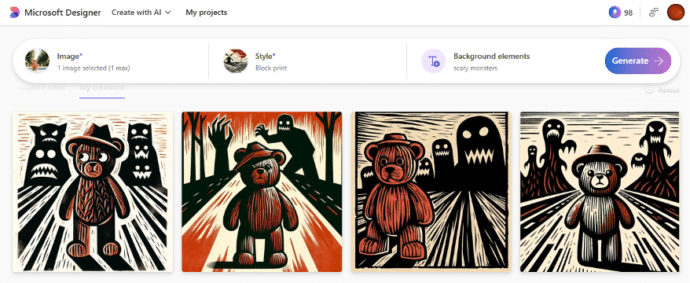
Remake your own photos for Halloween
Microsoft Designer has a simple way to take a photo and turn it into something scary or spooky for Halloween. We’ve already explained about Designer’s Restyle Image option that converts a photo into a graphic in a style and additions you choose. Use it at Halloween to transform a photo of children or grandkids. As […]
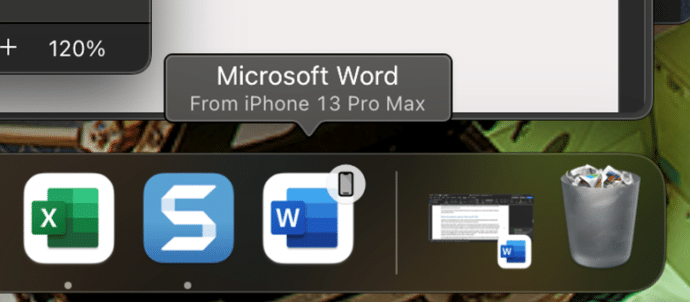
Apple Handoff now in Word, Excel and PowerPoint
Microsoft 365 for Mac can now use the Apple Handoff option to pass a document between a Mac computer, iPhone or iPad. We’ll also explain how to get a similar feature on any combination of devices Apple or Android. Apple Handoff lets you pass control of an open document between Apple devices. For example a […]
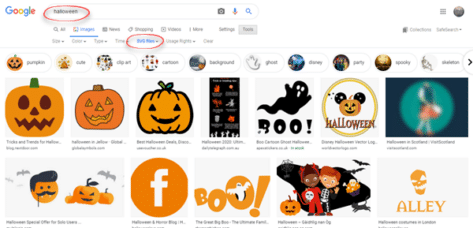
Halloween icons and symbols for Word, Powerpoint and more
Quickly add a Halloween ghost, pumpkin, witches’ hat and more to your Outlook email, Word document or PowerPoint slides which have many in-built icons, graphics and pictures to enhance your “All Hallows’ evening” Icons, Stock Images, Stickers and Illustrations are all available in Microsoft 365 for Windows or Mac. Some Icons are also available in […]

Spice up Halloween with Microsoft Designer
Microsoft Designer makes it easy to create a unique and personal little graphic for Halloween, full size with animation, sticker or clipart Office Watch shows you how to use Designer for Halloween and some of the little tricks needed to make Designer work better. It took only a few minutes to make this small, personalized, […]
Get Microsoft 365 for less money
There are simple and legal ways to save money on consumer Microsoft 365 plans, either Personal or Family. Don’t give Microsoft more money than you have to. Microsoft 365 is NOT a normal subscription Microsoft 365 Personal or Family plans are different in three, potentially, money saving ways: A Microsoft 365 consumer/retail subscription isn’t like […]
RandArray – Excel’s best way to get random numbers
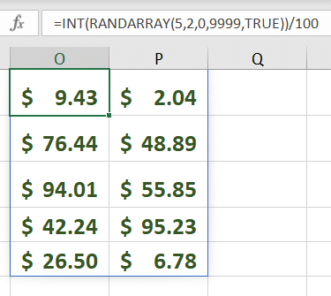
My ‘go to’ way to get random numbers in Excel is the new-ish RandArray because can do everything that Rand() or RandBetween() can and more. RandArray() fills cells with random numbers for as many rows and columns as you want. It’s in Excel 365, Excel 2024 and Excel 2021. The most basic version of the […]

Clock is ticking for Office 2019 and Office 2016 users
Here’s what you need to know now there’s only a year left for Office 2016 and Office 2019 before their official support ends. End of Support On 14 October 2025, Microsoft will stop making security and bug fixes for Office 2019 and Office 2016 for both Windows and Mac. Office 2019 only has five years […]

Feed in Microsoft 365 is ending soon
The Feed feature on Microsoft 365 for business is ending in just a few weeks. It’s being replaced by a less helpful AI feature that doesn’t always help. The Microsoft Feed feature will retire starting November 1, 2024. the Feed feature will be retired from the Microsoft 365 app, affecting https://www.microsoft365.com and https://www.office.com , as […]

More macOS Sequoia tricks to check out
Digging into the new Mac operating system v15 Sequoia we found two useful and one nice trick to check out. There are two ‘Hover’ options to make text easier to read or type plus a clever ‘retro’ screen saver that brings fond memories for those of us who remember early Macintosh computers. See also Great […]
Make simple bar charts with Conditional Formatting
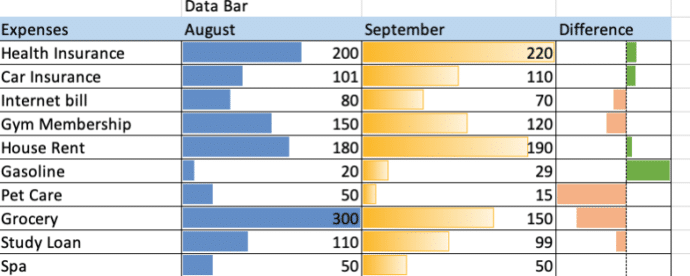
Excel can make bar charts in-cell without bothering with the full Chart system. Despite what you might have seen, there’s plenty of options in Excel Data Bars. The usual example of Excel Data Bars has the colored bar in the same cell as the value. In this article we’ll show how it’s possible to have […]
Check your Microsoft account recovery options … now before it’s too late
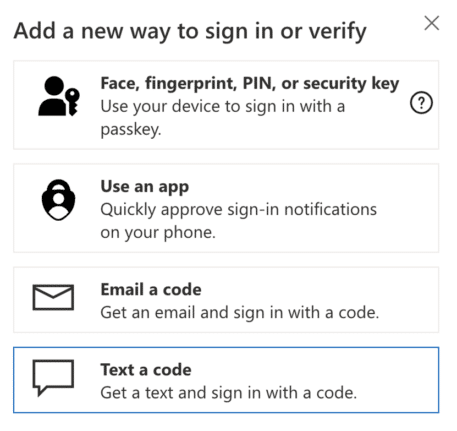
It’s not enough to setup two-factor security for your Microsoft account. Make sure your recovery settings are checked and up to date. Do it now before it’s too late. Today we’re helping someone trying to login to their Microsoft account after losing their password. Many, many hours of frustration and worry that could have been […]
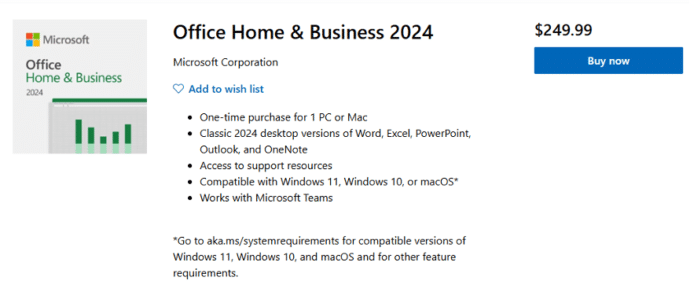
Office 2024 is now on sale
The new version of Microsoft Office 2024 is now on sale to the general public all around the world. This is the ‘perpetual licence’ or single purchase release with no subscription fee. Office 2024 is now available direct from Microsoft.com and some retailers at the same prices as Office 2021. See All about Office 2024 […]
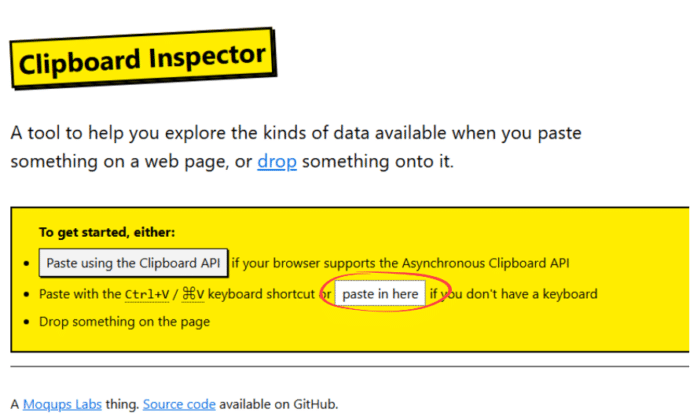
How to check what the clipboard is saving
There’s a simple way to drill into the Windows or Mac clipboard to see what’s saved and how it’s saved. The clipboard is a lot more complicated than most people think. Happily, most of the time the complications don’t matter to us mere humans. Copying text from, say, Word might seem simple but each time […]

Famous logos with the fonts they use
Ever wondered what font is used in a famous logo? There’s a fascinating collection of familiar brands with their names replaced with the font name. Emanuele Abrate has made Logofonts, for example the Starbucks logo with the font name, FreightSans Black. Nike uses Futura. WhatsApp with HelveticaNeue. YouTube uses AlternativeGothic and Instagram has Billabong. Once […]









