All about Microsoft Office for Apple Mac. Word, Excel, PowerPoint, Outlook on macOS, Microsoft 365 for Mac, Office 2021 for Mac and earlier versions.

Excel merge arrays into a single array with VBA
Until late 2022 an annoying omission from Excel and VBA was a simple way to combine or merge arrays into a single array. Here’s how to do it with VBA for older Excel releases. Excel 365 for Windows and Mac now have HStack() and VStack() which will combine dynamic arrays or ranges. The VBA method […]
Six workarounds when your keyboard breaks
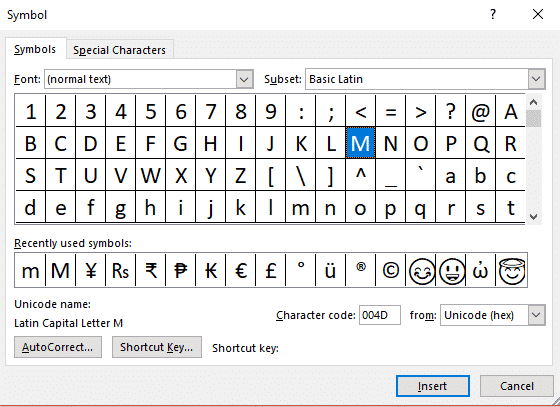
Your deadline is in four hours, you’ve got pages to write and BAM! a letter key breaks on your keyboard …. What do you do? There are at least six different workarounds available in Word, Windows and Mac. A broken key happened to Colin Chambers, a University of Buffalo student when a drink spilled on […]
Sentence spacing in Word – one, two or don’t bother?
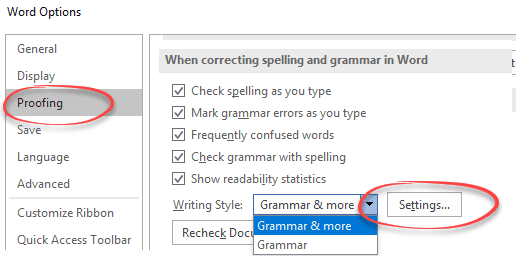
Is there one space or two between sentences? Word lets you check the sentence spacing or ignore it completely. It’s a useful option for those of us who learnt on manual typewriters where double sentence spacing was standard. Switching to single spacing is hard for your fingers to remember. One Space or Two People can […]

‘Punctuation required with quotes’ in Microsoft Word
‘Punctuation required with quotes’ is the most commonly changed Microsoft Word grammar and style setting. It checks is for the location of commas etc. when used with a quotation. Here’s two similar sentences to demonstrate: In US usage, the sentence punctuation mark go inside the quotation marks. In standard British /Commonwealth usage, the comma is outside […]

Why Word’s Alphabetical order is different from a dictionary
Which version of alphabetical order does Microsoft Word use? I thought that alphabetical order was, well, alphabetical order. That’s what I was taught at school and apparently I was taught wrong. There are at least three ways, two used by dictionaries, another by Microsoft and that’s for English alone! Reading Sue Butler’s delightful book ‘The Aitch […]

Sharing Outlook appointments – the right way
There’s a right way and wrong way to send invitations from Outlook. ” I tried your tip about sending calendar appointments to other people but it doesn’t work. I write an email invitation then add a calendar item. The receiver doesn’t see the Accept, Decline etc buttons above the message, instead they have to save […]
Outlook for Mac gets ‘View Source’ plus a big dose of humbug
Sometimes Microsoft gets over-enthusiastic about some ‘new’ feature. Other times they treat their customers like fools. Redmond chose the latter approach to promote a mere ‘catch up’ feature in Outlook for Mac. We were intrigued by this boast on an official Microsoft Twitter account about a new Outlook for Mac feature. “ Easily check to […]

Lambda – strange name for a really good extra in Excel
Excel users are rightly interested in Lambda() a very powerful addition to Excel. Lambda lets you create user-defined functions without VBA. No need for .xlsm files with all the security concerns they entail. A long formula can be written once then referenced anywhere in the workbook by a short name of your choosing. User-Defined Functions – […]

Watch your sort and other Excel traps for the unwary
Sorting numbers in Excel looks easy but there’s traps if you’re not careful. Let’s look at an example of sorting gone wrong, how it’s easy to do but also fix. Finally how modern Excel has several features to warn you not to fall into a common mistake. This table popped up on Twitter (original source […]

Get the Game of Thrones look in Word and PowerPoint
Here’s how to get the Game of Thrones or House of the Dragon look in Word documents and PowerPoint slides. Plenty of people have borrowed the Game of Thrones or GoT look, including a certain US President. All these uses are contrary to various trademarks by HBO. Despite legal complaints there are many ‘tip of […]

Understanding the \s switch in Word’s {SEQ} code
The \s n switch inside the { SEQ } field code isn’t easy to understand so here’s an example of how it resets numbering after a Heading style. Use {SEQ \s n } to restart numbering from 1 after a chosen Heading style. E.g. { SEQ Identifier \s 1 } to reset after Heading 1 […]
Word’s SEQ field code – all the options and switches
Get the most from the SEQ (Sequence) field code in Microsoft Word using these options and switches. Office-Watch.com has tested all the {SEQ} features and found a few things that are different from the official Office documentation. To start with {SEQ } check out Why Word’s SEQ code is a godsend { SEQ Identifier [Bookmark ] [Switches ] } Identifier […]
Why do old addresses remain in Outlook?
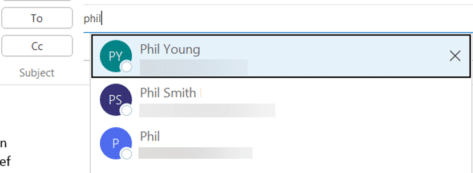
Old email addresses or people have an annoying habit of appearing in Outlook, even after you’ve deleted the address or person from the Contacts list. Here’s why obsolete emails keep appearing and how to remove these unwanted and dangerous strays. Here’s an example of Outlook’s problem with ‘sticky’ and unwanted addresses or names. Make a […]

Presidential passport details leaked – Outlook is blamed
Microsoft Outlook was blamed for a 2015 leak of passport details of world leaders, including President Obama, according to a report in The Guardian. Here’s what happened then, how it can still happen now and what you can do to avoid the same trap. The details where emailed to the wrong person by the Australian […]
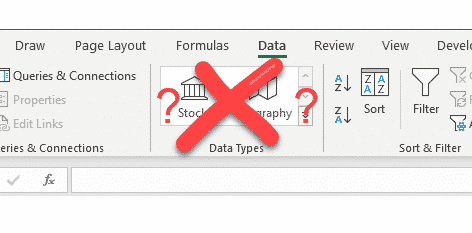
Fix Excel when Stock and Geography data types go missing
When the Stock and Geography data types disappear from the Data ribbon in Excel here’s how to fix and restore Linked Data Types. The Data ribbon is missing the entire ‘Data Types’ section. We’ve had several reports from Office-Watch.com readers who start Excel 365 and find that their Stock and Geography linked data worksheets won’t […]

Orthodox Cross ☦ in Word, Excel, PowerPoint and Outlook
Type the Orthodox Cross ☦ into Microsoft Word, Excel, PowerPoint or Outlook. Both in Office for Windows and Office for Mac. Orthodox Cross or Russian Othodox Cross ☦ symbol is widely seen in Russia and in particular the Russian Orthodox Church. There’s also a Christian or Latin Cross ✝ symbol available. How Orthodox Cross ☦ […]









