All about Microsoft Office Word, Excel, PowerPoint and Outlook, Microsoft 365, Office 2021 and earlier versions.
Get VMWare Workstation working again on Windows 10
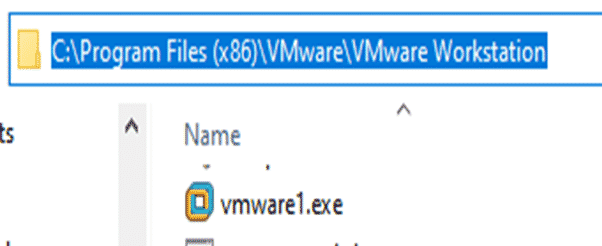
A nasty surprise for VMWare Workstation users after a recent Windows 10. Happily there’s an absurdly simple workaround and now a free update too! VMWare Workstation is popular virtual machine software. Among it’s many uses is running different versions or states of Microsoft Office on the one physical computer. Microsoft has a similar product Hyper/V […]

Latest Microsoft Office sales scam at Amazon
While we were looking for Publisher 2019 on Amazon, we found more obviously illegal sales of Microsoft Office products. We’ve mentioned this before. Blatantly illegal Office licences sold on Amazon by third-parties. Why is this MS Office is illegal? Office 2019 Professional Plus is not sold retail. It’s only sold as part of a volume […]

Yes, there is Publisher 2019. Here’s how to find it
There is a stand-alone perpetual licence Publisher 2019. It’s hiding and Microsoft definitely doesn’t want people to find it, but it’s there. We’ll explain where to find Publisher 2019 among all the subscription options Microsoft would like you to buy. Publisher 2019 is the latest single purchase version of Publisher available to consumers. You’ll find […]

The dirty little secrets of Word’s new Rewrite feature
There are three little ‘gotchas’ with the Rewrite feature in Word 365 for Windows. One is unprecedented in the history of Microsoft Office. The ‘public’ feature isn’t available to everyone. Rewrite is the new cloud service that suggests alternatives to phrases in a document. The way it’s been released to the public is unusual […]

Hiding Columns and Rows in Excel
Make your worksheets look more compact and focused by hiding unwanted columns or rows. Hidden rows/columns still work in calculations, they can be referenced in formulas etc. It’s pretty straightforward. Select the columns or rows, right-click and choose Hide. Keyboard shortcuts Type Control + 9 to hide a row. Control + 0 to hide a […]

All about Microsoft’s new Emoji Key
Two new Microsoft keyboards have an Emoji key. Office-Watch.com has now tried one of these keyboards to see how the new key really works and hardware details. There are various layouts available including US layout. We bought a UK layout keyboard with the Alt Gr key. Firstly, it’s not an ‘Emoji key’. Everyone has been […]
Office Key, all about Microsoft’s new keys
Two new Microsoft keyboards have a dedicated Office key. Office-Watch.com has tested one of these keyboards to see how the new Office key really works. We have a full list of Office key shortcuts plus how it works inside Word, Excel and PowerPoint and geeky hardware info. Hard information about the new key has been […]
Rewrite, a new language helper for Microsoft Word
Microsoft Word can now suggest alternative wordings for phrases and sentences in a feature called Rewrite. It’s ‘synonyms for phrases’ not just single words. Rewrite is promoted as ‘Say it another way’. If you want a different wording for an overworked phrase, Rewrite could help. Speaking of overworked phrases, here’s Rewrite’s suggestions for Microsoft <g>. […]

New Search bar in Outlook
Outlook for Windows is getting a new Search bar which combines many existing search and other options right on top of the title bar. It’s now available to Office 365 Insiders and will gradually roll out to other Office 365 . Outlook Search is hard to miss, it’s right on top of the title bar, […]

Whiteboard app now accepts Word pages or PowerPoint slides
The Microsoft Whiteboard app can now import pages from Word documents or selected slides from a PowerPoint deck. The new feature is better than it’s promoted because you can select pages/slides not just entire documents or decks. Start from the Insert menu where there are now options for Word document and PowerPoint document. The PDF […]

Surface Buds work with Microsoft Office
Microsoft’s new Surface Buds are earbuds with links to Microsoft Office for voice control and transcription. The new product is a rival to the Apple Airpods and many other similar cordless earphones. What’s different is the touch surface with allow more integration with Windows and especially Office. Source: Microsoft It’s unclear what, if anything, is […]
Using 3D Formulas to range across Excel worksheets
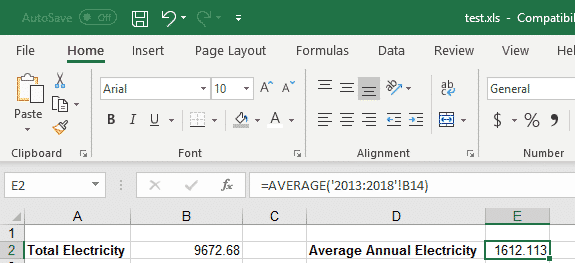
3D Formulas in Excel allow you to make calculations using data from many different worksheets, including ones that don’t exist yet. This can be incredibly useful, when you have similar figures for different periods across worksheets and want to use data from all of those periods. For our example, we have a file with expenses for a number of years, a different worksheet for […]

Outlook fixes and updates in Windows 10 patch
A new Windows 10 bug patch has some fixes for Microsoft Outlook. Microsoft’s documentation is typically brief, so we’ll fill in some details. The time zone changes are too late to help some customers … why? KB4520062 has many Windows 10 fixes but a few affect some Outlook users and anyone using the new Windows […]
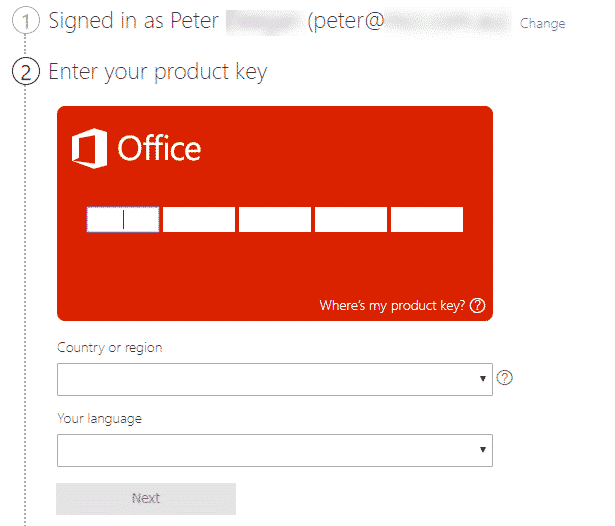
Credit card required for Office 365 – why?
Why does Microsoft demand a credit/debit card for Office 365 plans when you’ve bought your annual plans elsewhere, and probably cheaper? As Office Watch readers know, you don’t have to buy Office 365 Home or Personal direct from Microsoft. Microsoft is the worst place to buy or renew Microsoft Office because it’s always the highest […]

How a savvy Office Watch reader really saved with Office 365
A few days ago we told you about a very good deal at Argos in the UK, half-price Office 365 Home. One couple has taken advantage of our tip, and other suggestions from Office-Watch, to get two years of Office 365 for the price of one. One of our readers saw our Office 365 Home […]
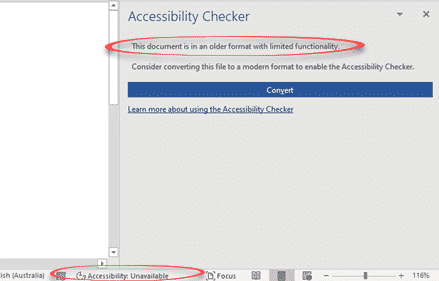
Accessibility Checker and document conversion in Office 365
Soon, Office 365 will warn you when the document, worksheet or presentation uses a document format that doesn’t support modern accessibility features. Accessibility features like alt text in images, color contrast, heading consistency, table structures are only available with the modern Office document formats ( .docx .xlsx .pptx etc). Office 365 for Windows from Insider […]