All about Microsoft Office Word, Excel, PowerPoint and Outlook, Microsoft 365, Office 2021 and earlier versions.
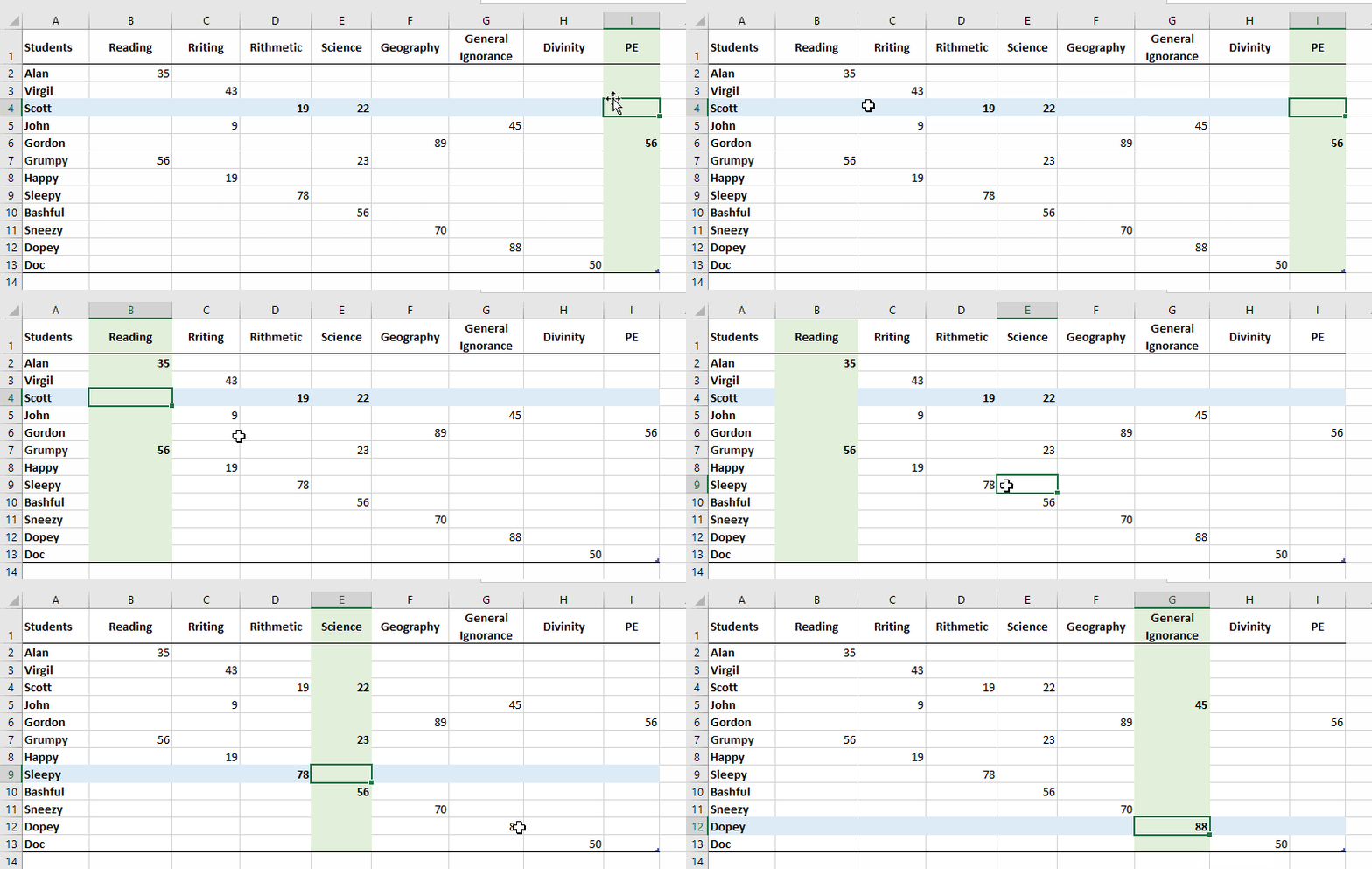
Excel tricks to highlight selected row, column, heading and more
Make it easier to see your current cell in an Excel workbook by dynamically highlighting the selected row, column, cell or headings. Here’s obvious and more subtle highlighting options plus the downside of highlighting, real world tips and debugging tricks if you’re having trouble. There are many different variations on this method; two colors, headings […]
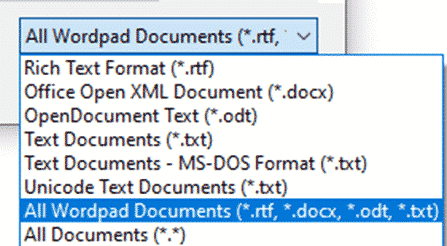
How to get back WordPad
The latest Windows 11 update will delete Wordpad from the computer. Here’s how to get it back and keep it on Windows. As promised back in February 2024, the Windows 11 24H2 update deletes the Wordpad app. That’s a shame because Wordpad could open Microsoft Word documents (.docx) files offline and without buying Office or […]
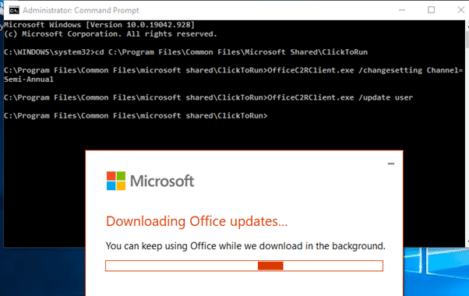
Force Microsoft Office 365 to half-yearly feature updates
There is a way to force the Microsoft 365 Office apps to half-yearly feature updates instead of the usual monthly changes. Microsoft Office 365 for consumers and small businesses (Personal, Family and other plans) automatically updates each month with new and changed features. Some are minor but others are big and important. That’s OK for […]
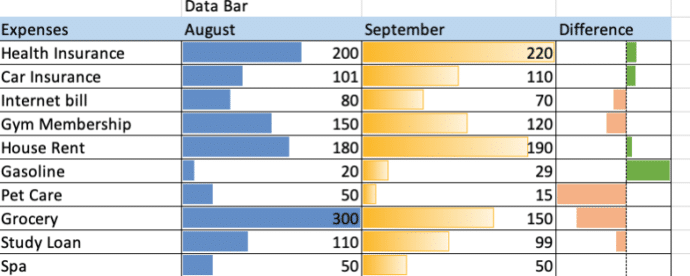
Make simple bar charts with Conditional Formatting
Excel can make bar charts in-cell without bothering with the full Chart system. Despite what you might have seen, there’s plenty of options in Excel Data Bars. The usual example of Excel Data Bars has the colored bar in the same cell as the value. In this article we’ll show how it’s possible to have […]
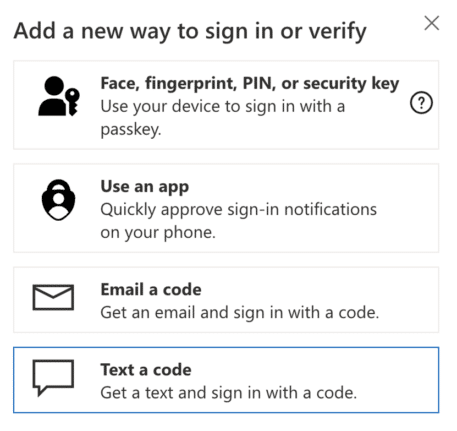
Check your Microsoft account recovery options … now before it’s too late
It’s not enough to setup two-factor security for your Microsoft account. Make sure your recovery settings are checked and up to date. Do it now before it’s too late. Today we’re helping someone trying to login to their Microsoft account after losing their password. Many, many hours of frustration and worry that could have been […]
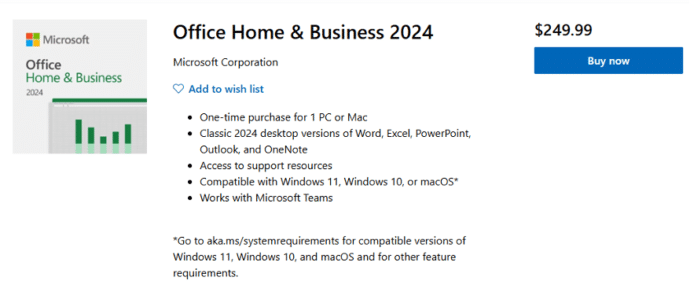
Office 2024 is now on sale
The new version of Microsoft Office 2024 is now on sale to the general public all around the world. This is the ‘perpetual licence’ or single purchase release with no subscription fee. Office 2024 is now available direct from Microsoft.com and some retailers at the same prices as Office 2021. See All about Office 2024 […]
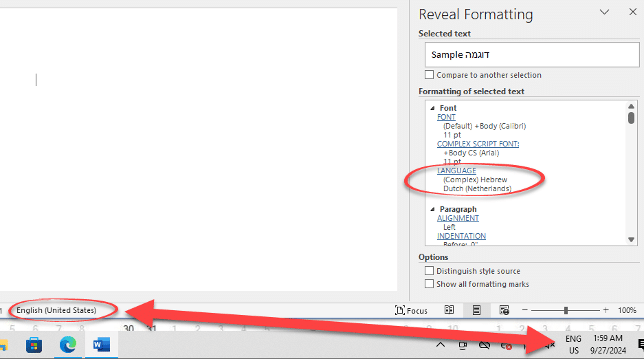
Investigating the Word language bug
Here’s how Office Watch reader, Erik and we drilled down into Windows and Word to narrow down the source of the Word language bug. Erik’s tests are with Office 365 on Windows 11 Pro 23H2 but the same behavior has been reported by others in many versions of Word and Windows. Office Watch had a […]
Inside the Language choice bug in Word
Sometimes Word will switch to another language despite all the settings saying otherwise. With the help of an Office Watch reader, we’ve dug into the details to find what might cause the bug in Word and suggest some possible solutions. Word and Office should obey the default language setup in Office but, as some people […]
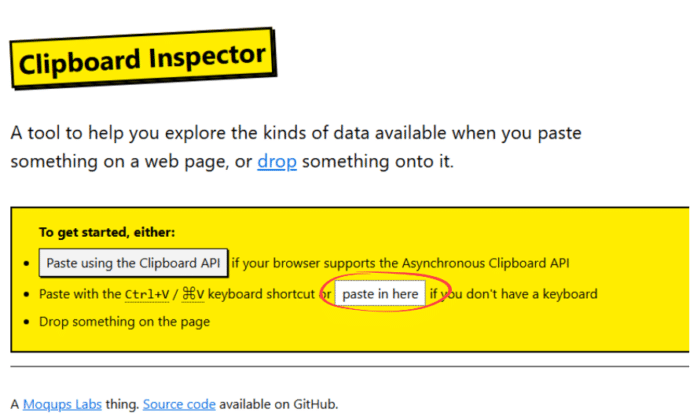
How to check what the clipboard is saving
There’s a simple way to drill into the Windows or Mac clipboard to see what’s saved and how it’s saved. The clipboard is a lot more complicated than most people think. Happily, most of the time the complications don’t matter to us mere humans. Copying text from, say, Word might seem simple but each time […]

Famous logos with the fonts they use
Ever wondered what font is used in a famous logo? There’s a fascinating collection of familiar brands with their names replaced with the font name. Emanuele Abrate has made Logofonts, for example the Starbucks logo with the font name, FreightSans Black. Nike uses Futura. WhatsApp with HelveticaNeue. YouTube uses AlternativeGothic and Instagram has Billabong. Once […]

How to correctly spell Brontë in Microsoft Word with the diaresis
An 85-year-old blunder has just been fixed at Westminster Abbey to change the spelling to Brontë with the important diaresis. Here’s how to type an ë in Word and other matters arising. Here’s how the memorial to the Brontë sisters looked in Poets Corner until a few days ago. For 85 years this memorial, seen […]
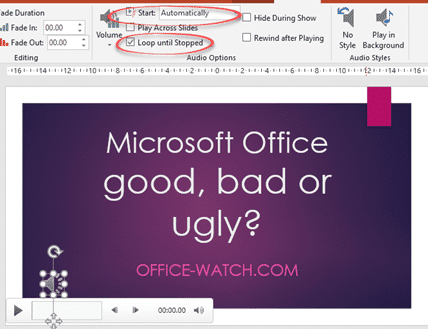
Audio tricks and traps in PowerPoint
There are plenty of audio and music options available in PowerPoint if you want to give your audience a break from your voice. We’ll go beyond the simple ‘adding music’ help to give some practical advice for audio in presentations: You will find the audio basics at Insert | Media | Audio Choose a music/audio file […]

Microsoft Office and the “Dialog from Hell”
A short video which brings up some interesting points in the early development history of Microsoft Office, some might surprise you. Microsoft Office started as separately sold products (Word, Excel, PowerPoint and Outlook) and only gradually did they become an integrated package with shared components, consistent interface and some interconnections. See the whole video on […]
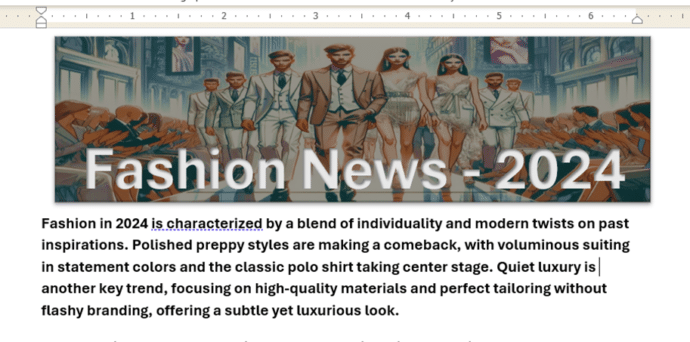
Make a great Word document banner – free
Add something special to the start of your Word document with a banner image with text. We’ll explain how to do that with free tools like Copilot or Designer. We were inspired by a Microsoft promotion which wrongly said that a Microsoft 365 subscription with Copilot Pro is required, when really neither of those things […]

Copilot Wave 2 – watch out for the fine-print
A new collection of Copilot features have been released under the banner “Wave 2” with inclusions for Excel, PowerPoint, Outlook, Word and Teams. Don’t get too excited because there’s ‘fine print’ that limits who can catch this wave. Before we explain a little of what’s in the new set of Copilot features, let’s look at […]
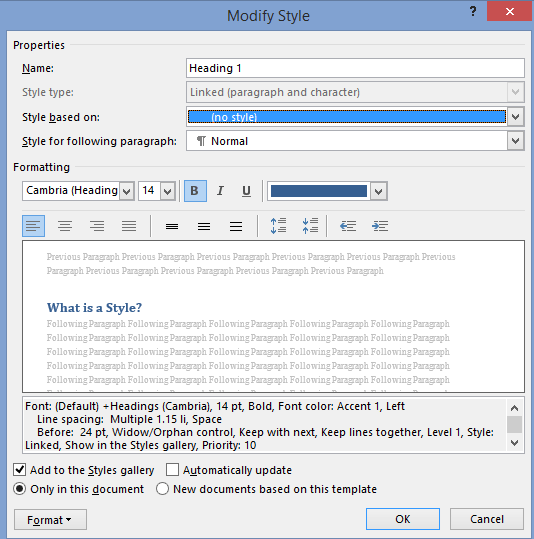
All about the basics of Styles in Word
Here’s the basics of Styles in Word for paragraph, character or both (Linked) plus Tables and Lists. I know talking about styles in Word makes eyes glaze over but they are a really useful part of Word (plus Excel, PowerPoint and Outlook). Today I watched an ‘experienced’ Word user reformatting a document. He laboriously worked […]