All about Microsoft Office Word, Excel, PowerPoint and Outlook, Microsoft 365, Office 2021 and earlier versions.

Look out for Catch Up in Microsoft Office
Catch Up is Microsoft’s new way to present the latest changes, comments, mentions and tasks in a collaborated document, sheet or slide deck. When a document is being managed by many people, there can be a lot happening. Edits to the doc, sheet or slides, comments and @mentions including tasks that can become hard to […]

Microsoft Office welcomes Mickey and other public domain characters
How to get and use the copyright free Mickey Mouse and other public domain creations in Microsoft Office. Add to Word documents or PowerPoint slides. There’s been a lot of stories about content that is now in the public domain, especially Mickey Mouse. That copyright expiry applies to the USA only. Copyright law is different […]
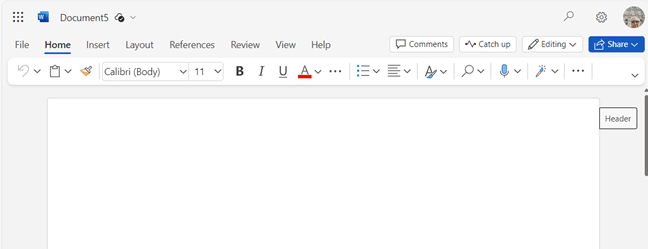
Discover Microsoft Office Quick-Start .new Links
There are special web links to make a new Office document (Word, Excel or PowerPoint) with a single click. Microsoft has bought some .new domain names like https://word.new . When you click on a .new link, a fresh document is created for you. Word, Excel or PowerPoint files are created in the Office web apps […]

Calendars Galore from Microsoft Office!
Microsoft Office has many, many print calendars to choose from, if you know where to look. There’s a trick to choosing the right calendar for your needs, made by Word, Excel, Outlook or PowerPoint. Printing out calendars or adding them to documents/slides is possible in Microsoft Office though the selection is spread across Word, Excel […]
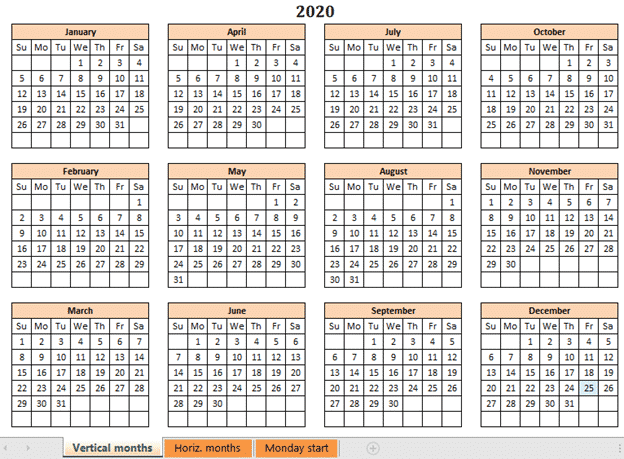
A better Excel Calendar Creator for Office Watch readers
Here’s a better and more flexible version of the Calendar Creator with both Sunday and Monday start of week. Office Watch reader, David Peel, has made a better, more compatible Calendar Creator. We added some different versions to suit other calendar formats. We’ve told you about The Mystery of Excel’s Calendar Creator template which doesn’t […]
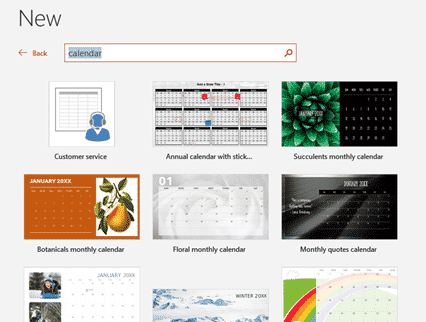
2024 Calendars in your PowerPoint slides
There are 2024 calendar templates available for PowerPoint, giving you landscape oriented calendars but less options overall. Landscape calendars PowerPoint calendars aren’t just for presentations. They offer printable landscape orientation calendars not usually available in Word or Excel. Look for the overall layout you want, change the images and colors to suit. Just like Word […]
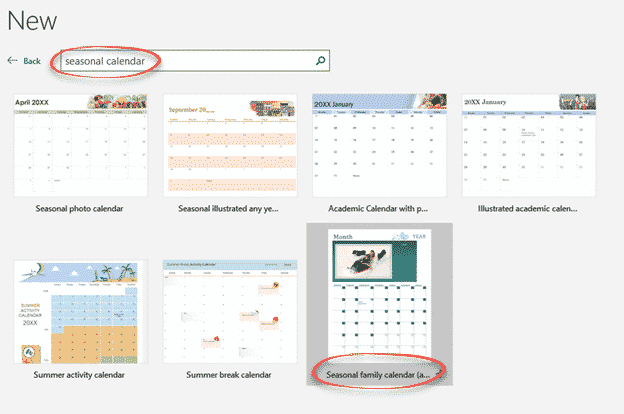
Make Excel calendars better for you
Excel can make calendars from some supplied templates. Some templates are labelled with a specific purpose however a few simple changes can make them better and suit what you need. Sadly, the help with the templates can be wrong or misleading. Here’s just one example to show what’s possible to make a specialist Excel calendar […]

Former Microsoft staffer to become Queen
In January 2024 a former Microsoft employee will become a Queen. A real live Queen from a noble and respected European royal house not some nerdy or made-up social media title. The former Mary Donaldson of Hobart, Australia and past employee of Microsoft Denmark is now better known as Mary, Crown Princess of Denmark, Countess […]

How to Find inside Text Boxes for Microsoft Word
All about Find in Microsoft Word Text Boxes. Text Boxes in Word have special needs when you’re either looking for text inside Text Boxes only or just the main document. What’s inside Text Boxes is handled separately to the main document, depending on the options you’ve chosen for the search. Find in Text Boxes Standard […]
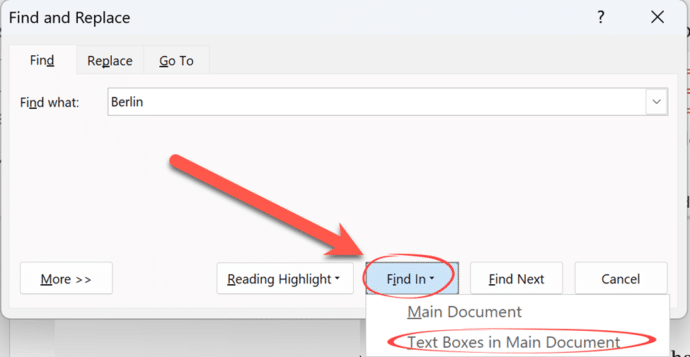
How to Find and Replace in Word Text Boxes
Find and replace inside Microsoft Word Text Boxes is something that Word can’t do directly but is possible in two different ways. As we’ve already explained, Word can only find text inside Text Boxes as either part of a search of the entire document or just the content of Text Boxes. The trouble comes if […]

Find has clever options in Microsoft Word
Let’s go deeper into the Microsoft Word ‘Find’ function, looking specifically at a number of options that can be accessed in the Word “Find” feature (Ctrl+F) and clicking its “More” button. In a recent issue of Office for Mere Mortals we looked at how to search within a Word document. There is a lot of hidden […]
Excel SUM anomaly
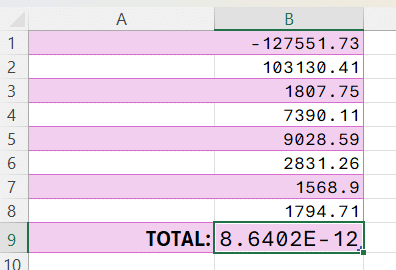
Excel can’t add up reliably and it never has. It’s an important limitation of computer software that everyone needs to be wary of. Phil N sent us an interesting Excel worksheet. He’s simply adding a column of numbers starting with a negative number then positive numbers – the total should be ‘a wash’ – that […]

PowerPoint Cameo gets an important upgrade with Placeholders
PowerPoint’s ‘camera in slide’ feature ‘Cameo’ is getting a welcome boost, if not an essential piece of Cameo. Cameo placeholders can be added to Slide Masters. Cameo is Microsoft’s name for putting a live camera image into a PowerPoint slide presentation. It’s ideal for online presentations. That was fine but the cameo video had to […]

A new way to reach Outlook and Office in a browser
Microsoft has added new web links to access Microsoft 365 mailboxes in a browser as well as some other unpublished new domains to reach Office apps in a browser. The web links are https://Outlook.cloud.microsoft or https://Outlook.microsoft Use one of those links and login to your Microsoft 365 mailbox (e.g. Business, Enterprise or other plan). It […]
Emoji Panel is part of Windows that totally sucks
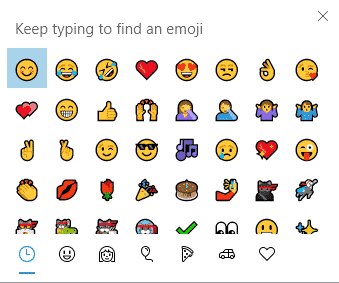
Windows 11 and 10 has the Emoji Panel. What a pity that it totally sucks and is incredibly dumb. Emoji Panel is better than what we had before (nothing) but not by a lot. We’re talking about the Emoji Panel or ‘keyboard’ which appears in Windows 11/10 when you press Win + . (Windows key […]

All about the Windows 10 Emoji Panel
All about the Windows 10 Emoji Panel, a fast way to type emoji 😁, symbols §⁜✓, emoticons 🙂 and kaomoji (❁´◡`❁) into any Windows app, document, slide, email or message. This is how it appears in Windows 10. If you have Windows 11, the Emoji Panel works differently, see Get the most from Windows 11 […]









