All about Microsoft Office Word, Excel, PowerPoint and Outlook, Microsoft 365, Office 2021 and earlier versions.

Get the most from Windows 11 Emoji Panel
The Windows 11 Emoji Panel is a quick way to type emoji 😁, symbols §⁜✓, emoticons :), kaomoji (❁´◡`❁) and even animated GIF’s into any Windows app, document, slide, email or message. We’re talking about the Emoji Panel or ‘keyboard’ which appears in Windows 11 when you press Win + . (Windows key plus period/fullstop) […]
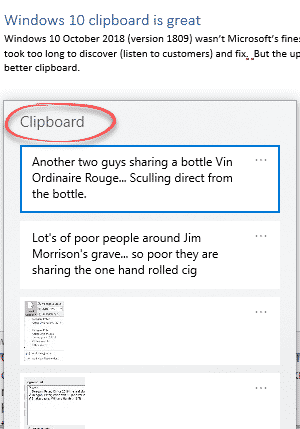
Don’t miss the better clipboard in Windows 11 & 10
Windows 11 and Windows 10 have a better clipboard but there’s a big problem as well, it’s hidden away and many people don’t realize it’s there. Windows 11 and Windows 10 saves more than one item into a clipboard memory. Most likely you have this enhanced clipboard and don’t even know it. It was added […]
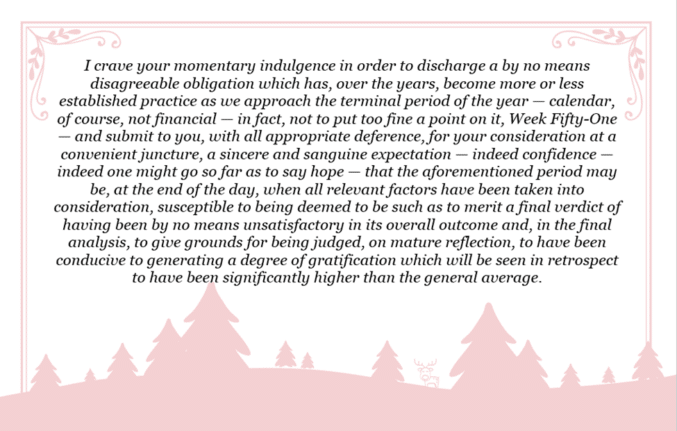
A ‘Yes Minister’ Christmas card
A scene from a famous UK sitcom could also be used as a unique and overly literate Christmas card. ‘Yes Minister’ is a famous UK sitcom set in the British Public Service and politics. Sir Humphrey Appleby (played to perfection by the late Sir Nigel Hawthorne) gave amazingly convoluted explanations for the simplest things. This is […]

Five snowflake ❄ symbols in Word, Excel, PowerPoint and Outlook
Five ways to add a Snowflake ❄ symbol into Microsoft Word, Excel, PowerPoint or Outlook. Both in Office for Windows and Office for Mac. There are three snowflake symbols plus two Office icons. Snowflake ❄ symbols are normally used to show, well, a snowflake or generally to indicate cold or snow. Maybe also as a […]

Oversold mystery typography changes in Word and Outlook
Microsoft is changing the way Word’s Read Mode and Outlook’s Reading Pane looks but it’s hard to know what they’re doing because there’s a lot of oversold hype but little detail. These changes were announced more than two weeks ago and still haven’t appeared on any of our test machines. That’s important because Microsoft’s blog […]

Fix the kerning settings in Microsoft Word and Office
How to use the font kerning settings in Microsoft Office, Word and PowerPoint and fix the default setting for Heading styles in Word. Kerning letters makes a difference as the letters get larger so the setting is more important for headings and titles in Word and PowerPoint. Here’s common Arial font without and with kerning […]

Try out the Meta image maker – Imagine
Meta has joined the ‘text to image’ AI race with Imagine. Here’s how to use it to make interesting pictures quickly and bypass its current limits. There are so many AI tools out there, in particular ‘text to image’ makers, Microsoft has ‘Generate Image’ in Designer and a separate Image Creator as well as the […]
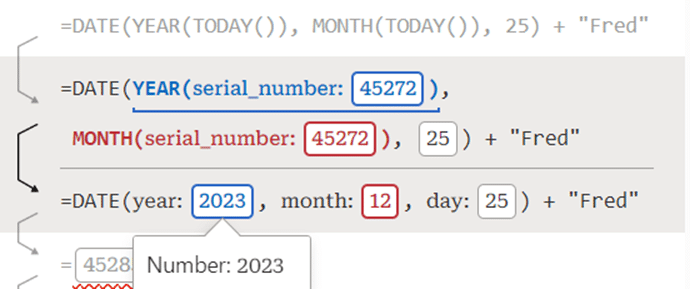
Debug to understand and fix Excel formulas
Excel Labs has just added a nice formula Debug option that helps you understand the steps inside a formula and fix errors. There are already three ways to look inside a formula; Evaluate Formula, F9 to calculate part of a formula and the recent Visual Preview. Now Microsoft’s Excel Labs Advanced Formula Environment has a […]

Check these Excel Power Query settings before it’s too late
There are two important changes coming to Get & Transform (Power Query) in Excel. Both changes are probably already covered by the current setup but you should check any external data links now to avoid an unwanted surprise. These changes apply from 11 March 2024. Microsoft is a little vague about one of them (TLS […]

Secret shortcuts in Microsoft Designer
Microsoft Designer has secret key shortcuts to quickly insert shapes and text boxes without jumping to the side menus. All you need to do is press a single letter key to insert one of these shapes: R – Rectangle (inserts a square) C – Circle L – Line T – Text Each of these shortcuts […]

How to add notes inside Excel formulas
Here are three ways to add an explanation or note within an Excel formula itself, instead of separate notes. The ‘Achilles Heel’ of Excel or any spreadsheet program has always been explaining or commenting of cell formulas. Adding comments is an important part of any code including Excel’s VBA but it’s MIA from formulas themselves. […]

Pantone’s 2024 color ‘Peach Fuzz’ in Word, Excel and PowerPoint
Pantone’s color of the year for 2024 is “Peach Fuzz”. You can use that exact color in Word, Excel, PowerPoint, Outlook and Designer using the Hex/RGB color code. And we’ll look at the flowery prose that’s become a hallmark of this annual promotion. The color of 2024 is … Peach Fuzz As usual what’s more […]

Microsoft 365 browser extension is ‘retiring’
The Microsoft 365 browser extra for Edge and Chrome is being ‘retired’ from January 2024 though not for any good or explained reason. Maybe it’s because Microsoft’s Edge browser has an in-built alternative? From 15 January 2024, there’ll be no more updates or support for the Microsoft 365 browser extension. The extension will disappear from […]

Ten ways to select text fast in Microsoft Word
In Microsoft Word, you can use keyboard or mouse shortcuts to select characters, words, lines, paragraphs, and blocks of text faster. Here are ten different selection tricks that Word experts know to speed up their work. Select a Sentence Highlight an entire sentence in Word by simply holding down the Ctrl key, or the Command […]

Excel on the web has easier ways to insert functions
Excel’s web version now has some better ways to insert functions direct from the function search window. Also easily see the open/close bracket pairs. Insert Function ‘wizard’ Insert Function has expanded into a little ‘wizard’ (remember those?) after finding the function, a second pane lets you insert parameters with some guidance. Go to Insert | […]
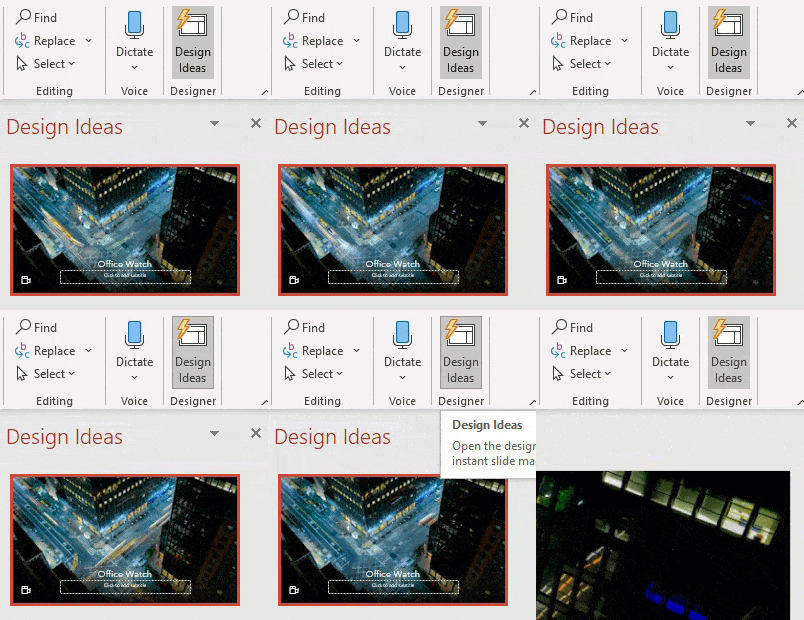
Stop Designer in PowerPoint
Designer in PowerPoint 365 is great, but it can be too pushy and intrusive with the Design Ideas pane popping up too much. Designer risks becoming the new ‘Clippy’! Here’s how to stop Designer appearing until you want it. PowerPoint Designer suggests slide designs based on the content. It’s a cloud service which means there […]









