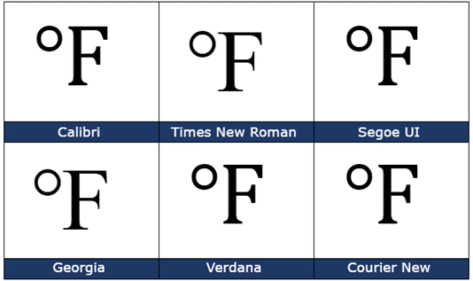
Degree Fahrenheit ℉ symbol in Word, Excel, PowerPoint and Outlook
How to insert the Degree Fahrenheit ℉ into Microsoft Word, Excel, PowerPoint or Outlook. Both in Office for Windows and Office for Mac. Degree Fahrenheit ℉ symbol is used as the unit for the Fahrenheit temperature scale. It’s a single character that’s a combination of the degree symbol and capital F. There’s a matching Degree Celsius […]
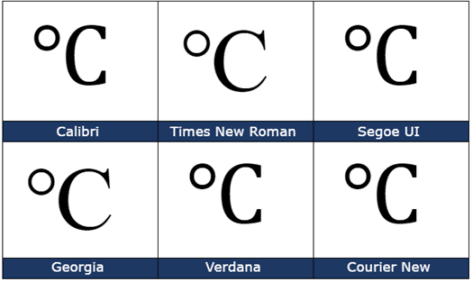
Degree Celsius ℃ symbol in Word, Excel, PowerPoint and Outlook
Insert the Degree Celsius / Centigrade ℃ into Microsoft Word, Excel, PowerPoint or Outlook. Both in Office for Windows and Office for Mac. Degree Celsius ℃ is a single character symbol is used to refer to a specific temperature on the Celsius or Centigrade scale. Centigrade was the original name for the temperature scale before 1948 […]
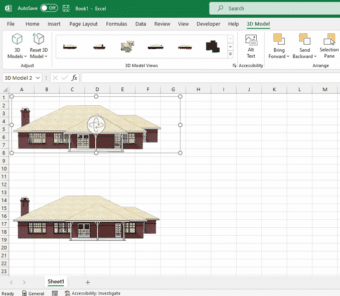
SketchUp 3D graphics in Office 365
Microsoft has added SketchUp 3D graphics (.skp files) to the models inserted into Word, Excel, PowerPoint, and Outlook. SketchUp is a 3D graphics program where you can create shareable designs such as architectural models and graphics used in industrial design, product design, and civil and mechanical engineering. SketchUp Free is available for everyone. Adding Sketchup’s […]

Microsoft fixes their Quick Access Toolbar changes
Microsoft has reversed course on their proposed changes to the Quick Access Toolbar (QAT) in Microsoft Office 365 apps. The current defaults remain for new installs with ‘below the ribbon’ available as an option. In other words, common sense has prevailed. Microsoft wanted to move the Quick Access Toolbar from its familiar location ‘top left’ […]

Illegal colors in Word, PowerPoint and Office
Amazingly, a simple color can be trademarked and using one in a Word, PowerPoint or Office document can be illegal. We’ll explain why and a list of some colors you might need to avoid. Companies can trademark a color that’s associated with their product or logo. If you’re designing a document or presentation, especially for […]

Vertical Bar | symbol in Word, Excel, PowerPoint and Outlook
How to insert the Vertical Bar | into Microsoft Word, Excel, PowerPoint or Outlook. Both in Office for Windows and Office for Mac. Vertical Bar | symbol (technically a glyph) has many uses in computing, physics, maths and typography. In some programming languages | has a special meaning, for example in PowerShell | is called […]
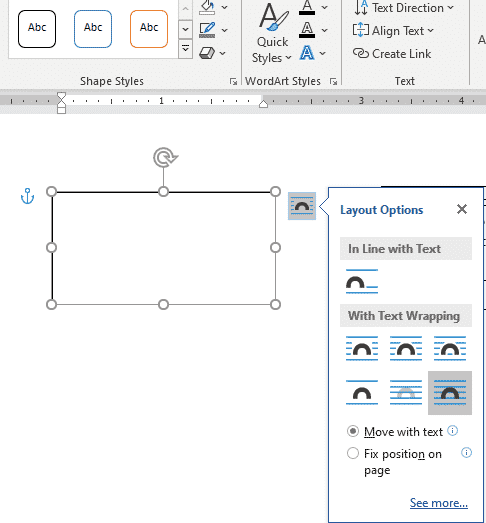
Set your own Text Box default settings in Office
You’re not stuck with the Microsoft Office automatic settings when inserting a new text box. Change the Text Box defaults to whatever you like for faster text box formatting in Office; Word, Excel, PowerPoint or Outlook. There are TWO ways to add a Text Box in Word and Outlook – each with their own ways […]
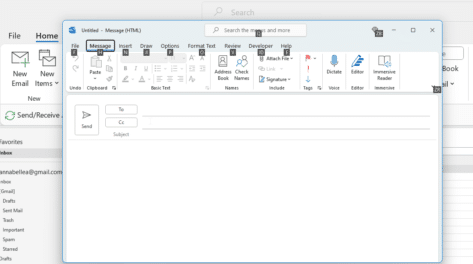
Outlook Function Keys – complete list
Here’s a complete list of the Outlook Function Key features from fast access to Help, jumping around your inbox, doc panes, spelling, grammar and key shortcuts. Let’s look in detail the functionality of the F-keys labelled F1 through F12 on your keyboard. F1 – Help, hide ribbon F2 – Calendar F3 – Search, change case […]
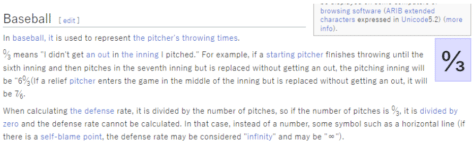
Zero Thirds (Baseball) ↉ emoji in Word, Excel, PowerPoint and Outlook
How to insert the Zero Thirds (Baseball) ↉ fraction or symbol into Microsoft Word, Excel, PowerPoint or Outlook. Both in Office for Windows and Office for Mac. Zero Thirds ↉ symbol (officially called ‘Vulgar Fraction Zero Thirds’) is a rarely used Baseball scoring symbol. The best explanation we could find was a Japanese Wikipedia page, here’s […]
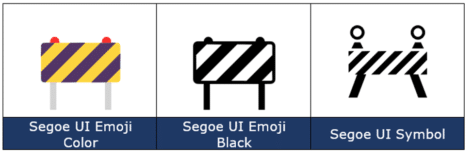
Construction Sign 🚧 emoji in Word, Excel, PowerPoint and Outlook
How to insert the Construction or Roadwork Sign 🚧 emoji into Microsoft Word, Excel, PowerPoint or Outlook. Both in Office for Windows and Office for Mac. Construction, Roadwork or Warning Sign 🚧 symbol can be used in PowerPoint slides and in other Office documents sometimes to mark WIP or “Work in Progress“. Need more than an […]
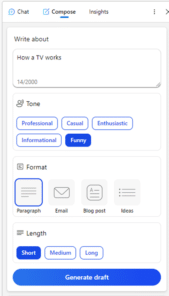
Copilot might “transform the way we work” but not right now
According to Microsoft, their AI integration Copilot is “A whole new way to work” and will “Transform the way we work”. That’s true, but not as quickly or as well as their overstated hype suggests. Here’s why I’m cautious about the Copilot promises. Microsoft is rushing both publicity and release to keep ahead of Google, […]

Fixing Microsoft Office Unlicensed Product errors
Here’s what to do if you get the dreaded Microsoft 365 / Office 2021 or Office 2019 Unlicensed Product / View only error message. Assuming you have a current Office 2021/2019 or Microsoft 365 subscription (we’ll show you how to check that, below). The unlicenced product warning usually happens if you’ve started Office after a […]

Reversed Question Mark / Irony ⸮ symbol in Word, Excel, PowerPoint and Outlook
How to insert the Reversed Question Mark / Irony ⸮ into Microsoft Word, Excel, PowerPoint or Outlook. Both in Office for Windows and Office for Mac. Reversed Question Mark / Irony ⸮ symbol has been proposed to denote irony or sarcasm within text. Or for rhetorical questions. It’s never really caught on. The proper name […]
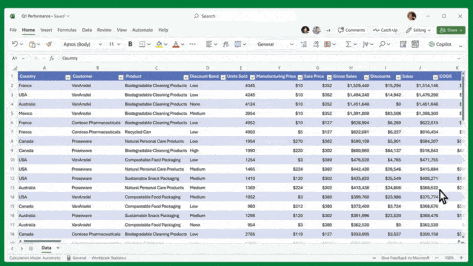
What Microsoft 365 Copilot can really do for you – not just the hype
Strip away the hype and vague promises for the upcoming Microsoft Copilot and see what these AI features can do for you. As regular Office Watch readers know, we prefer to talk about products we can use ourselves. Until we can do that, we’ve stripped away the considerable Copilot hype to show a little bit […]
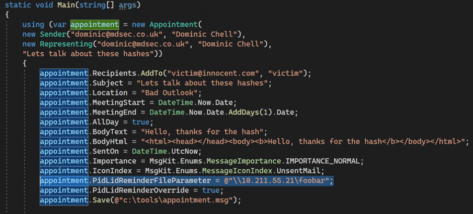
How Microsoft left an Outlook security hole that’s way too easy for hackers
More is coming out about the latest, critical Outlook security bug and how embarrassingly easy it is for hackers to infiltrate an unguarded computer. What Microsoft blandly calls an “Outlook Elevation of Privilege Vulnerability” is truly dangerous and is so easily done that it’s likely to be quickly and widely used. Everyone with Office for […]

Office gets Irish language or Faigheann MS Office an Ghaeilge
Irish Gaelic, Gaeilge or just Irish is available in Microsoft Word Translator and other translate services from Microsoft. Here’s how to download the Irish spell check and other proofing tools. Irish Gaelic is the first official language of the Republic. English is more commonly used and the second official language. Gaeilge is also recognised in […]