
Your Outlook.com Emails Could Kill Your OneDrive Storage—Here’s Why
Microsoft has quietly changed how storage is handled in Outlook.com: email attachments now count against your OneDrive quota. For users on free Outlook.com accounts with only 5GB of OneDrive space, this shift can quickly consume cloud storage and even disrupt email if quotas are exceeded. Here’s what this means for your mailbox, storage limits, and […]
Microsoft Redefines “Red” for Better Accessibility in Word, PowerPoint, and Outlook
Microsoft has quietly adjusted its classic Office “red,” shifting to a slightly softer. While the change may seem minor, it means improved readability and compliance with accessibility standards. But there’s a downside too in Word, PowerPoint, Outlook, and OneNote on both Windows and Mac, ensuring users get a color that looks the same but works […]
What Is Email Quarantine? How It Protects You or hides missing messages
Email quarantine is a security feature used by mail systems to protect users from suspicious or spam messages while ensuring that potentially important emails aren’t lost forever. Instead of automatically deleting uncertain messages, quarantine places them in a separate holding area for you to review and decide whether they’re safe or malicious. This guide explains […]
More Microsoft hype to force new Outlook on customers
Rejoice, Outlook users! Microsoft has decided to fix what wasn’t broken, ushering in the “new” Outlook with all the grace of a bull in a china shop. Because who wouldn’t want to trade in their reliable, familiar email experience, Outlook ‘classic’ for a shiny, unfinished product (Outlook ‘new’) dressed up with features you’ve enjoyed for […]
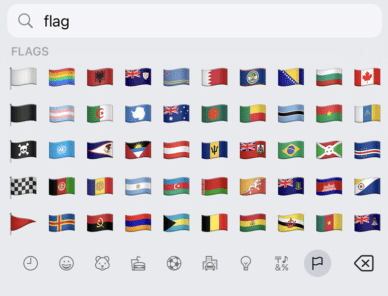
Get flag emoji in Microsoft Office with Windows workaround
Why you can’t insert national flag emoji (among many) in Microsoft Office and Windows but can in Office for Mac, macOS, iPhone and iPad. We’ll explain the workaround necessary to insert national flags in Windows and Office for Windows. Apple devices (macOS, iPhone and iPad) show flag emoji properly like this: But a Windows user […]
Explore Cloud Fonts: A Fast, Free Design Boost in Office 2024 and Microsoft 365
Cloud fonts—your next creative shortcut—are now seamlessly integrated into Office 2024/2021 and Microsoft 365. These lightweight fonts download instantly when needed, bypassing the hassle of system installations and making them ready for use across your Word, PowerPoint, Excel, Outlook (and more) apps in mere moments. Whether on Windows or Mac, simply pick the font from the dropdown, […]
New Outlook for Windows stops for 19 hours
Last Monday into Tuesday there was a serious outage that affected Outlook for Windows users. It shows how a failure on Microsoft’s server can stop new Outlook software from working at all. About 5% of global Outlook for Windows customers were unable to open the new Outlook desktop client on Windows devices for up to […]

Simple ‘one click’ force an update to Microsoft Office
A simple way to update Microsoft Office 365 for Windows with one click instead of digging into the menus to do it. We’ll show you the simple command line with options that make it possible. Normally, the Windows versions of Microsoft Office 365, Office2024, Office 2021 and Office 2019 all update automatically and you don’t […]
Microsoft Alert: Update Office or voice features are silenced
Microsoft has officially warned all Microsoft 365 customers to update Office—or risk losing handy features like Read Aloud, Transcribe, and Dictate. Most people will already be OK but it’s worth checking to make sure. Microsoft is totally revamping the backend services that powers the voice related parts of Microsoft Office; Dictate, Read Aloud or Transcribe. […]
Ctrl + Shift + V paste shortcut returns to Outlook
There was a sudden disappearance of the Ctrl + Shift + V Paste Special shortcut in Outlook classic for Windows. We explain what caused the issue, when Microsoft will finally roll out a fix, and why the delay happened, so you can get back to efficient email editing without the hassle. Ctrl + Shift + […]
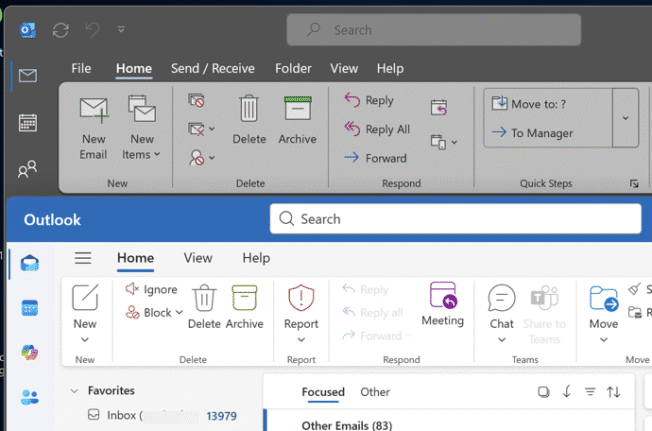
How to Switch Back to Classic Outlook from New Outlook
Looking for a way to revert to classic Outlook after trying the new Outlook for Windows? This guide provides step-by-step instructions on how to switch back to classic Outlook, explains how both versions are probably on your PC. If you’ve tried the new Outlook for Windows and wish to return to the classic version, follow […]
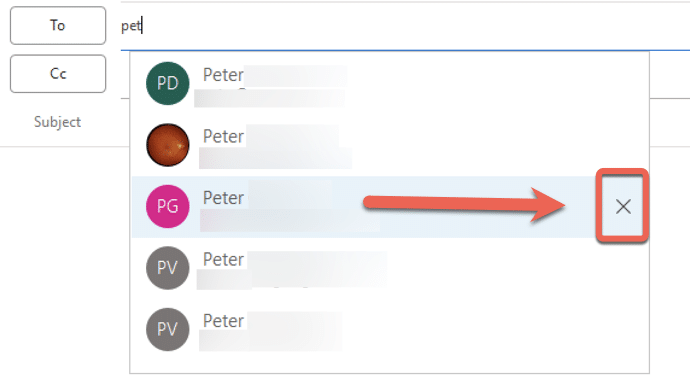
Why doesn’t an Outlook change of address stick?
If you’re wondering why a contacts address change in Outlook doesn’t stick, you’re not alone—many Outlook users face this frustrating issue. There are three possible reasons starting with a little known quirk in how Outlook saves email addresses. An Office Watch reader asks why Outlook keeps remembering an old email address despite updating the contact […]
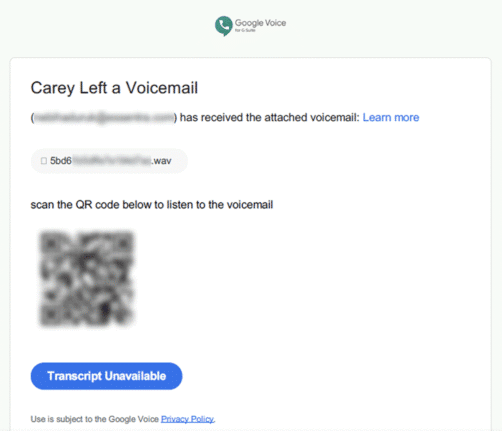
Direct Send is a huge Microsoft security lapse that’s finally being fixed
For years, Exchange Server has a feature which can be used to infiltrate organizations. Only now that Direct Send is being exploited is Microsoft finally acting to warn customers and provide a way to turn it off. In other words, Microsoft is “closing the barn door after the horse has bolted” </cliche> Direct Send is […]
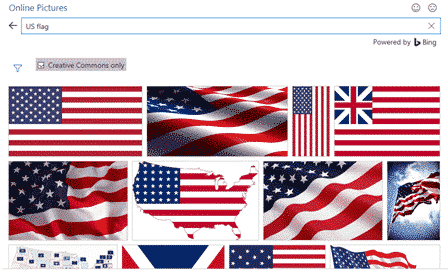
Add the US Flag to Word, Excel and PowerPoint in High Quality
Want to add the US flag to Word, Excel or PowerPoint without ending up with a blurry, stretched mess? This guide shows you exactly where to get a high quality flag image, including the scalable SVG version that stays sharp at any size, how to insert it in seconds, the official red, white and blue […]
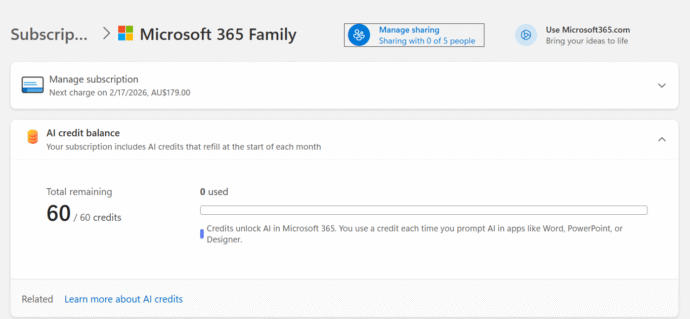
How many Copilot AI Credits do I have?
Some Microsoft 365 consumer plans come with a monthly allowance of “AI credits” but it’s hard to find out how many are left. The AI credit balance does not show up in the Microsoft 365 apps nor Windows 11 account information. It should be there and maybe Microsoft will eventually get around to it but […]
Outlook Crashing When You Try to Email? Of Course It Is.
So you fired up Classic Outlook for Windows, clicked “New Email,” and… boom. Instant crash. Because apparently, asking your email client to do email things is just too much these days. The Smoking Gun: FORMS2 Folder Turns out Outlook can’t find its precious Forms Library — that’s the thing it needs to open new emails […]









