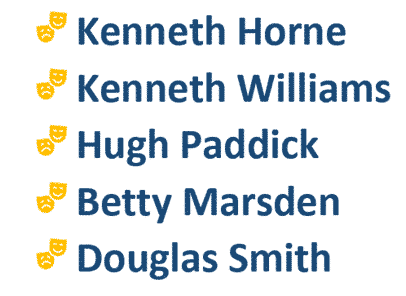
Better Bullets in Word with SVG Icons
Get better and more creative bullet lists in Word using an Icon or SVG graphic in Word or PowerPoint, you just have to be a little sneaky. Icons (Microsoft’s name for SVG graphics) would seem to be ideal for creative bullets. SVG’s can be resized, colored and adjusted without loss of quality. They are available […]
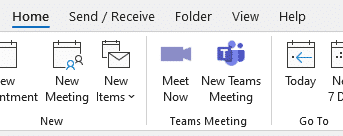
Get rid of Teams buttons from your Office ribbon
Teams button creep into Office and Outlook ribbons because Microsoft tries to promote itself. Here’s how to get rid of it or any other Office buttons you don’t want. Teams icons prominently appear on Office ribbons, like this one on the Outlook Calendar ribbon. or this with Meet Now video conferencing included as well. Or […]
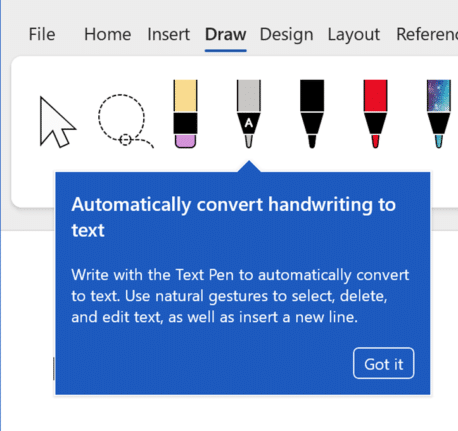
Ink to Text tool in Microsoft 365 for Windows
Word, PowerPoint and OneNote 365 for Windows have digital ‘ink to text‘ feature to not only handwrite into documents but also edit text and add bullet or numbered lists. Ink to Text requirements Before we explain the new feature, we’ll detail the specific requirements of the new ‘Ink to Text’ Word feature. Microsoft buries these […]

Microsoft Office font spacing mystery and how to fix
A strange case of letter spacing with a Microsoft font showing differences between Word and PowerPoint. Here’s the anomaly with three possible fixes for it and similar situations. Office Watcher Paul B noticed this peculiar spacing between a fullstop/period and digit 1 with the Tenorite font. In PowerPoint, the two characters are very close together […]
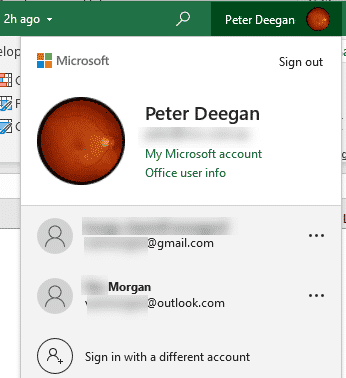
Microsoft 365 instant account switching
Quickly switch accounts while using Microsoft Office 365, Office 2019 and Office 2021 for Windows and even have different logins in separate programs. Many people wear different ‘hats’ while using Office. There’s a Work ‘hat’ or ‘hats’ with more than one job. Plus your personal or home role. Sometimes even more hats/roles like a volunteer […]
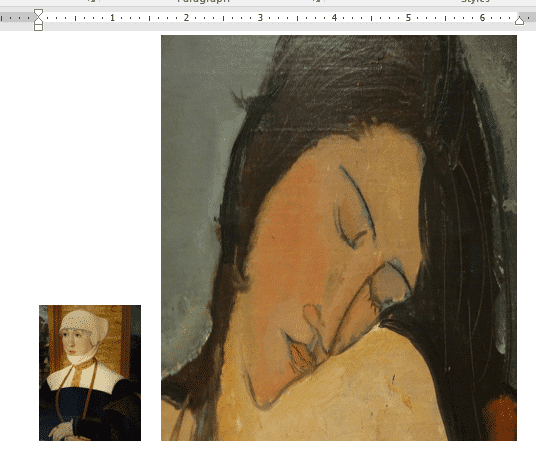
Smaller images make smaller documents in Word and Office
Pictures in Word, Excel, PowerPoint and Outlook can make the file sizes at lot larger than you expect. Here’s how to make images smaller (in file size) for Office documents without changing the look of the document, slide etc. The images in a document are what take up a lot of space in most documents. […]

Coin 🪙 emoji in Word, Excel, PowerPoint and Outlook
How to insert the Coin 🪙 symbol or emoji into Microsoft Word, Excel, PowerPoint or Outlook. Both in Office for Windows and Office for Mac. How Coin 🪙 looks in different fonts Only Segoe UI Emoji font has the coin symbol in standard Windows. Coin 🪙 codes These are the important code numbers or values […]

Share a link to a specific PowerPoint slide
There’s a way to link someone to view a specific slide in a PowerPoint presentaion which is a lot faster than hunting through a big slide deck. Providing a direct link to a specific part of your slideshow not only streamlines the process of receiving feedback but also enables them to locate the content you […]

Easter images and icons in Microsoft Office
Drop in some Easter flavor to your documents, slides or emails from right inside Word, PowerPoint, Outlook and Excel. Either religious (Ascension, Crucifix etc) or secular (eggs, chocolate, bunnies) images and graphics are available. Modern Office, especially Microsoft 365 have stock images and icons from a large collection compiled by Microsoft. Stock Images, Icons and […]
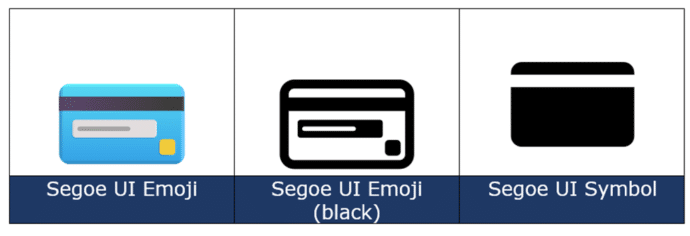
Credit Card 💳 symbol in Word, Excel, PowerPoint and Outlook
There’s more than one Credit Card 💳 image available in Microsoft Word, Excel, PowerPoint or Outlook. Both in Office for Windows and Office for Mac. How Credit Card 💳 looks in different fonts. Only two standard Windows fonts have the credit card symbol; Segoe UI Emoji and Segoe UI Symbol. The Apple device version is […]
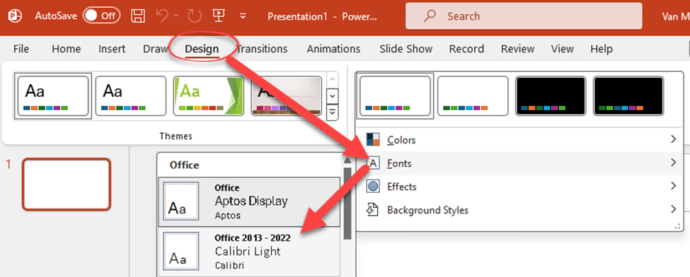
PowerPoint – switch away from Aptos fonts
Here’s how to switch away from the new Aptos fonts in Microsoft PowerPoint and back to the old Calibri fonts or something else. Microsoft has forced a change to Aptos as the new default font in PowerPoint but that change doesn’t suit everyone. In particular, Aptos doesn’t make much (or any) visible difference for bold text. Both the paragraphs […]

Copilot in Office mobile apps for some
Copilot AI services for Word and PowerPoint are now in the Microsoft 365 mobile app for business or education users with the Copilot add-on. The integration is in the Word and PowerPoint parts of the ‘all in one’ Microsoft 365 mobile app, look for the Copilot logo in the bottom row of the app. All […]
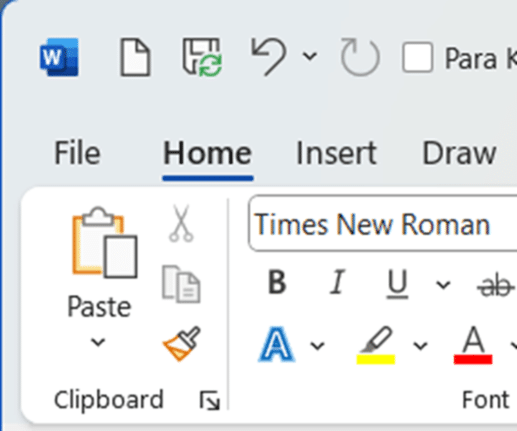
Remove that big AutoSave from the Office toolbar
Get rid of the over large ‘AutoSave’ slider on the Word, Excel or PowerPoint status bar. The Autosave button (strictly a label plus slider) takes up a lot of room on the top row of modern Office apps. That space is quite crowded and you need it to fit as many ‘Quick Access Toolbar’ (QAT). […]

Table cells can now Split and Merge in PowerPoint for iPad
Cells in a PowerPoint slide table can be split or merged (combined) in PowerPoint for iPad. Word for iPad can already combine or split table cells and now the PowerPoint app works the same way. Select two or more cells in a table and choose Merge | Merge Cells from the table toolbar. Choose a […]

Use the world’s ugliest color in Word, Excel and PowerPoint
Make an unpleasant point with the world’s ugliest color. A ‘drab dark green’ can be used in any Word document, Excel sheet or PowerPoint slide. And we’ll explain the recommended complement color and font. It’s not our opinion, but the market researched result of an effort to find the most unappealing color. A three-month study […]

Last minute Heart icons for Valentine’s Day
Need a heart symbol or image for your Valentine’s Day message, email, slide or card? Microsoft Office Icons have many choices available including Icons. Many of the stock or supplied resources in Office have passionate ‘heart’ symbols. As you’ll see, there are some anatomically correct icons among the romantic ones, just ignore them <g>. Icons […]









