
Blocking Office VBA macros resumes but why?
Microsoft has resumed rollout of their new Office macro blocking system after the feature was mysteriously suspended a few weeks ago. But why? Microsoft hasn’t explained why they stopped the new macro blocks and their reason for restoring the feature is both incomplete and nonsensical. The new system totally blocks Office documents with macros and […]
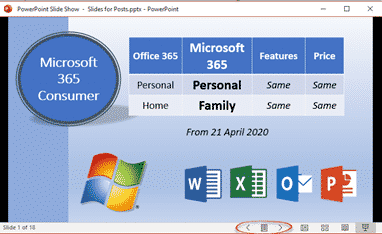
PowerPoint presentations in a window not full screen
PowerPoint presentations don’t have to be full-screen, that’s the default and normal way to show a deck, but a window option is also there. A windowed presentation lets you display the slides in other software like virtual cameras or desktop capture. Go to Slide Show | Setup Slide show and choose ‘Browsed by an individual […]
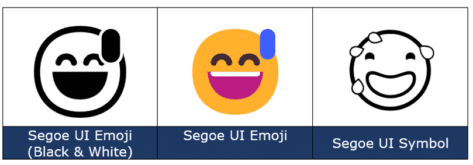
Smiling Face with Open Mouth and Cold Sweat 😅 emoji in Office
Add the Smiling (grinning) Face with Open Mouth and Cold Sweat 😅 into Microsoft Word, Excel, PowerPoint or Outlook. Both in Office for Windows and Office for Mac. Smiling (or grinning) Face with Open Mouth and Cold Sweat 😅 emoji is normally used to express a close call, or nerves / discomfort. It’s just one […]

Grinning Face with Smiling Eyes 😁 emoji in Word, Outlook and Office
Insert the Grinning Face with Smiling Eyes 😁 into Microsoft Word, Excel, PowerPoint or Outlook. Both in Office for Windows and Office for Mac. Grinning Face with Smiling Eyes 😁 emoji is used to express joyfulness, excitement, or happiness. It’s similar to Grinning Face 😀 but with different eyes that are meant to be ‘smiling’. It’s just […]
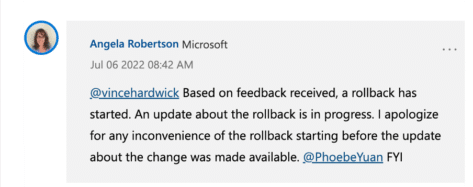
Microsoft reverses Office macro blocks without telling customers
Without any warning, Microsoft stopped their new macro blocking system (called MOTW or Mark of the Web). Now Office for Windows is less secure without customers getting any warning. UPDATE: the whole ‘on again, off again’ saga continues. On 20 July 2022, Microsoft resumed rollout of the MOTW and Office macro blocking. Back in February, […]

Two ways to add Gradient or Rainbow text or background effects in Word
Add a bit of zing to your document, Word has a fun little feature that allows you to add color gradients or rainbow effects to your text, the background of a text box or inside an Office shape. The rainbow effect is a bit gaudy but demonstrates the possibilities of more subtle gradients. The rainbow […]

Grinning Face with Big eyes / Smiling Face with Open Mouth 😃 emoji in Office
Add the Grinning Face with Big eyes aka Smiling Face with Open Mouth 😃 into Microsoft Word, Excel, PowerPoint or Outlook. Both in Office for Windows and Office for Mac. “Smiling Face with Open Mouth” is the official Unicode name for the 😃 emoji. It’s commonly labelled Grinning Face with Big eyes and is used […]

Fancy Cameo videos now in PowerPoint Recording Studio
PowerPoint 365’s Recording Studio can now work with the live video Cameo features, meaning you can record a presentation including video inserted from your webcam. The new feature is the combination of two recent PowerPoint 365 updates: Recording Studio lets you make a video of your presentation including hearing the accompanying speech and seeing the […]

Triangular Flag 🚩 in Word, Excel, PowerPoint and Outlook
Insert the Triangular Flag 🚩 emoji into Microsoft Word, Excel, PowerPoint or Outlook. There are two different looks and plenty of colors to choose from, not just the Red Flag default. Triangular Flag 🚩 emoji is usually used to warn people of bad ideas or problems or refer to unsafe/dangerous situations. As you’ll see, it […]
Why does a document look different on other devices
Reasons why a Word document or email can look different on one computer than another device and what you can do get ‘fidelity’ or the same look across many machines. In short – you can’t assume that what you see is the same as someone else. You get a document sent to you or maybe […]

Highlight tricks for Word, PowerPoint, Excel and Outlook
Here’s another example of a seemingly simple Office feature that has hidden depths – Highlighting. For a long time, there’s been a highlight option in Office: Word, Excel, Outlook and even PowerPoint (albeit in a different form). They vary a little in each program so this article will go through them all, mentioning alternatives and […]
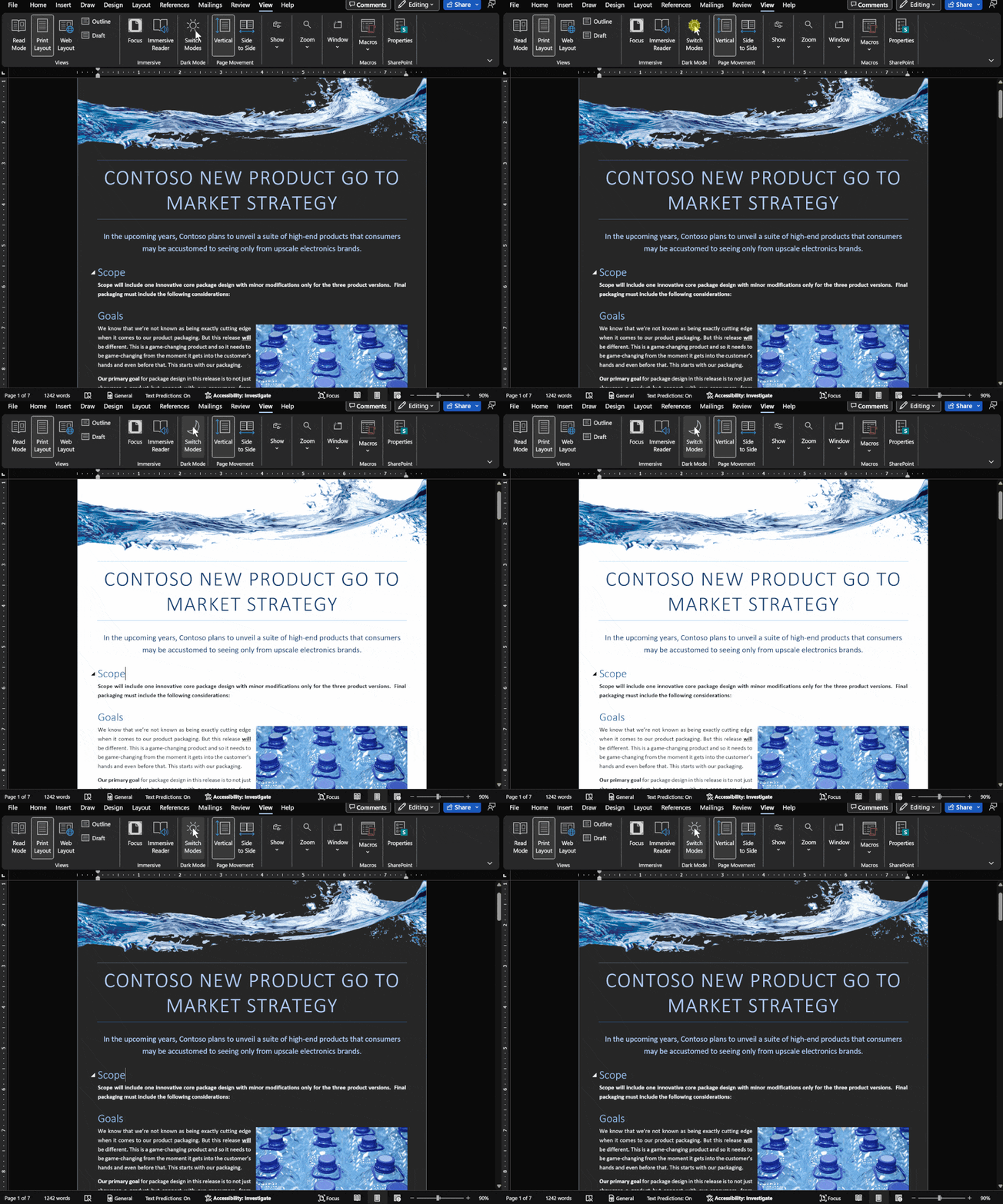
Dark Mode has gradual progress in Microsoft Office
Let’s take a moment to see where customers stand with Dark Mode options in Microsoft Office in Windows, Mac, iPhone, iPad, Android and web. It’s easy to get confused about Microsoft 365 and Office 2021 dark mode or theme options. Microsoft has announced ‘dark’ developments so many times it’s hard to keep up with what’s […]
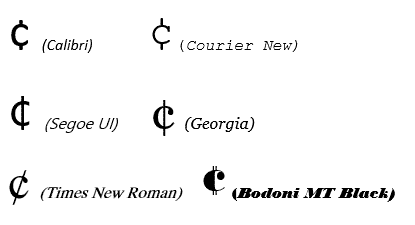
Cent ¢ symbol in Word, Excel, PowerPoint or Outlook
How to type the Cent symbol ¢ into Microsoft Word, Excel, PowerPoint or Outlook plus any Windows program. Cent ¢ shortcut Word and Outlook The Cent ¢ symbol has an inbuilt shortcut in Word and Outlook: Ctrl + /, C Hold down the Ctrl key while pressing / then type C (upper or lower case). […]

Get the most persuasive font in Microsoft Office
Baskerville has been decreed the most persuasive font after an experiment by Errol Morris and the New York Times. Happily, a very similar font is available to all Microsoft Office for Windows users. In an interview in Fast Company, Errol Morris talks about the experiment where people were asked to rate the same text, but […]
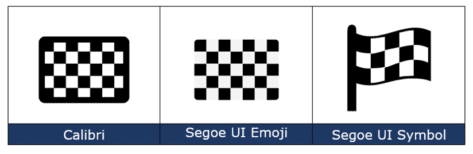
Checkered Flag 🏁 symbol in Word, Excel, PowerPoint and Outlook
Insert the Checkered Flag 🏁 into Microsoft Word, Excel, PowerPoint or Outlook. Plus other alternatives available in modern Microsoft Office like icons or stock images. As its name suggests, the Checkered Flag emoji 🏁 shows a flag with a black-and-white checkerboard pattern. It’s often used to represent vehicle racing, challenges, or accomplishments. How Checkered Flag […]

Use Pantone Colors in Office documents
You can translate a Pantone PMS code or name into something Microsoft Office; Word, Excel or PowerPoint understands? Sometimes you’re given a specific color using the Pantone color scheme. Most commonly this happens for a corporate logo. The Ford car company specifies ‘PMS 294C’ for their blue logo. McDonald’s uses PMS 123C and PMS 485C […]









