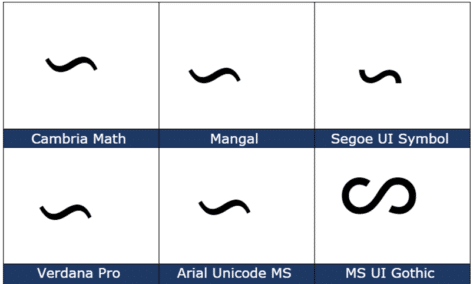
Reversed Tilde ∽ symbol in Word, Excel, PowerPoint and Outlook
Type the Reversed Tilde ∽ into Microsoft Word, Excel, PowerPoint, or Outlook. Both in Office for Windows and Office for Mac. Reversed Tilde ∽ symbol is the vertically flipped version of the usual tilde ~ symbol. A tilde starts with the downward curve while the reversed tilde has a rising curve at left. How Reversed […]
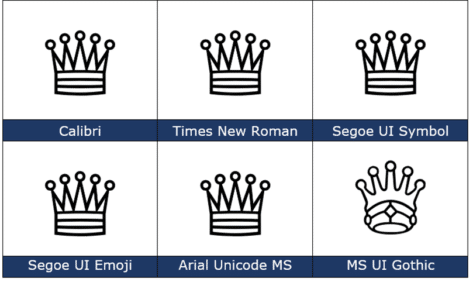
White Chess Queen ♕ symbol in Word, PowerPoint and Office
How to insert the White Chess Queen ♕ into Microsoft Word, Excel, PowerPoint or Outlook. Both in Office for Windows and Office for Mac. White Chess Queen ♕ symbol is useful for users that want to represent the chess piece as a symbol, rather than an image. Or just a generic ‘Crown’ graphic. How White Chess […]
A simple way to convert PowerPoint slides to Word document
There’s an easy way to make a Word document version of a PowerPoint presentation and it’s another way to make a handout for your audience. It’s a simple step by step process of converting your PowerPoint (.pptx) presentation file into a Word Document (.docx). Firstly, you will need to open your PowerPoint Presentation (amazing but true) Next, select File | Export Select Create Handouts | then the Create Handouts button This section will allow you to put […]

Beyond simple Undo in Microsoft Office
There’s a lot more to Undo than just reversing the last thing you did in Microsoft Office The UNDO command is surely one of the greatest time-saving inventions of the digital age. According to Jensen Harris, the head honcho of the Microsoft Office User Experience Team back in 2008 , undo is the fourth-most used […]

All about check in and check out in Microsoft Teams
Checking in and out of documents for Teams isn’t well understood. Using it can end in tears with lost changes or a seemingly stranded document that’s not available to others. What is Check in / Out? In a multi-user environment where lots of people might want to edit a file at the same time, check […]

Good stuff now and coming changes to Office.com
There are some good and practical changes coming to the main web portal for Microsoft Office users, Office.com plus some features already available you might not realize. These changes are either happening now or in the coming months. As usual, there’s a gradual rollout to Microsoft server farms across the globe. Here’s both an overview […]

What are ClipChamp videos and how to try it today
ClipChamp is an online video editing service that’s been bought by Microsoft and is now available to their customers. Not just long videos but also very short ones for social media. It has a wide range of ClipChamp features for both personal and business use. Video Editor Templates Stock image library Camera recorder Screen recorder […]

Cartoon People and a lot more in Microsoft Office 365
Microsoft Office 365 has a very interesting addition to their stock graphics range called “Cartoon People” but is really a lot more than just people. Cartoon People has been added to stock Images, Icons, Cutout People, Stickers and Illustrations. Access it from Insert | Pictures | Stock Images or Insert | Icon then click on […]
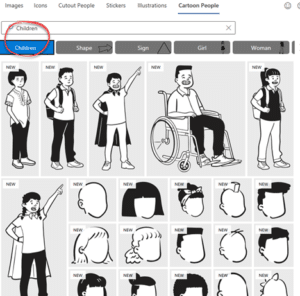
How to find more Cartoon People in Office 365
Here’s a better look at more Cartoon People graphics in Microsoft Office 365. Check out the main categories, how to search Cartoon People and some useful search terms. This article looks at the people graphics available under the ‘Cartoon People’ section with many examples to give you a better idea of what’s possible. We have […]
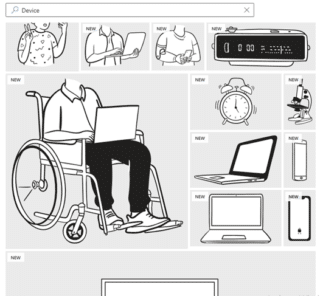
Cartoons without People you can add with Office 365
It’s called Cartoon People in Office 365 but there are plenty of non-human graphics available to use either on their own or as part of a combined graphic. See also How to find more Cartoon People in Office 365 to see the human side of this feature for Word 365, Excel 365, PowerPoint 365 and […]
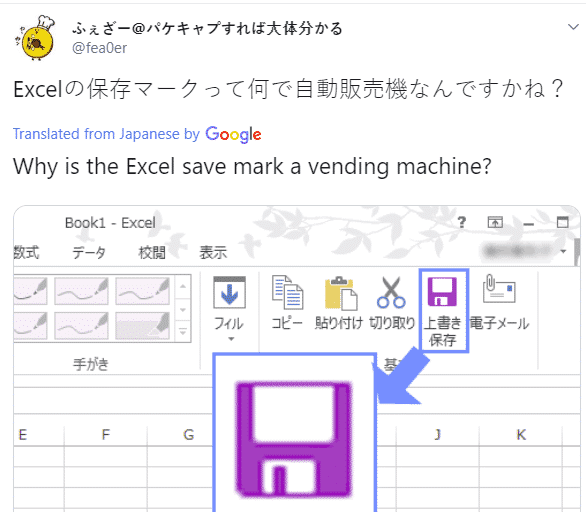
Why is there a vending machine on the Office ribbon?
There’s a new generation growing up who see the Office ribbon differently from their parents. To some young people a floppy disk icon looks more like a vending machine! Check out this icon on the older Office ribbon …. To you, me and most people it means ‘Save’ because that’s a floppy disk. Specifically, a […]
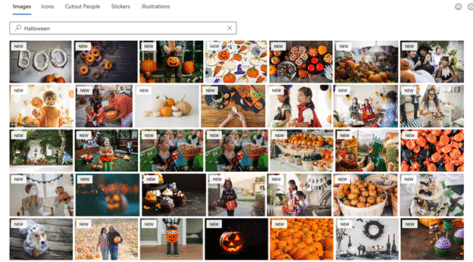
Get 77 more Halloween pictures for Microsoft 365
Microsoft has added 77 more images to their Office 365 Stock Images collection, just in time for Halloween. Just a few days ago, searching for ‘Halloween’ at Insert | Pictures | Stock Images showed just four pictures in Word, Excel, PowerPoint and Outlook. Stock images or premium content now in Microsoft 365 They’ve now added […]
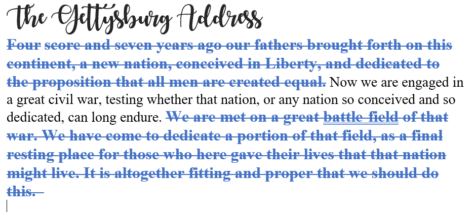
Redo tricks in Word, Excel, PowerPoint and Outlook
Redo is the often-forgotten partner to Undo. It’s mostly used to ‘undo an undo’ or reverse the last ‘Undo’ action but ‘Redo’ has other uses in Word, Excel, PowerPoint and Outlook. In most cases, you use the redo button to revert to a previous state. For example, if you used the undo button within your […]

How to clear all formatting in Office documents
Sometimes text formatting can get confusing in Word, PowerPoint, Outlook, Publisher and OneNote. There are several ways to clear the additional formatting and return to original settings. The formatting styles in your text can be easily restored to their default settings by clearing all formatting. Users can waste a lot of time trying to change […]

Premium Stock Images now in Office for Apple devices
Good news iOS users, if you’re a Microsoft 365 subscriber, you now have access the premium content library. Take your Word, Excel, and PowerPoint creations to the next level with thousands of royalty-free images, icons, stickers, and illustrations. Here’s how it works Tap Insert | Pictures | Stock Images on your iOS device, then choose the visuals that […]

Make better Office SmartArt by adding pictures
There are several ways to add images into an Office SmartArt graphic; the official Microsoft way plus some others that aren’t usually mentioned for Word, PowerPoint and other Office apps. In the introductory piece, Much better lists with SmartArt , we looked at the SmartArt basics which are much the same in Word, Excel and […]









