
Why Windows Replaces Helvetica with Arial — The Hidden Font Substitution Explained
Did you know Windows quietly swaps out Helvetica font for Arial every time you open certain documents? This subtle substitution affects how text looks in Word, browsers, and more. Learn why Helvetica isn’t included in Windows, how Microsoft handles font replacements behind the scenes, and what you can do to regain control of your document’s […]
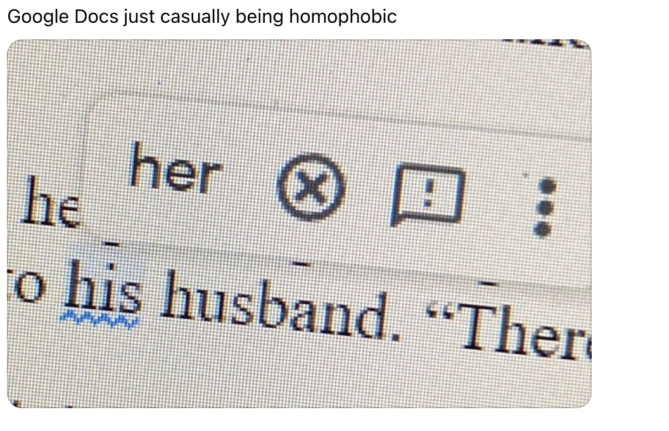
Is Microsoft Word Casually Homophobic? Why Grammar Checkers Differ
A viral post sparked debate over whether Microsoft Word’s grammar checker shows hidden bias, but the truth is more technical than cultural. Office Watch investigated and found that Word and Google Docs simply make different choices about what to flag in grammar suggestions. There’s no homophobia here, just decisions that shape how language tools interpret […]
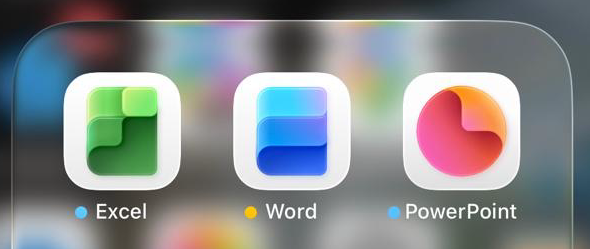
Microsoft Office Icons Lose Their Letters — Users Push Back on Confusing New Design
Microsoft is testing new Office icons for Word, Excel, and PowerPoint that drop their signature “W,” “E,” and “P” letters. The minimalist redesign, currently seen in iPhone preview apps, aims for simplicity but sacrifices instant visual recognition. Without letters, the icons blend into a sea of app symbols, making it harder to find the right […]
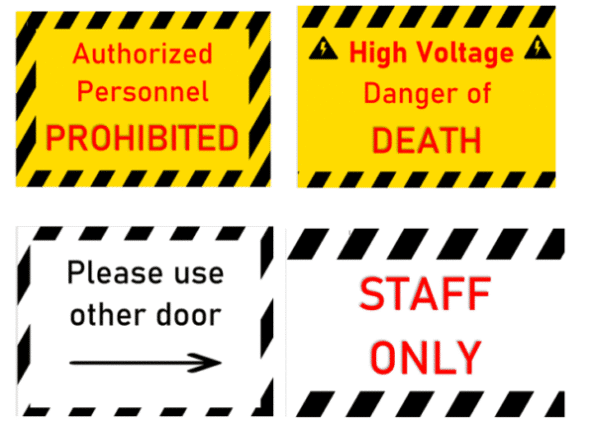
How to Create a Striped Border in Microsoft Word for Emergency or Warning Signs
Need an attention-grabbing border for safety notices or urgent messages? Creating a striped border in Microsoft Word isn’t as simple as it seems—but with the right technique, you can design professional-looking emergency or warning signs in minutes. This step-by-step guide from Office Watch shows how to use Word’s background picture feature and text boxes to […]

Create Better Striped Borders in Microsoft Word with This Simple Trick
Want to make your Microsoft Word pages or signs stand out? Skip the frustrating page background tool and try this smarter way to add diagonally striped borders. Get full control over stripe position, color, and layout — perfect for eye-catching warning signs, notices, or creative designs that look sharp on every version of Word. A […]
Microsoft 365 Copilot Expands for Personal & Family Plans — But Limits Remain
Microsoft is extending more Copilot features to Microsoft 365 Personal and Family subscribers, offering expanded AI tools across Word, Excel, Outlook, and more. While users now gain access to enhanced drafting, summarizing, image generation, and voice features, the long-standing cap of 60 AI credits per month still applies. Compared to the unlimited use in the […]
Microsoft 365 Premium: Copilot AI, new Features & Pricing Explained
Microsoft 365 Premium is the newest consumer plan that bundles the popular Family subscription with Copilot Pro at a much lower cost. For $199 a year, subscribers get six accounts with full Microsoft Office apps, 1TB OneDrive storage each, and premium Copilot AI tools for the plan owner—including research, data analysis, and workflow automation. Our […]
Microsoft 365 Adds ‘Vibe Working’ Copilot Agent for Word, Excel & Office
Microsoft is rolling out a new wave of AI-powered tools in Microsoft 365. Copilot Agent for Word, Excel, and Office promise to generate full documents, reports, spreadsheets, and presentations from natural language prompts, then refine them through AI chat. Microsoft aims to make content creation faster and more consistent across its apps, though concerns remain […]
How to Join Microsoft Frontier: Early Access to AI in Microsoft 365
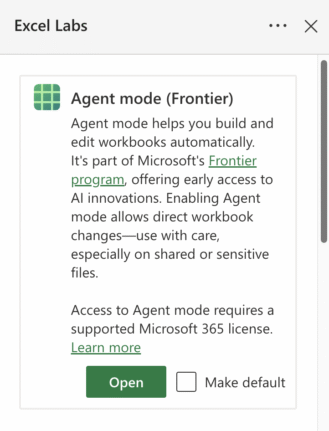
Microsoft has quietly opened up its Frontier program—a public preview for Copilot and AI features—to Microsoft 365 Family and Personal subscribers. While Enterprise users have had access for a while, everyday users are now being invited to test AI-driven tools across Word, Excel, and the web apps. The process to sign up isn’t entirely clear […]

Beware “Evil Kerning”: How Hackers Trick You with Fake Email Addresses
Cybercriminals are exploiting a subtle typography trick called evil kerning to disguise fake domains as trusted ones like Microsoft.com or Gmail.com. By tightening letter spacing, “rn” can appear as “m,” making scam addresses like rnicrosoft.com or grnail.com nearly indistinguishable from the real thing. Here’s how the scam works, why it’s so dangerous, and what you […]
Edit Locally Saved Documents with Office Online – Free and Easy
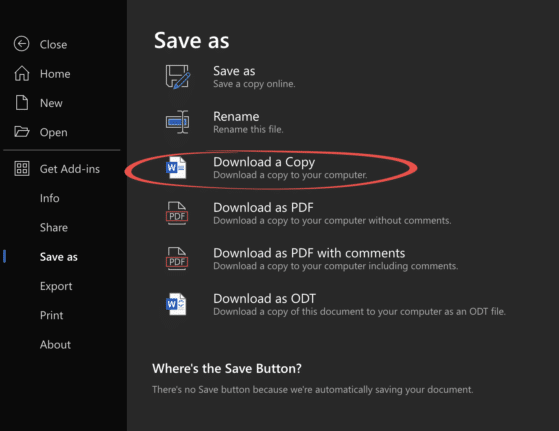
You don’t need Microsoft 365 or desktop Office to edit your Word, Excel, or PowerPoint files. With Office Online, anyone can upload documents from their computer, make changes directly in a browser, and save the updated file back to their hard drive—all for free. This simple method works across Windows, Mac, and even Linux, making […]
Microsoft Redefines “Red” for Better Accessibility in Word, PowerPoint, and Outlook
Microsoft has quietly adjusted its classic Office “red,” shifting to a slightly softer. While the change may seem minor, it means improved readability and compliance with accessibility standards. But there’s a downside too in Word, PowerPoint, Outlook, and OneNote on both Windows and Mac, ensuring users get a color that looks the same but works […]
Restrict Editing in Word Documents (and Why It’s Not True Security)
Restricting editing in Microsoft Word is a handy way to control how others interact with your document—whether that means locking formatting, limiting changes to comments, or allowing only form filling. But don’t mistake it for true security. Word’s “Restrict Editing” feature is about managing collaboration, not protecting sensitive content. We explain how to set editing […]
Why doesn’t Find File work in Word?
Microsoft Word’s hidden “Find File” command has been broken for years, and despite repeated reports, the issue remains unfixed in Word 365, 2024, 2021 and 2019 on both Windows 10 and 11. Instead of opening documents as intended, the feature fails entirely—leaving users to wonder why Microsoft has ignored such a long-standing flaw in one […]
Microsoft Word Accepts “Accidently” as Correct — Here’s How to Fix It
Fed up with Microsoft Word’s refusal to fix “accidently”? You’re not imagining things—Word’s spellchecker lets this typo slip through. If you want to finally solve the “accidently” vs “accidentally” debate, you’ve come to the right place. Office Watch reader Steve D. noticed something strange in the Microsoft Word dictionary. According to Word ‘accidently’ is a […]
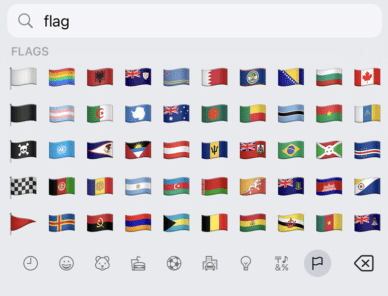
Get flag emoji in Microsoft Office with Windows workaround
Why you can’t insert national flag emoji (among many) in Microsoft Office and Windows but can in Office for Mac, macOS, iPhone and iPad. We’ll explain the workaround necessary to insert national flags in Windows and Office for Windows. Apple devices (macOS, iPhone and iPad) show flag emoji properly like this: But a Windows user […]









