All about Font Embedding in Microsoft Word — make sure your document looks the same across devices
Make sure your Microsoft Word documents look the same everywhere by embedding fonts, just in case the right fonts aren’t installed on recipients’ systems. How to embed fonts in Word on both Windows and Mac plus the options and alternatives for font embedding. Allow anyone opening the document to see what you intend. When you […]
Stop Microsoft Word’s Automatic Formatting Tricks
Take control of automatic formatting in Microsoft Word, the AutoFormat and AutoCorrect features. Whether you’re frustrated by Word turning your asterisks into bullet points or want to customize how your documents handle quotes, lists, and spelling corrections, this guide explores every option available. Discover how to manage, disable, and fine-tune Word’s automatic helpers so you […]
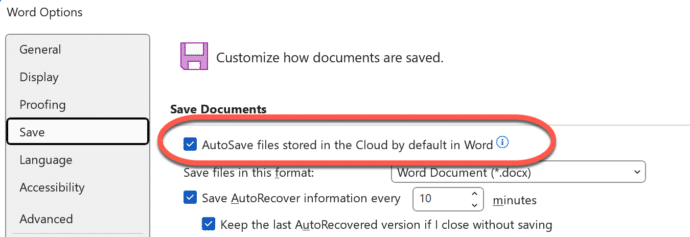
How to stop the Microsoft Word change to cloud folders only
Microsoft’s change to cloud folders only in Microsoft 365 can be stopped in three different ways. Regain full control of your document options, including two options to stop this unloved feature from appearing at all! People are complaining about Microsoft’s change to showing cloud storage only in Microsoft 365, before it’s even happened. There are […]
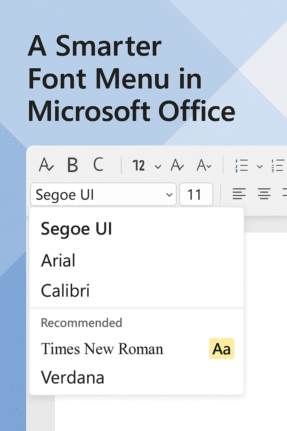
Check out the better font menu in Microsoft Office
Picking a font in Microsoft Word or PowerPoint can be confusing, especially with the existing long, long menus. Now, Microsoft 365 offers a new, easier font picker in two web apps. The new font menu has better search and simple organization, finding the right style for your document or presentation is faster and clearer than […]
Explore Cloud Fonts: A Fast, Free Design Boost in Office 2024 and Microsoft 365
Cloud fonts—your next creative shortcut—are now seamlessly integrated into Office 2024/2021 and Microsoft 365. These lightweight fonts download instantly when needed, bypassing the hassle of system installations and making them ready for use across your Word, PowerPoint, Excel, Outlook (and more) apps in mere moments. Whether on Windows or Mac, simply pick the font from the dropdown, […]
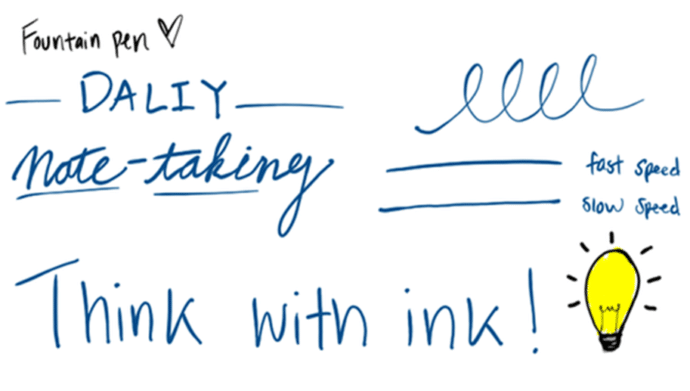
New Artistic Pens Arrive in Word and PowerPoint “Fountain Pen” and “Brush”
Word and PowerPoint now have two highly anticipated drawing tools, namely, the Fountain Pen and Brush Pen. The Fountain Pen lets you vary line thickness based on stylus speed or pressure for fine detailing, while the Brush Pen adapts stroke width dynamically based on direction, enabling effortless artistic strokes.are getting two more digital pens to […]
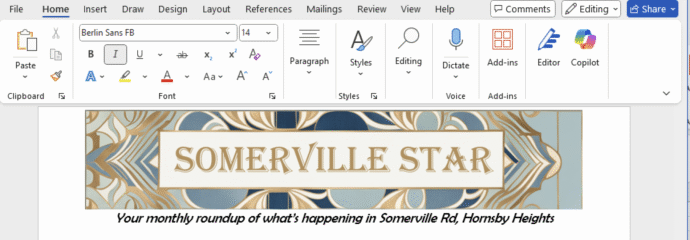
Create Eye‑Catching Titles for Word Docs with Microsoft Designer
Use Microsoft Designer to make compelling but effortlessly professional titles for Word documents, sheets or slides. We’ll explain how to do it, not the simplistic way that Microsoft hypes, but how Designer works in the real world. Start a banner, tweak sizing, customize fonts and colors, then seamlessly insert your perfected headline. According to Microsoft, […]

Make a Word table with picture background
How did we make a Word table with a picture background for a recent article – asks an Office Watch friend? She meant this table of Zoom shortcuts for toggling audio and video . There’s a similar table for Teams shortcuts. The quick answer is … we cheated! Word can’t have a table with a […]

How to Get Old-School WordArt Back in Modern Microsoft Word
Miss the classic WordArt from Word’s glory days — the arched text, the rainbow slopes, the wavy headlines that screamed “1990s”? Those old gallery styles are still alive inside every modern version of Word, including Word 365 and Word 2024. They’re just well hidden. Here’s the simple compatibility mode trick that unlocks all the retro […]

Simple ‘one click’ force an update to Microsoft Office
A simple way to update Microsoft Office 365 for Windows with one click instead of digging into the menus to do it. We’ll show you the simple command line with options that make it possible. Normally, the Windows versions of Microsoft Office 365, Office2024, Office 2021 and Office 2019 all update automatically and you don’t […]
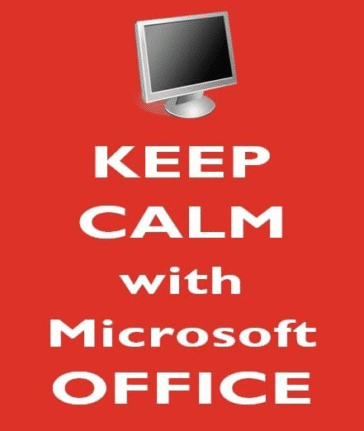
Make your own “Keep Calm and Carry on”
The BBC has published a good history of the famous “Keep Calm and Carry On” poster from World War 2 but missed what, to us, is the most important 21st Century innovation. When “Keep Calm and Carry On” first became popular, we saw the opportunity to showcase what Word and PowerPoint can do beyond standard […]

Microsoft Alert: Update Office or voice features are silenced
Microsoft has officially warned all Microsoft 365 customers to update Office—or risk losing handy features like Read Aloud, Transcribe, and Dictate. Most people will already be OK but it’s worth checking to make sure. Microsoft is totally revamping the backend services that powers the voice related parts of Microsoft Office; Dictate, Read Aloud or Transcribe. […]
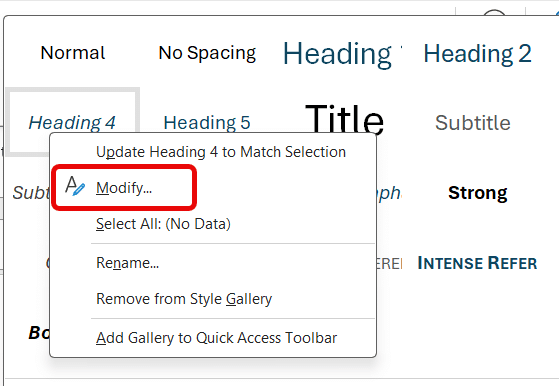
Add shortcuts for all Word heading styles
Transform how you format Word documents with keyboard shortcuts—going beyond the built‑in ones for Headings 1–3 by adding your own for Heading 4, 5, 6 (and beyond) that Microsoft has forgotten. With these simple tweaks, your document structuring becomes faster and more consistent. Word’s in-built Heading styles come with some shortcut keys, but not enough for most people. […]
How Not to Redact a Word Document: a lesson from Down Under
Down in Australia there’s another example of a mistake when redacting a Word document before public release. Make sure you delete any links to redacted text, such as a Table of Contents or summary. What caught our eye was the latest example of an oversight when redacting a document. Aussie public servants forgot to remove […]
July Office updates include a real worry
The July 2025 security bug fixes list plugs another 137 problems found in Microsoft software. Some are really serious and need patching right away for all Microsoft 365 and Office users. BitLocker also gets some security fixes. This months load of Microsoft Office security updates includes a fix for a series of “Remote Code Execution” […]
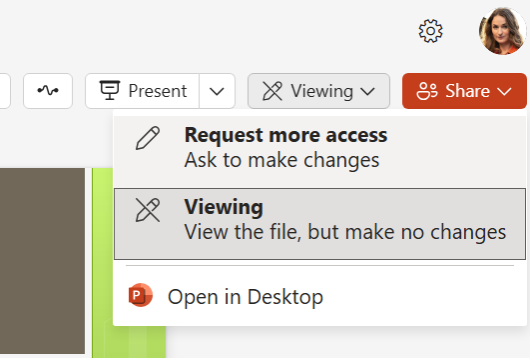
Request more access to a Word, Excel or PowerPoint file
There’s a new feature in Microsoft 365 Word, Excel, and PowerPoint for the web to request elevated permissions directly within the application. Anyone with view-only access can ask for higher editing or reviewing rights without leaving the document. Microsoft, as usual, buries an important condition deep in their promotional blurb so we’ll put it up-front […]









