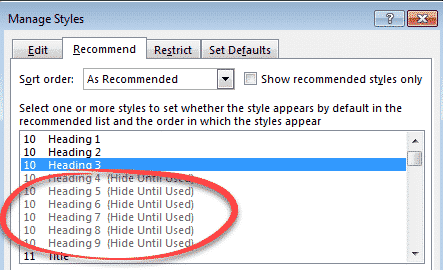
Show a Word style marked ‘Hide until used’.
Many inbuilt Word styles are hidden until they are used but there’s a way to force hidden styles to appear right away. The most obvious example of ‘Hide until used’ styles are the Heading styles. Word initially shows only the first three headings ‘Heading 1’, ‘Heading 2’ and (drumroll) ‘Heading 3’. Hidden away are Heading […]
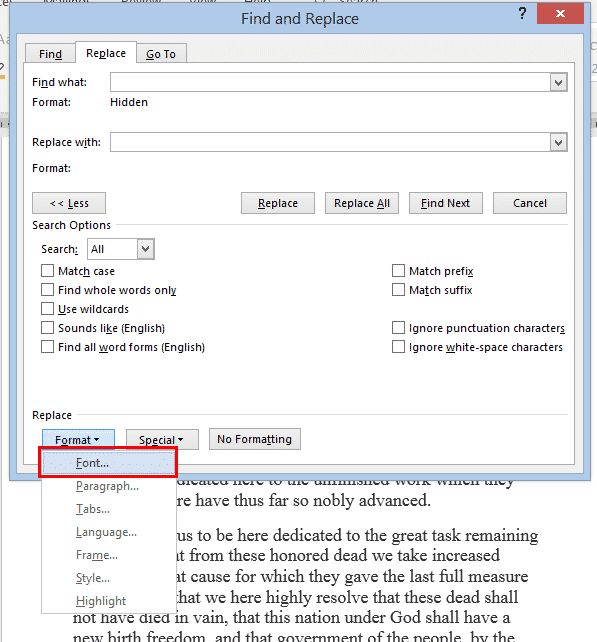
Two ways to Find & Remove Hidden Text in Word
If you want to find then change or remove hidden text from your Word document, there are two ways to do it. Either reveal or find the hidden text OR use Word’s in-built Document Inspector. For a shorter document, you can use the Show/Hide button to see what’s hidden and delete it manually, but that […]

What’s really new in the latest Office Insiders
Microsoft has released the latest Office 365 for Windows software for Insiders. There’s only one truly new feature. Two other ‘features’ are really bug fixes! The Office Insider twitter feed promotes the latest Insiders release like this: It’s overstating things more than a bit as Microsoft’s own listing of changes confirms. ‘New’ Office toolbar There’s […]
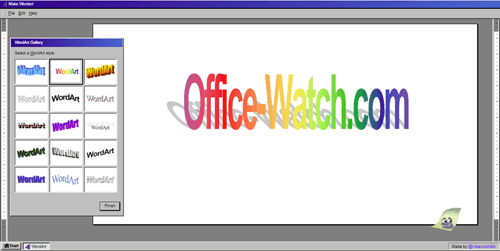
Bring back the 90’s with online WordArt
Make an image using the original Microsoft Office WordArt designs, courtesy of some clever web work by Mike McMillan. Or use the better WordArt that’s still available in modern Microsoft Word. Does anyone miss the original WordArt from the 1990’s? Now you can get it back https://makewordart.com/ recreates, with scary detail, the look of early […]
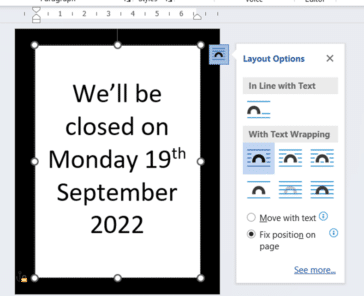
The best way to make a Word page with black border
Microsoft Word has some simple but frankly inadequate options to make a sign or page with a thick black border. Office Watch shows you the best, most flexible option which is better than the official, direct features. Following the death of Her Majesty Queen Elizabeth II, I was asked to make an appropriate sign for […]

Drop PowerPoint slides into Word documents
There are two ways to drop a PowerPoint slide into a Word document. A simple, one-time method or a slightly advanced but dynamic trick which lets the Word document slide change if the original slide is updated. A few months ago we showed how to add Excel worksheets into a Word document. This time we’ll […]

Two ways to find accented letters in Word
How to find words with or without accented characters in Microsoft Word. You might need to find both naïve and naïve or café and cafe. There are many options in Word Find or Advanced Find but not the choice to ‘ignore accented characters’ or ‘treat accented characters as if not accented’. (‘Find all word forms’ […]

Division ÷ symbol in Word, Excel, PowerPoint and Outlook
Type the Division ÷ symbol into Microsoft Word, Excel, PowerPoint or Outlook. Both in Office for Windows and Office for Mac. Division ÷ symbol is an alternative to the / character. Made up of a dash and two dots. ÷ symbol isn’t recommended these days. It’s not universally known and mostly used to mark division […]
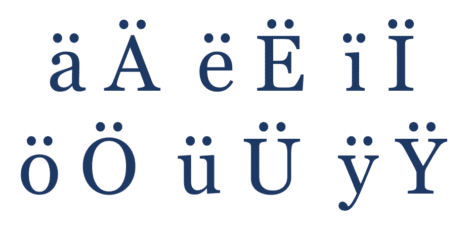
All about Diaeresis or Umlaut in Microsoft Word
How to typing words with a diaeresis or umlaut in Word for Windows, Mac, Apple or Android plus the shortcuts on Mac computers. They aren’t normally needed in English except some organizations that require diaeresis for words like: naïve coöperate reëlect Brontë Noël Noël Coward Or you might be typing in another language where the […]
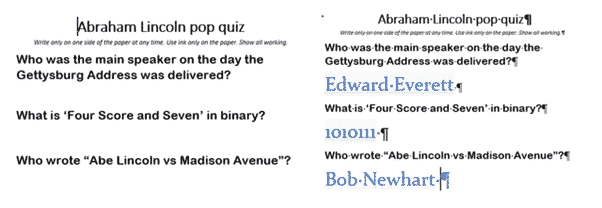
Hiding stuff in Word, Excel and PowerPoint
We’ve completed our series on ‘Hidden’ options in Word, Excel and PowerPoint. How to hide text, images, cells, slides etc within documents. Hiding is a useful option and avoids deleting content that might be needed later. It lets you make a different version of a document/sheet/deck without the hassle of maintaining two very similar documents. […]
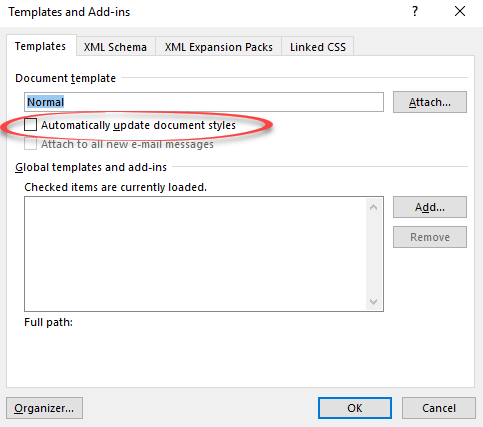
Automatically Update Document Styles in Microsoft Word
Deep in Microsoft Word is the choice “Automatically Update Document Styles“. What does that do and which documents are affected? There are several similarly worded options to do with ‘Style’ and ‘Automatic’ so let’s be clear … we’re talking about File | Options | Add-ins | Manage | Templates | Go | Templates and Add-ins […]

Apple command ⌘ symbol in Word, Excel, PowerPoint and Outlook
The Apple command ⌘ symbol can be typed into Microsoft Word, Excel, PowerPoint or Outlook. Both in Office for Windows and Office for Mac. Apple command ⌘ symbol appears on Mac and iPad keyboards but only as a command option, not as a symbol to type. The ⌘ symbol predates Apple computers. It’s a ‘PLACE […]
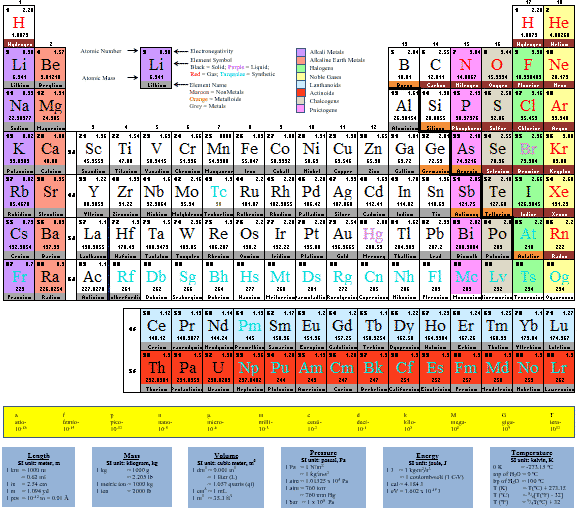
Great Periodic Table documents for Microsoft Office
There are some great and editable Periodic Table of Elements options available in Microsoft Office – Word documents, Excel spreadsheets and PowerPoint slides There are many Periodic Table ‘documents’ on the net but most are PDF’s or images that can’t be changed. We’re looking for editable Word documents and Excel worksheets that you can adapt, […]

Word got a To-Do list … but not for long
After more than a decade of apathy, Word users were supposed to get a document To Do list feature. In 2018 Microsoft listened to customers – but not for long. Update: Word’s To Do list ended up as a ‘dead end’. The feature appeared in Word 365 beta/Insiders releases in late 2018 but was dropped […]
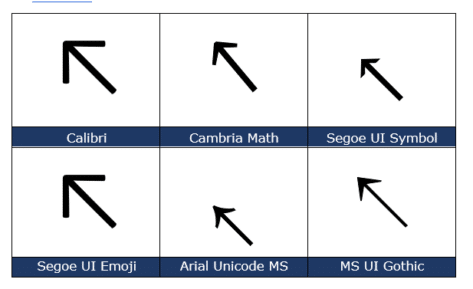
North West/Top Left Arrow ↖ in Word, Excel, PowerPoint and Outlook
Insert the North West or Top Left Arrow ↖ into Microsoft Word, Excel, PowerPoint or Outlook. Both in Office for Windows and Office for Mac. North West Arrow ↖ or “Top Left Arrow” can be used for directions on a map (naturally) or pointing to ‘top left’ in a Word / PowerPoint table or Excel […]
Six workarounds when your keyboard breaks
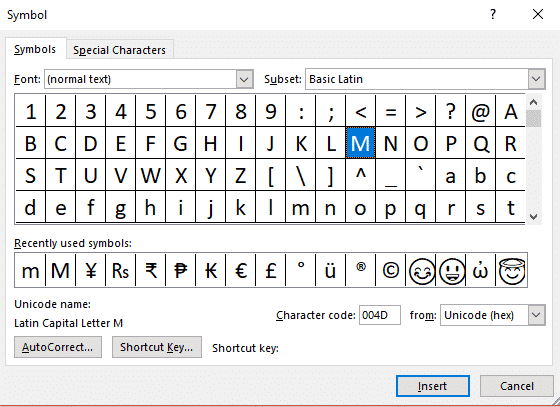
Your deadline is in four hours, you’ve got pages to write and BAM! a letter key breaks on your keyboard …. What do you do? There are at least six different workarounds available in Word, Windows and Mac. A broken key happened to Colin Chambers, a University of Buffalo student when a drink spilled on […]









