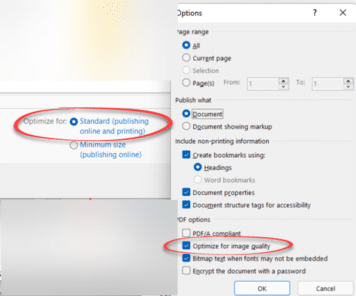
Get best quality images in a PDF made from Word
Get the best quality images in a PDF file made from Microsoft Word for Windows by changing some simple settings. There are also options in Word for Mac, Excel and PowerPoint. Better quality images in the PDF file are possible, starting with Word’s settings for saving images within the document. Then changing the image quality […]

Fixing common Office document accessibility problems
Accessibility Checker serves as a free tool that helps ensure that Office files are easy to understand by everyone. Use it to quickly fix common Office doc problems that can make your documents, sheets and slides harder to comprehend. It’s available for Microsoft 365, Office 2021/LTSC and Office 2019. Word, Excel, Outlook, OneNote, and PowerPoint […]

How to print a broken PDF
There’s a curious trick which might let you print a PDF that’s causing printer errors. An Office Watcher started getting PDF’s which looked OK on the screen but produced errors when he tried to print out. Otherwise the printer worked fine so the problem seemed to be in the PDF files. The errors suggest a […]

How Proficient I am in Microsoft Word?
A delightful piece in The New Yorker turns a resume cover letter into an ode about the applicants love of Microsoft Word. Eli Burnstein’s humorous article opens with: “Bold and italics are the oils that grace my palette. Cut and paste the strings upon my lyre. Fonts, bullets, columns, indentations—these stubborn materials are no match […]
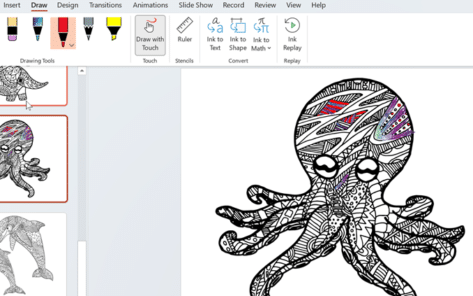
Get some coloring book Word and PowerPoint templates
There’s been an uptick in interest for coloring in pages, having the power to relieve anxiety and a form of mindfulness or just pass the time. No wonder Microsoft jumped on the bandwagon and provided a number of coloring-in templates for Word and PowerPoint. As you browse their template selection, you’ll notice some templates are […]

Why Word treats the top and side number pad keys differently
Why are the numbers on the numeric keypad are different from the number keys on the top row of the keyboard? How to use either set of number buttons in Microsoft Word. “I don’t understand why pressing a number on the main keyboard is different from the number pad (assuming you have one). Aren’t they […]
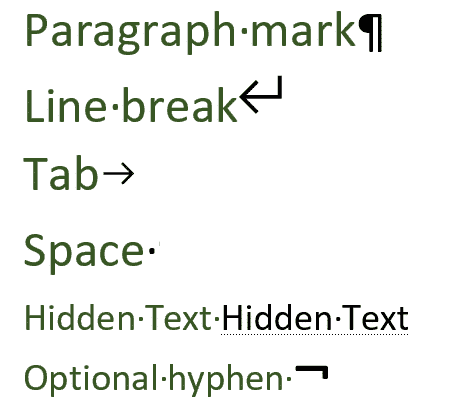
Understand the Show All markers in Word
Here are the major marks Microsoft Word displays with the Show All option on. There’s common ones like Paragraph Mark, Tab and Space and lesser known such as optional hyphen and hidden text. Show All will also display the seven different types of break in Word. Paragraph Mark, the symbol is called a Pilcrow. It’s the symbol used for the ‘Show All’ button on […]
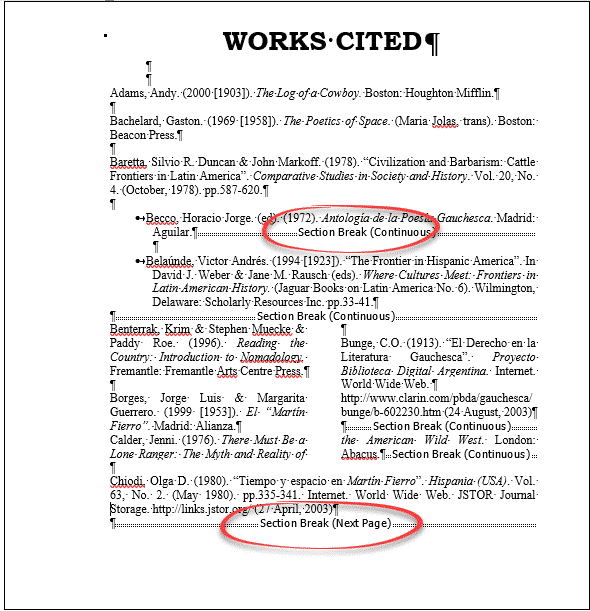
Reveal Hidden Characters and Word’s secrets with Show All
If you are working on a Word document with complex formatting, sometimes you need to see the hidden characters and unseen workings. It helps figure out Word’s secrets or what’s going on when the layout doesn’t behave. That’s where ‘Show All’ becomes essential. Microsoft Word was designed to hide all the formatting and technicalities (WYSIWYG). […]
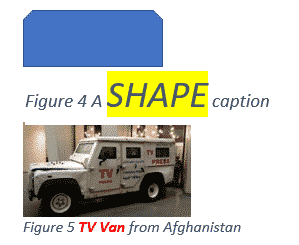
Changing Caption look in Word or hiding captions completely
The appearance of all your captions in Microsoft Word can be changed by modifying the style that is applied to them or selecting the text and formatting manually. See Adding Captions in Word Caption Style All captions use the ‘Caption’ style, so modifying that style will modify the format of all past and future captions. Style […]
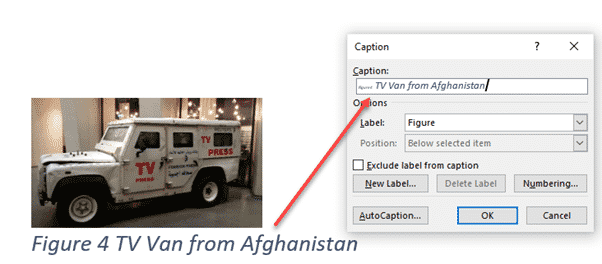
Adding Captions in Word
Captions let you add autonumbered labels under most Word objects including pictures (figures), tables or equations. Captions can be combined into a list of all the figures/tables/equations in the document, along with their page numbers. As usual in Word, there are many options beyond the simple adding of captions and some ‘gotchas’ as well. See Changing […]
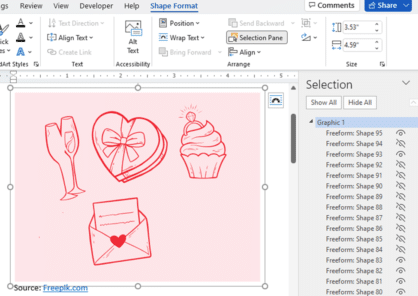
Three ways to add EPS graphics into Microsoft Office
Three ways to insert or import an EPS (Encapsulated PostScript) graphic into Word, Excel, PowerPoint or Outlook. There are two a ‘quick and dirty’ options and a way that allows some editing. Microsoft Office did support EPS files for many years but dropped them in 2017/2018 because the EPS format is a security risk. EPS […]

Four SVG editing choices for Office 365/2019/2021
There are four different ways to change an Office icon or SVG graphic in Microsoft 365, Office 2019 or Office 2021. The two official SVG edit methods in Microsoft Office with their in-built limitations or some choices before inserting into Word, Excel, PowerPoint or Outlook. Within Office Limited SVG/Icon changes are available from the Graphics Tools […]
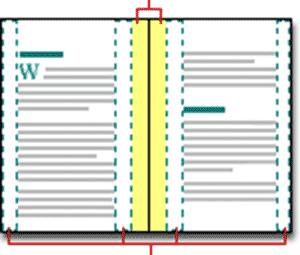
Align Page vs Align Margin in Word
What’s the difference between aligning to a page and align margin in Word documents? Quite often, there’s no practical difference between ‘Align Page’ and ‘Align Margin’ in Word. These options appear when positioning an object on a page and other places. Centering an object has to be done compared to some defined ‘edge’ of a […]

Side-by-Side Translation in Word
How to show original text and a translation side by side in Word. The recent versions of Word have had an in-built translation feature that, like so many things in Microsoft Office, doesn’t quite go far enough. The basics are simple enough. On the Review tab there’s a Translate button. Click on that to translate […]
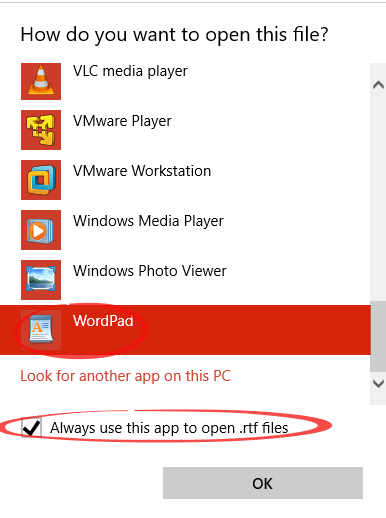
Changing RTF away from Word
How can you change the default program for .RTF documents away from Word and make it stick? We’ve talked about the virus security risk of Rich Text Format .RTF files which even Microsoft has, at times, suggested blocking. Despite that, .RTF files are associated to Word during the Office installation. The modern installer doesn’t give […]

Changing Text Box backgrounds in Office
There are two ways to make a text box transparent in Office; Word, Excel or PowerPoint. There’s a quick option and other that gives you some more control. The Word, Excel or PowerPoint ‘Text Box’ feature is presented as a way to have ‘pull quotes’ or sidebar text in your documents however it can do […]









