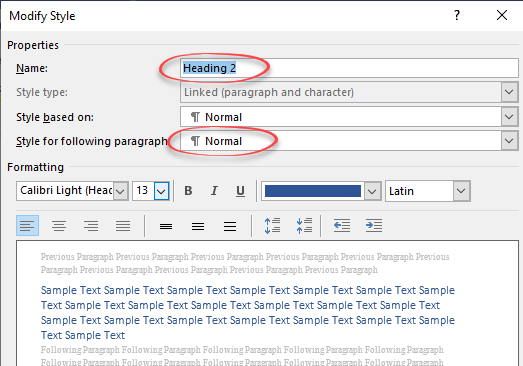
Why choose Body Text vs Normal style in Word
There are good reasons to avoid the Normal style for the main text in a Word document and use the hidden ‘Body Text’ style instead. The standard Microsoft Word document structure has Headings (Heading 1, Heading 2) … with paragraphs of text in the Normal style. It sounds good but, as usual with Microsoft Office, […]

New look file browsing in Office for iPhone and iPad
There’s a new “File Card” look coming to the Office ‘all in one’ app for iPhone and iPad which shows document thumbnails and other information. File Cards use the document thumbnails that are in most, but not all Office documents plus PDF files that are stored on OneDrive. Microsoft says there’ll be support for locally […]

Make thumbnails for Office documents with extra tricks
Adding thumbnail or preview image for Word, Excel or PowerPoint Office documents is easy, though you won’t find the choice anywhere obvious. We’ll dig into how thumbnails work for some nerdy extra detail. Thumbnails are the small images that appear in File Explorer and elsewhere instead of the standard icons for Word, Excel, PowerPoint etc. […]

How to avoid the Gill Sans font controversy in Windows and Office
The work of Eric Gill is controversial these days, for good reason. Microsoft Windows and Office have fonts based on Gill’s work so users might need to think twice about using Gill Sans and similar fonts. Gill Sans MT and Gill Sans Nova are supplied with Windows and Office but are becoming stigmatized. Those fonts […]
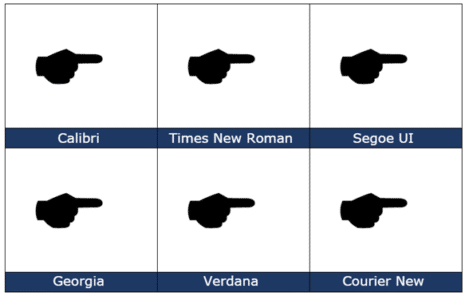
Black Right Pointing Backhand Index 🖝 symbol in Office
insert the Black Right Pointing Backhand Index 🖝 into Microsoft Word, Excel, PowerPoint or Outlook. Both in Office for Windows and Office for Mac. Black Right Pointing Backhand Index 🖝 symbol can be used as a creative bullet symbol in lists or to point a direction on a sign. It’s the lesser known complement to […]

Almost Equal ≈ symbol in Word, Excel, PowerPoint and Outlook
Almost Equal sign ≈ can be typed into Microsoft Word, Excel, PowerPoint or Outlook. Both in Office for Windows and Office for Mac. The Almost Equal symbol ≈ is commonly used within Mathematics to indicate two values are roughly equal, but not exactly equal. Or use it whenever you need horizontal wavy lines! How Almost […]
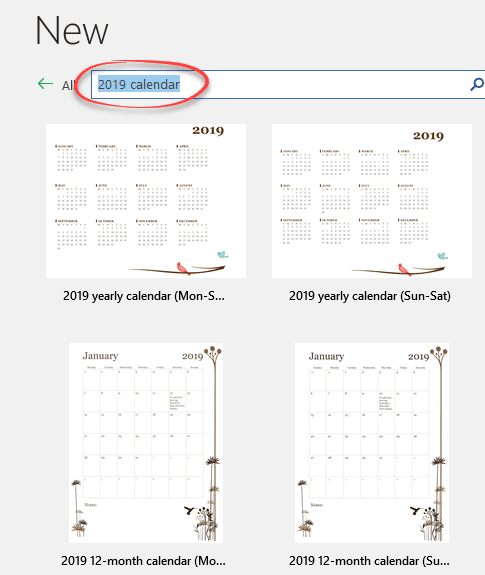
Easy 2024 calendars in Microsoft Word
Word has many calendars in the File | New templates supplied by Microsoft. Search for “calendar” in the File | New pane then make simple changes to suit you. In Microsoft Word’s File | New pane, search for ‘calendar’. There are two basic calendar designs: Start of Week Some have macros to change which day […]

Google Font recommended pairing for Word and Office
Here’s how to choose good looking font pairs for your Word headings and body text or PowerPoint titles and text. We’ve shown you how to use Google Fonts in your Office documents. The Google Fonts site itself is little help but others have curated suggested pairings. Most of the suggested Google Font pairs are for […]
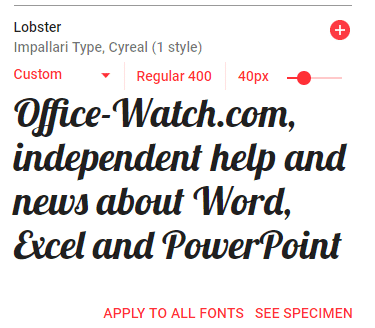
Using WOFF fonts in Microsoft Office
WOFF are a new-ish type of font that you might have seen mentions or downloads. Here’s how to use them in Microsoft Office; Word, Excel or PowerPoint. WOFF is Web Open Font Format designed to be compact and easy to download. WOFF is for web sites and mobile apps, not desktop programs like Office. Despite […]

NSFW or ‘naughty’ words aren’t in Microsoft Word – why?
There’s a strange, almost prudish, feature in the Microsoft Word spell checker aka Microsoft Editor that’s used in many of the company’s products. We’ll explain Microsoft seeming avoidance of ‘Naughty Bits’ and why it’s happening. Warning! This article is unusually explicit (NSFW) for Office Watch. If sexually explicit but standard words (not slang) might offend, […]

Up Down Arrow with Base ↨ symbol in Word, Excel, PowerPoint and Outlook
Type Up Down Arrow with Base or underline ↨ into Microsoft Word, Excel, PowerPoint or Outlook. Both in Office for Windows and Office for Mac. How Up Down Arrow with Base ↨ looks in different fonts. Here’s some examples of how Up Down Arrow with Base / Underline ↨ looks in common Office fonts. Up […]
Why are three symbols censored by Microsoft Windows and Office?
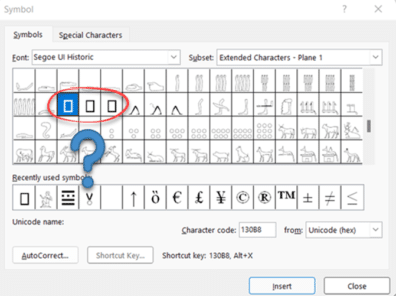
There are three symbols that Microsoft won’t put in their fonts for Windows and Office. They are obscure and you’re unlikely to need them. It’s an interesting bit of trivia and example of the differing corporate cultures and judgements. (This article includes an image that might offend some people. NSFW, as they say). There’s a […]

Typing both Tilde ~ ∼ symbols in Word, Excel, PowerPoint and Outlook
How to insert either of the Tilde ~ ∼ symbols into Microsoft Word, Excel, PowerPoint or Outlook. Both in Office for Windows and Office for Mac. Tilde ∼ symbol is easy on some keyboards but for other keyboards, there’s no specific key for Tilde. The two Tilde symbols There are TWO tilde symbols in the […]
Where did WordArt go after Word 2007?
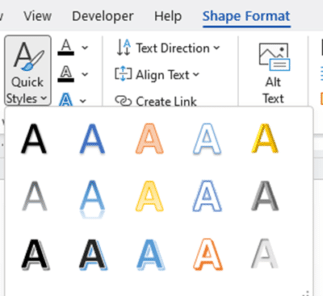
Microsoft loves tinkering with WordArt and in Word 2010 the entire feature was expanded to Text Effects and split into two features on different tabs. Here’s how to find all the old WordArt features plus a lot more. Back in Office 2007 there was one WordArt feature on the Insert tab. It was quite limited […]
Turn on or off the new look Office 365 for Windows
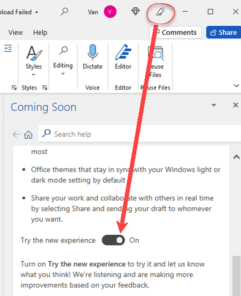
The new look Office 365 (and Office 2021) is coming. For the moment you might have the option to try it or not. Here’s how. Look for the megaphone If a megaphone appears on an Office app title bar, you can try the new look Office for Windows. Click on the icon to open the […]

2001: A Space Odyssey and font kerning
We’ve looked at design and typography in 2001: A Space Odyssey and how to use the ‘2001’ look in Microsoft Office. Two readers asked about some curious kerning in our version of the title font.Maybe you’re not interested in the fine detail of the text in a fifty year old film? Fair enough. We’re going […]









