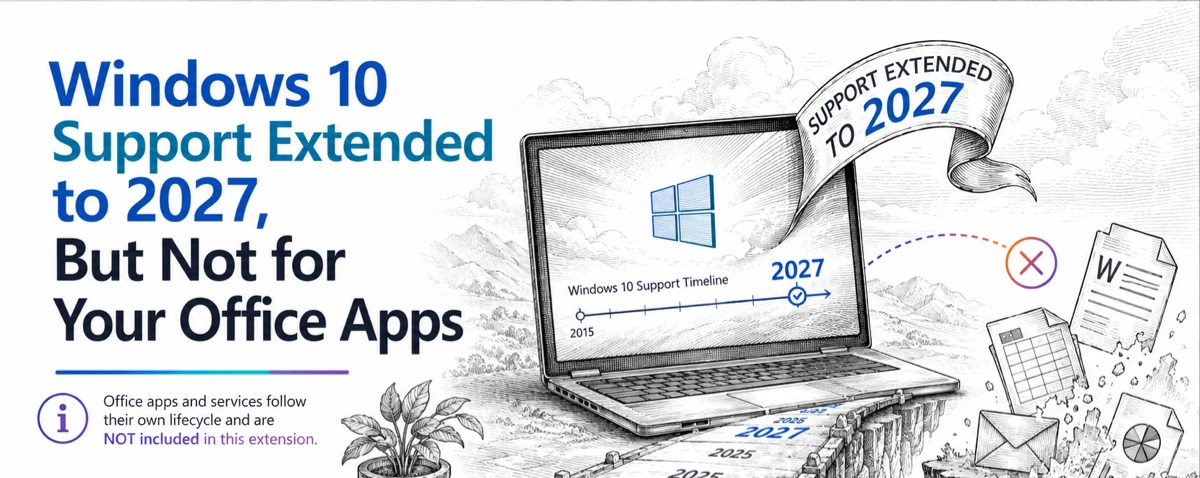
Microsoft is dumping most of their Skype service in May 2025, ending a very useful option for people around the world, especially who use a regular phone for communication. Here’s the ending timeline, an important extension for Microsoft 365 customers and alternatives (official and others). Skype has been around since
Back in 2015 we were amazed and dismayed to discover a privacy gap in Microsoft Office. Seven years later Microsoft has done nothing to fix or warn customers about. The problem is with images inserted into Office documents (Word, Excel, PowerPoint). The image ‘meta-data’ including GPS coordinates are retained with
Apple gives their iCloud storage full encryption, meaning only the user can access their backups, photos and other data. Microsoft 365 customers should be asking Microsoft to do the same (don’t hold your breath). Advanced Data Protection is an option that encrypts all the customers information and files on Apple’s
Outlook (classic) for Windows, the one we’ve all used for many years has been dropped from some Microsoft 365 installations even though the replacement Outlook (new) is still a “work in progress”. Here’s how to still get the ‘real’ fully-functioning, classic Outlook. Outlook (new) is the eventual replacement for what’s
Microsoft is testing a free version of Office for Windows with limited features, an important requirement and ads to ‘pay’ for the software. It’s three Microsoft 365 for Windows apps but with restrictions on what it can do and where documents are saved. If you download from this page at
Microsoft 365 apps are changing the ‘Pinned’ document list to ‘Favorites’ but why is Microsoft bothering at all? For many versions of Office/Microsoft 365 you’ve been able to keep regularly used files in a ‘Pinned’ list for faster access. The Pin icon lets you add a file to that list
Here’s how to stop Copilot prompts appearing in your documents, sheets and slides. Microsoft 365 customers are now seeing “Copilot Clutter” appearing in their Microsoft 365 apps, Word, Excel and PowerPoint. There is now a way to Disable Copilot available to some Microsoft 365 customers A Microsoft executive expressed surprise
Outlook mobile for Apple iPhone and Android devices have two new features. Minimizing draft emails and, at last, Recall sent messages. Minimize draft emails It’ll soon be possible to minimize a draft email then resume writing the new or reply message later. This is a good change but not a
Choosing the cheaper and Copilot/AI-free Microsoft 365 Classic plan might seem like a good idea but beware the hidden traps in that choice. Plenty of online ‘experts’ are urging Microsoft 365 Personal or Family customers to switch to the Microsoft Classic plans (Personal or Family) option because its: Before changing
QR Codes are those funny little boxes you see in apps and signs. They were once a bit unusual but COVID have made them part of our lives. You can add them to your Word, Excel or PowerPoint documents. Scan that code with your smartphone camera and it’ll read information,
Adding barcodes and QR codes into Word documents and mail merges is remarkably easy though hidden from view for no good reason. There are two unlisted field codes that drop barcodes or QR codes into a Word document. No need for special fonts, calls to web sites, VBA code or
Create and save custom sort orders for Word, you easily apply them when list changes. You can also set up different sort orders that can be applied with a single click, streamlining your workflow and enhancing efficiency. Brian D writes with a question about custom sorting a table, in his
The Outlook Calendar views can change quickly with some shortcuts that work for both Outlook for Windows (classic and new) plus Outlook for Mac. The shortcuts follow the order of the Home | Arrange buttons in Outlook for Windows. Day – Ctrl + Alt + 1 Work Week – Ctrl
Fast access to important Outlook features! The ribbon in Outlook isn’t the only way to efficiently things done. Use the keyboard shortcuts that have been available in Outlook (Windows or Mac) for Microsoft 365 or Office 2024 and many earlier versions. Outlook for Windows Here are some keyboard shortcuts that
Quickly change between Outlook views using these keyboard shortcuts that work for three different Outlook’s, Windows classic and new plus Outlook for Mac. With all the changes in Outlook for Windows or Mac, it’s nice to see that some keyboard shortcuts have survived all the upheavals. This works with both
Clipchamp is getting a decent color selector (hooray!), resizable shapes, gradient background, text styles plus more stock images and videos. As usual with a Microsoft announcement, the devil is in the detail and there’s precious little detail in the announcement. All these Clipchamp improvements have conditions that the company drops
Outlook for Windows and now Mac have a ‘Recall Message’ option for messages already sent but is now not needed, been replaced or you’ve realized was a mistake. But Recall isn’t all that Microsoft says it is. A ‘recall’ request message either to delete the message or sometimes replace it.
Microsoft Word in a browser now has Copilot appearing more often than before, making things worse for their paying customers. Stunningly ignoring customer complaints about Copilot interrupting Word documents, Microsoft has chosen to make their AI service MORE intrusive. If you thought Microsoft could not make Copilot worse in Microsoft
Microsoft is ending their VPN part of Microsoft 365 Defender for no good reason. At the end of February 2025, the VPN (Virtual Private Network) service in Microsoft Defender for individuals will be stopped. Microsoft reason is a typically contradictory word salad that means nothing: “Our goal is to ensure
There’s important change in the way Microsoft handles browser logins to Microsoft accounts. If you’re using someone else’s computer or a public terminal, you need to know about this new security hole. Whenever you’ve signed into a Microsoft account for a web site, you’ve almost certainly seen this box. Stay
There’s another expensive trap when buying Microsoft 365 Family or Personal with automatic renewal from a Microsoft “partner” like Amazon, Best Buy or computer retailer. An Office Watch reader fell into this trap but found a way out. For years we’ve warned against buying Microsoft 365 from companies like Amazon
With help from major retailers, Microsoft has another way to make people pay more for Microsoft 365 Family or Personal. Amazon and Best Buy and other offer Microsoft 365 renewals charging full price for the first and later years. Ever since Microsoft 365 plans started, Microsoft has enticed people with
Stopping predictive text in Word 365 for Windows, Mac or Web is quite simple, once you know where the switch is hiding. We’ll go beyond that to explain all you need to know because the basic tip doesn’t tell the whole story. Predictive Text adds some suggested text ahead of
Word’s grammar checker is good, very good but it’s not perfect. Here’s the latest example of wrong advice under that blue underline. Office Watch reader, Simone J from Berlin sent us this English language anomaly in Word. “Your Latin and calligraphy skills are some of the best I’ve even seen”