Copilot Notebooks are one of the most useful new AI features in Microsoft 365, and they fix the problem most people have with AI: not knowing where its answers come from. Inside a Notebook, Copilot only reads the sources you give it and nothing else, so you get useful summaries, documents and answers without the usual worry about AI making things up. Here is how to try Copilot Notebooks for yourself.
Copilot Notebooks is an interesting part of Microsoft’s AI strategy because it addresses one of the major worries about AI. In a Notebook, Copilot only “sees” the information sources you tell it to use, nothing more.
Copilot Notebooks are now available to many Microsoft 365 users. Rolling out now to Personal and Family plan owners (with the usual AI credits limitation) plus Premium plan owners. If it doesn’t appear for you, check again in a week or two.
Business/enterprise users with a Copilot add-on have Notebooks linked to Teams and SharePoint content, if they wish. It’s also been extended to Copilot Chat.
Copilot Notebook has its problems but still very much worth getting to know. It lets you get the benefits of AI without the worries about data sources and AI “hallucination”.
Copilot Notebook in action
Here’s a simple, personal example of a Copilot Notebook in action. We’ve put together some information about the 2026 Total Eclipse from web pages and documents.
Some advice about eclipses comes from ill-informed people and the usual social media ‘experts’. It’s safer to find authoritative sources and feed them into a Copilot Notebook as “References”.
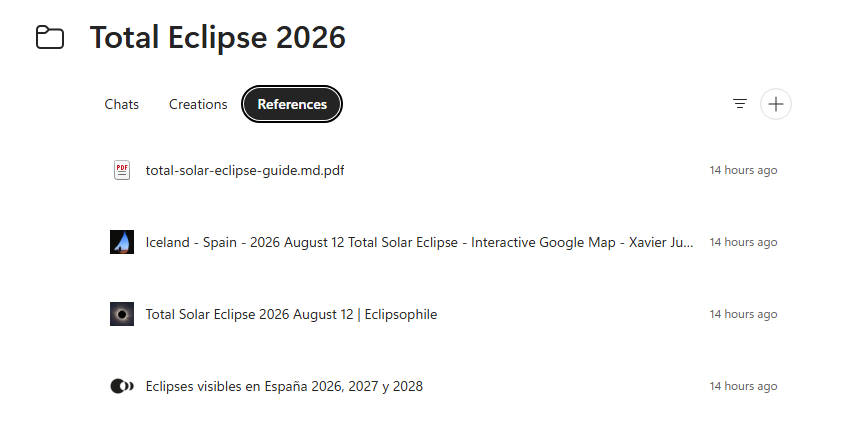
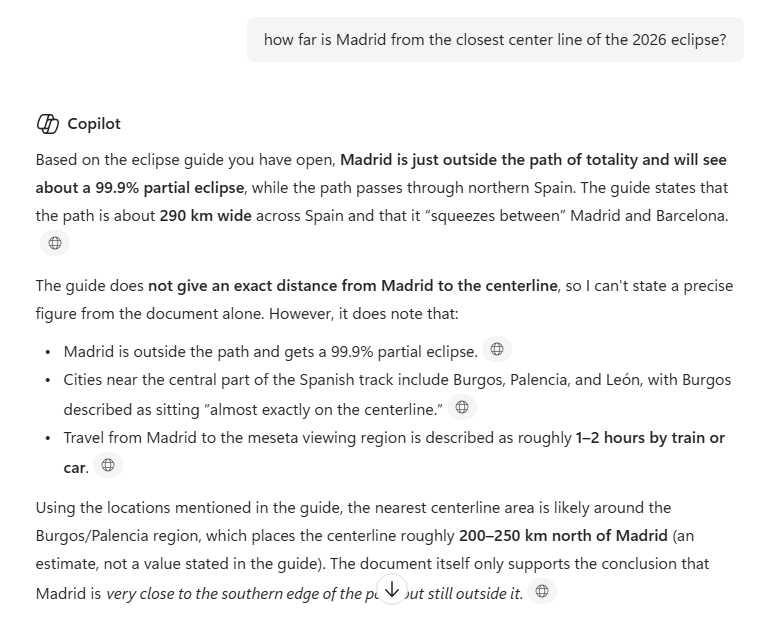
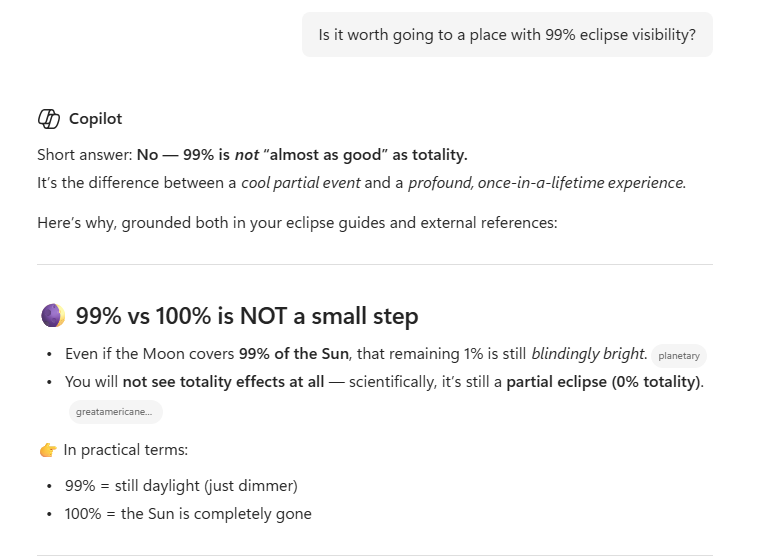
Now ask Copilot questions and it’ll answer only from the sources you’ve approved.
“How far is Madrid from the closest center line of the 2026 eclipse?”
“Is it worth going to a place with 99% eclipse visibility?”
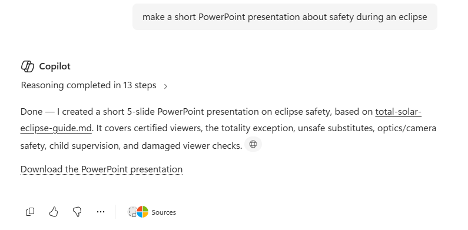
Create documents, sheets or slides
Make a document, sheet or slide e.g., “Summarize the weather and visibility in northern Spain into a Word document” or “Make a short PowerPoint presentation about safety during an eclipse”
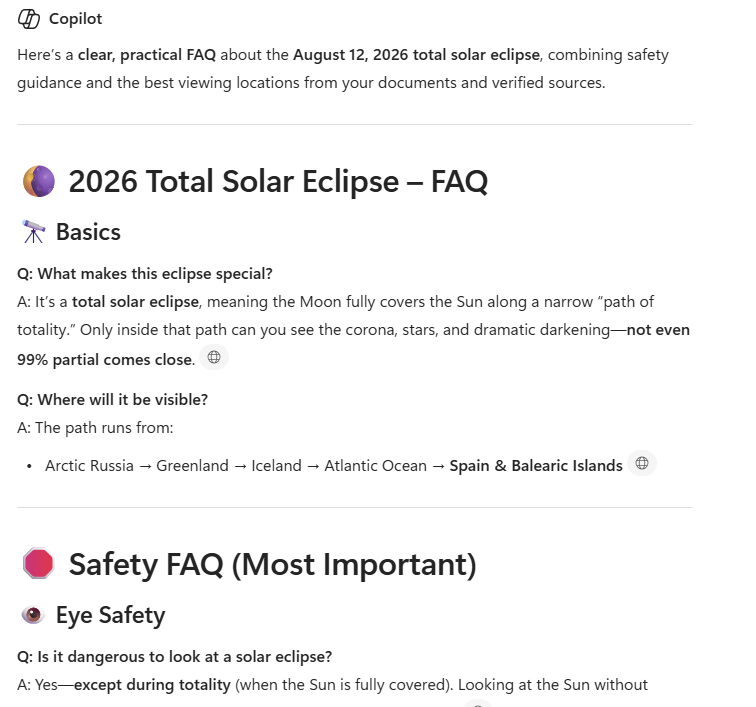
FAQ
Ask Copilot to make a “Frequently Asked Questions” list.
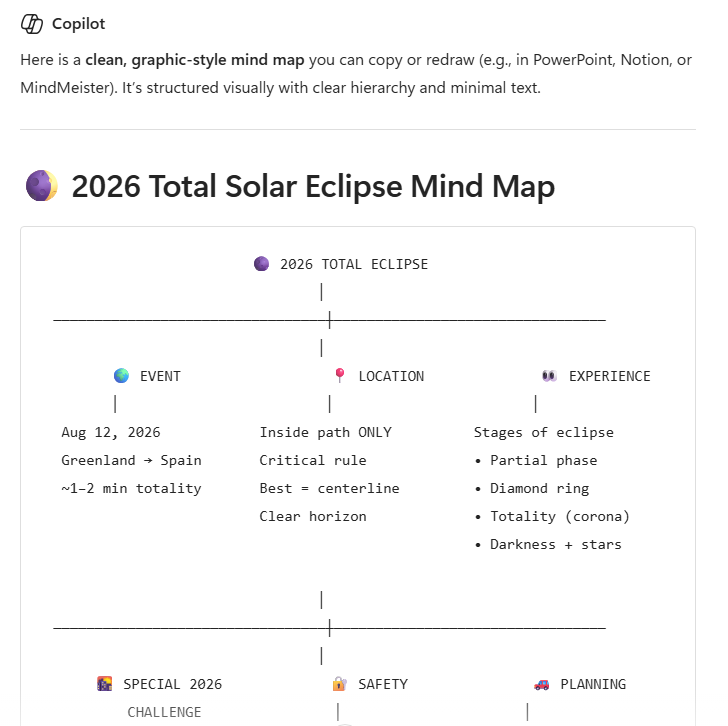
Mind Map
Copilot can also make a “Mind Map” from the sources. A “Mind Map” can be a text or graphic visual chart that turns messy notes into organized diagrams.
Your first Copilot Notebook
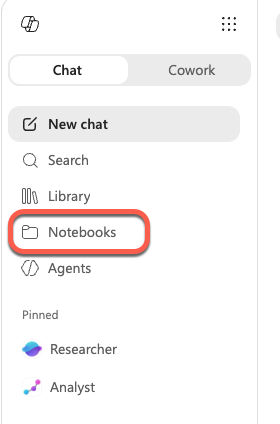
Notebooks are available wherever you access Copilot generally, most likely the website or Microsoft 365 Copilot app.
Look for “Notebooks” to appear in the side-pane alongside Library, Search and New Chat.
Notebooks can also appear in OneNote. There’s some overlap between the two products.
As mentioned earlier, Copilot Notebooks are said to be appearing for Microsoft 365 consumers. If not now, soon.
Which Copilot Model Should You Use in Word? Auto, Claude or GPT
GPT 5.6 Arrives in Microsoft 365 Copilot, But Microsoft Hides What You Get
Microsoft quietly swaps the AI inside Excel and Outlook
AI Credits in Microsoft 365: What They Are and How They Impact Your Copilot Usage
Turn Copilot Off in Microsoft 365: How to Guide for Word, Excel, PowerPoint & Outlook
Microsoft 365 Business Price Increase: Who Pays More in 2026
Microsoft Forms: Old and New Tools to Draft and Fix Your Surveys
