Word Draft View Bug: Page Break Lines Are Vanishing
Microsoft Word’s Draft view is meant to keep editing simple by stripping away page layout, margins, and headers so you can focus on the words. But a new bug in recent Word 365 builds for Windows and Mac is breaking one of its most useful cues: the faint dotted lines that mark page breaks are disappearing. Sometimes the automatic break line vanishes, sometimes the manual one does, and the behavior changes from build to build. Here’s what is going wrong, how to confirm it on your own copy, and the quick trick that might bring the line back.
Microsoft Word’s Draft view is a simplified editing mode designed for working with the text of a document without the distractions of page layout, margins, headers, footers, columns, or floating objects. Originally, it also let Word work faster on slower machines with poor graphics support.
Draft view (on the View tab) is useful for writing, reviewing, and restructuring long documents because Word can display and scroll text more quickly, while still showing paragraph formatting, styles, comments, tracked changes, and basic document structure. Draft view is especially helpful when the priority is editing words and paragraphs rather than checking how the final pages will look.
In Draft view, there’s a faint dotted line across the page to show automatic or manual page breaks.
Disappearing page break lines
Office Watch reader Michael F., spotted a strange bug in recent Word 365 releases. The faint dotted line for automatic page breaks has disappeared!
How page breaks appear (or not) seems to vary depending on the exact version and build of Word.
On some of our test machines, manual page breaks do NOT appear while automatic breaks do.
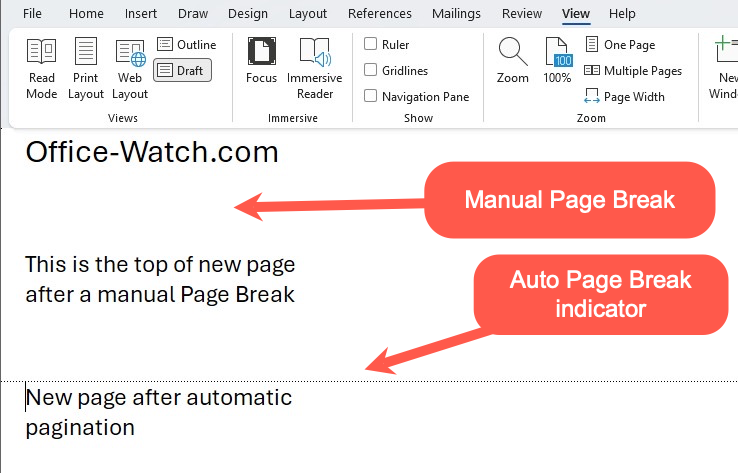
In other versions, it’s the opposite. The manual page break appears but NOT the automatic page breaks.
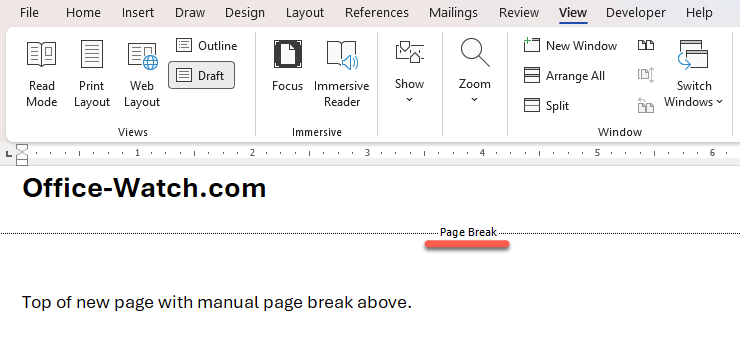
In recent Word 365 Windows and Mac builds, the faint break line disappears for auto page breaks.
How to make the page break line reappear – maybe
In some cases, changing the document window to make it wider will make the faint dotted line appear.
This last point confirms that this is a bug, not a deliberate design choice.
It’s yet another example of the declining quality control at Microsoft. Staff reductions and greater reliance on AI mean more profit for Microsoft, but lower quality software for customers.
Interesting ways to view a document in Word
About Word’s Page Breaks: Visible and Invisible
Add a manual or forced Page Break in Microsoft Word
How to Force a Page Break through Styles Setting in Word
Why Word Layouts Break: Section Breaks Explained
Microsoft Kills Office 2019 for Mac: Apps Stop Working July 13, 2026