Microsoft 365 – the subscription / annual fee plan for Microsoft Office on Windows, Mac, iPhone, iPad and Android.
Includes Word 365, Excel 365, PowerPoint 365, Outlook 365 and many other ‘365’ programs, apps and services.

Avoid embarrassing typing mistakes in Word
A slip of the typing fingers can be funny, insulting or embarrassing, turning an innocent word into a naughty one. There are features in Word to help avoid these mistakes which have improved over the years but they aren’t 100% reliable It only takes a single letter to turn an innocent remark into something quite […]
Google Sheets gets 10 million cells, not enough to beat Excel
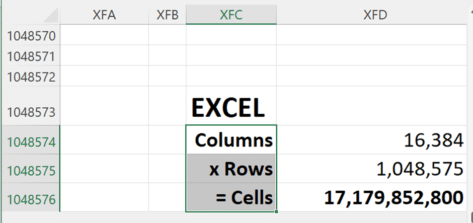
Google has just doubled the cells available in their Sheets spreadsheet, taking it to 10 million cells. Still well short of Excel’s 17 million cells. Sheets can now stretch to 18,278 columns (column ZZZ) for all Google Workspace customers, as well as legacy G Suite Basic and Business customers. Excel has 17 million cells Since Excel […]
Word Bug: Headings Inside Tables Go Missing
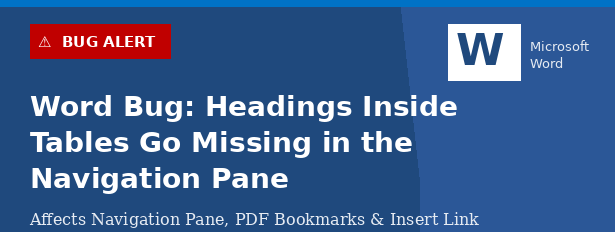
A long-standing bug in Microsoft Word quietly breaks your document navigation when you place Heading styles inside a table. The Table of Contents shows all your headings correctly, but the Navigation Pane silently drops any heading that lives inside a table cell. The same broken behavior ripples into PDF Bookmarks and the Insert Link dialog. […]

2001 A Space Odyssey – in Word and PowerPoint
As long time space and SF nerds, Office Watch can’t resist putting the look of 2001: A Space Odyssey into Word documents and PowerPoint slides. We’ll show you how to make a ‘close match’ using just the fonts and features in Microsoft Office. We’ll also explain the details behind that choice and some alternatives, both […]

Why Windows Character Map is better than Office
Character Map is a Windows feature that’s very useful for Microsoft Office users. It lets you insert symbols and, importantly, find them which is not possible within apps like Word. Windows Character Map has been around for as long as we’d like to remember and it’s mostly done right. If only the equivalent in Office […]

Free color selector in your browser
Google has a color selector among the many features in their home page. It’s free, works in any browser and it’s easy to copy color codes into Office. Search for ‘Color picker’ or https://www.google.com/?q=color+picker then move the two circles to choose the exact color and shade you want. The HEX and RGB color codes are […]
Better ways to add date lists in Excel
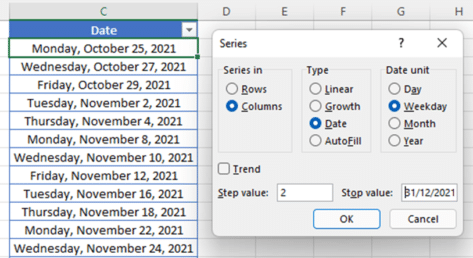
Excel has ways to add a list of dates by day, weekday, month or year either by the fill handle or the Series command. Date Series with Fill Handle You probably know about the Fill handle tool to fill the remaining cells. Once highlighted, just hover your mouse in the bottom right corner and a […]

Fancy gridlines to make Excel look great or at least different.
Gridlines are on every spreadsheet in Microsoft Excel workbooks. Did you know those grey lines can be colored to make them fancy, more obvious or more discreet? Let’s look at two ways you can make colored gridlines in Excel. Here’s what it looks like with the pink, black and red in comparison to the default […]
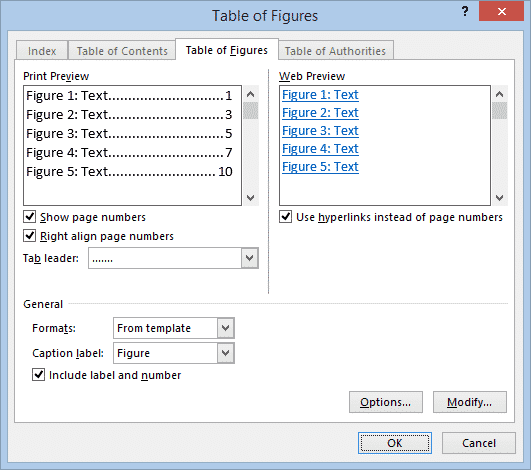
Easy Table of Figures in Word
Microsoft Word can generate a list of all the images, graphs, tables or equations in a document – called a Table of Figures. Just like a table of contents, this list can include page references or links to each figure or picture. A Table of Figures can be useful for creating a proper appendix of […]

How to update your Microsoft 365 licence before going offline
Microsoft 365 does an online licence check at least every 30 days. If your device will be offline for weeks, how can you make sure you have a full 30 days licence before disconnecting from the Internet? Here’s how to update your Microsoft 365 licence before going offline. Office 365 / Microsoft 365 software and […]
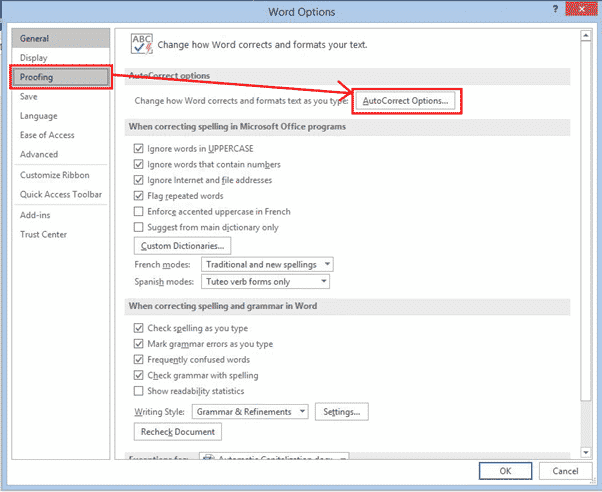
Automatic Capitalization fixes in Word
Word has settings to automatically change the case of words that you type, fix common capitalization typing problems add items of your own to have capitalized the way you want them as you type. Word also has options to manually Change Case in Microsoft Word. The settings are in the AutoCorrect dialog at File | […]

Where are Word styles saved – document or template
Styles can be saved in a Word document but are most effective when saved in a template. Changing the style in a template will affect any document that uses the same template. At the bottom of the Modify Style dialog are two choices for where to save the style. Microsoft has reworded the choices to […]

Law & Order title card in PowerPoint and Word
Here’s how to make a lookalike for the Law & Order TV show title card in either PowerPoint or Word. Last week we showed how to make the Law & Order opening screen image and how to use that look in slides or documents. Many readers asked why Office-Watch.com didn’t do the main title card. […]

Law & Order titles and sound in PowerPoint and Office
One way to open a PowerPoint presentation could be to copy the opening of the Law & Order TV shows. Here’s how to get the same look in your PPT slides or Word documents plus the distinctive sound. The same formatting can be used in Word, maybe as a callout to highlight some text. But […]

Teams can be a source of malware
Microsoft Teams is becoming another way for criminals to infiltrate an organization or spread malware. According to Help Net Security viruses are being distributed via Teams Chats. A program with an innocent name like UserCentric.exe allows hackers to remotely control computers, install DLL’s and get more information about the user and organization. Infected Office documents […]
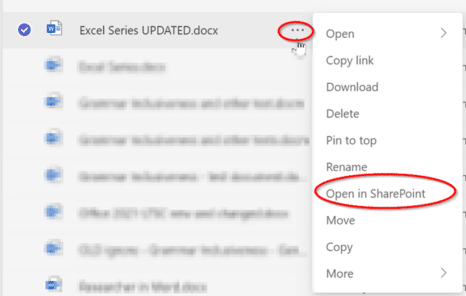
Can’t edit a document in Teams? Try these workarounds
Sometimes a document can’t be edited in Teams for no good reason. Here’s some things to try and workaround the problem. Teams uses SharePoint to manage documents and sometimes the technology doesn’t behave the way it should. A document that you should have full access to, can only be viewed. Before becoming overly frustrated with […]