Microsoft 365 – the subscription / annual fee plan for Microsoft Office on Windows, Mac, iPhone, iPad and Android.
Includes Word 365, Excel 365, PowerPoint 365, Outlook 365 and many other ‘365’ programs, apps and services.
Free and secure conversion of .doc .xls or .ppt to the newer Office formats
Here’s how to convert an older .doc .xls or .ppt into a safer and smaller .docx .xlsx .pptx even if you don’t have Microsoft Office. Any smart computer user is wary of documents received in the old .doc .xls .ppt formats because they are regularly used to transmit viruses. The new document formats are much […]

Beat the Microsoft price increases
There are just a few days left for Business customers to lock in lower prices for Microsoft 365, before Business plans get more expensive on 14 March 2022. No customer likes a price increase but Microsoft’s targeted rises in Microsoft 365 Business plans have been unpopular with both customers and the vital partner or sales […]

Life Saving use for a collaborative spreadsheet
Spreadsheets aren’t just for numbers and money, they can also be used to save lives when saved online and collaborating with other people. Lismore is northern NSW, Australia has been struck with massive floods leaving many people stranded in their homes, some trapped against rising waters. The emergency services were overwhelmed so it was left […]
Flash Fill Magic in Excel
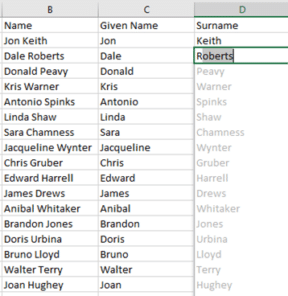
Flash Fill is a simple way to split and join text automatically in Excel for Windows or Mac. Flash Fill was added in Excel 2013 for Windows. It’s both useful and looks good in the demonstrations. In Excel there’s often need to join, separate or reformat strings of text. Flash Fill copies your actions at […]

Adding Footnotes to Pictures in Word
How to add footnotes just below a photo in Microsoft Word The trick is similar to adding Footnotes to a Word table. Use Endnotes, instead of Footnotes (assuming you don’t use Endnotes elsewhere in the document). Add a Continuous Section Break and change the Endnotes settings to put them at the end of the section. […]

Faster Numbered and Multi-Level Level changes
Moving the selected lines/s to a different numbering level in Microsoft Word is officially done from the Numbering Gallery | Change list level but there’s are quicker keyboard shortcuts. The faster way to do this is shortcuts: Alt + Shift + RIGHT arrow Down / right one level Alt + Shift + LEFT arrow Up […]
More powerful Excel Autofill using Series
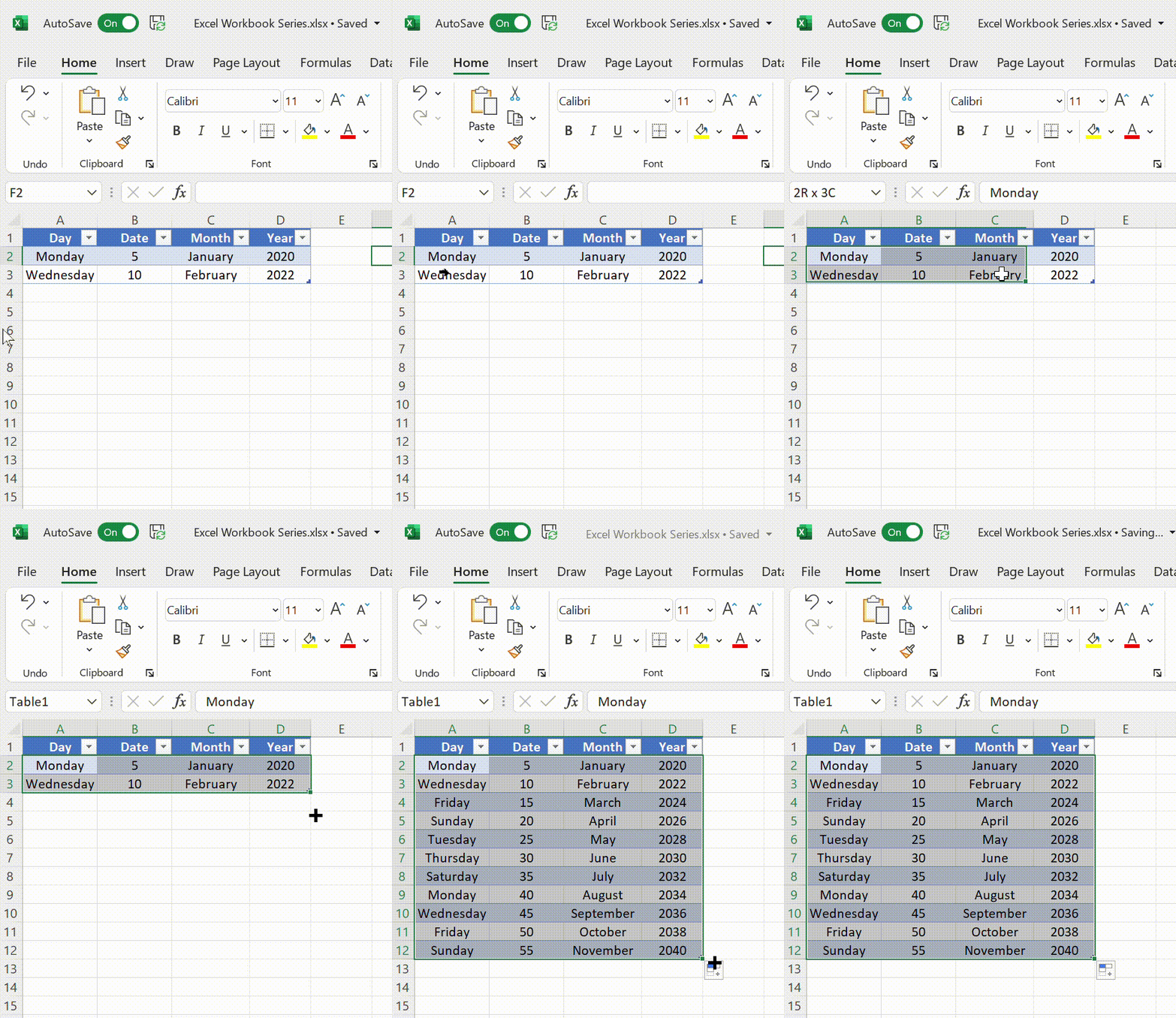
Microsoft Excel Series allows users to automatically insert a list or series of values. You probably know the easy ‘drag and drop’ method but there’s a lot more possible with linear, growth, dates and autofill. All possible with the fill handle or with more control via the Series dialog. Whatever the reason, some people may […]
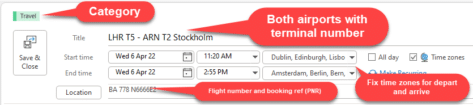
Add an iCalendar .ics to an Outlook calendar but be careful
Inserting an .ics iCalendar item into Outlook is typical Microsoft Office. Seemingly easy if you believe the simplistic ‘help’ from Redmond but a little more involved in practice. iCalendar .ics files are small text files which contain an appointment or event. It’s a common standard so they can be used by Outlook or any other […]
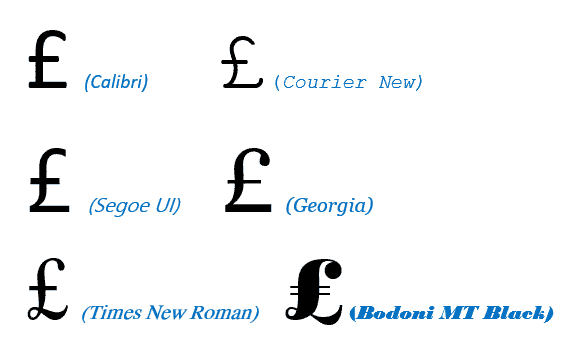
Pound £ symbol in Word, Excel, PowerPoint and Outlook
Type the Pound Sterling £ currency symbol into Microsoft Word, Excel, PowerPoint or Outlook. Both in Office for Windows and Office for Mac. £ symbol is easy on a UK keyboard but for other keyboards there’s no specific key for Pound. Pound is used for British Pounds Sterling and also other ‘pound’ currencies like the […]

Immersive Reader returns to OneNote
Immersive Reader, as seen in Word and older versions of OneNote, is returning to the latest releases of OneNote It’s a worthwhile tool to use, designed for those with dysgraphia or dyslexia, but perfect as well for those wanting to improve their reading experience. Here we’ll be using OneNote for the Web as an example, […]

Latest Samsung phones degrade Microsoft Office
Samsung phones have a hidden service which is slowing down Microsoft Office apps including the mobile apps for Word, Excel, PowerPoint, Outlook and the Office ‘all in one’ app. Inside some of the new S22 Galaxy smartphones is a Games Optimization Service, or GOS. Cynical techies know to be wary about anything labelled ‘Optimization’ because […]

Check Accessibility problems as you work in Word, Excel and PowerPoint
Now you can see on the status bar if there’s accessibility problems as you work with your Word, Excel or Powerpoint documents. Tucked away on the Accessibility Pane is a option to run the accessibility checker as you work, instead of only on request. Keep accessibility checker running while I work Turning this on doesn’t […]
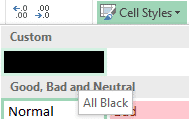
Redacting Excel worksheet
Here’s a simple way to redact cells in an Excel worksheet. There’s no direct redaction tool for Excel to match the Microsoft derived Word Redaction Tool. What are the alternatives? Editing the worksheet Copy the worksheet then carefully edit it to remove the private content. Make sure you remove data, not just obscure it. Select […]

What is Excel Argument Assistance?
Excel is getting even more help to write formulas, look out for Argument Assistance coming to Excel on the web and hopefully beyond that. Argument Assistance won’t solve loud disputes with your partner, boss or that annoying guy on the bus. It’s a larger panel to guide people through completing a function. At the moment […]
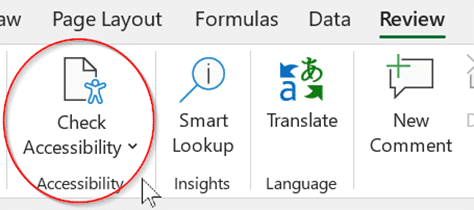
How to use Excel’s Accessibility Ribbon
Excel has an Accessibility Ribbon to help you make changes to ensure that worksheets are easier for people with disabilities to read and edit. For some time, there’s been a Check Accessibility feature on the Excel Review tab. That opens a side-pane with suggestions for improving the worksheet. Go to Review | Accessibility | Check […]

Spell and say Kiev or Kyiv according to Microsoft Word
“You say Kiev, I say Kyiv” for the capital of the Ukraine. How does Microsoft Word handle the different spellings and how to pronounce the name with Read Aloud. See also Ukraine flag & colors in Word, Excel or PowerPoint Is it Kiev or Kyiv? Kyiv is the Ukrainian spelling of their capitals name, it’s […]