All about Microsoft Office for Apple Mac. Word, Excel, PowerPoint, Outlook on macOS, Microsoft 365 for Mac, Office 2021 for Mac and earlier versions.

New Office 365 Save option ain’t so bad
Office 365 is getting yet another way to save a document and it’s not as bad as the advance publicity suggested. We’ve now had a chance to use the new Save dialog ourselves and it’s not another attempt to force customers to OneDrive. The change is now available for Office Fast Insiders and eventually all […]
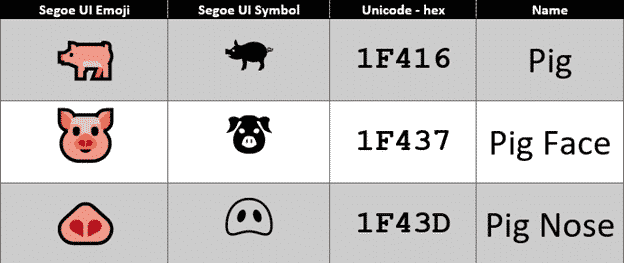
Have a happy Year of the Pig emoji in Word and Office
It’s the Chinese Year of the Pig and there are some symbols in Word, Excel and PowerPoint to mark the occasion in Office for Windows or Mac. The Unicode standard has three Pig related emoji, Pig, Pig Face and Pig Nose. Once you know the names or hex value, they can be found with the […]

Email with webmail or software – what’s the difference?
How can you tell if you’re reading email in a web browser or using email software like Outlook for Windows or Mac? This might seem obvious to some but many people use ’email’ without understanding the important difference between webmail and email programs. There are two ways to read and send emails: use software/apps like […]

Google Translate with Office documents
If the Translation options in Microsoft Office don’t do it for you, try the Google Translate full document translation option instead. For a long time, Google has a word and text translation between languages. The app is a godsend to travelers around the world, and the locals dealing with them! Entire Office documents can also […]

Bitlocker in the Word dictionary
Bitlocker is an important part of Microsoft Windows so why isn’t it in the Microsoft Word dictionary? Bitlocker is the drive encryption feature in modern Windows. It secures your drive if stolen or lost because the entire drive is unreadable without the password. Our books for Windows 10 and Windows 8.1 have chapters devoted to […]
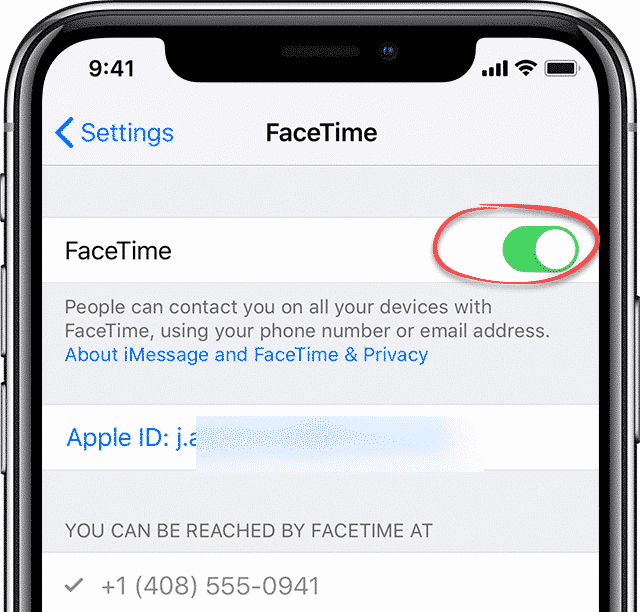
Apple did a decent job with the Facetime security bug
The Facetime security bug is embarrassing for Apple but compared to other tech companies they acted decently and quickly. Here’s how to protect yourself. The Facetime bug allowed someone to eavesdrop on you without you knowing it. It activated the Apple device microphone even though the receiver had not answered the call. In effect any […]

Stock data type search tips in Excel
Finding the right stock or index among the tens of thousands available in Excel’s Stock data type isn’t always easy. Here’s some stock search tips that might help with some advice about a changing situation. Stock data type is available in Excel 365 for Windows and coming to Excel 365 for Mac (currently only Insiders). […]
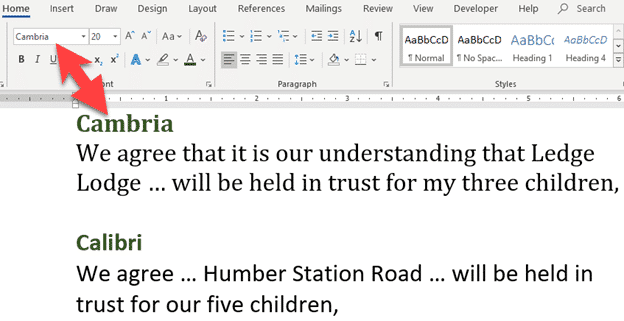
Font Fraudsters caught again
A Canadian man has been caught trying to hide assets from bankruptcy because the wrong fonts were used in documents. Gerald McGoey, the former CEO of Look Communications filed for bankruptcy over a year ago. He presented trust documents that appeared to shield two properties from his creditors. But there was a problem with both […]

Bogus cheap Office 365 ads on Facebook
Ads for cheap, illegal or maybe non-existent versions of Office 365 appear all over the place, including Facebook. Just like similar offers on Ebay or Amazon they look great but can’t possibly be legitimate. This one on Facebook mobile offers ‘Lifetime’ Office 365 for just $75. Since a single year of Office 365 Home costs […]

Stock and Geography Data Types coming to Office for Mac
Great news for Mac Office 365 users, the Stock and Geography data types in Excel 365 for Windows have started rolling out to Excel 365 for Mac. At the moment it’s only Excel 365 for Mac, Fast Insiders v16.22 build 190112 or later. It means it’s coming to Slow Insiders and Office 365 customers generally […]

Live subtitles and translation in PowerPoint – how it works
Adding automatic subtitles with optional translation to presentations is a step closer with the latest PowerPoint 365 for Windows Insiders release. Last month we told you about this promised addition to PowerPoint and now we can see it working compared to Microsoft’s promises. At the moment it’s just PowerPoint for Windows, Insiders. Subtitles will spread […]
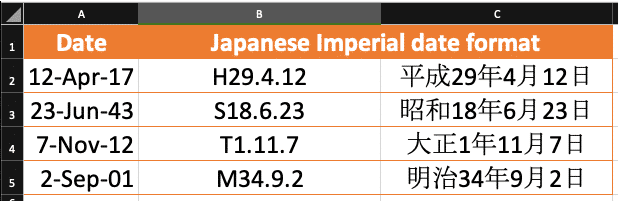
Show Japanese Imperial Era dates in Excel and why it’s wrong
Excel can display dates in many different formats including Japanese Imperial Era. You don’t need the Japanese version of Excel. Office-Watch.com shows how to display an Era date and how Excel knows which Era to use. You don’t ‘convert’ a date from western format to Japanese Era. Like any date in Excel, just change the […]
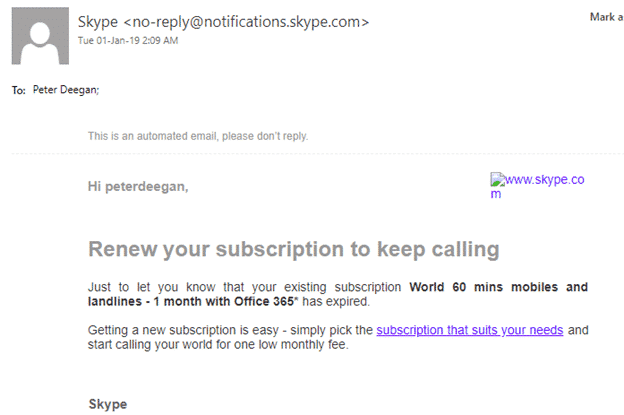
About Skype email “your existing subscription World 60 mins mobiles and landlines – 1 month with Office 365* has expired.”
Skype has an email bug that shows no sign of going away. Office 365 customers may wrongly get an expiration email saying “your existing subscription World 60 mins mobiles and landlines – 1 month with Office 365* has expired.”. Office 365 Personal, Home & University include an hour each month of Skype calls to landline and mobiles […]

Office 365 for Mac compatibility confusion
Office 365 for Mac users might well be confused about compatibility with their MacOS. Some Office 365 for Mac users might not be getting the latest and greatest features. Microsoft has a blog post might be accurate, but it doesn’t exactly shine with clarity. The situation appears confusing, so we’ll try to break it down […]
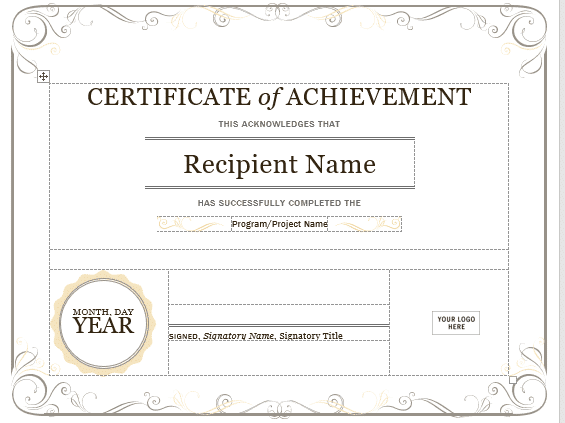
How to become a doctor with Microsoft Word
An Arizona man practiced as a dental anaesthesiologist using a Microsoft Word template as part of his application. It wasn’t hard for Office-Watch.com to find the template he used and you can too! ABC15 (Arizona’s News Leader) has the story of Dr. Pankaj Goyal who applied for a General Anaesthesia Permit. That’s the highest level […]

2019 Calendars from Excel
If you’re looking for 2019 calendar options, open up Microsoft Excel. Excel has a wide range of calendar templates to choose from. Go to File | New and type ‘calendar’ into the search box. There’s a proverbial embarrassment of riches. Pick a year All the Excel templates apply to any year. Enter the year you […]









