All about Microsoft Office for Apple Mac. Word, Excel, PowerPoint, Outlook on macOS, Microsoft 365 for Mac, Office 2021 for Mac and earlier versions.

Check these Excel Power Query settings before it’s too late
There are two important changes coming to Get & Transform (Power Query) in Excel. Both changes are probably already covered by the current setup but you should check any external data links now to avoid an unwanted surprise. These changes apply from 11 March 2024. Microsoft is a little vague about one of them (TLS […]

Secret shortcuts in Microsoft Designer
Microsoft Designer has secret key shortcuts to quickly insert shapes and text boxes without jumping to the side menus. All you need to do is press a single letter key to insert one of these shapes: R – Rectangle (inserts a square) C – Circle L – Line T – Text Each of these shortcuts […]
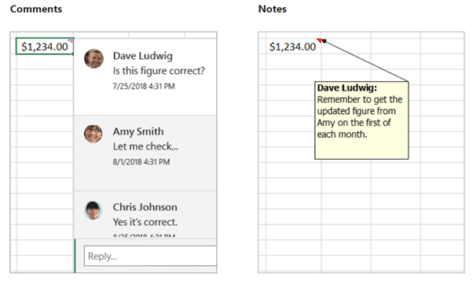
Notes vs Comments, understand the difference in Excel
Microsoft messed about with Notes and Comments in Excel 365. Here’s what’s happened, name changes, overlapping functionality and how Excel has gone from ‘Notes’ to ‘Comments’ and now back to ‘Notes’ again! There are now two different ways to add text notes or comments into an Excel 365 cell. The choice of Comments or Notes. […]

How to add notes inside Excel formulas
Here are three ways to add an explanation or note within an Excel formula itself, instead of separate notes. The ‘Achilles Heel’ of Excel or any spreadsheet program has always been explaining or commenting of cell formulas. Adding comments is an important part of any code including Excel’s VBA but it’s MIA from formulas themselves. […]

Pantone’s 2024 color ‘Peach Fuzz’ in Word, Excel and PowerPoint
Pantone’s color of the year for 2024 is “Peach Fuzz”. You can use that exact color in Word, Excel, PowerPoint, Outlook and Designer using the Hex/RGB color code. And we’ll look at the flowery prose that’s become a hallmark of this annual promotion. The color of 2024 is … Peach Fuzz As usual what’s more […]

Microsoft 365 browser extension is ‘retiring’
The Microsoft 365 browser extra for Edge and Chrome is being ‘retired’ from January 2024 though not for any good or explained reason. Maybe it’s because Microsoft’s Edge browser has an in-built alternative? From 15 January 2024, there’ll be no more updates or support for the Microsoft 365 browser extension. The extension will disappear from […]
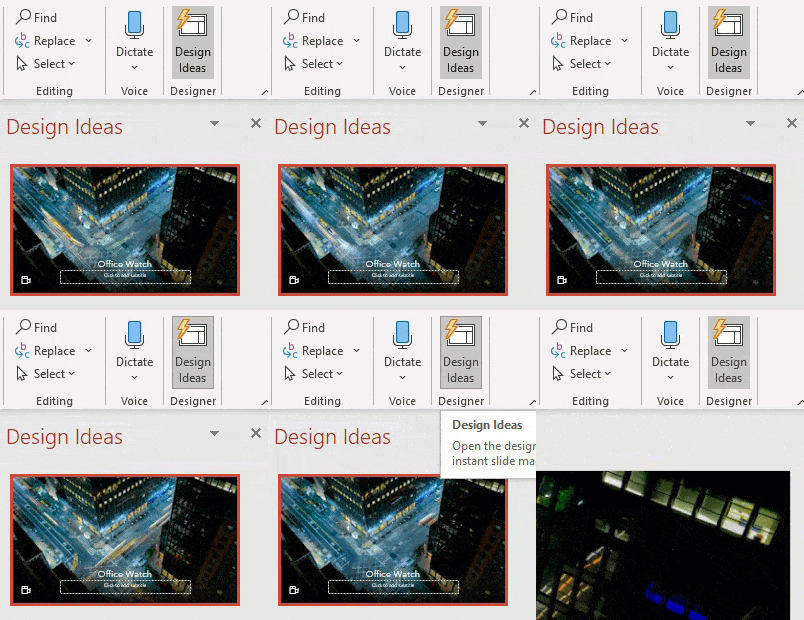
Stop Designer in PowerPoint
Designer in PowerPoint 365 is great, but it can be too pushy and intrusive with the Design Ideas pane popping up too much. Designer risks becoming the new ‘Clippy’! Here’s how to stop Designer appearing until you want it. PowerPoint Designer suggests slide designs based on the content. It’s a cloud service which means there […]

Tricks to get more from PowerPoint Designer
PowerPoint Designer and Design Ideas is the start, not the end, of making a great looking presentation. Some simple changes will make something unique and not obviously copied from Microsoft’s template supply. We’ll show how to dig into the Design Ideas to change individual slide elements a little, or a lot. Not familar with PowerPoint Designer … get the […]

Getting More from PowerPoint Designer
PowerPoint Designer should just be the start of making a great looking presentation. A few manual adjustments will transform Microsoft’s automated suggestions into something awesome and unique. All the design helpers in PowerPoint and Office have the same problem. Everyone uses them and so a lot of slides or docs end up looking the same. Instead of […]

Make PowerPoint Designer better, add some words
PowerPoint’s Designer suggestions work better if you add some words to the slide first. If you add some broad keywords or title, it gives Designer clues for the most appropriate look. Designer uses the text to choose from the many templates available. The words don’t have to appear in the final presentation, just while selecting […]
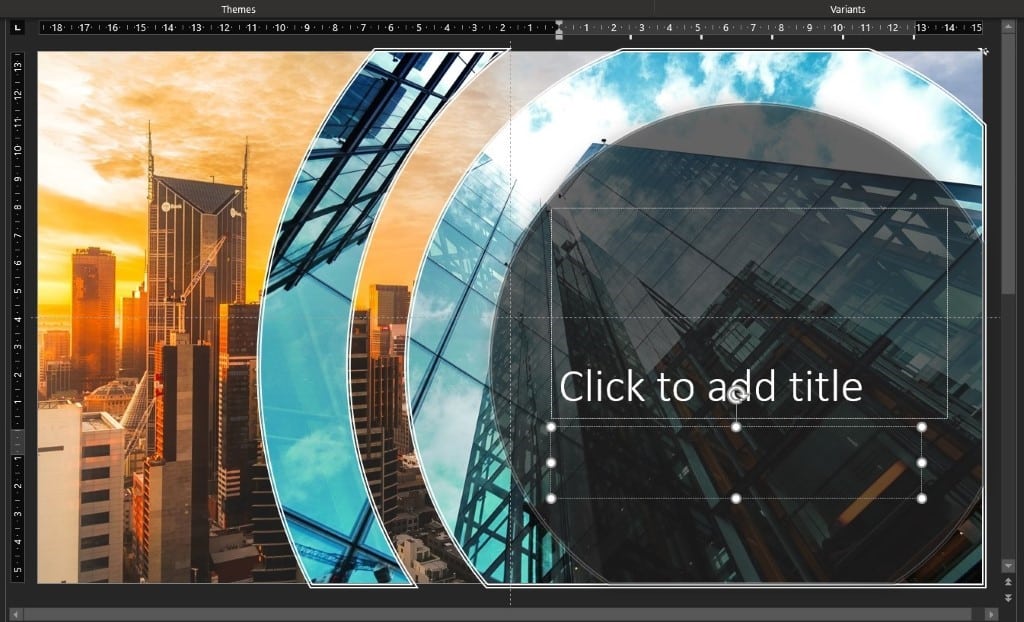
Using Designer for more eye-catching PowerPoint slides
PowerPoint Designer is perhaps the most interesting and useful feature in PowerPoint 365. It turns a basic slide into something eye-catching. Here’s how to use Design Ideas effectively and wisely. It’s a very quick and easy way to take a couple of Design Elements and create a full-blooded Custom Style for your Slide Show with a […]

Get over 3,000 more great Office icons from Google
Google has more than 3,000 Icons available to add into Microsoft Office documents from either SVG files or a font. Material Symbols are a collection of small icons, much like the Icons available in modern Office. As SVG files they can be recolored and changed from their standard black line look. Use them in Word […]

Croissant 🥐 emoji in Word, Excel, PowerPoint and Outlook
Add the Croissant 🥐 emoji into Microsoft Word, Excel, PowerPoint or Outlook. Both in Office for Windows and Office for Mac. I have to declare a personal interest in this article because the Croissant 🥐 is an essential part of my breakfast. No morning is complete without the “Three C’s” – Coffee, Computer and Croissant […]
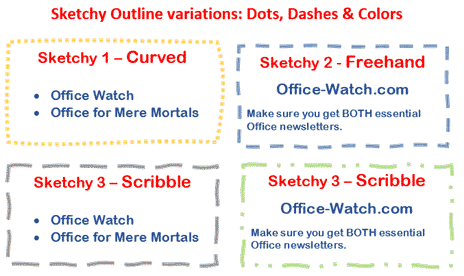
Sketchy line option in Office for Windows and Mac
Office for Windows and Mac has three special outline styles for the borders of shapes and text boxes. Called ‘Sketched’ or ‘Sketchy‘ because they have a hand-drawn line look. It’s a nice little addition to Word, Excel, Powerpoint and Outlook. Let’s see how it works plus some details and limitations that Microsoft hasn’t mentioned. All […]

How hackers trick you to open infected documents
Here’s how to avoid the tricks hackers use to infect your computer via Office documents. Microsoft has added features to Office that should make it harder to infect your computer via a Word, Excel or PowerPoint document. Hackers have found ways to trick people into bypassing those warnings and enable the viruses in the document. […]

Telephone location ✆ emoji in Word, Excel, PowerPoint and Outlook
Insert the Telephone location ✆ symbol into Microsoft Word, Excel, PowerPoint or Outlook. Both in Office for Windows and Office for Mac. Telephone location ✆ symbol is supposed to be used as a sign for a phone box or booth but can be used for any ‘phone’ purpose. See also: Telephone Receiver 📞 Emoji In Word, Excel, […]









