All about Microsoft Office Word, Excel, PowerPoint and Outlook, Microsoft 365, Office 2021 and earlier versions.
Use Microsoft’s AI magic now – don’t wait for Copilot
Microsoft’s AI is available to use now to search or summarize web pages, PDF or any Office document. Use Bing as a peek at the future CoPilot AI system might do for Microsoft Office. Bing Discover is available in the latest Edge browser (Windows or Mac). It opens up two panes of Microsoft AI ‘Chat’ […]

Myth Busting about Office document formats
Even after 15 years, there’s still misinformation about the ‘new’ Office document formats .docx .xlsx etc. We’ll explain these myths and how you can easily disprove them yourself. Most of these myths surround the use of ZIP compression to make the document files smaller. Folks have jumped to wrong conclusions after hearing about ZIP. Not […]

OneNote is getting Microsoft CoPilot
Microsoft has confirmed that their AI helper tools, called CoPilot will be added to OneNote. Here’s some ideas of what the AI system will add to OneNote. CoPilot will be interesting and useful in many ways but the Microsoft Hype ™ is getting way ahead of reality. The OneNote with CoPilot announcement included the usual […]

Vertical Bar | symbol in Word, Excel, PowerPoint and Outlook
How to insert the Vertical Bar | into Microsoft Word, Excel, PowerPoint or Outlook. Both in Office for Windows and Office for Mac. Vertical Bar | symbol (technically a glyph) has many uses in computing, physics, maths and typography. In some programming languages | has a special meaning, for example in PowerShell | is called […]
Excel’s Round () and nine other rounding functions
Excel’s Round () function rounds a number to a specified number of digits. It might seem like the choice for your rounding needs but there are NINE more rounding functions that might be better and even that’s not enough to cover all rounding needs. Round () basics Round() is pretty simple, give it a value […]
More accurate Excel rounding to the international specification
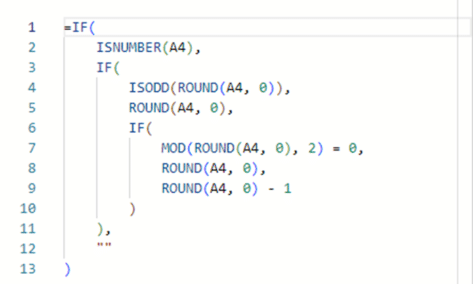
Here’s how to round numbers more accurately than Excel’s in-built Round() and other functions. This method uses the internationally recognized standard for rounding (yes, there is one), we’ll show the long formula, how it works plus the Let() and Lambda() versions that can make your worksheet easier to deal with. Rounding ‘Ties to Even’ The […]
How to color the Column dividing line in Word
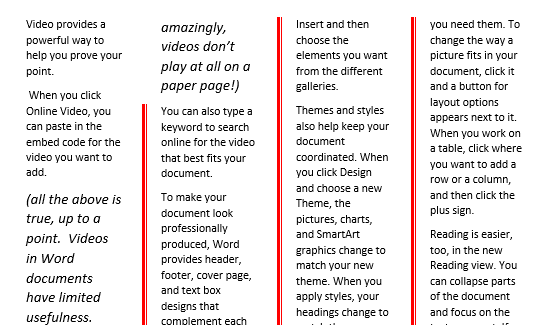
Microsoft Word’s ‘Line Between’ option for multiple columns can replaced and formatted to a different color or other types of line. Word’s standard ‘line between’ column setting has no formatting. All you can do is choose ‘Line Between’ and no more. There’s no known way to change the look of the vertical line between columns. […]

Four more vertical formatting tricks in Word
In Adding Vertical Lines in Word we looked at the many common choices for lines down the page. Moving beyond that, let’s look at other, more interesting and creative vertical non-line choices to spice up a Microsoft Word document. Sidebars Sidebars are the starting point for many different design element options. You’re not limited to […]
6 ways to add vertical lines in Word
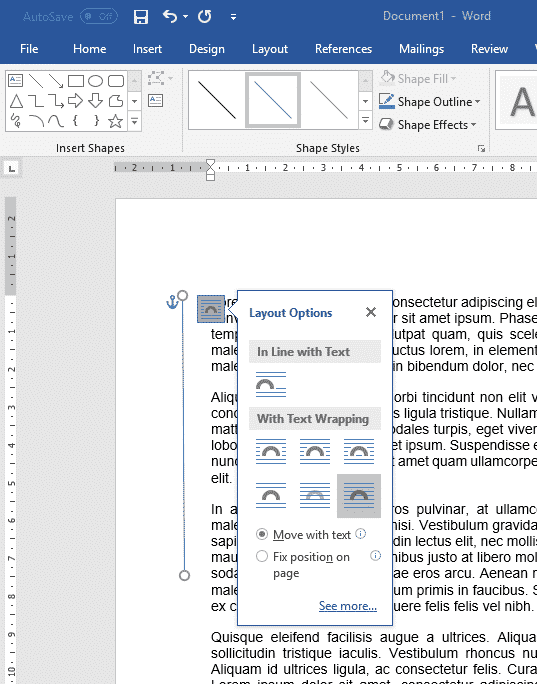
There are at least six ways to add a vertical line in Microsoft Word. Vertical lines can help accentuate a piece of text in Word, but adding them is not as obvious as adding a horizontal line. These are most common options available. With all the features in Word there are other more complicated choices. […]
Set your own Text Box default settings in Office
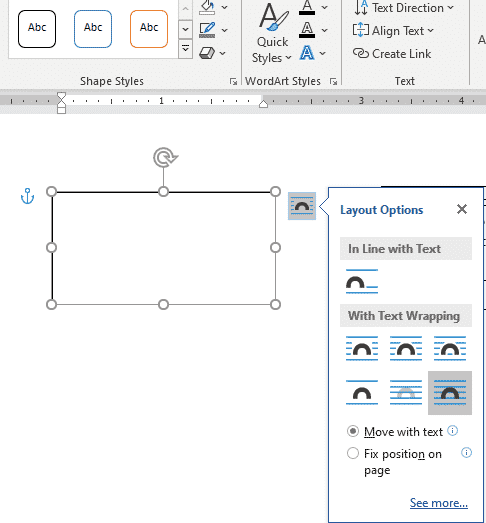
You’re not stuck with the Microsoft Office automatic settings when inserting a new text box. Change the Text Box defaults to whatever you like for faster text box formatting in Office; Word, Excel, PowerPoint or Outlook. There are TWO ways to add a Text Box in Word and Outlook – each with their own ways […]

Word links – three ways to make internal clickable links
As well as links to web sites, Word lets you make ‘internal’ links to other parts of the same document in at least three different ways. Longer documents can benefit from internal links that let you and readers jump within the document. Insert Hyperlink – Place in this document The Insert Hyperlink box has an […]

Make a better PDF from Microsoft Word using the hidden options
Microsoft Word has vital but hidden options for making a better PDF file from your document. PDF’s made from Word can be smaller than usual for faster sending or to get under size limits that apply to email or messaging services. There are choices for including better navigation (like the navigation pane in Word), markup/comments, […]
Two ways to read PDF files on an iPad
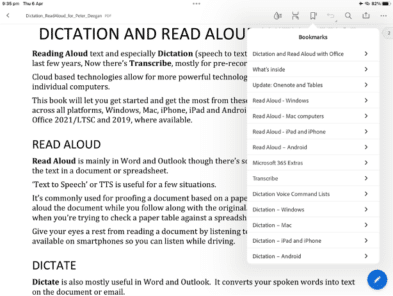
A quick guide to reading and searching PDF files on an iPad, either with the Books app or the Adobe PDF viewer. There are many apps that can view PDF files on portable devices. They all have the same basic features (more or less). View Table of Contents (Bookmarks in PDF-speak), Search for words/phrases plus […]
Inside the controversial Gender Specific checks in Word
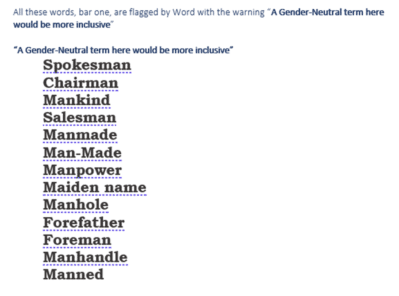
A close and in-depth look at what Microsoft Word does and doesn’t flag with the sometimes controversial Gender Specific Language setting in the ‘Grammar & Refinements’ section. Microsoft doesn’t reveal much (or anything) about the Inclusiveness options in Word so we’ve decided to look closely at what they do. We need your help, see below. […]

All about Ceiling() and Floor() Excel rounding options
Excel’s Ceiling() and Floor() function rounds a number up or down to the nearest specified multiple. The most common use is to match prices to denominations of coins or notes. Ceiling() is similar to MRound() except that MRound() rounds to the nearest multiple, Ceiling() always rounds UP. The reverse is Floor() which always rounds down. […]
Outlook Function Keys – complete list
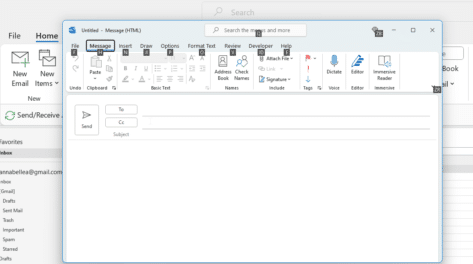
Here’s a complete list of the Outlook Function Key features from fast access to Help, jumping around your inbox, doc panes, spelling, grammar and key shortcuts. Let’s look in detail the functionality of the F-keys labelled F1 through F12 on your keyboard. F1 – Help, hide ribbon F2 – Calendar F3 – Search, change case […]









