All about Microsoft Office Word, Excel, PowerPoint and Outlook, Microsoft 365, Office 2021 and earlier versions.
How to use Excel’s Accessibility Ribbon
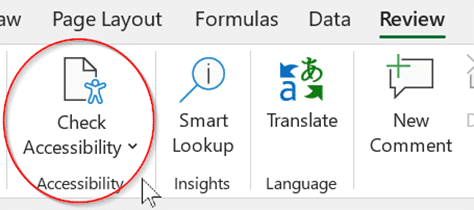
Excel has an Accessibility Ribbon to help you make changes to ensure that worksheets are easier for people with disabilities to read and edit. For some time, there’s been a Check Accessibility feature on the Excel Review tab. That opens a side-pane with suggestions for improving the worksheet. Go to Review | Accessibility | Check […]

Spell and say Kiev or Kyiv according to Microsoft Word
“You say Kiev, I say Kyiv” for the capital of the Ukraine. How does Microsoft Word handle the different spellings and how to pronounce the name with Read Aloud. See also Ukraine flag & colors in Word, Excel or PowerPoint Is it Kiev or Kyiv? Kyiv is the Ukrainian spelling of their capitals name, it’s […]

All about the Microsoft 365 Family extra and app
The Microsoft Family Safety app is a parental control app, allowing you to keep an eye on your family’s app usage and screen time, amongst other features like location tracking and filtering the content they see. Family Safety has some premium extras for Microsoft 365 Family accounts. It’s available for Windows computers, but also mobile […]
More PowerPoint Subtitle tricks
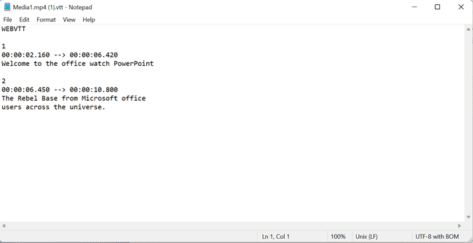
There’s more to making subtitles for a PowerPoint (or any) video. Converters from .srt subtitles, using Microsoft Transcribe or using online tools to make your own subtitles from scratch. Webvtt vs Srt files Webvtt files (used by PowerPoint) are similar to the standard .srt subtitle files (used by Windows Movies & TV and VLC). Both […]

Black Chess King ♚ symbol in Word, Excel, PowerPoint and Outlook
Insert the Black Chess King ♚ into Microsoft Word, Excel, PowerPoint or Outlook. Both in Office for Windows and Office for Mac. Black Chess King ♚symbol is useful for users that want to represent the chess piece as a symbol, rather than an image. Or perhaps as general symbol of royalty? See also Black Chess […]

Will your Microsoft Office work on Windows 11?
Slipped into the bottom of a long Microsoft announcement was news about which versions of Microsoft Office would not be supported on Windows 11. According to Microsoft, Office 2013 is not supported on Windows 11. With that little snippet of news, here’s the list of Office releases that ARE supported on Windows 11. NOT supported […]
Get best quality images in a PDF made from Word
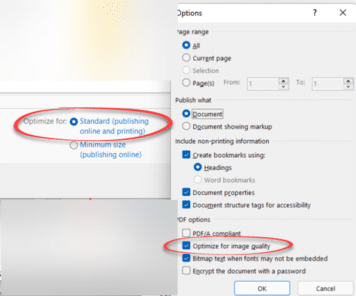
Get the best quality images in a PDF file made from Microsoft Word for Windows by changing some simple settings. There are also options in Word for Mac, Excel and PowerPoint. Better quality images in the PDF file are possible, starting with Word’s settings for saving images within the document. Then changing the image quality […]

Fixing common Office document accessibility problems
Accessibility Checker serves as a free tool that helps ensure that Office files are easy to understand by everyone. Use it to quickly fix common Office doc problems that can make your documents, sheets and slides harder to comprehend. It’s available for Microsoft 365, Office 2021/LTSC and Office 2019. Word, Excel, Outlook, OneNote, and PowerPoint […]

How to print a broken PDF
There’s a curious trick which might let you print a PDF that’s causing printer errors. An Office Watcher started getting PDF’s which looked OK on the screen but produced errors when he tried to print out. Otherwise the printer worked fine so the problem seemed to be in the PDF files. The errors suggest a […]

Save with new Microsoft 365 Family deal: Amazon or Argos UK
Amazon UK is offering Microsoft 365 Family at about £31 less than the usual price for both new and renewing customers. Thanks to an Office Watch reader, we can tell you about an even better deal from Argos. An even better ARGOS Offer Thanks to Julian H. for telling us about a similar and better […]
Warning: Windows Wipe leaves data behind
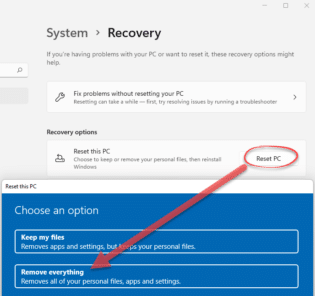
A clever techie, Rudy Ooms, has found a worrying bug in Windows 10 and Windows 11. The Wipe and Fresh Start options are supposed to remove all user data from a computer but leave really obvious files behind and unencrypted. The problem is the Windows feature which is advertised as “Remove Everything: Removes all of […]

How Proficient I am in Microsoft Word?
A delightful piece in The New Yorker turns a resume cover letter into an ode about the applicants love of Microsoft Word. Eli Burnstein’s humorous article opens with: “Bold and italics are the oils that grace my palette. Cut and paste the strings upon my lyre. Fonts, bullets, columns, indentations—these stubborn materials are no match […]

Save with new Microsoft 365 Personal deal: Amazon UK
Amazon UK is offering Microsoft 365 Personal at about £30 less than the usual price for both new and renewing customers. There are a few peculiarities about the offer, we’ll explain those below but the basics are: Microsoft 365 Personal (one user) New or renew/extend existing plan Regular price £59.99 inc VAT for 12 months […]

Microsoft security apps arrive for Apple and Android for 365 customers
Microsoft has released a preview anti-virus and security apps for Apple iPhone / iPad, Android plus Windows and Xbox called, confusingly, Defender. Trial apps are available for personal use now but in future you’ll need a Microsoft 365 Personal or Family plan. Defender was the name of Windows protection parts of Windows. In Windows 11 […]
Clever solution for Singular/Plural in Excel
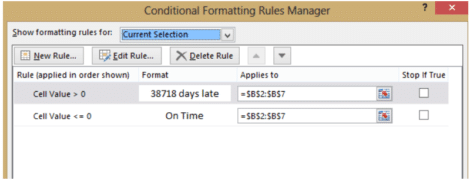
Jon has found a clever way to show words (singular, plural or zero) with many numbers in Excel using conditional formatting. We already shown you several ways to put singular or plural words against numbers in Excel – like 1 cookie or 3 cookies. At the end we noted how it got more complicated when […]
Resize Embedded Content in OneNote Web
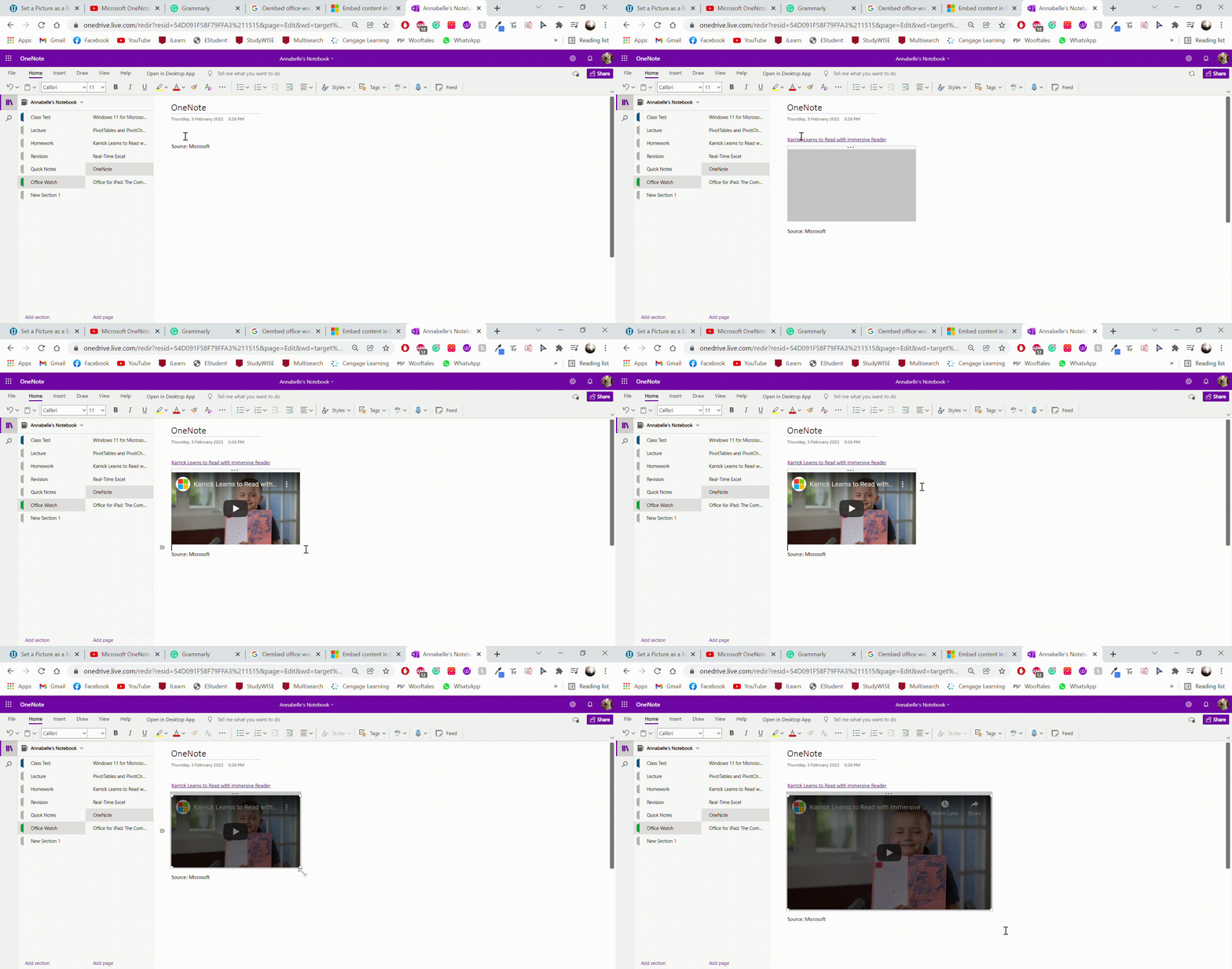
Microsoft has recently added the ability to resize Embed content within OneNote Web. It was already available for the Desktop versions, but now it has been introduced to the OneNote browser based version too. Simply by inserting, pasting, or linking content right in your notes, you can embed a variety of different content such as […]