All about Microsoft Office Word, Excel, PowerPoint and Outlook, Microsoft 365, Office 2021 and earlier versions.
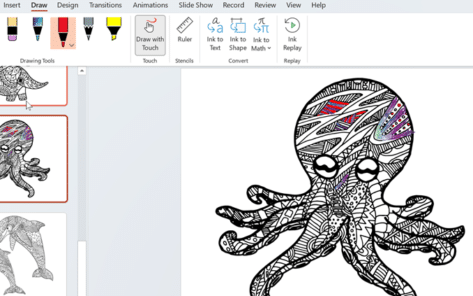
Get some coloring book Word and PowerPoint templates
There’s been an uptick in interest for coloring in pages, having the power to relieve anxiety and a form of mindfulness or just pass the time. No wonder Microsoft jumped on the bandwagon and provided a number of coloring-in templates for Word and PowerPoint. As you browse their template selection, you’ll notice some templates are […]
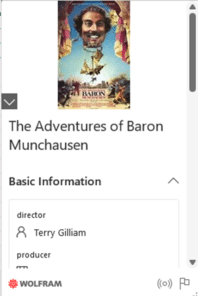
Get Movie info easily into Microsoft Excel
Excel 365 has a way to grab information about movies dropped directly into worksheets. Get info about films, cast, director, rating, budget, box office returns and a lot more with the Linked Data Types. Our ebook Real Time Excel goes into detail about Linked Data Types as well as more info for Stocks, Currency Exchange […]

Windows 11 has a better way to clone an existing file
There’s a quick way to clone or duplicate an existing file in Windows 11 so you can make a new, similar document. Quite often a new document is based on an existing one, for example a fresh invoice for the same things each month. Or a proposal to a new client, which is similar to […]

Why Word treats the top and side number pad keys differently
Why are the numbers on the numeric keypad are different from the number keys on the top row of the keyboard? How to use either set of number buttons in Microsoft Word. “I don’t understand why pressing a number on the main keyboard is different from the number pad (assuming you have one). Aren’t they […]

Outlook Time Zone for London and UK
“I’m confused. In Outlook there are two choices for a UK/London time zone. UTC or London. Both are zero meridian (+00:00). What’s the difference and why isn’t an entry for GMT?” Oscar R, Missouri. The quick answer is to always choose the time zone entry that matches the city or country (near enough). Ignore the […]
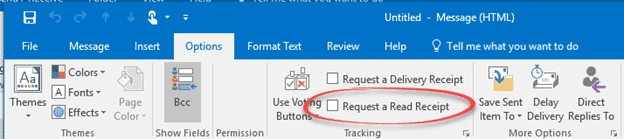
Email Read Receipts and why they don’t always work
Email Read Receipts sound great but don’t often work these days. Articles like “How to tell if someone opened and read your email” aren’t telling the whole story. Here’s the reality behind the Outlook ‘Read Receipt’ feature and how it works across the Internet. The idea is to send an email with a ‘Read Receipt’ and […]
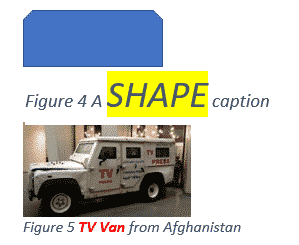
Changing Caption look in Word or hiding captions completely
The appearance of all your captions in Microsoft Word can be changed by modifying the style that is applied to them or selecting the text and formatting manually. See Adding Captions in Word Caption Style All captions use the ‘Caption’ style, so modifying that style will modify the format of all past and future captions. Style […]
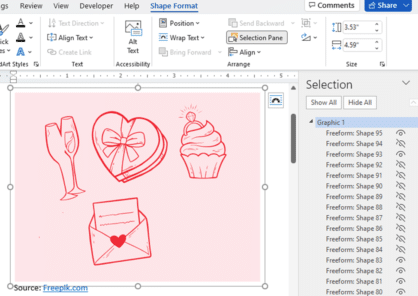
Three ways to add EPS graphics into Microsoft Office
Three ways to insert or import an EPS (Encapsulated PostScript) graphic into Word, Excel, PowerPoint or Outlook. There are two a ‘quick and dirty’ options and a way that allows some editing. Microsoft Office did support EPS files for many years but dropped them in 2017/2018 because the EPS format is a security risk. EPS […]

Four SVG editing choices for Office 365/2019/2021
There are four different ways to change an Office icon or SVG graphic in Microsoft 365, Office 2019 or Office 2021. The two official SVG edit methods in Microsoft Office with their in-built limitations or some choices before inserting into Word, Excel, PowerPoint or Outlook. Within Office Limited SVG/Icon changes are available from the Graphics Tools […]

Make simple changes to SVG graphics
Some simple changes to SVG graphics can bypass some of the more annoying limits of SVG support in Word, Excel and PowerPoint for Office 2019/365. Here’s a simple SVG with three parts: the circle <circle> the rectangle <path id=”bar” …> letters are defined in other <path … > and <use …> statements. In this article […]

Draw with Touch in OneNote Web
Draw with Touch is available for users with a touch-enabled device. Simply draw with your mouse, digital pen, or even your finger on your OneNote page. You might be familiar with Draw with Touch on OneNote for Windows desktop. Great news, this feature has recently been added to OneNote for web browser. Simply go to […]
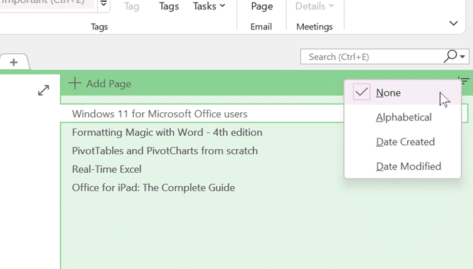
OneNote can now sort pages!
At long last, OneNote can sort the pages (tabs) either alphabetically or by date. Previously in OneNote, if you wanted to sort out your pages, had to do it manually by dragging and dropping the tabs. Microsoft has now added an automatic Sort Pages option. Right-click on a page tab to see the sort options. […]
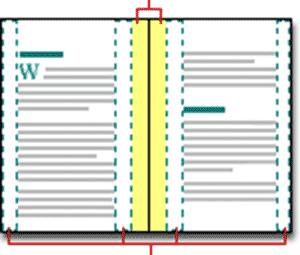
Align Page vs Align Margin in Word
What’s the difference between aligning to a page and align margin in Word documents? Quite often, there’s no practical difference between ‘Align Page’ and ‘Align Margin’ in Word. These options appear when positioning an object on a page and other places. Centering an object has to be done compared to some defined ‘edge’ of a […]

Set Picture as Background in OneNote
Set Picture as Background in OneNote is a handy feature for those looking to fill in forms or wish to draw and highlight on top of images pasted into their OneNote page. Generally, the page can shift, and your notes can become a complete mess when inserting images, so it’s definitely a useful feature that […]

How to add textbox to video on Clipchamp
Sometimes you might be making a video but need to add text to it, luckily video editors, like Clipchamp, make this super easy to do so yourself, in no time at all. For example, you might want to add just some text, titles, or subtitles, or even captions to your video. ClipChamp is an online […]

Excel’s Find All tricks for Windows and Mac
Excel’s Find All lets you locate all cells matching a search criterion in a single step. It will generate a list of all cells that match the current search and report them all at the bottom, for both Windows and Mac releases of Excel. Find All has been in Windows version of Excel for many […]