
Is my email slowing down? and what to do about it
A few readers have asked if email services are slowing down. Maybe, but not significantly and not to worry about. There are some things to prepare your email for the worst. We’ve noticed that emails aren’t arriving as quickly as they usually do. An order confirmation email that would normally pop-up in seconds now takes […]
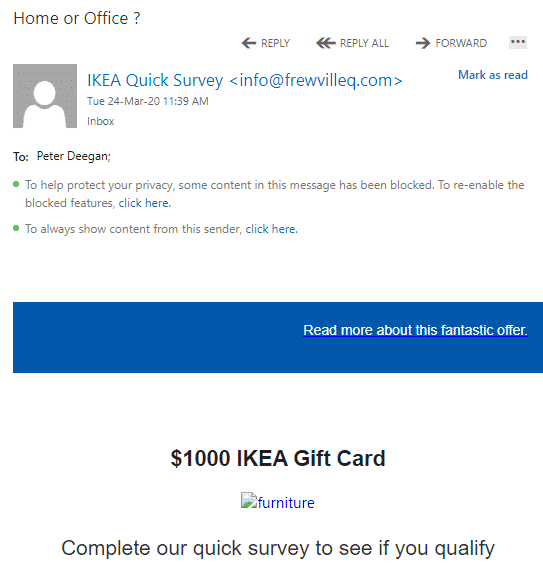
Five simple clues that an email is dangerous
Four simple clues that an email should be deleted. Among the bogus coronavirus emails was something new to us and apparently the anti-spam filters that should have detected it. We’ll use the dangerous email as an example of what to look for in a scam or virus-infected email. The email is supposed to be an […]

Setup Contacts on Zoom
Linking to other people on Zoom is necessary before you call them. We’ll explain both sending contact requests and receiving them. A person has to be added to your Zoom contacts list before you can call them. Similarly, they have to add you to their contacts before they can call you. Zoom contacts are separate […]
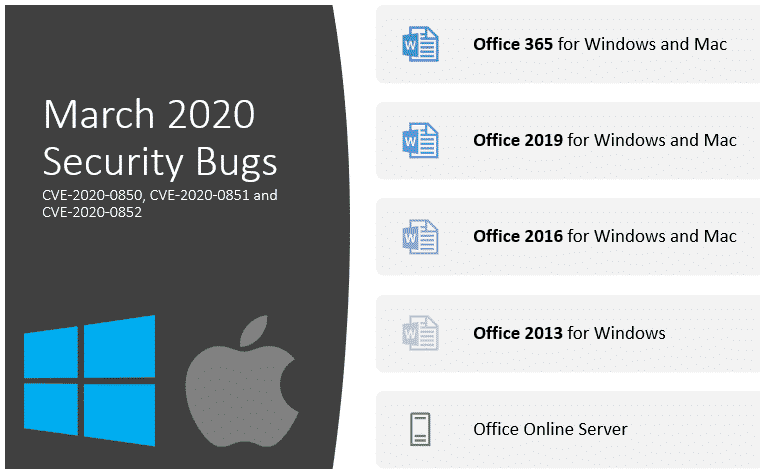
New Word security bugs are more ‘interesting’ than usual
Microsoft has just fixed the latest security bugs discovered in Word. They caught our eye because it’s more widespread than usual which is ‘interesting’ in the way of the old proverb*. The bugs are called CVE-2020-0850, CVE-2020-0851 and CVE-2020-0852 Microsoft gives all the deliberately bland title “Remote Code Execution Vulnerability”. There have been many, many […]

Remote Access options to control a distant computer
There are several free options to access one computer from another. You can see the screen, type and mouse from a remote location, just as if you were in front of the real computer. Access work computer from home computer Use desktop computer from a laptop or tablet Interact with laptop machine from a desktop […]

Prepare your computer for isolation or quarantine
There are many free tools available to make work and life continue if your movements are limited. Things you should do to prepare for a possible ‘work from home’, ‘no school’ or at worst ‘quarantine’ or ‘social isolation’ of some type. We know what we’re talking about because Office Watch has been working remotely for […]

Outlook viewing – relaxed or tight?
Fit a little more onto your Outlook 365 for Windows display. Sadly the option doesn’t apply to the entire Outlook window. On the View tab, Layout there’s a choice Use Tighter Spacing with the choice of ‘Relaxed’ or ‘Tight’. What does that mean? The main list vertical spacing changes. With tight spacing one or two […]

A better Side-by-Side document view for Windows and Mac
We highlighted Word 365’s Side to Side view but there’s another side-by-side viewing trick that works for any two windows on either Windows or Mac. Side by Side or Split View is great for many situations. No fussing about switching between windows or getting lost with all the open application. For example, Word on one […]
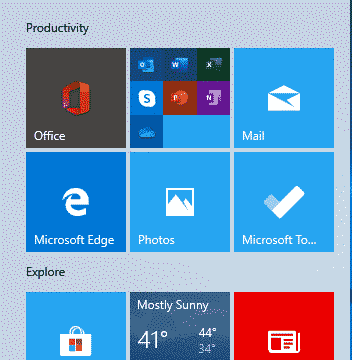
Fixing Office confusion and other hassles on Windows Start menu
The Start Menu on a new Windows 10 has Microsoft Office icons which are badly labelled, misleading and setup to promote Microsoft’s corporate agenda. We’ll explain what Microsoft has done and how regular Office users can make the Start Menu better. Make a Start Menu that suits you, not Microsoft. A new or reset Windows […]
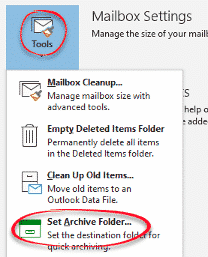
Starting with Archive in Microsoft Outlook
It’s too easy to start using the Archive folder in Outlook. Most likely all the setup is done, so you can start using it. If not, the setup is just a few clicks. Archive is a way to set aside selected messages away from the main Inbox or other folders. It’s not necessary to use […]
Rename the Outlook Archive folder
For many mailboxes it’s not possible to rename the Outlook Archive folder. But non-Microsoft mailboxes can rename Archive to anything maybe ‘Miscellaneous’, ‘Store’ or just ‘Old Stuff’. In modern Outlook with Microsoft hosted mailboxes (Outlook.com, Office 365 hosted or recent Exchange Server) the Archive folder is an in-built folder like Inbox, Sent Items etc. All […]
Manually moving Outlook messages to Archive
Move a message to the Archive folder with any of the usual ways to move an item between Outlook folders plus three dedicated special options only for the Archive folder. See Starting with Archive in Microsoft Outlook Archive in Outlook 365 and Outlook 2016/2019 for Windows Archive button Most obvious is the button at Home | […]

About Outlook Archive, Online Archive and AutoArchive
Outlook has three features called ‘Archive’ with the newer versions (Archive and Online Archive) much better than older ‘AutoArchive’. We’ll explain the difference, how to use Archive and why to avoid AutoArchive. Each form of Archive sets aside older messages or emails you’ve finished with. It does that in two crucially different ways. Archive is […]

Outlook for iPad gets split screen support
Outlook for iPad gets split-screen support which goes a small way towards making the much-hyped app an effective tool for email, calendar and contact management. Sadly, no similar options for other Office Mobile apps. Source: Microsoft plus a little border cropping … According to Microsoft … “ Multi-task like a pro with Outlook, now optimized […]

Coronavirus, Buttigieg and other topical words in Word & Office
One of the quiet improvements in Office is the regular updates to the Office dictionary used mostly in Word and Outlook but also other Office programs. They even handle new terms like Coronavirus or names such as Buttigieg. In olden days the main dictionary was only updated with major revisions of Office. Now the dictionary […]

Which version of Office for iPhone, iPad do you have?
Here’s how to find the version number of your Word, Excel, PowerPoint or Outlook apps for iPhone or iPad. Sometimes it’s important to know which exact app version you’re running. Normally, the apps are updated automatically but occasionally it’s important info. Maybe you need to check the version to ensure that a new feature is […]









