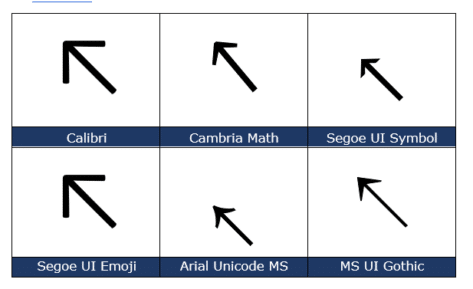
North West/Top Left Arrow ↖ in Word, Excel, PowerPoint and Outlook
Insert the North West or Top Left Arrow ↖ into Microsoft Word, Excel, PowerPoint or Outlook. Both in Office for Windows and Office for Mac. North West Arrow ↖ or “Top Left Arrow” can be used for directions on a map (naturally) or pointing to ‘top left’ in a Word / PowerPoint table or Excel […]

Handwrite into docs on Office apps for iPad
Handwrite direct into Office apps for iPad, converting your writing into text right away, courtesy of the iOS Scribble feature. What you’ll need, how to setup and the new thing to look for on the Draw tab of the Word, Excel and PowerPoint apps. Microsoft has integrated the Scribble feature into some Office for iPad […]

Make transparent images in Office for Windows
Microsoft 365 and Office 2021 for Windows can make images transparent in Word, Excel, PowerPoint and Outlook. Text or other graphics can show through the picture. Pictures can be made transparent to reveal what’s behind in lower layers of the document, slide or worksheet. For any image go to Picture | Format | Adjust | […]

Get the Game of Thrones look in Word and PowerPoint
Here’s how to get the Game of Thrones or House of the Dragon look in Word documents and PowerPoint slides. Plenty of people have borrowed the Game of Thrones or GoT look, including a certain US President. All these uses are contrary to various trademarks by HBO. Despite legal complaints there are many ‘tip of […]

Can’t access Microsoft 365 Stock Images …
A Monday morning glitch by Microsoft has accidently disabled access to most Microsoft 365 Stock images and more. At 5:30pm UTC (12:30pm NYC): Microsoft 365 Stock Content is now available on our test machines in the UK and USA. Give your Insert | Pictures | Stock Images a try with fingers crossed! The expired digital […]

Orthodox Cross ☦ in Word, Excel, PowerPoint and Outlook
Type the Orthodox Cross ☦ into Microsoft Word, Excel, PowerPoint or Outlook. Both in Office for Windows and Office for Mac. Orthodox Cross or Russian Othodox Cross ☦ symbol is widely seen in Russia and in particular the Russian Orthodox Church. There’s also a Christian or Latin Cross ✝ symbol available. How Orthodox Cross ☦ […]
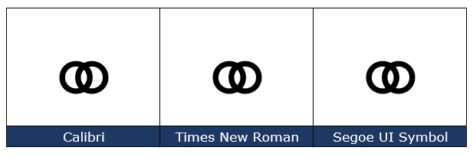
Marriage Symbol ⚭ in Word, Excel, PowerPoint and Outlook
Type the Marriage Symbol ⚭ into Microsoft Word, Excel, PowerPoint or Outlook. Both in Office for Windows and Office for Mac. Marriage Symbol ⚭ symbol is two interlocked circles with obvious symbolism. It can be used for any situation you like, perhaps when two items or groups merge or an alternative bullet symbol. How Marriage […]
Four ways to put Microsoft Office on your iPad
You have an Apple iPad but do you know all the different ways that Microsoft Office can run on an iPad. There are four different options, some free and others you have to pay for. Why bother? Surely you just install the Office mobile apps and that’s it? Sadly no, and there are advantages to […]

Extra symbols with Segoe Fluent Icon font for Word & Office
Segoe Fluent Icon is a handy extra symbols font with some icons that aren’t easily available anywhere else. It’s free for Windows and Mac. Here’s how to use it in Word and Office. Segoe Fluent Icons is intended for use by developers making their Windows apps but there’s no reason why you can’t use them […]

I Love … variations in Word or PowerPoint
Once you have the basic setup for the I ♥ or I Love … sign, the fun begins. Making your own variations for a Word document or PowerPoint presentation. Start by making your own I ♥ or I Love … sign based on the original I Love NY logo. Font variations Simply changing the font […]
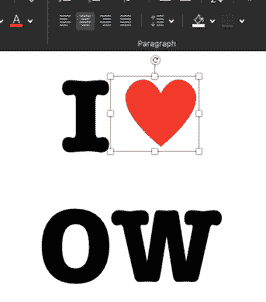
Make your own I ♥ Love…. Signs in Word
It’s pretty easy to make a similar I ♥ or I Love logo, in Microsoft Word or PowerPoint. It’s even a little easier for Mac users. Check out Making the original I Love NY sign to see how the original logo is put together. We’ll show you the little subtleties and design tweaks needed in […]

How the famous I ♥ Love NY logo was put together
Here’s the design details of how the famous I ♥ NY / I Love NY logo was made. The font, colors, symbols and how they come together to make an iconic sign imitated all over the world. The logo was created by Milton Glasner in the back of a taxi but these days all you […]
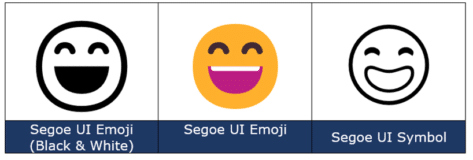
Smiling Face with Open Mouth and Smiling Eyes 😄 emoji in Office
Type the Smiling Face with Open Mouth and Smiling Eyes 😄 into Microsoft Word, Excel, PowerPoint or Outlook. Both in Office for Windows and Office for Mac. Smiling Face with Open Mouth and Smiling Eyes 😄 emoji is used to express genuine joy, laughter, or excitement. It’s just one of the many ‘Smiling’ or ‘Grinning’ […]

Behind letters, characters and emoji is Unicode
There’s an interesting New York Times piece on the Unicode standard that’s used by Office, Windows, Mac and other computer systems. Unicode is the global standard for identifying letters, symbols and characters across many computer systems. It’s how very different devices can identify the letter A, Euro currency symbol or even a Recycling symbol in […]

Section Symbol § in Word, Excel, PowerPoint and Outlook
Section Symbol § can be typed into Microsoft Word, Excel, PowerPoint or Outlook. Both in Office for Windows and Office for Mac. Section Symbol § is used for referencing numbered sections of a document, such as US legal code e.g “ 50 U.S. Code § 1861 “ . § in Footnotes It can also appear as […]
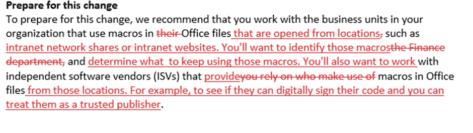
Inside the Office VBA/Mark of the Web changes
Look inside the changes Microsoft made to the Office VBA blocking / Mark of the Web documentation More VBA macro blocks coming to Office, detailsMicrosoft reverses Office macro blocks without telling customersBlocking Office VBA macros resumes but why? Which made us wonder what’s changed in the documentation. Surely, it’s a big revision to have caused […]









