The Grammar Mistake Microsoft Word Still Doesn’t Catch — And Why It Matters
There’s a mystery English grammar rule that any native speaker knows but probably can’t explain. It’s the order of adjectives before a noun (e.g why “Brown Big Cat” is wrong). The Microsoft Word grammar checks for this rule but doesn’t always ‘see’ or fix it. Adjective order is a mystery to most native English speakers, […]
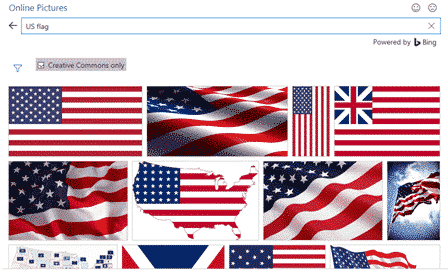
Add the US Flag to Word, Excel and PowerPoint in High Quality
Want to add the US flag to Word, Excel or PowerPoint without ending up with a blurry, stretched mess? This guide shows you exactly where to get a high quality flag image, including the scalable SVG version that stays sharp at any size, how to insert it in seconds, the official red, white and blue […]

Why can’t AutoSave work with a macro in a Word or Office document ?
Autosave in Microsoft 365 and Office is one of the more frustrating features with annoying limitations. One of them is not automatically saving any macro-enabled Word, Excel or PowerPoint file. We’ve talked before about how Autosave is used to push customers into using OneDrive to save documents. Autosave could work for all files, not matter […]
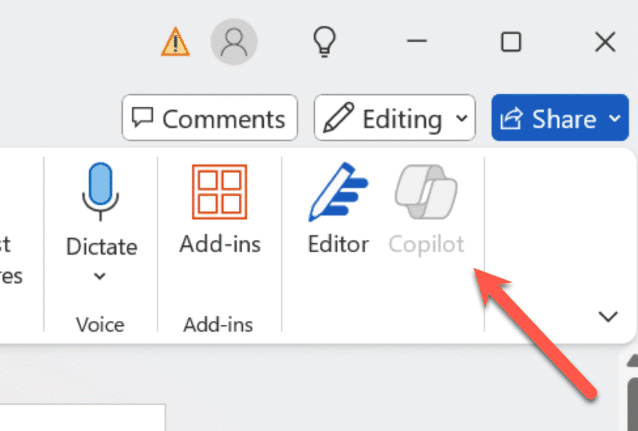
How to turn Copilot on or off for each Microsoft 365 app
Take control of Microsoft 365 by learning how to enable or disable Copilot in each app—Word, Excel, PowerPoint, Outlook, and OneNote. This guide provides step-by-step instructions to customize Copilot settings per application and explains why sometimes you can’t turn it off. Copilot integration into Microsoft 365 is a mess. Microsoft is focused on adding more […]
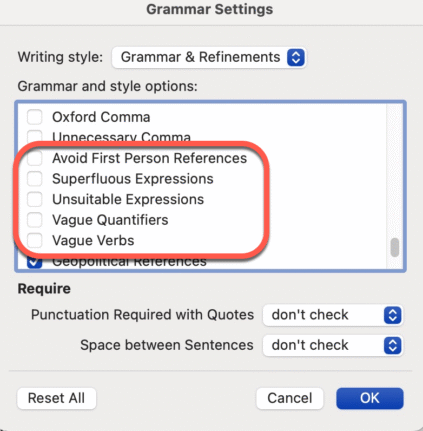
Don’t like Word’s Resume suggestions? Turn it off!
Instead of complaining about Word’s Resume style suggestions. Turn it off! It’s easy to do, here’s how. I often see social media posts bitching about a Grammar or Style suggestion given by Word. There are plenty of problems with Word’s Grammar and Refinements feature, but this one is an easy fix and it’s right there […]
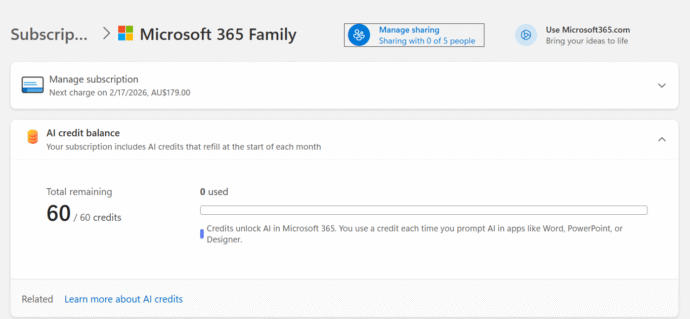
How many Copilot AI Credits do I have?
Some Microsoft 365 consumer plans come with a monthly allowance of “AI credits” but it’s hard to find out how many are left. The AI credit balance does not show up in the Microsoft 365 apps nor Windows 11 account information. It should be there and maybe Microsoft will eventually get around to it but […]
Stop Using Old Office Document Formats Now
Still using .doc, .xls, or .ppt files? These outdated Microsoft Office formats are not just relics—they’re major security risks and should be banned. Hackers exploit these older files to spread malware, ransomware, and steal data, as they often bypass modern antivirus protections. After our suggestion to ignore old style Office documents, it’s clear some folks […]
Are RTF Files Safe? Hidden Security Risks You Need to Know
RTF files may seem safe, but they can carry hidden risks. Hackers use RTFs to exploit Microsoft Word and even infect systems through email previews. Learn why RTF isn’t as harmless as it looks—and how to stay protected. The confusion is understandable. After all .RTF (Rich Text Format) files aren’t designed to carry any computer […]

Android Users Rejoice: View Shared Office Files Without Logging In
Microsoft has extended a nifty new feature to include Android users: the ability to view shared Word, Excel, and PowerPoint files without needing to sign in with a Microsoft account. Previously, this was an exclusive perk for iPhone/iPad users—but Android’s finally been invited to the party. That said, if users want to leave their mark—via […]
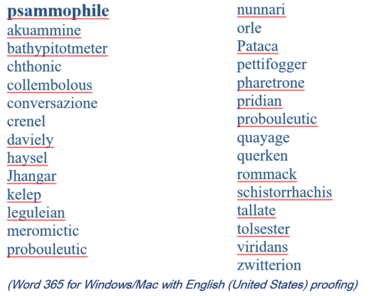
2025 Spelling Bee champs vs Microsoft Word
Our annual look at the words that challenged the Scripps Spelling Bee champs to see how many are recognized by the spell check in Microsoft Word. Again in 2025 Word was beaten by some very clever 14 year olds. Here’s a selection of the last round words from the 2025 Bee, starting with the winning […]

Collective Nouns – Copilot to the rescue.
Can Copilot do a better job adding the right collective noun for an animal or group? The answer is a good example of why NOT to trust AI fully. Plus, another AI trick and the better answer from ChatGPT. Microsoft Word grammar has a problem with collective nouns, see our article Collective Noun check in […]
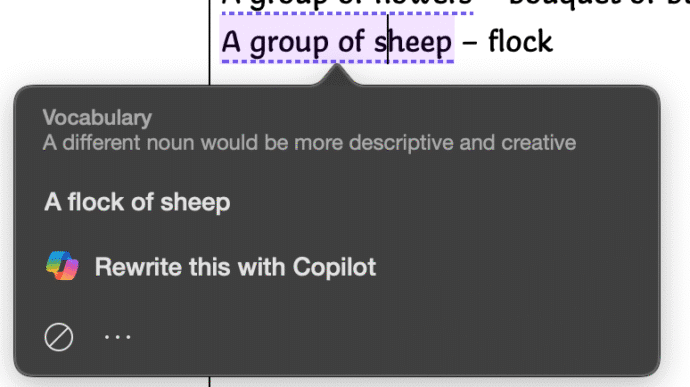
Collective Noun check in Word isn’t great.
Microsoft Word makes too many mistakes with collective nouns because only a few are detected by the grammar and style checks. Only US English notices “Subject-verb agreement with collective nouns” with other dialects ignored for no obvious reason. Many English words have a collective noun to describe a group pf those things. It’s not a […]

Copilot image making is now a LOT better
Microsoft has updated Copilot’s image making features in two important ways. Now it can spell properly and properly change your own photos. Available in both Copilot and it’s ‘parent’ ChatGPT we’ll show you what’s now possible and a lot better. You may have read that Copilot is now using OpenAI’s GPT-4o model – which means […]
Microsoft 365 Copilot Explained: Features, Limitations and your choices
Navigating the evolving landscape of Microsoft 365 and Copilot AI can be challenging amid frequent update, varying features and so much hype. Our independent guide breaks down what Copilot is, its capabilities within Word, Excel, PowerPoint, Onenote and Outlook, and the distinctions between different Microsoft 365 plans. Microsoft has changed Copilot so many times that […]
What’s the difference? Microsoft 365 Copilot app or the Copilot app.
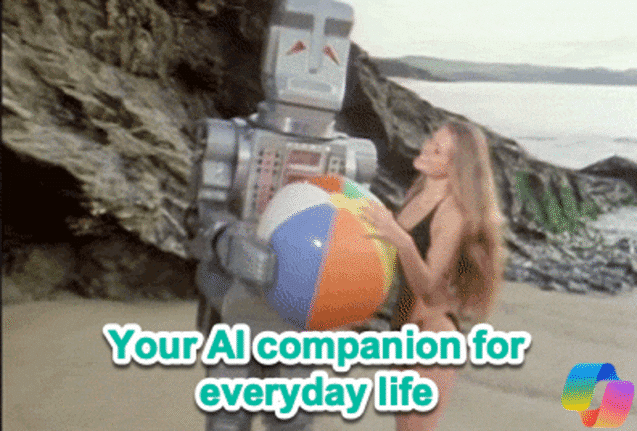
Microsoft has two mobile apps with the “Copilot” AI name. “Microsoft 365 Copilot” and “Copilot” apps for iPhone, iPad or Android. What’s the difference and which is best for you? Microsoft’s Copilot hype “Your AI companion for everyday life” (see below) always reminds me of “Your plastic pal who’s fun to be with” with Marvin […]
Word voice notes on iPhone is worth a look
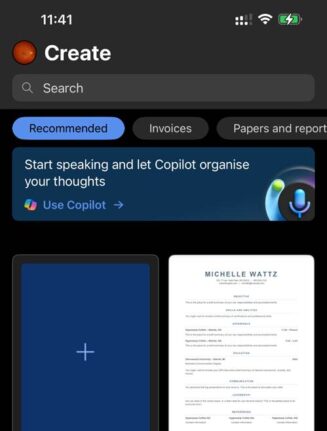
Ever record or type a note thinking you’ll “sort it out later” — and then never do? Word for iPhone/iPad now has “Use Copilot“, a way to convert a voice recording or text notes and turn them into neatly organized documents in a style of your choosing. It’s worth a look at this part of […]









