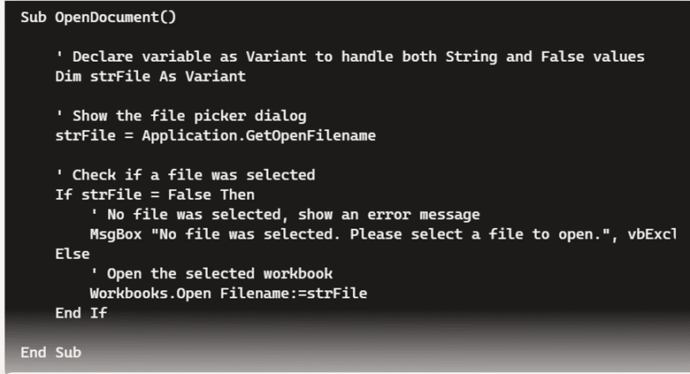
What the best choice to make and fix Office VBA code with AI?
AI systems have got a lot better at making and fixing Microsoft Office VBA code. We compare Copilot and ChatGPT to see which is best choice for coping with the complexities of Office VBA. Early in 2024 we tried asking ChatGPT for Office VBA code in some simple examples, the results weren’t great. A lot […]
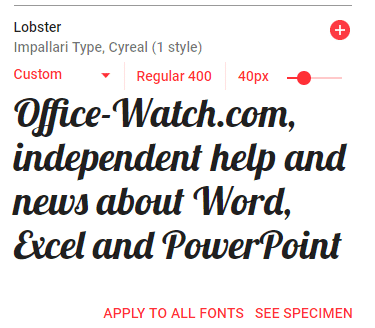
Free Google Fonts in Office: A Simple Step-by-Step Guide
Google offers a great variety of free open-source fonts that can be used in Microsoft Office, Windows or Mac. You just need to know the right trick to access them for Word, Excel or PowerPoint. Over 1,800 Google Font families There are 877 1,816 Google Font families currently available at https://fonts.google.com Google Fonts are intended […]
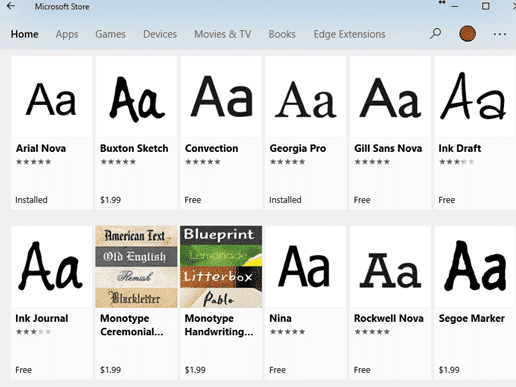
Better Than Comic Sans: Upgrade Your Fonts for a Stronger Impression
Tired of Comic Sans but still want a casual, friendly font? Microsoft Office has better built-in alternatives or there’s many other fonts that keeps the charm without the cringe. Here’s a quick guide to upgrading your documents. The Wall Street Journal has a history of Comic Sans, the font that people love to hate, complete […]

Copilot Word 365 Document summary gets better, for some
Microsoft 365 Copilot is improving their document summary feature in Word across Windows, Mac, and the web for some customers. Still no mention of the feature that Word Copilot users really want! Copilot Summary appears at the top of Word documents, whether you like it or not. It can be a useful way to get […]
Convert Office docs to text with Markitdown
Check out this clever Python tool that converts Word documents, Excel sheets, PowerPoint decks and PDFs into a plain text format. Markitdown is a Python library released by Microsoft via Github, converts many documents into nearly plain text (called MarkDown). It’ll convert all these formats into text. Some conversions need extra pip flags like ([pdf], […]
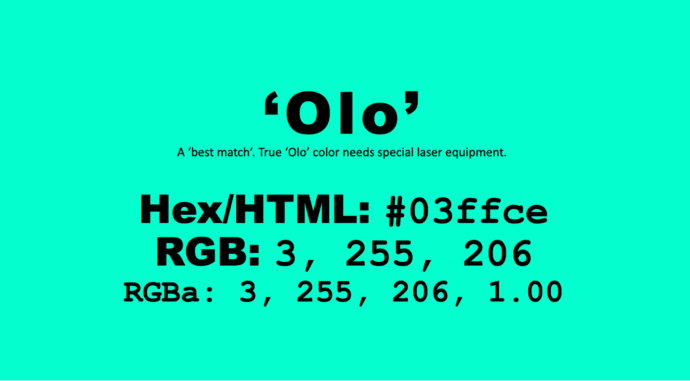
Get the new color, Olo, in Microsoft Office
There’s a special new color called ‘Olo’ developed by scientists in Berkely, California. The nearest match to Olo is possible in Microsoft Office, including Word and PowerPoint. Olo can only be seen with help from a special laser that fires the color into the eye. It’s claimed to extend human color perception into more saturated […]
Get Office Startup Boost for any Office app and any version
The Startup Boost feature coming to Word 365 is really a sly trick by Microsoft. It’s a trick that anyone can do with any Office app and any version of Office. Startup Boost starts the app but hides it away. Word lurks in the background until the user clicks on a Word icon (or starts […]
Make Word start faster with Office Startup Boost
Startup Boost is a new way to make Microsoft Word 365 start faster. Here’s how it works and how to disable it. Startup Boost is a little tech trickery. Word 365 isn’t really getting faster, instead it’s being started in the background (aka preload) where it’ll lurk until needed. In other words, Word is being […]

Fix F9 Fn Keys don’t work in Word, Office or Windows
Office Watch reader Steve G is having a problem in Word. The F9 key isn’t updating fields in a Word document. He suspects a buggy patch of Windows or Office. Here’s how to find the source of the Function key or any keypress problem and fix it. Hint – it’s probably not a bug or […]
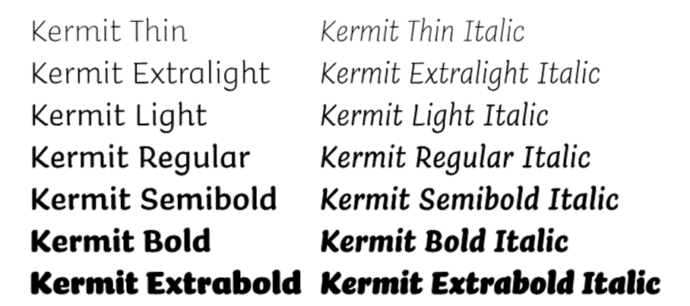
Check out Kermit the font
Microsoft 365 has introduced ‘Kermit,’ a new typeface specifically crafted to make reading more accessible and enjoyable for young audiences. Kermit the font aims to address the challenges faced by early readers, including those with dyslexia but has uses for everyone. Developed in collaboration with the type design studio Underware Kermit font is a casual […]

Copilot in Office – grumbles and ‘modest proposals’
Copilot could become a ‘toxic brand‘ because of pushy way Microsoft is adding it to Microsoft Office. We have some ‘modest proposals’ for how Microsoft can improve their AI offering and keep paying customers onside. Or, put another way, some grumbles about the way Microsoft is force-feeding Copilot to its Microsoft 365/Office customers. Why ‘Copilot’ […]

Stop Accessibility icons in Word margins
Maybe you’ve seen the little blue men appearing in the margins of your Word documents? They are Accessibility Recommendations and, yes, there is a way to get rid of them. There are two ways to hide these little creatures, both take a little digging. Right-click on any Accessibility icon then the … menu button on […]

Copilot Search now on the Word title bar
Copilot is now appearing on the Microsoft Word title bar as part of the combined search and help, now called “Copilot Search”. The Copilot ‘ads’ for blank documents keep changing too. In the latest Word 365 Insiders builds the Search box (which combines Find, Help and broader Searches) is now labelled ‘Copilot’ and starts with […]

Paste Text Only, Word shortcut change and confusion
Paste text into Microsoft Word without unwanted fonts, colors, or styles can save time and frustration. There’s a (relatively) new keyboard shortcut to do that directly. This guide breaks down all the changed keyboard options made to make room for a Paste Text Only shortcut in Word on Windows and Mac. New Paste Text only […]

Office help on the right-click menu ‘Search the menus’
There’s a little undocumented surprise on the right-click menu. Tucked away at the top is ‘Search the menus’ help. Sadly the underlying help system is still woefully inadequate. Right-click in a document (Word, Excel, PowerPoint or Outlook) and the top item isn’t ‘Cut’ but a “Search the menus” box. This is different from the main […]
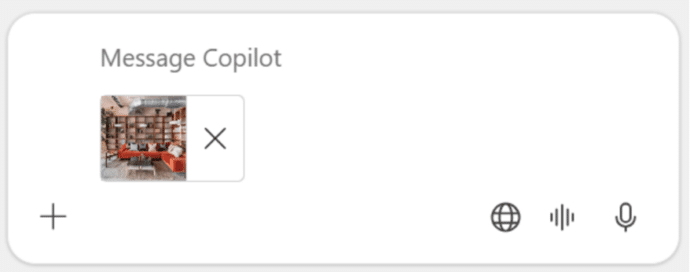
Upload a phone image to Copilot chat
Microsoft has introduced a new feature allowing users to upload images directly from their mobile devices to Microsoft 365 Copilot. A nice trick but there are other ways to do the same thing, including two from Microsoft itself! The idea is to streamline tasks such as transcribing handwritten notes, summarizing charts, and digitizing receipts. Copilot […]









