
Myth Busting about Office document formats
Even after 15 years, there’s still misinformation about the ‘new’ Office document formats .docx .xlsx etc. We’ll explain these myths and how you can easily disprove them yourself. Most of these myths surround the use of ZIP compression to make the document files smaller. Folks have jumped to wrong conclusions after hearing about ZIP. Not […]

Vertical Bar | symbol in Word, Excel, PowerPoint and Outlook
How to insert the Vertical Bar | into Microsoft Word, Excel, PowerPoint or Outlook. Both in Office for Windows and Office for Mac. Vertical Bar | symbol (technically a glyph) has many uses in computing, physics, maths and typography. In some programming languages | has a special meaning, for example in PowerShell | is called […]
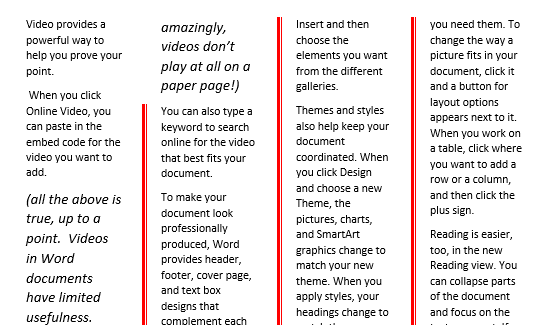
How to color the Column dividing line in Word
Microsoft Word’s ‘Line Between’ option for multiple columns can replaced and formatted to a different color or other types of line. Word’s standard ‘line between’ column setting has no formatting. All you can do is choose ‘Line Between’ and no more. There’s no known way to change the look of the vertical line between columns. […]

Four more vertical formatting tricks in Word
In Adding Vertical Lines in Word we looked at the many common choices for lines down the page. Moving beyond that, let’s look at other, more interesting and creative vertical non-line choices to spice up a Microsoft Word document. Sidebars Sidebars are the starting point for many different design element options. You’re not limited to […]
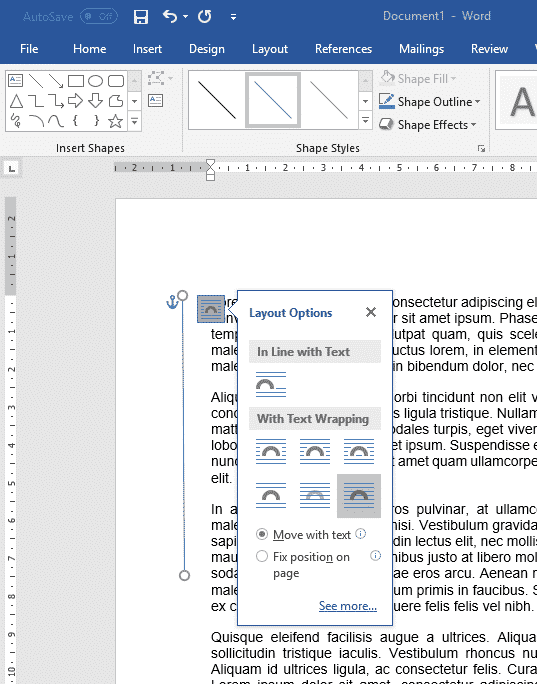
6 ways to add vertical lines in Word
There are at least six ways to add a vertical line in Microsoft Word. Vertical lines can help accentuate a piece of text in Word, but adding them is not as obvious as adding a horizontal line. These are most common options available. With all the features in Word there are other more complicated choices. […]
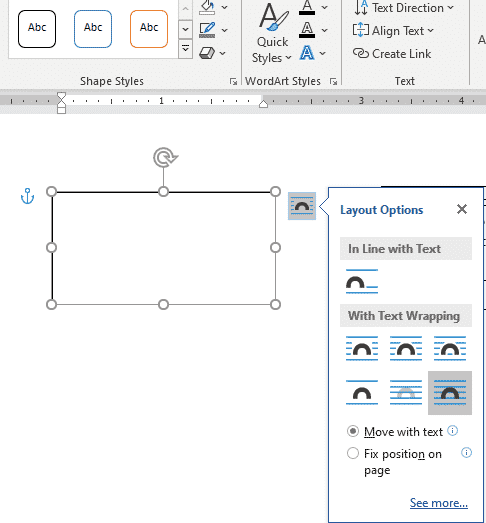
Set your own Text Box default settings in Office
You’re not stuck with the Microsoft Office automatic settings when inserting a new text box. Change the Text Box defaults to whatever you like for faster text box formatting in Office; Word, Excel, PowerPoint or Outlook. There are TWO ways to add a Text Box in Word and Outlook – each with their own ways […]

Word links – three ways to make internal clickable links
As well as links to web sites, Word lets you make ‘internal’ links to other parts of the same document in at least three different ways. Longer documents can benefit from internal links that let you and readers jump within the document. Insert Hyperlink – Place in this document The Insert Hyperlink box has an […]
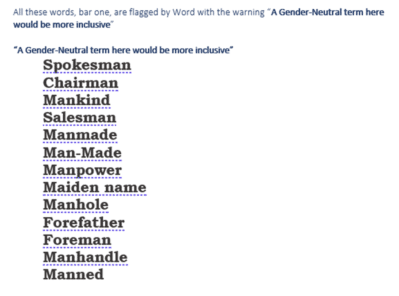
Inside the controversial Gender Specific checks in Word
A close and in-depth look at what Microsoft Word does and doesn’t flag with the sometimes controversial Gender Specific Language setting in the ‘Grammar & Refinements’ section. Microsoft doesn’t reveal much (or anything) about the Inclusiveness options in Word so we’ve decided to look closely at what they do. We need your help, see below. […]
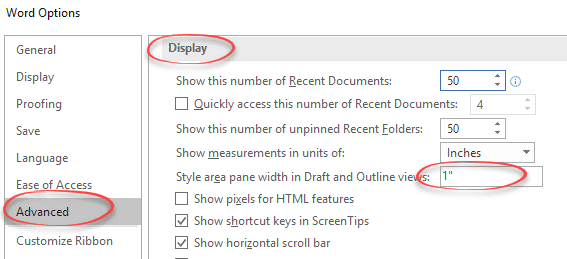
See Word Styles alongside document paragraphs
Each paragraph style can be seen alongside the text in Microsoft Word but it’s very much an afterthought that could be much improved. The Style Area Pane appears only in Draft and Outline view on the left-side. Turn on Style Area Pane Dig into Word for the Style Area Pane. File | Options | Advanced […]
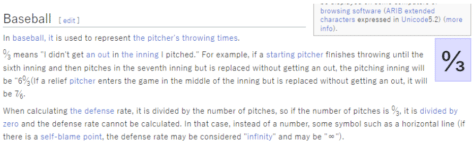
Zero Thirds (Baseball) ↉ emoji in Word, Excel, PowerPoint and Outlook
How to insert the Zero Thirds (Baseball) ↉ fraction or symbol into Microsoft Word, Excel, PowerPoint or Outlook. Both in Office for Windows and Office for Mac. Zero Thirds ↉ symbol (officially called ‘Vulgar Fraction Zero Thirds’) is a rarely used Baseball scoring symbol. The best explanation we could find was a Japanese Wikipedia page, here’s […]

Secrets still left in docs after Document Inspector in Office
Office’s Document Inspector is supposed to remove or scrub information being accidentally included in Word, Excel or PowerPoint files. It’s not perfect and misses out on some critical hidden information that can give away secrets. Details in images, layers and even highlighting. Document Inspector is at File | Info in Office for Windows. The feature […]

Line And Paragraph Numbering In Word
How to number lines and paragraphs in Microsoft Word and format the numbers with a different font, size or color. Plus some ‘wish list’ features that are missing from Word. When you’re discussing a speech or other document ‘in progress’ you might want to number the lines or paragraphs for easy reference “Please change paragraphs […]
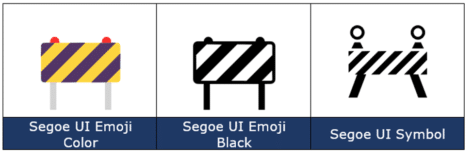
Construction Sign 🚧 emoji in Word, Excel, PowerPoint and Outlook
How to insert the Construction or Roadwork Sign 🚧 emoji into Microsoft Word, Excel, PowerPoint or Outlook. Both in Office for Windows and Office for Mac. Construction, Roadwork or Warning Sign 🚧 symbol can be used in PowerPoint slides and in other Office documents sometimes to mark WIP or “Work in Progress“. Need more than an […]
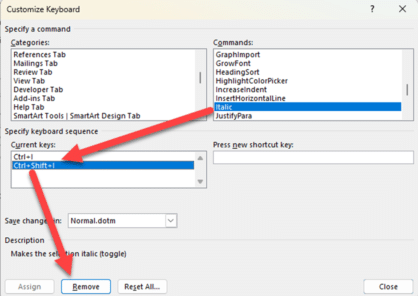
Word keyboard shortcuts, add, change or remove
Speed up your work by adding and changing keyboard shortcuts to Word commands, styles, fonts and even symbols that aren’t on the keyboard. You can even override or remove Word’s in-built shortcuts so they do what you want (or nothing). We’ll show how to find the more useful and interesting commands that are hidden away. […]
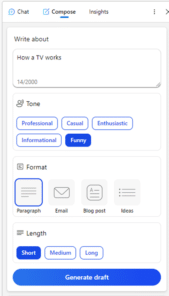
Copilot might “transform the way we work” but not right now
According to Microsoft, their AI integration Copilot is “A whole new way to work” and will “Transform the way we work”. That’s true, but not as quickly or as well as their overstated hype suggests. Here’s why I’m cautious about the Copilot promises. Microsoft is rushing both publicity and release to keep ahead of Google, […]

Fixing Microsoft Office Unlicensed Product errors
Here’s what to do if you get the dreaded Microsoft 365 / Office 2021 or Office 2019 Unlicensed Product / View only error message. Assuming you have a current Office 2021/2019 or Microsoft 365 subscription (we’ll show you how to check that, below). The unlicenced product warning usually happens if you’ve started Office after a […]









