
About Unicode, fonts and symbol codes
Confused about Unicode, code-points and other techie details about inserting symbols? Here’s how it works and can work for you in Word, Excel, PowerPoint and other apps. Like many things in modern computing, you mostly don’t have to know the details of how things work. But occasionally things don’t work the right way and then […]

April 2021 updates for Office 365, 2019 and 2016 – Windows
Details and warnings about the April 2021 security and non-security updates for Office 365, Office 2019 and Office 2016 for Windows. There are some side-effects to watch out for. All these update will, or have been, pushed to your computer already. We’ve included a tip on how to force an update to the latest release. […]
April updates for Office 2016, Office 2013 and 2010
Here’s all the security and general bug fixes for April, aimed at Office 2016, Office 2013 and Office 2010 for Windows. Most customers will have their Office updated automatically unless you’re one of the cautious who wait a little while to see if there’s any bugs in the bug fixes. See Why updating Office is […]

Comments have changed for the better in Excel 365
Microsoft has been changing the way comments work in Office 365 and now it’s the turn of Excel 365 to get the new-style conversational comments. If you’ve opened up Excel 365 recently you might have seen a notice like this: “ Comments can now be used for discussions. When you put one in, you’ll see […]

Double Vertical Bar ‖ in Word, Excel, PowerPoint and Outlook
How to insert the Double Vertical Bar ‖ into Microsoft Word, Excel, PowerPoint or Outlook. Both in Office for Windows and Office for Mac. Double Vertical Bar ‖ symbol is used to represent norms in mathematics, (for example ). It can also be used to signify parallel lines. It can be used as a visual […]

Cross of Lorraine ☨ symbol in Word, Excel, PowerPoint and Outlook
Type the Cross of Lorraine ☨ into Microsoft Word, Excel, PowerPoint or Outlook. Both in Office for Windows and Office for Mac. Cross of Lorraine ☨ symbol was originally a heraldic cross. In more recent times it was used in the global distribution systems, Sabre, Apollo, and Wordspan, as a delimiter in a variety of input […]
Word’s =Rand() around the World
=Rand.old() is a Word trick which adds common sentences that use all, or most, of the letters in that language’s alphabet. Here’s what Word does in English, French, German, Danish, Polish and many other languages. It’s useful filler text for testing formatting or other Word features just like “Lorem Ipsum …”. The sentence changes for […]

Get more from Mark Index features in Microsoft Word
Behind the simple Mark Index feature in Word are some useful but almost hidden options. These give you many choices for making and formatting your document index. Getting started with indexes in Word? Check out our starter, Simple Indexing in Microsoft Word. Indexes are as much art and judgment as science so there’s always room […]

Easter Bunnies and more in Microsoft Word, PowerPoint etc.
Yes, there are bunnies and other secular Easter graphics waiting for you in Microsoft 365 and Office 2019. Icons and Illustrations (both types of SVG) have some Easter or at least bunny related graphics. Stock Images also have some choices. Religious choices are missing but there are Christian or Latin Crosses available in Office. Here’s […]

Hidden picture info in your Office documents
The BBC has a ‘long read’ about hidden information inside almost all photos. Office Watch has talked about this problem many times before including how the extra image data hides in Microsoft Office documents, despite the ‘Document Inspector’. It’s too easy just to think of an image as just what you see on the screen […]

Quickly make Word Indexes with concordance or AutoMark
A more efficient way to mark index entries in Microsoft Word is with a concordance or AutoMark file. It’s a separate document with a table of words to be found in the document coupled with their index entries. See Simple Indexing in Microsoft Word for an intro to Word’s indexing features. Concordance or AutoMark? The […]

Simple Indexing in Microsoft Word
We’re going to talk about creating indexes in Microsoft Word. ‘Real’ books often have an index at the back which Word can create for you. An index is a list of terms or topics that can be found within the document. Microsoft Word has the ‘fixings’ to make an index and automatic options to take […]

How we made the ‘Adjust your monitor’ sign
Re-creating the “Don’t be a Spock” sign in Word wasn’t hard especially since the original sign seen at the laboratory was probably made in Microsoft Word. Here are some comments on the design. The standard Arial font was used throughout. The two images and captions are in a 2 x 2 cell table with spacing […]

The case of the missing file extension
You’ve received a document, but when you try to open it, the file stubbornly won’t appear! We explain how to fix it. Our editor-in-chief saw that problem in an Internet cafe‚ in Ketchikan, Alaska and was surprised when neither the manager of the store nor the cruise computer ‘expert’ knew the answer. As you probably know, […]

Black Right Pointing index ☛ symbol in Office
How to insert the Black Right Pointing index ☛ into Microsoft Word, Excel, PowerPoint or Outlook. Both in Office for Windows and Office for Mac. Black Right Pointing index ☛ symbol can be used for pointing a direction on a sign or as a different bullet symbol. There’s also a similar, lesser known symbol Black […]
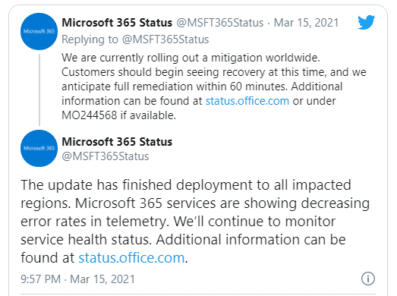
Microsoft 365 cloud outages, what happened and what you can do
Another bad week for Microsoft’s customers who rely on the Microsoft 365 hosting and other cloud technologies. There were global outages for more than half a day in Teams, Azure, Xbox Live and many other Microsoft Cloud services. All should be restored by the time you read this but there are still questions about what […]









