Office 2021 is the personal and small business ‘perpetual licence’, non-subscription version of Microsoft Office. For Windows and Mac.
Office LTSC (Long Term Servicing Channel) is the volume licence ‘perpetual licence’, non-subscription version of Microsoft Office for organizations, companies and governments. Also for Windows and Mac.
The features in Office 2021 and Office LTSC are very similar, if not the same.
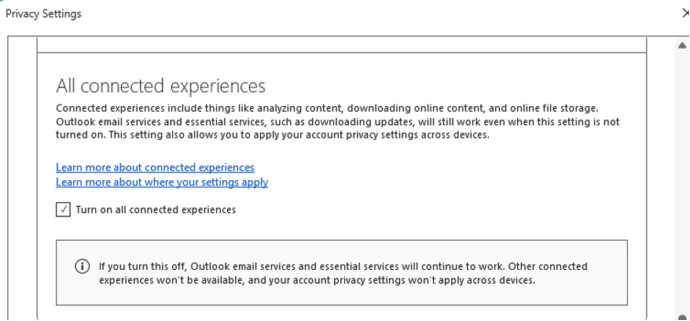
Word ‘AI free’ cure is worse than the disease
Social media is spreading a false ‘tip’ that’s supposed to stop Microsoft spying on your work in Word and Excel. The suggestion might not work at all and worse, it’ll stop important Office features from working at all. And Microsoft is NOT spying on Word, Excel or PowerPoint for their AI. The ‘tip’ is supposed […]
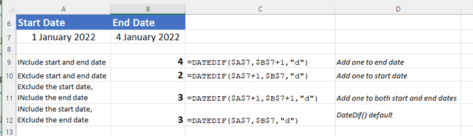
The hidden trap in Excel’s DateDif()
There’s a hidden trap in Microsoft Excel’s DateDif function that rarely gets a mention and is too easy to overlook. DateDif() is a long-standing Excel function that returns the duration between two dates. It’s not a ‘full’ Excel function because it was added for compatibility with Lotus 123 and has a known bug. Despite that, […]
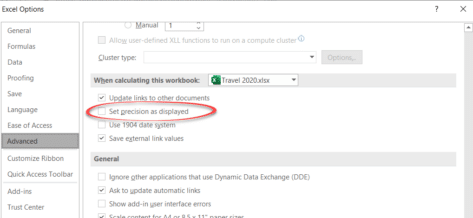
The big difference between what Excel shows and what Excel knows
Understanding the difference between Excel’s stored value for a cell and its displayed value is important. It happens a lot and can make a big difference to the results. Back in the day we detailed a bug in Excel 2007 where the wrong number appears on the screen yet Excel ‘knows’ the right value for […]
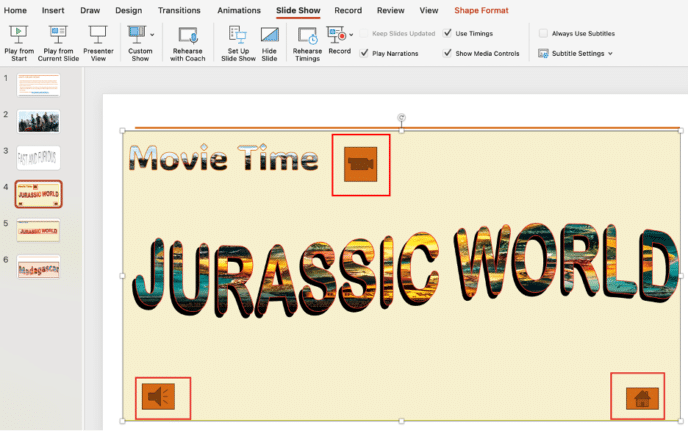
Adding Action Buttons to PowerPoint
A PowerPoint action button is a shape you can add to your slides, allowing you to hyperlink to another slide or webpage, play a sound, or trigger other actions. It’s an easy way to add interactivity and navigation to your presentation with very little effort. It’s also a way to control the presentation within […]
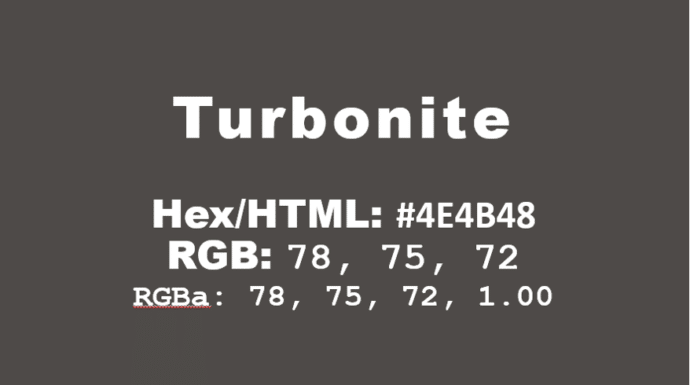
How to get the official Porsche color in Word and Office
How to get the official Porsche color “Turbonite” in Microsoft Office for Word documents, PowerPoint slides and more. The color has been announced by Pantone with the code PMS-2336-C. Porsche Turbonite is described in the usual flowery terms by Pantone: Turbonite color codes It’s easy to apply the Turbonite color to Office documents using these […]

Get more from your Keyboard: How to Turn the Caps Lock Key Into Something Useful (or Disable It)
If you often hit the CapsLock key by accident,sending part of your text into unwanted ALL-CAPS mode, you’re not alone. But rather than letting it stay a nuisance, you can repurpose it or disable it altogether. Stop accidentally turns CAPS ON when you don’t want it. On Windows or Mac you can remap CapsLock to […]

Excel blooper history – mistakes by users and Microsoft
Excel is now 40 years old and it’s capable of some amazing things. Let’s not forget some of the mistakes made by users and serious bugs by Microsoft along the way. First a reminder of some Excel bugs and how Microsoft never seems to learn from their mistakes. Excel bug adding rows and columns Back […]

Halloween icons and symbols for Word, Powerpoint and more
Quickly add a Halloween ghost, pumpkin, witches’ hat and more to your Outlook email, Word document or PowerPoint slides which have many in-built icons, graphics and pictures to enhance your “All Hallows’ evening” Icons, Stock Images, Stickers and Illustrations are all available in Microsoft 365 for Windows or Mac. Some Icons are also available in […]
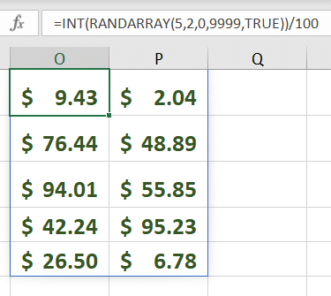
RandArray – Excel’s best way to get random numbers
My ‘go to’ way to get random numbers in Excel is the new-ish RandArray because can do everything that Rand() or RandBetween() can and more. RandArray() fills cells with random numbers for as many rows and columns as you want. It’s in Excel 365, Excel 2024 and Excel 2021. The most basic version of the […]

Great PowerPoint heading with picture fill
Adding a picture to PowerPoint text background look great and is easier than you might think. Even better, are many hidden options to adjust the image and position it exactly as you want. Curious about how to create text effects like in the image below? Look no further—if you have PowerPoint, you can easily do […]
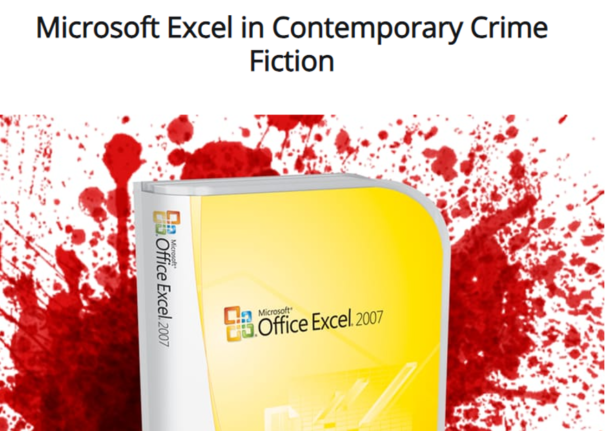
Excel in Fiction
Excel is everywhere including in crime fiction here’s some examples. Jo Livingstone has compiled some excerpts from novels that mention Excel. “George spent the next week glued to the chair in front of his computer, plugging new figures into his Excel spreadsheet, moving them about from column to column like some elaborate chess game.” “Safety […]

Straight lines and neater drawn shapes in Office
If you’ve used OneNote recently, you’re probably aware of the feature allowing you to draw shapes and make lines straight. Then Word for Windows got “Draw and Hold”. Now Excel and PowerPoint can draw straight lines and draw neat shapes (circle, square and more). We’ll explain how it works and how it’s different to the similar […]
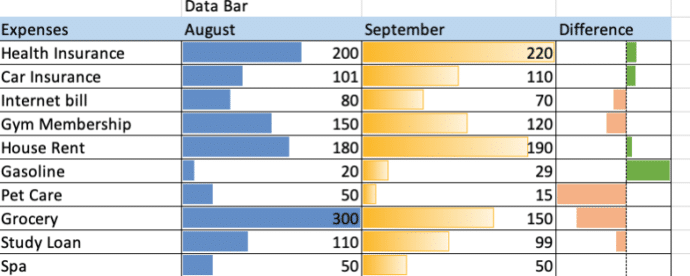
Make simple bar charts with Conditional Formatting
Excel can make bar charts in-cell without bothering with the full Chart system. Despite what you might have seen, there’s plenty of options in Excel Data Bars. The usual example of Excel Data Bars has the colored bar in the same cell as the value. In this article we’ll show how it’s possible to have […]
Check your Microsoft account recovery options … now before it’s too late
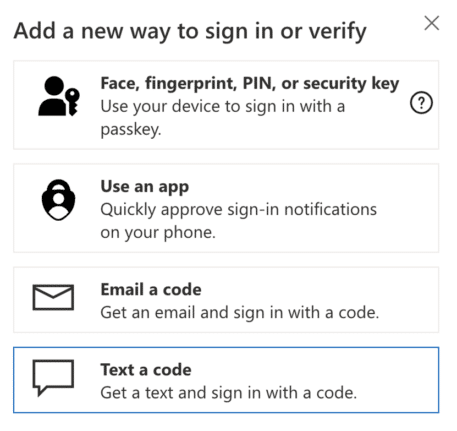
It’s not enough to setup two-factor security for your Microsoft account. Make sure your recovery settings are checked and up to date. Do it now before it’s too late. Today we’re helping someone trying to login to their Microsoft account after losing their password. Many, many hours of frustration and worry that could have been […]
Investigating the Word language bug
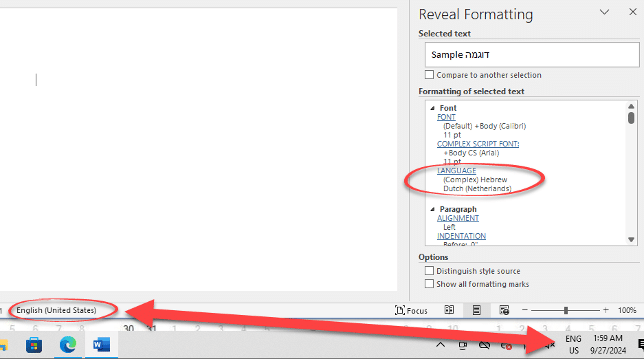
Here’s how Office Watch reader, Erik and we drilled down into Windows and Word to narrow down the source of the Word language bug. Erik’s tests are with Office 365 on Windows 11 Pro 23H2 but the same behavior has been reported by others in many versions of Word and Windows. Office Watch had a […]
Inside the Language choice bug in Word
Sometimes Word will switch to another language despite all the settings saying otherwise. With the help of an Office Watch reader, we’ve dug into the details to find what might cause the bug in Word and suggest some possible solutions. Word and Office should obey the default language setup in Office but, as some people […]









