Microsoft’s Copilot() function in Excel comes with real risks. When used incorrectly, Copilot() can produce misleading or nonsensical results that could compromise data accuracy and decision-making. Treat this AI feature with caution and Microsoft should add stronger safeguards and clearer warnings against misuse. It all started with this post on
Microsoft 365 Premium is the newest consumer plan that bundles the popular Family subscription with Copilot Pro at a much lower cost. For $199 a year, subscribers get six accounts with full Microsoft Office apps, 1TB OneDrive storage each, and premium Copilot AI tools for the plan owner—including research, data
Microsoft is rolling out a new wave of AI-powered tools in Microsoft 365. Copilot Agent for Word, Excel, and Office promise to generate full documents, reports, spreadsheets, and presentations from natural language prompts, then refine them through AI chat. Microsoft aims to make content creation faster and more consistent across
You don’t need Microsoft 365 or desktop Office to edit your Word, Excel, or PowerPoint files. With Office Online, anyone can upload documents from their computer, make changes directly in a browser, and save the updated file back to their hard drive—all for free. This simple method works across Windows,
Clicking a link to a Word, Excel, or PowerPoint file doesn’t always give you the choice of where it opens. Sometimes it launches in a browser, other times in the desktop app. Microsoft has scattered the controls across Outlook, Office apps, and web options, leaving many users frustrated. This guide
Struggling with complex Excel formulas? Microsoft’s latest update brings AI-powered assistance directly into Excel, making it easier than ever to write, explain, or fix formulas. Or use free alternatives to quickly solve formula errors, create advanced calculations, or understand unfamiliar functions without needing deep technical knowledge. Here’s how Excel and
Rejoice, Outlook users! Microsoft has decided to fix what wasn’t broken, ushering in the “new” Outlook with all the grace of a bull in a china shop. Because who wouldn’t want to trade in their reliable, familiar email experience, Outlook ‘classic’ for a shiny, unfinished product (Outlook ‘new’) dressed up
Fed up with Microsoft Word’s refusal to fix “accidently”? You’re not imagining things—Word’s spellchecker lets this typo slip through. If you want to finally solve the “accidently” vs “accidentally” debate, you’ve come to the right place. Office Watch reader Steve D. noticed something strange in the Microsoft Word dictionary. According
Take control of automatic formatting in Microsoft Word, the AutoFormat and AutoCorrect features. Whether you’re frustrated by Word turning your asterisks into bullet points or want to customize how your documents handle quotes, lists, and spelling corrections, this guide explores every option available. Discover how to manage, disable, and fine-tune
If you have Microsoft 365 Classic, watch for a sneaky Microsoft trick to make you pay more. They are automatically renewing Classic plans to more expensive Microsoft 365 plans without notice. That’s not just tricky but possibly illegal. We’ll explain how to keep Microsoft 365 Classic or complain if it’s
Picking a font in Microsoft Word or PowerPoint can be confusing, especially with the existing long, long menus. Now, Microsoft 365 offers a new, easier font picker in two web apps. The new font menu has better search and simple organization, finding the right style for your document or presentation
Use Microsoft Designer to make compelling but effortlessly professional titles for Word documents, sheets or slides. We’ll explain how to do it, not the simplistic way that Microsoft hypes, but how Designer works in the real world. Start a banner, tweak sizing, customize fonts and colors, then seamlessly insert your
Miss the classic WordArt from Word’s glory days — the arched text, the rainbow slopes, the wavy headlines that screamed “1990s”? Those old gallery styles are still alive inside every modern version of Word, including Word 365 and Word 2024. They’re just well hidden. Here’s the simple compatibility mode trick
Microsoft has begun rolling out Python in Excel—the powerful integration that allows users to write Python formulas directly inside Excel—to Microsoft 365 Family and Personal subscribers. That’s great news because Python adds a lot to Excel, making available a lot of features that previously Excel users could only dream about. What’s
Excel 365 has access to the Python language and packages. We’ll explain what that means, who gets it and why Python in Excel is a big deal. Python is a high-end and widely used programming language with many features in its many packages or add-ons. It’s this last bit that
Sometimes whole folders or files seem to disappear from a Windows computer. Here’s how to find them again including places that Windows doesn’t normally check. Open Explorer and look for the “This PC” label that’s lower down the left-side menu, or type “This PC” in the address bar. This PC
The BBC has published a good history of the famous “Keep Calm and Carry On” poster from World War 2 but missed what, to us, is the most important 21st Century innovation. When “Keep Calm and Carry On” first became popular, we saw the opportunity to showcase what Word and
Microsoft has officially warned all Microsoft 365 customers to update Office—or risk losing handy features like Read Aloud, Transcribe, and Dictate. Most people will already be OK but it’s worth checking to make sure. Microsoft is totally revamping the backend services that powers the voice related parts of Microsoft Office;
OneDrive isn’t just used for documents and photos. Microsoft saves a lot of related files in secret, hidden folders taking up the space customers pay for and preventing proper backup. Let’s look at the messy mix of things hidden in OneDrive and other Microsoft online locations. You can see what’s
Looking for a way to revert to classic Outlook after trying the new Outlook for Windows? This guide provides step-by-step instructions on how to switch back to classic Outlook, explains how both versions are probably on your PC. If you’ve tried the new Outlook for Windows and wish to return
If you’re wondering why a contacts address change in Outlook doesn’t stick, you’re not alone—many Outlook users face this frustrating issue. There are three possible reasons starting with a little known quirk in how Outlook saves email addresses. An Office Watch reader asks why Outlook keeps remembering an old email
Worried about losing files in OneDrive or getting locked out of your Microsoft account? You should be worried. Reading about one horrifying OneDrive experience. Here’s what you need to know about keeping your data safe, why regular backups matter. Discover practical tips to protect your files and avoid the common
The upcoming end of Microsoft Publisher has left many loyal paying customers searching for answers and ways to express their frustrations. Here’s a realistic guide to the expectations and practical steps for anyone wanting to tell Microsoft how they feel about the end of Publisher Microsoft Publisher Ends in October
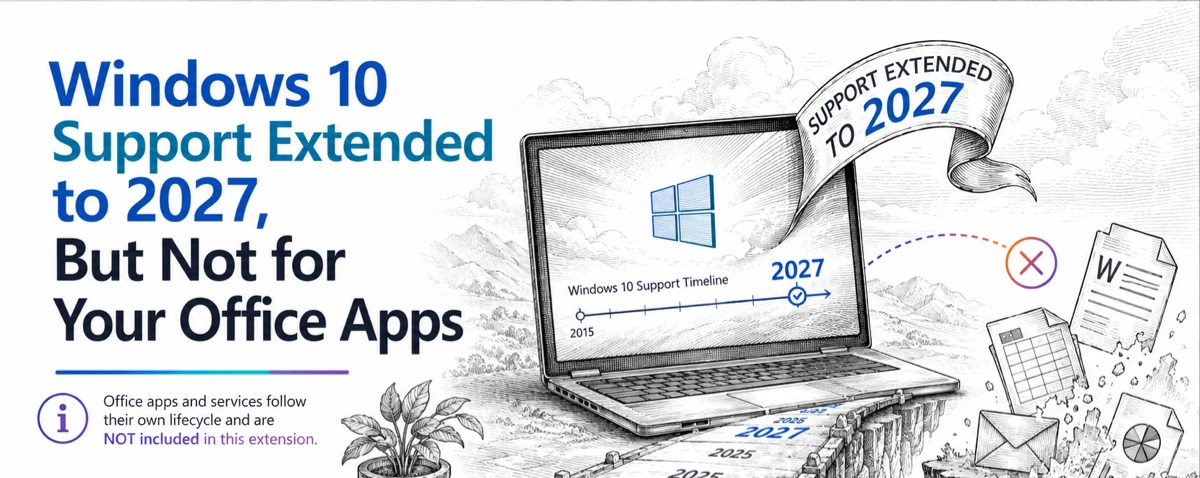
Microsoft quietly trims Windows 10 support for Microsoft 365 apps — As Windows 10 hits its official end‑of‑support on October 14, 2025. Microsoft 365 customers running on Windows 10 will get a lot less support time than Microsoft originally hinted. Their ‘fine print’ shortens full support from extra three years to less than one. Originally