Sometimes Outlook for Windows can download a lot of data that it doesn’t mean to. When we say ‘a lot’ we mean many gigabytes, sometimes far more than the size of the mailbox, which makes no sense at all. Here’s some options for fixing the problem with tips for using
A detailed look at a common email phishing attack, what to look for and how to avoid it. The most common form of phishing (password stealing) attack fakes a Microsoft account login. Most people have a Microsoft account for their work, home or both so it’s a large slow-moving target
Importing genetic codes into Excel is still a problem despite widespread reports of the problem. And still Microsoft is blamed, despite the real solution is with the lazy scientists who need to learn how to use Excel. A new report in the journal Nature shows that Autocorrect errors in Excel
Modern Excel has a danger zone that hackers increasingly use to get into your computer. It’s been there for well over twenty years but is being abused a lot more in 2021. Here’s how to disable it. The problem is in a very old method of Excel automation called Excel
Type the Tau – lower case τ letter into Microsoft Word, Excel, PowerPoint or Outlook. Both in Office for Windows and Office for Mac. Tau (lowercase τ) is the 19th letter of the Greek alphabet. The lowercase letter is used in Biology, Mathematics and Physics, such as proper time in relativity. In ancient times it was also used as
Type Zeta – lower case ζ into Microsoft Word, Excel, PowerPoint or Outlook. Both in Office for Windows and Office for Mac. Zeta – lower case ζ symbol is the 6th letter of the Greek alphabet. It is used for various mathematically and scientific reasons, such as representing the Riemann zeta function, the heat flux through a
Type Gamma upper case Γ and Gamma lower case γ symbols in Microsoft Word, Excel, PowerPoint, or Outlook. Both in Office for Windows and Office for Mac. Gamma (uppercase Γ / lowercase γ) is the third letter of the Greek alphabet. It represents the “g” sound in Modern and Ancient Greek.
If you thought that all email addresses are the same, think again. There are five main types of email address and if you want to organize your email sensibly you should know the difference. All email addresses are formatted the same way @ but what isn’t obvious are the different
There are five main types of email address and if you want to organize your email sensibly you should know the difference. In this article we’ll talk about the Catch-All, Black Hole and Auto-Responders. Continuing our series on the different types of email addresses. We’ve already talked about mailboxes and
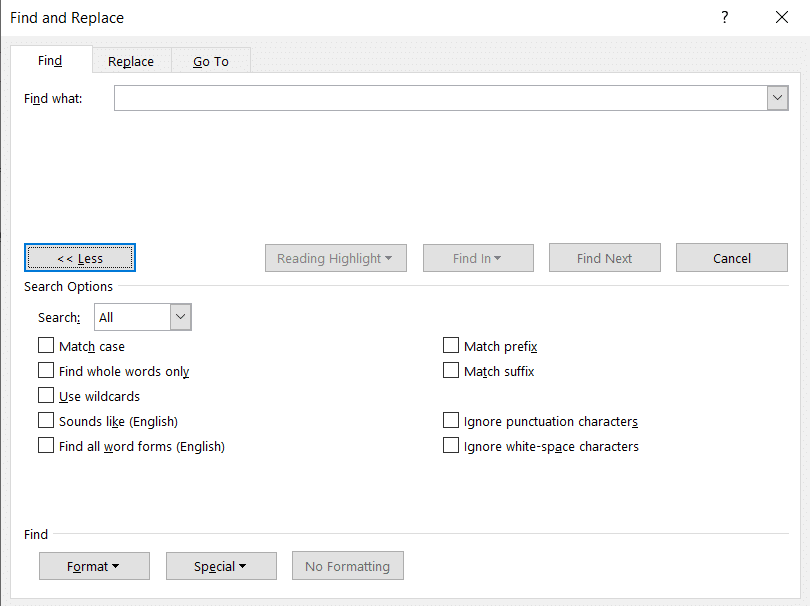
Word’s Advanced Find has many special codes to help locate or replace hidden or unusual things in a Word document. Here’s a complete and searchable list of all the ^ codes and what they are for Under Find | Advanced Find | More | Special there’s a list of special
Type the Sampi Ϡ letter into Microsoft Word, Excel, PowerPoint or Outlook. Both in Office for Windows and Office for Mac. Sampi Ϡ symbol is occasionally used in Greek today. Its modern form, which resembles a slanting right cross-stroke with a longish curve, evolved during its use as a numeric symbol in Byzantine minuscule handwriting. Informally, its often replaced by lowercase
Theta upper case Θ, Theta small upper case θ and Theta lower case ϑ symbols in Microsoft Word, Excel, PowerPoint, or Outlook. Both in Office for Windows and Office for Mac. Theta (uppercase Θ or θ / lowercase ϑ) is the eighth letter of the Greek alphabet. The lowercase symbol represents many things, such as an unknown variable in trigonometry, or
Type the Koppa upper case Ϟ and Koppa lower case ϟ symbols in Microsoft Word, Excel, PowerPoint, or Outlook. Both in Office for Windows and Office for Mac. Koppa (uppercase Ϟ / lowercase ϟ) is a letter used in the earlier forms of the Greek alphabet, it was originally used to
How to insert the Alt key ⎇ symbol into Microsoft Word, Excel, PowerPoint or Outlook. Both in Office for Windows and Office for Mac. Alt key ⎇ symbol is a modifier key, used in a similar fashion to the Shift key. On a Mac, the same key is called Option.
Insert the Thinking Face 🤔 emoji into Microsoft Word, Excel, PowerPoint or Outlook. Both in Office for Windows and Office for Mac. Thinking Face 🤔 emoji has several other names; Thinker, Throwing Shade, Chin Thumb, puzzled and skeptic. How Thinking Face 🤔 looks in different fonts. Here’s some examples of how Thinking Face 🤔 looks in common Office fonts. Thinking Face 🤔 codes These
Sound Bible has some useful, free music and sound effects that can jazz up a PowerPoint presentation. There’s a collection of free audio clips (various rights limitations) from here. In WAV or MP3 format, both compatible with PowerPoint. Many of the text labels are deliberatly bland to avoid copyright disputes.
Type the Om or Devanagari Om ॐ symbol in Microsoft Word, Excel, PowerPoint, or Outlook. Both in Office for Windows and Office for Mac. The Om symbol is a divine sign that denotes the essence of absolute truth, Atman or consciousness. In Hinduism, Buddhism, and Jainism. The syllable is chanted either separately or before a spiritual recitation.
The wildcard is an advanced finding feature that has some powerful options beyond the standard * and ? options for Word. What Word calls ‘wildcard’ is really Regular Expressions, or at least a version of RegEx. Beginning or end of a word The beginning of a word can be represented
Using Strikethrough in Word seems straight forward but, like many things in Office, there’s extra tricks hiding away for double, long and short strikethrough. Why use Strikethough? Strikethrough has various uses. Perhaps most commonly to show a discounted price Was $100 now $99.99! Or to show that a change was made from the original: Turn left right at the corner.
TrimMean() function is a slightly different and useful measure than the regular Excel Average(). It’s still an average/mean but without the high and low, extreme or outlier values in the list. Average() (and its partners AverageA() and AverageIFS() use all the values in the array or list provided. TrimMean() excludes
How does Microsoft Word’s spell check go with the 2021 Words of the Champions list from the US annual spelling bee? Each year the Scripps National Spelling Bee releases a Words of the Champions study list to educators, featuring up to 800 new words. We grabbed a selection of the
Type the Weary / Distraught face 😩 into Microsoft Word, Excel, PowerPoint or Outlook. Both in Office for Windows and Office for Mac. Weary / Distraught face 😩 emoji is also called Wailing, Frustrated or Sadness. How Weary / Distraught face 😩 looks in different fonts. Here’s some examples of
Microsoft Word seems to have two pairs of shortcuts that do the same thing – increase or decrease the font size. This is how they are different. The shortcuts are: Ctrl + Shift + < or Ctrl + Shift + > – which are also buttons on the Home tab.
The Office Watch “Shortcut of the Week” tips for Outlook, Excel and PowerPoint from 2005 in the one convenient place. Tip 1 – Outlook navigation The Outlook navigation shortcuts could be more intuitive but here they are: Switch to Mail CTRL+1 Switch to Calendar CTRL+2 Switch to Contacts CTRL+3 Switch