Word for iPhone gets reading mode
Word for iPhone now has a reading mode … at long last there’s a way to look through a document without the keyboard and other editing tools getting in the way.
When a document is opened, it’s in read mode. No pesky keyboard or menus. The top line has Edit, Mobile View, Search, Share and a more icon to whole document properties and commands.
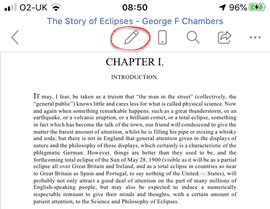
Click on the Pencil icon to edit the document. Now all the editing options and keyboard appear.
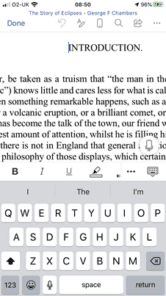
Choose Done to return to Reading Mode.
It’s a very welcome addition to Word for iPhone. I suspect few people use Word Mobile for much document writing on such a tiny screen. A Reading Mode makes a lot of sense.
Reading Mode in Word for iPhone, June 2020 update version 2.38.20060800
Word for Android Reading Mode
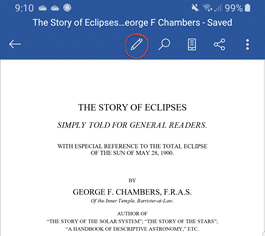
Word for Android already has Reading Mode. Click on the pencil icon for all the editing tools.
Office all-in-one app for Apple iPhone and iPad
Office for iPhone get new look and less menu options
Which version of Office for iPhone, iPad do you have?
Turn your smartphone into a webcam – iPhone, iPad or Android