Microsoft 365 – the subscription / annual fee plan for Microsoft Office on Windows, Mac, iPhone, iPad and Android.
Includes Word 365, Excel 365, PowerPoint 365, Outlook 365 and many other ‘365’ programs, apps and services.

Immersive Reader in Word for Windows, Mac and iPad
Immersive Reader in Microsoft Word 365, available on Windows, Mac, iPad, and Teams, offers a unique way to view documents. It provides tools to enhance reading skills, pronunciation, and fluency, while minimizing visual distractions to improve focus for users of all ages and abilities. Immersive Reader can declutter your text. Change the background colour to […]

Presenter Coach makes for better PowerPoint presentations
Presenter Coach or Rehearse in PowerPoint for Windows helps polish your presentation before going before an audience. This cloud-based feature is PowerPoint Online (web browser) and PowerPoint 365 for Windows If you don’t have Coach in your version of PowerPoint, try it from the web version of PowerPoint. Getting Started with Coach Make your slide […]
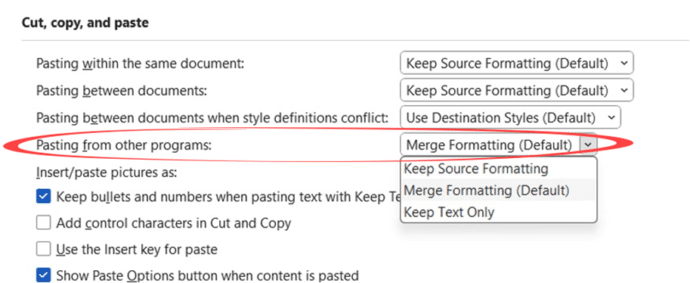
Word changes a Paste Text option
Microsoft Word 365 is changing the default paste action, which is a noticeable difference. You should know some important details and how to make the change now for any version of Microsoft Word. Plus some unclear points in Microsoft’s explanation of the change. Word 365 is only changing the default paste option for text coming […]
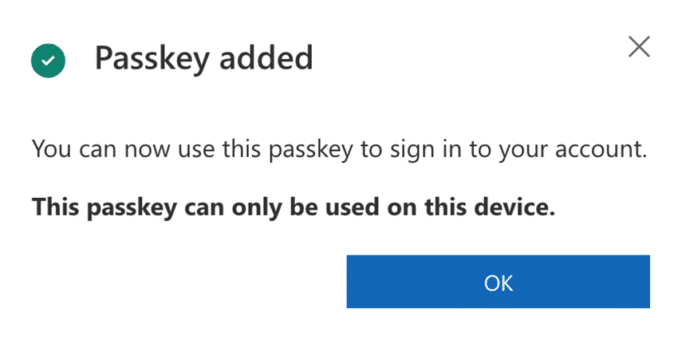
Try a faster Microsoft 365 secure login
Passkey logins are now available to all Microsoft accounts as an easier, faster and more secure way to login to Microsoft 365 and other accounts. It’s a great login option we’ve been waiting for. Passkeys are a secure and password-less way to login to a web site using the login/verification options on a device. That […]
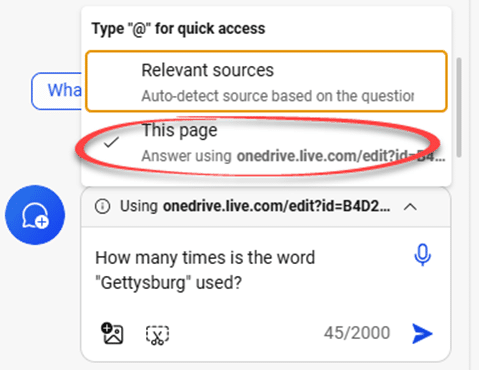
Use free Copilot to summarize Word documents
With a simple trick, you can use Copilot to summarize and query Word documents without paying for an expensive Copilot plan. In theory you need an expensive Copilot plan to sum up or ask questions about Word document with Microsoft’s AI system. The Copilot side-pane is only available in Copilot Pro or Copilot for Microsoft […]

Ear 👂 symbol in Word, Excel, PowerPoint and Outlook
Insert the Ear 👂symbol into Microsoft Word, Excel, PowerPoint and Outlook. Both in Office for Windows and Office for Mac. Use the Ear 👂 symbol for many situations including an icon for ‘Listen” or ‘hear’. Or to complement the Eye 👁 emoji How Ear 👂 looks in different fonts. Two Windows fonts have the Ear symbol, […]
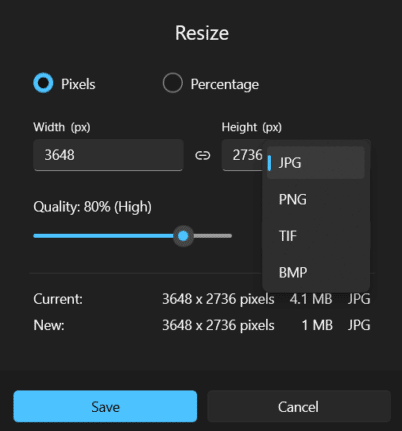
Great image Resize options now in Windows
The latest Photos app in Windows 11 and Windows 10 has a ‘one stop’ place to resize an image and show the file size after the changes. It’s something users have wanted for over a decade! Sometimes Microsoft sneaks in something truly good and useful, without the fanfare or hype it deserves. That’s what happened […]
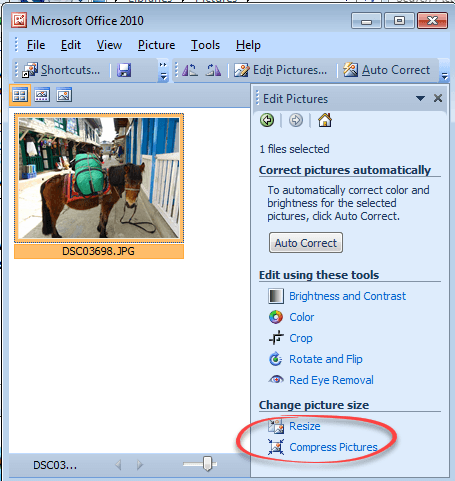
Making pictures smaller – some more options.
There are many ways to make pictures smaller, in both senses of the word. Here are three more options including great news for Windows 11 & Windows 10 users plus an important warning. Converting images into a smaller file size is sometimes essential. The large digital camera images (can be 4-6MB each) can be too […]

Use the Force with your PowerPoint & online backgrounds
The official Star Wars web site has some pictures that you can use as virtual backgrounds for your Zoom or Teams online calls. Also great for PowerPoint slides. Go to https://www.starwars.com/news/star-wars-backgrounds , click on an image to open the full version then right-click on the picture and choose ‘Save image as …’ or equivalent on […]

Star Wars look in Word and PowerPoint
Whether you’d like to join the Force or make fun of it, here’s how to get the famous Star Wars look in Word, PowerPoint and Office. See Star Wars movie opening and end credits in PowerPoint Star Wars font There are a few ‘Star Wars’ fonts available. All probably in breach of many copyright rules but […]

Happy Star Wars Day – with Microsoft Office
Office-Watch.com has Star Wars Day covered with a series of articles which add the spirit of the Rebel Alliance or the Empire to your Microsoft Office documents, workbooks and slides. Star Wars Day is 4th May each year … “May the fourth be with you” geddit? Star Wars fonts Star Wars look in Word and […]
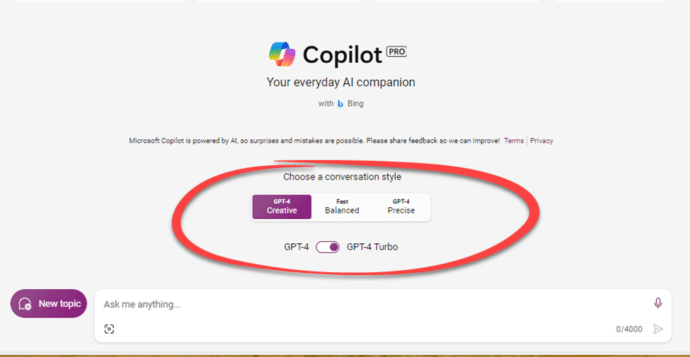
Two ways to pay for Copilot with Microsoft Office
Accessing Microsoft AI technology Copilot with Microsoft Office is possible through two different methods, each tailored to the specific Microsoft 365 plan you have Both Copilot options only work for Microsoft 365 software (Windows or Mac). Not Office 2021, Office 2019 or other versions of Office. Copilot Pro Copilot Pro is the choice for Microsoft […]

PowerPoint trim video reaches the web
The long-standing Trim Video feature in PowerPoint desktop has now reached the browser based version as well as in the desktop Windows and Mac versions. If you’ve ever used Trim Video in either PowerPoint for Windows or Mac, this ‘new’ feature will be familiar in PowerPoint on the web. Any video saved with the presentation […]
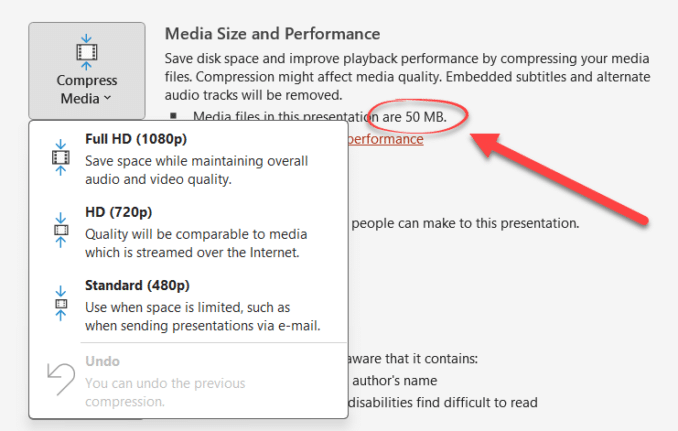
PowerPoint video audio compression tricks and traps
PowerPoint offers compression embedded video and audio files, reducing the overall file size. But these options aren’t where you might expect to find them, aren’t selective and need to be used with care. There is compression option for media files (video or audio) to a suitable quality level and make it compact. This feature will […]
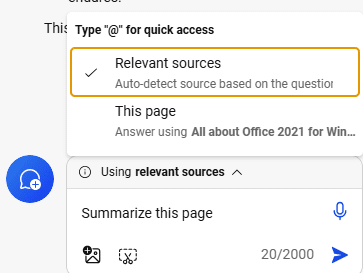
What is ‘grounding’ in Copilot?
Microsoft talks about ‘grounding a prompt’ in their Copilot AI system. What do they mean by ‘grounding’ and how it can help anyone get more from AI magic. Grounding simply means telling Copilot to use a specific document or file to answer a question … as opposed to using general knowledge from the Internet or […]
Import EML MSG and OFT files with Outlook (new)
The new Outlook for Windows can now import messages saved in single files as .eml .msg or .opt formats. Like most ‘new’ features in new Outlook for Windows, it’s really a catch-up feature to match something in the existing Outlook for Windows. All three formats are ways to save emails to single files containing the […]









