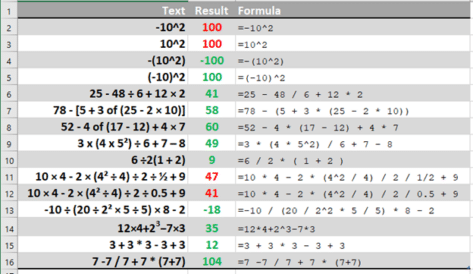
Excel’s order of calculation is not BODMAS
Excel has a slightly different order of calculation to the BODMAS rule taught to us at school. Those variations are important and can give a result you didn’t expect. Ray E from Iowa asked about one of those tricky algebra questions that appear on social media and generate heated arguments -10^2 . Ray wondered how […]
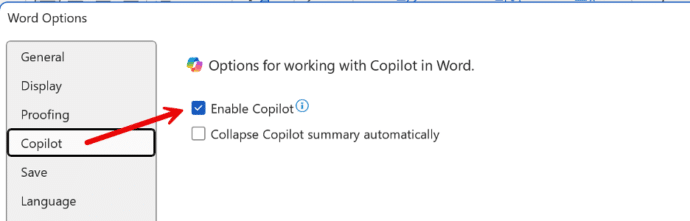
How to Disable Copilot in Microsoft 365
Microsoft is slowly adding an option to disable Copilot AI from their Microsoft 365 apps, Word, Excel and PowerPoint. Here’s what you’re supposed to see on your computer, but won’t necessarily. An option to disable Copilot is being rolled out to Microsoft 365 for Windows and Mac. First in Word 365 for Windows and later […]

Copilot Pro brings AI into Microsoft Office
AI technology without limits is available in Microsoft Office with Copilot Pro. AI features are integrated into Word, Excel, PowerPoint and Outlook for personal customers. Here’s how to get Copilot Pro and the secrets to getting it working. Copilot is Microsoft’s name for their AI based cloud services. They have been around for a little […]
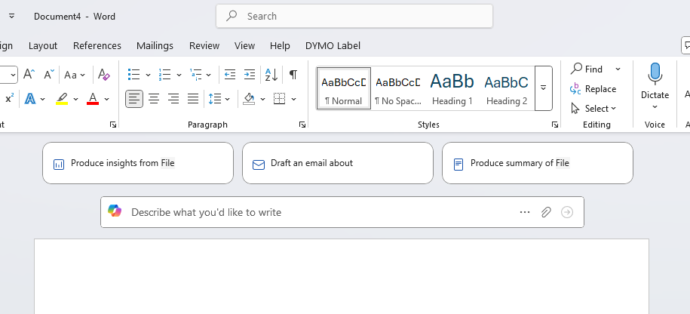
HUGE changes to Microsoft 365 happening now
Microsoft 365 customers around the world are waking up to a new look in their Word, Excel, PowerPoint and Outlook apps. It’s part of Microsoft’s huge changes to Microsoft 365 Family and Personal plans which include a very limited Copilot AI service and a big price rise. Microsoft 365 users might first notice these changes […]
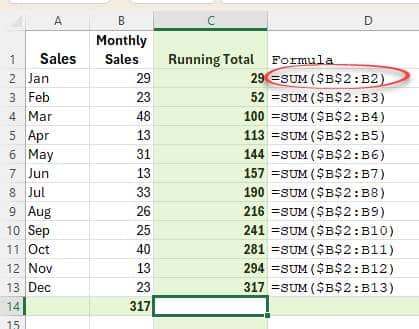
Two ways to make a running total in Excel
Here’s two ways to make a running total column in Excel. The way you were probably taught and a much better and more flexible choice. Running or Accumulative Totals are a very common thing in spreadsheets. Here’s a really simple example in columns C and E. Here’s two ways to make those totals, using Sum() […]
Copilot comes to Microsoft 365 with many limits and a high price
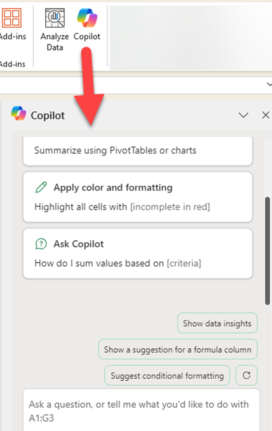
Microsoft 365 Family and Personal plans are getting Copilot AI integration into their Office apps but it comes with a big price increase and many limits to what people get for the extra cost. Customers in Australia, New Zealand, Malaysia, Singapore, Taiwan, and Thailand have seen massive prices rises in Microsoft 365 Family and Personal […]
Excel has ‘real’ Regular Expression functions
Microsoft Excel 365 has built-in support for regular expressions (regex). The functions REGEXTEST, REGEXEXTRACT and REGEXREPLACE have powerful pattern matching, text extraction and replacement directly into spreadsheet formulas, eliminating the need for VBA, add-ins or convoluted workarounds. Even better, the functions use a widely understood form of Regex for text-manipulation capabilities, data cleaning, validation and […]

How to remove words from the Word dictionary
How and why to remove words from the main Microsoft Word dictionary. The Office Exclusion List ensures a red squiggly underline appears to warn you about an unwanted word. Sometimes the supplied Office dictionary has words you don’t want or you’d like a warning about. Here’s how to put the red squiggly line under words […]
2025 calculations in Excel
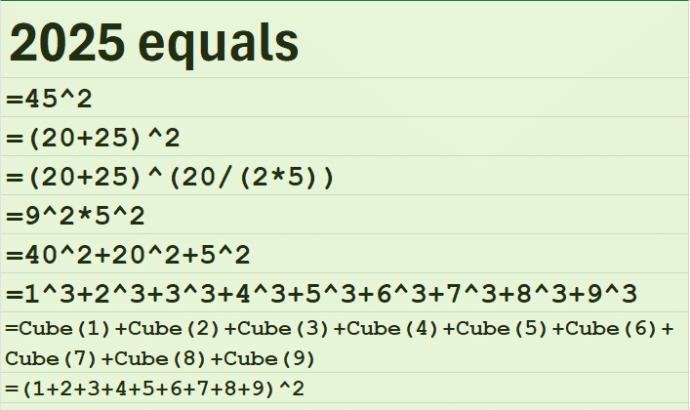
2025 is a special number, as various social media posts have pointed out. It can be calculated in some interesting ways like (20 + 25)2 = 2025. Naturally we had to convert these into Excel formulas. 2025 is 45 squared, in other words, a ”perfect square”. This last happened in the year1936 (442) and the […]
Great Excel monthly calendar from just one cell
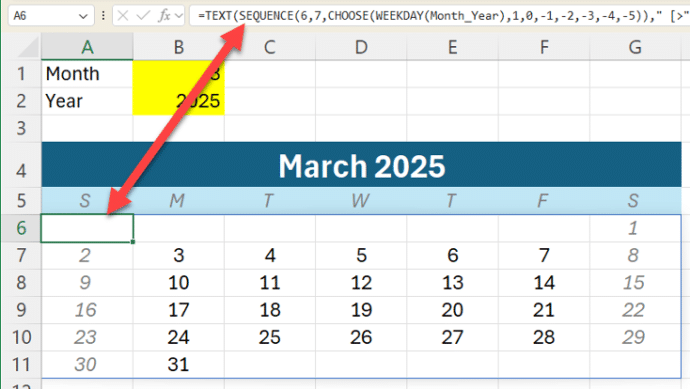
Modern Excel lets you make a whole monthly calendar from just one cell formula. We’ll explain how it’s done with a sample workbook for our supporters. At its simplest, Excel can make a single month like this from a formula in cell A6 which fills all the cells with the correct dates for that month. […]
Everybody loves FRED, including Excel
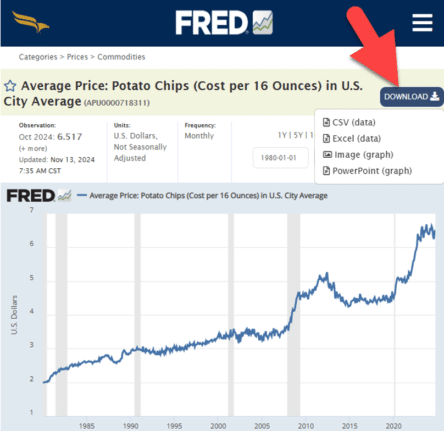
Get Economic data or graphs from FRED (Federal Reserve Economic Data) to load into your Excel workbooks or PowerPoint slides. From unemployment rates to the price of potato chips. FRED has 825,000 data sets for the USA and around the world. Tip: search FRED for your country (Canada, United Kingdom, Australia etc) to see what […]
Show currency in Excel with country and symbol
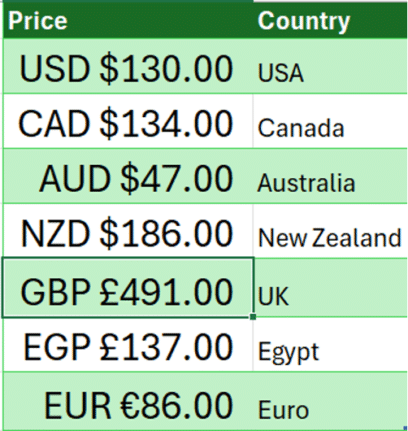
How to show currency amounts in Excel with the country and correct currency symbol included. Excel doesn’t support the standard way that different currencies are displayed with their country codes like this: Dig into the Accounting/Currency Formats and you’ll find these among a VERY long list of currency symbol options. All those options let you […]

Pantone’s 2025 color ‘Mocha Mousse’ in Word, Excel and PowerPoint
Pantone’s color of the year for 2025 is “Mocha Mousse”. You can use that exact color in Word, Excel, PowerPoint, Outlook and Designer using the Hex/RGB color code. And we’ll look at the flowery prose that’s become a hallmark of this annual promotion. The color of 2025 is … Mocha Mousse We make fun of […]
An Excel shortcut that can speed (or confuse) your day
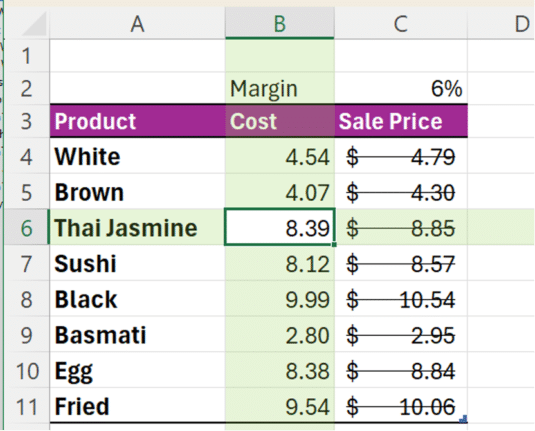
Enter the Ctrl + – (minus) shortcut in Excel. This powerful shortcut instantly deletes entire rows or columns without any confirmation. But there’s hidden trickery going on and some misleading info online. Ctrl + – is commonly said to “delete the selected row or column” but, as usual, the reality is more complicated. Some online […]
Four different ways to copy a list of file names or folders
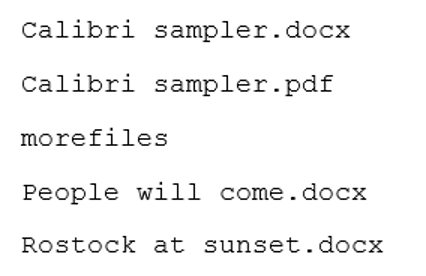
There are many ways to get a list of file names and folders, here’s four simple ways including one that might be a surprise. Copy from Explorer In Windows Explorer, select the files you want then right-click and choose “Copy as path” or Ctrl + Shift + C. The list includes path. If you don’t […]
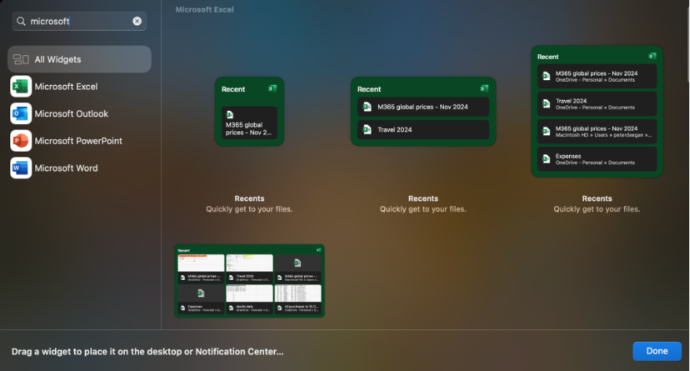
Office widgets come to Mac computers
The existing Office app “Recent documents” widgets for iPhone and iPad are now available on Mac computers. There are widgets for Excel, Outlook, PowerPoint and Word. Each app has four widget options from small (one file) to a six file with thumbnails ‘extra large’ choice. The fastest way to find the Office/Microsoft 365 widgets is […]









