
Windows 11 has a better way to clone an existing file
There’s a quick way to clone or duplicate an existing file in Windows 11 so you can make a new, similar document. Quite often a new document is based on an existing one, for example a fresh invoice for the same things each month. Or a proposal to a new client, which is similar to […]

COUNTIF for Excel
The COUNTIF worksheet function in Microsoft Excel has a simple format that provides a quick and easy way to count the number of times a certain condition is met in a data set. By Kara Monroe That sounds imposing but it isn’t. Most likely you already use COUNT to count the number of cells that […]
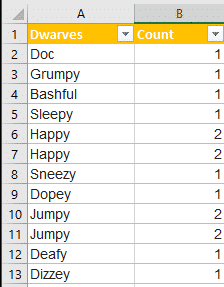
Excel how to remove both items if a duplicate
Excel has an in-built feature to remove duplicates from a list but what if you want to delete both items if they are duplicated or more than two? Remove Duplicates Remove Duplicates is tucked away on the Data tab, Data Tools | Remove Duplicates. It will ensure that an Excel list/table has only unique values […]
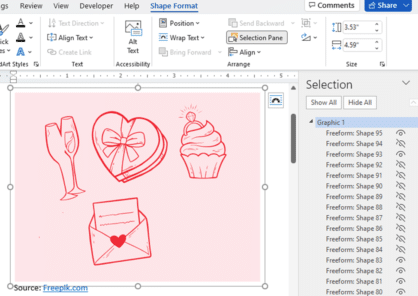
Three ways to add EPS graphics into Microsoft Office
Three ways to insert or import an EPS (Encapsulated PostScript) graphic into Word, Excel, PowerPoint or Outlook. There are two a ‘quick and dirty’ options and a way that allows some editing. Microsoft Office did support EPS files for many years but dropped them in 2017/2018 because the EPS format is a security risk. EPS […]

Four SVG editing choices for Office 365/2019/2021
There are four different ways to change an Office icon or SVG graphic in Microsoft 365, Office 2019 or Office 2021. The two official SVG edit methods in Microsoft Office with their in-built limitations or some choices before inserting into Word, Excel, PowerPoint or Outlook. Within Office Limited SVG/Icon changes are available from the Graphics Tools […]

Excel’s Find All tricks for Windows and Mac
Excel’s Find All lets you locate all cells matching a search criterion in a single step. It will generate a list of all cells that match the current search and report them all at the bottom, for both Windows and Mac releases of Excel. Find All has been in Windows version of Excel for many […]

Changing Text Box backgrounds in Office
There are two ways to make a text box transparent in Office; Word, Excel or PowerPoint. There’s a quick option and other that gives you some more control. The Word, Excel or PowerPoint ‘Text Box’ feature is presented as a way to have ‘pull quotes’ or sidebar text in your documents however it can do […]

Excel 365 gets web links in Comments
Excel 365 is finally getting clickable hyperlinks in comments and replies, catching up with Word 365 and PowerPoint 365 It’s been a curiosity that modern revamped Comments could not cope with something so old-fashioned as a web link. Even in the current public Excel 365, typing a link in a comment stays in plain text […]

Identical To ≡ symbol in Word, Excel, PowerPoint and Outlook
Insert the Identical To ≡ into Microsoft Word, Excel, PowerPoint or Outlook. Both in Office for Windows and Office for Mac. Identical To ≡ symbol, also known as the triple bar, is a mathematical symbol. The three lined symbol means that something is identical or like another value, but this does not mean that is […]
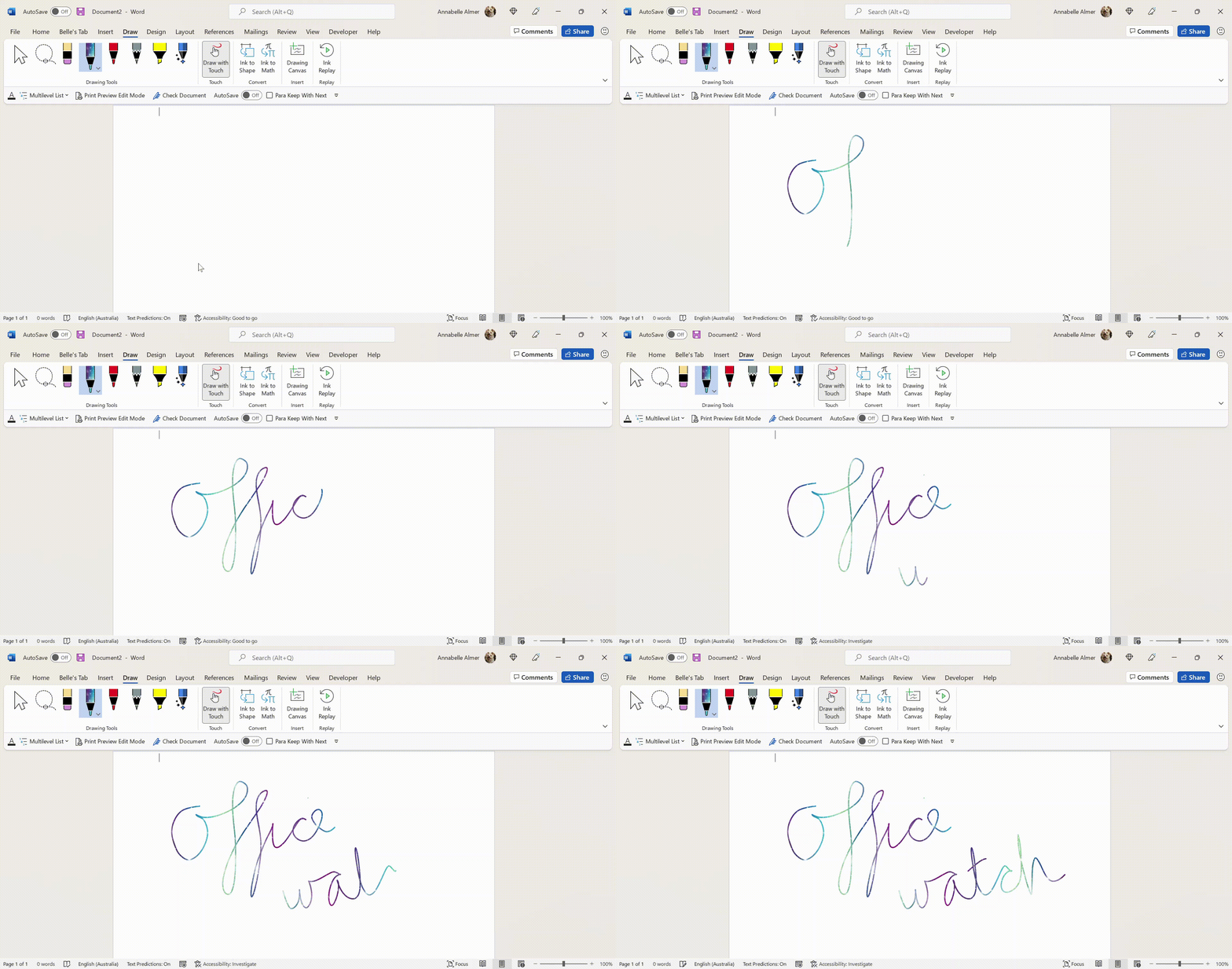
Add the missing Draw with Touch option to Office
Here’s how to force the ‘Draw with Touch’ button to appear in Word, Excel and PowerPoint when it doesn’t show up automatically. ‘Draw with Touch’ is an Office option to let you draw with a finger or stylus on a touchscreen. It should automatically appear on the right of the Draw tab with a touch-enabled […]

Fast Fill Sequential lists or rows in Excel
There’s a fast way to Fill cells with sequential data into a list or rows without dragging the mouse. The Series command can insert all sorts of lists for dates, weekdays and numbers. It’s very handy for users that need to fill a large number of cells. Those that use the fill command within the […]

Four great Excel Cell Styles that will light your way
Excel provides some handy pre-selected styles that you can apply to your cells. Here’s a selection of styles that we use, improve from Microsoft’s bland defaults and will light up your worksheets. These are excellent for distinguishing headers from data, classifying data, or showing the function of each cell (calculations, output, notes, etc.) Cell Styles […]

White Right backhand pointer 👉 in Word, Excel, PowerPoint and Outlook
Type the White Right backhand pointer 👉 into Microsoft Word, Excel, PowerPoint or Outlook. Both in Office for Windows and Office for Mac. It’s officially called “White Right Pointing Backhand Index”. White Right Pointing Backhand Index 👉 symbol is great for signs, simple hand graphics in slides or an alternative bullet in lists. There’s also […]

Excel Paste Special with math operations
Excel’s Paste Special feature can be used to modify multiple numbers at once. Paste Special is more commonly used to paste only values or formatting, it has other tricks to offer. We’ll show you firstly how to multiply numbers in Excel by using Paste Special then add, subtract and division. Addition and Multiplication are easy […]

Changing Word’s Text Box Gallery to suit you
The Word Text Box Gallery gives you a head start on nice document effects. Under the Insert tab in Word is the Text Box gallery, a selection of pre-set options to jazz up your document. It’s the easy way to put in fancy design elements you see in books and magazines like side-bars or ‘pull […]

New look file browsing in Office for iPhone and iPad
There’s a new “File Card” look coming to the Office ‘all in one’ app for iPhone and iPad which shows document thumbnails and other information. File Cards use the document thumbnails that are in most, but not all Office documents plus PDF files that are stored on OneDrive. Microsoft says there’ll be support for locally […]









