
Make thumbnails for Office documents with extra tricks
Adding thumbnail or preview image for Word, Excel or PowerPoint Office documents is easy, though you won’t find the choice anywhere obvious. We’ll dig into how thumbnails work for some nerdy extra detail. Thumbnails are the small images that appear in File Explorer and elsewhere instead of the standard icons for Word, Excel, PowerPoint etc. […]

Excel’s Rank/Rank.EQ function to show order, first, second etc.
Excel has a way to rank a series of values, showing which is top, middle and bottom. As usual, what appears to be a simple thing has extra features to cope with the real world like equal placings. Here’s a simple ranking. As you can see, Excel has ranked the Value entries from 1 to […]
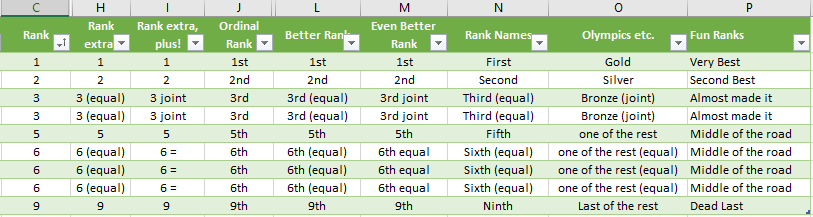
Excel rankings with ordinal numbers, joint, equal and more
Here’s a look at two things that you’d expect Excel to handle quickly and easily, but doesn’t. Showing a ranking of items with equal ranks shown (3rd equal etc) and ordinal numbers (1st, 2nd, 3rd etc) or ordinal names (first, second, third etc). All are possible in Excel but strangely not provided by Microsoft directly. […]
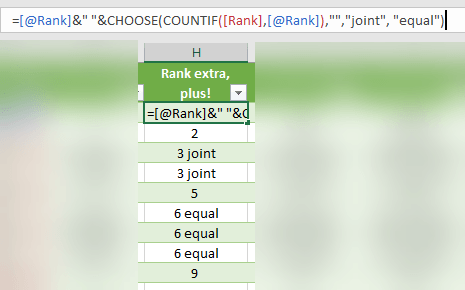
Joint vs Equal rankings with Excel’s Rank() and Rank.EQ()
If you’d like to be really clever with Rank/Rank.EQ in Excel, here’s how to show different words for joint rankings (only two with the same rank) or equal rankings by three or more. It’s a small difference but can make your reports or merged documents look a lot more professional. Use the Choose() function to […]

Ordinal Numbers in Excel, 1st, 2nd, 3rd etc.
You can show ordinal numbers in Excel; 1st, 2nd, 3rd. Sadly, it’s not as simple as you’d think. The ‘Ordinal Rank’ column, 1st, 2nd etc you’d expect to be provided by Microsoft, but it’s not. There’s no in-built function nor a number format. After all, Excel has many different number formats already, so ordinal numbers […]
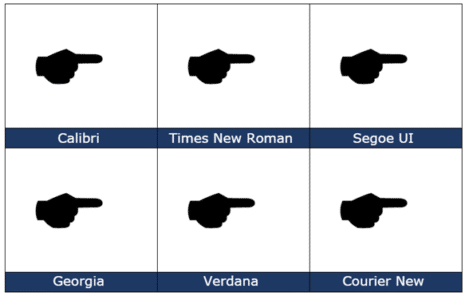
Black Right Pointing Backhand Index 🖝 symbol in Office
insert the Black Right Pointing Backhand Index 🖝 into Microsoft Word, Excel, PowerPoint or Outlook. Both in Office for Windows and Office for Mac. Black Right Pointing Backhand Index 🖝 symbol can be used as a creative bullet symbol in lists or to point a direction on a sign. It’s the lesser known complement to […]

Almost Equal ≈ symbol in Word, Excel, PowerPoint and Outlook
Almost Equal sign ≈ can be typed into Microsoft Word, Excel, PowerPoint or Outlook. Both in Office for Windows and Office for Mac. The Almost Equal symbol ≈ is commonly used within Mathematics to indicate two values are roughly equal, but not exactly equal. Or use it whenever you need horizontal wavy lines! How Almost […]
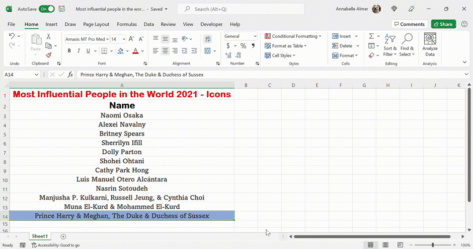
Moving a row or column in Excel
How to move rows or columns up, down or across an Excel worksheet. There’s a quick way but it’s not obvious. Excel has a variety of different ways in doing this, but it’s important to know the fastest and easiest way, to save you a lot of time and hassle. In Word, moving paragraphs or […]
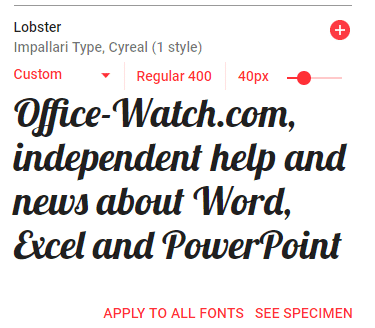
Using WOFF fonts in Microsoft Office
WOFF are a new-ish type of font that you might have seen mentions or downloads. Here’s how to use them in Microsoft Office; Word, Excel or PowerPoint. WOFF is Web Open Font Format designed to be compact and easy to download. WOFF is for web sites and mobile apps, not desktop programs like Office. Despite […]

Up Down Arrow with Base ↨ symbol in Word, Excel, PowerPoint and Outlook
Type Up Down Arrow with Base or underline ↨ into Microsoft Word, Excel, PowerPoint or Outlook. Both in Office for Windows and Office for Mac. How Up Down Arrow with Base ↨ looks in different fonts. Here’s some examples of how Up Down Arrow with Base / Underline ↨ looks in common Office fonts. Up […]

How to share a single Excel worksheet
Is it possible to share or send a single Excel tab or worksheet from an entire spreadsheet? Sharing a single worksheet or tab isn’t possible. Excel’s sharing features work on the workbook or entire document level. But it is possible to send out or share a single worksheet/tab with a little workaround. Definitions These terms […]
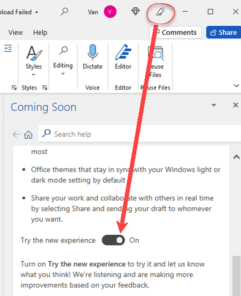
Turn on or off the new look Office 365 for Windows
The new look Office 365 (and Office 2021) is coming. For the moment you might have the option to try it or not. Here’s how. Look for the megaphone If a megaphone appears on an Office app title bar, you can try the new look Office for Windows. Click on the icon to open the […]

Up Down Arrow ↕ symbol in Word, Excel, PowerPoint and Outlook
Type the Up Down Arrow ↕ into Microsoft Word, Excel, PowerPoint or Outlook. Both in Office for Windows and Office for Mac. Up Down Arrow ↕ symbol is a vertical line with arrowheads on both ends, pointing up and down. How Up Down Arrow ↕ looks in different fonts. Here’s some examples of how Up Down Arrow ↕ looks in common Office fonts. Up Down Arrow ↕ codes These are the […]
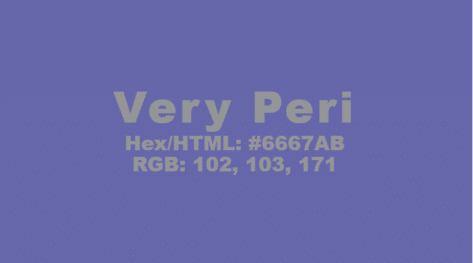
Pantone 2022 color in your Word, Excel and PowerPoint
Pantone has announced their “Color of the Year” for 2022 and, as usual, we’ll explain how to use those exact colors in Word, Excel, PowerPoint and Outlook. For 2022, the new color will also be appearing in Microsoft products with a nice PowerPoint template with extra color palettes. The color of 2022 is … Very […]

Watch the Excel World Cup Final
The Financial Modelling World Cup or Excel esports Final was held a few days ago and you can watch the whole event. There were eight finalists from the USA, Canada, UK, India and Australia. If you can’t get enough of Excel champs at work, check out the earlier rounds. Last 128 & Last 64 (Session […]

Action Pen is editing by drawing in Microsoft Word
The Ink Editor button in Word 365 has gone, replaced with the ‘Action Pen’ on the Draw tab in Word 365. Some of the ink gestures have quietly changed since the original release of the Action Pen. The ‘Action Pen’ is now on right-side of the Draw tab | Drawing Tools. The Word 365 for […]









