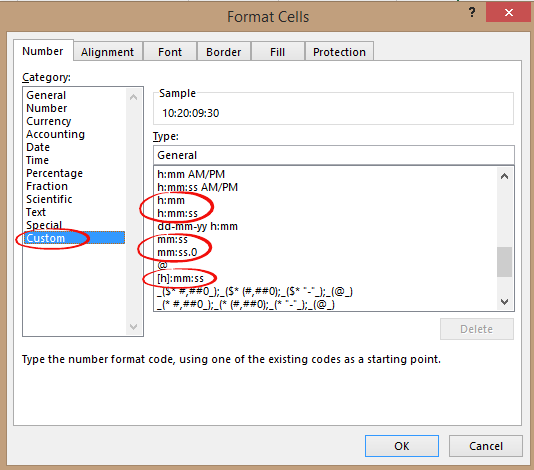
Time durations are possible in Excel
” How can I enter a duration in Excel with the format days:hours:minutes:seconds ?If I enter 5:32 Excel converts that to 5:32am but I want to record 5 hours and 32 minutes.” Time durations aren’t very clear in Excel, but they are possible. The time features are mostly aimed towards date and time so the […]

File open bug in Word & Office for iPad! Try this
The latest releases of Office for iPad are crashing when opening documents. Here’s what to do while Microsoft fixes the bug. The problem appears to happen when trying to open documents from OneDrive, which is the vast majority of documents because Microsoft encourages use of OneDrive. The bug is reported in the latest releases of […]
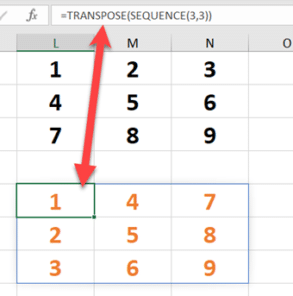
Sequence() for ordered numbers in Excel 365
Use Sequence() to get an ordered list of numbers either increasing or decreasing and with your choice of increments. Sequence is possibly the least understood of the dynamic array functions but combined with other functions it greatly extends Excel’s power. Sortby(), Filter(), Unique() and RandArray() all have obvious uses but Sequence() seems almost pointless. Here’s […]

Sabotaging Excel’s Random Numbers
A reader asks about sabotaging a random number generator. Steven H writes … The article on randomness in Excel was quite interesting, and the link to random.org was neat. Two thoughts come to mind almost immediately though: If you have an application where you absolutely need true random numbers, it is most likely the type […]
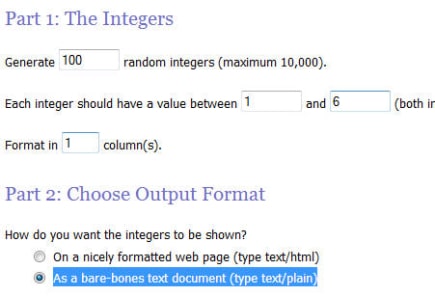
Truly random numbers are possible in Excel
With Random.org you can get truly random numbers for Excel plus options not available in the spreadsheet program like random but unique numbers with no repeats and random dates. Using ‘True’ Random numbers in Excel Our article on Random Numbers in Excel continues to surprise us by being one of the most popular pages on our […]

Unique filters in Excel – the manual ‘one-off’ options
There are two a simple ways to make a list of unique or non-duplicate entries from a longer list. Unlike the many automatic ‘unique’ options in Excel, these options work only once but it’s available in many Excel releases, old and new. Advanced Filter One is hiding at Data | Sort & Filter | Advanced […]

Unique() makes a once difficult task really easy in Excel
The new Unique() dynamic array function doesn’t let you do anything new in Excel, but it makes a once-complicated task into simplicity itself. Unique or distinct, no-duplicate lists, counting and sorting the results are all possible with easy formulas that won’t confuse. For as long as there’s been Excel, people have wanted to get ‘unique’ […]

Extend UNIQUE() for distinct values that appear more than once
Excel’s Unique() function itself can’t show distinct values that appear more than once in a list. Repeated only items in a distinct list are possible with a simple extended formula. We’ve already shown the basics of Unique() either getting a list of Distinct values or values that only appear once aka Unique. But Unique() doesn’t […]

Have your say on Word’s new default font
Microsoft has decided that Calibri is getting a little tired, so it’s asking customers to vote on which font will replace it. Calibri has been the default font since Office 2007. It’s familiar to most people whether they realise it or not because it appears in many Word documents. The two fonts, Calibri (body text) […]

Office 2019 for Windows – all the facts, prices and warnings
Here’s all about Office 2019 for Windows – the facts, prices and shortcomings. There’s a matching page about Office 2019 for Mac. Before you get too excited Do NOT buy Office 2019 if you have Microsoft 365 like Microsoft 365 Family (formerly Home), Microsoft 365 Personal or an enterprise plan. In other words, you pay for […]
Office 2019 for Mac – all the facts, prices and warnings
All about Office 2019 for Mac the facts, prices and warnings. There’s a matching page about Office 2019 for Windows. Before you get too excited Do NOT buy Office 2019 if you have Microsoft 365 plan like Microsoft 365 Family (formerly Home), Microsoft 365 Personal or an enterprise plan. In other words, you pay for […]

Excel 365’s data sources now include dynamic arrays
Excel 365 for Windows is getting another option for importing data into PowerQuery, from a dynamic array. In many cases the original data source could be imported, sorted and filtered in many different ways. Importing a existing dynamic array is a useful extra trick for us Excel nerds. We can think of three uses right […]

Live Sorting & Filtering in Excel: How to Use FILTER() + SORT() for Dynamic Lists
Learn how to create live, dynamic sorted lists in Excel using the powerful combination of Sort()/SortBy() and Filter() functions. In Excel 365 and Office 2021+ dynamic array formulas like FILTER() let you extract a subset of data — and by wrapping that result inside SORT(), you can instantly sort the filtered list in whatever order […]
Office 2021 for Mac, your preview first look
Your first look at Office 2021 for Mac with Word, Excel, PowerPoint and Outlook, which is now out in public preview, showing off some of the new features. There’s only a Mac Office 2021 preview, no Office 2021 for Windows preview. Perhaps because there’s a few more innovations in a comparison of Office 2019 to […]

Office LTSC public preview now available
A public preview of the next perpetual licence Microsoft Office is now available. Called Office LTSC (Long Term Servicing Channel) it’s for volume customers only. Here are the options and how to get the preview. Office LTSC is the clumsily named non-subscription version of Office for organizations with volume licence agreement. See Office LTSC, first […]

Office LTSC, first look images
Here’s a first peek at Office LTSC for Word, Excel, PowerPoint, Outlook, Access, Publisher and OneNote which is now out in public preview showing off some of the new features. Office LTSC in it’s current preview is underwhelming, to put it mildly. But that’s what Microsoft is aiming for. Office LTSC (Long Term Servicing Channel) for […]









