
Connected Experiences now in Office 365
Microsoft has something ‘new’ in Office 365 they call ‘Connected Experiences’. It’s really a new, fancy name for things we already have. Connected Experiences is the new catchphrase for the cloud services already in Office 365 software or apps. It’s the various features which require customer data sent to Microsoft’s servers. According to Microsoft: “Office […]
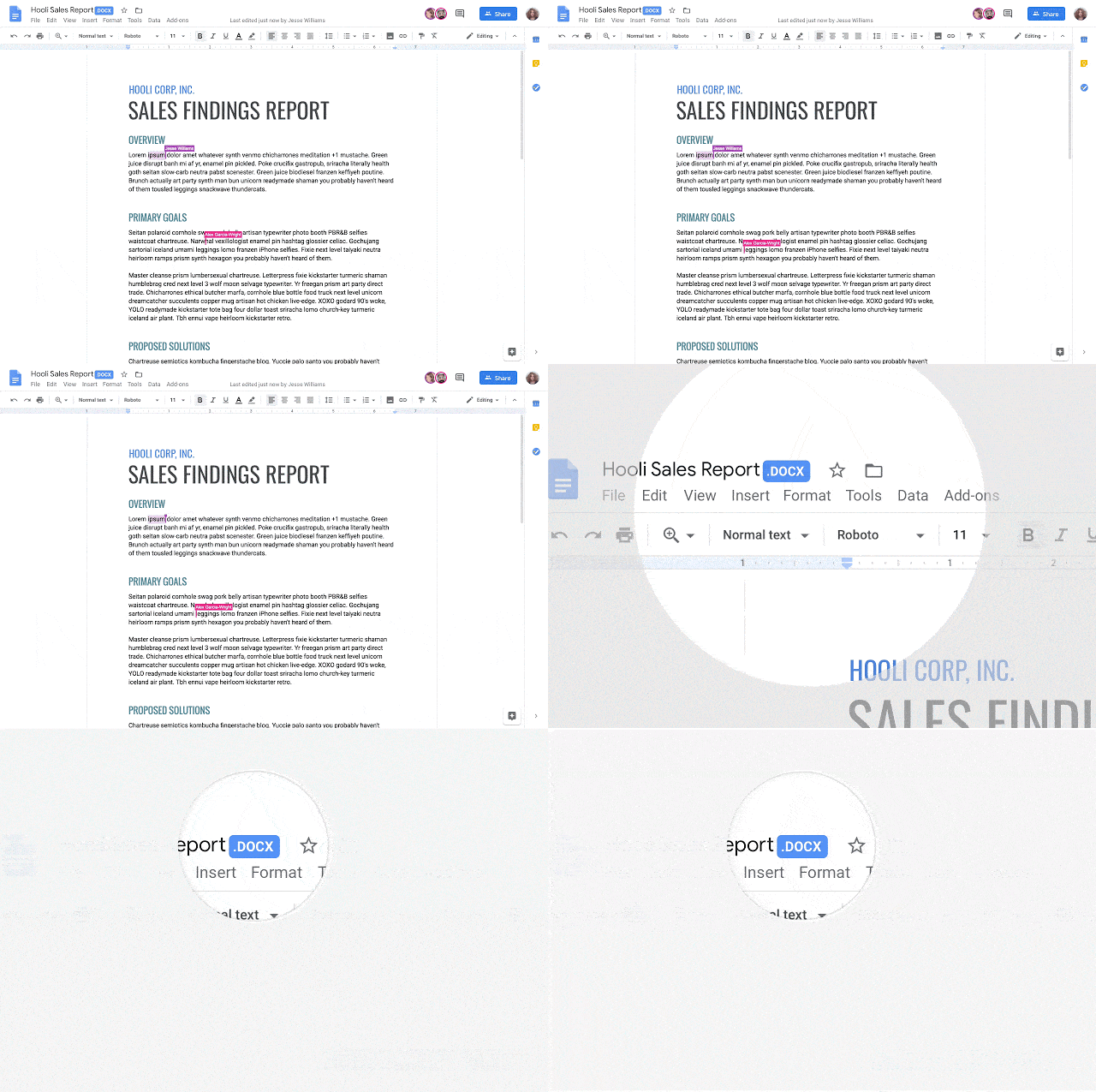
Google’s G Suite gets direct Word, Excel and PowerPoint doc support
Google has announced that their G Suite customers will be able to edit and collaborate with Microsoft Office documents. It will be available to all G Suite users by the end of May 2019. Source: Google. Until now, a clumsy Office compatibility app for Chrome allowed Microsoft Office documents to be edited in Google Docs, […]
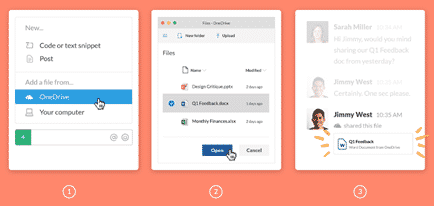
Slack gets better Office 365 and OneDrive support
Slack, the popular collaboration service, has added better integration with Office 365 hosting and OneDrive. Office 365 tools were inevitable because Microsoft now has Teams, its own rival to Slack. There are two new tools, Outlook email and calendar plus nice previews of Microsoft Office documents. Office document preview Now included in Slack is better […]

Excel scams for tax time
It’s income tax time in the USA and that means a new round of email scams and infected Excel documents to watch out for. IBM Security Intelligence reports on a series of scam emails courtesy of the Trickbot hackers. All the emails look like legitimate messages from big companies like Paychex, a payroll provider and […]

Updates for Japanese Era support in Excel
Microsoft continues to struggle with their support for Japanese Era date format in Excel. The new Imperial Era, ‘Reiwa’ is known but the necessary changes for Excel aren’t released yet. New Japanese Imperial Era changes in Excel and Office explains how to add the new Reiwa era without waiting for Microsoft’s patch. Meantime, yet more […]
Microsoft gives out less information about Office bug fixes and patches
Microsoft has never been great about documenting patches and bug fixes but this month they have sunk to a new low. Maybe it’s a delayed April Fool’s prank with Microsoft ‘taking the Mickey‘ or treating Office customers with contempt? Sustained Engineering isn’t sustained Maintaining Office software is the thankless job of the Office Sustained Engineering […]
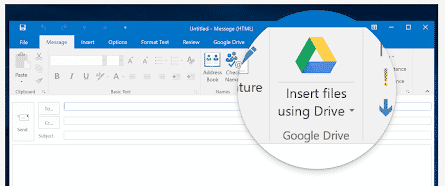
Google Drive plug for Office ending soon
The current Google Drive plug-in for Microsoft Office will stop working near the end of June. There’s an improved update already available for some customers and an alternative for the rest. If you’re using the Google Drive plug-in, you’ll start seeing a warning about the plugins death on 26 June 2019. Source: Google There are […]
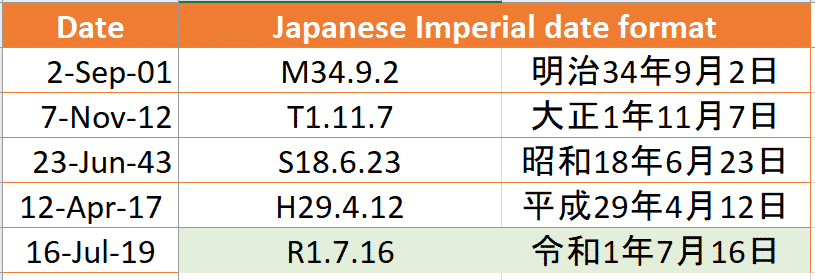
New Japanese Imperial Era changes in Excel and Office
An update for Excel users on the upcoming new Imperial Era in Japan and how to type the Reiwa era name in Office documents The Japanese government has now announced the new Era name that will coincide with new Emperor. From 1 May 2019 we’ll be in the 令和or Reiwa era. This might not seem […]

Amazing Excel uses in Japan
In Japan there are two amazing uses of Excel. Excel used for displaying train timetables and to make beautiful works of art. The Michelangelo of Excel Tatsuo Horiuchi has become the Michelangelo of Excel. On retirement he wanted to turn to art but didn’t want the expense of paint, brushes etc. He turned to his […]

Who is using which MS Office? Office Watch survey results
Thanks to everyone who tried out Microsoft Forms by filling out our example survey. Here are the results. Our form was mainly an example of what’s possible in Microsoft Forms as part of Microsoft Forms – a quick look and sample We took the opportunity to get a better idea of what Office software our […]
Make automatic Excel worksheet list or table of contents
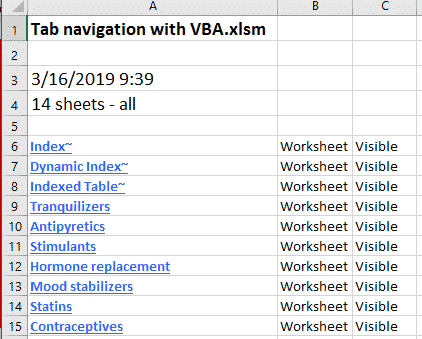
Continuing our look at Excel tab/worksheet listing here’s a fully automated alternative with more control and filtering. See Make Excel tabs list in a worksheet Automatic worksheet/tabs list in Excel Fit more tabs across an Excel workbook There are many VBA code samples on the Internet, we’ve taken one we like and added some extras based […]
How accurate is Pi in Excel and is it enough?
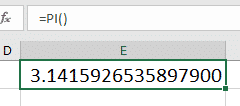
Does Excel have enough significant digits for Pi in the inbuilt Pi() function? Modern computing can calculate Pi to 3.14 trillion digits which is a good trick but even extreme situations only needs Pi to 15 significant digits. What’s extreme? How about interplanetary travel? JPL/NASA calculate the paths of probes to Mercury, Mars, Jupiter and […]

Convert photo to worksheet with new Excel feature
Excel for Android has a new trick, converting photos of tables or other documents into worksheets. As usual, some conditions and limitations apply to Insert Data from Picture that are overlooked in the usual hype. The idea is simple, take a photo of a table or grid in a document then Excel will convert it […]

New Office icons start appearing … yawn
Updated Microsoft Office 365 icons have started appearing in the preview ‘fast track’ Office 365 for Windows and we could not be more excited. No … not really. When it comes to changed Office icons; if we were more apathetic, we’d be in a coma. Office 365 icons for Word, Outlook, Excel and PowerPoint on […]
Make Excel tabs list in a worksheet
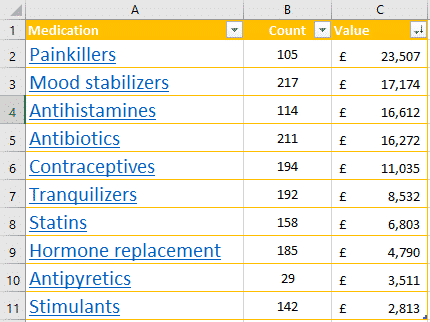
Make your own clickable list of workbook tabs in an Excel worksheet to workaround the small number of tabs that can fit in a single line. See Fit more tabs across an Excel workbook for some suggestions to squeezing more across the single line available. Those suggestions work to make a bit more space available […]

Microsoft Forms – a quick look and sample
Microsoft Forms is the latest cloud service to join the Office 365 stable. It’s still a Preview service, not full formed, but it’s working and interesting. We decided to take a look and give you a sample Form to try. Forms is a way to make online questionnaires, quizzes or surveys then add the data […]









