All about Microsoft Office for Apple Mac. Word, Excel, PowerPoint, Outlook on macOS, Microsoft 365 for Mac, Office 2021 for Mac and earlier versions.

Connected Experiences now in Office 365
Microsoft has something ‘new’ in Office 365 they call ‘Connected Experiences’. It’s really a new, fancy name for things we already have. Connected Experiences is the new catchphrase for the cloud services already in Office 365 software or apps. It’s the various features which require customer data sent to Microsoft’s servers. According to Microsoft: “Office […]

Undoing Word’s Automatic Capitalizations
If, while typing, you notice that Word has automatically changed capitalization of something you did not want changed, you can correct this easily as you type. Hover your mouse over the part of the word that has been automatically changed. A blue line will appear under the changed part. We typed AUtomatic and Word immediately […]
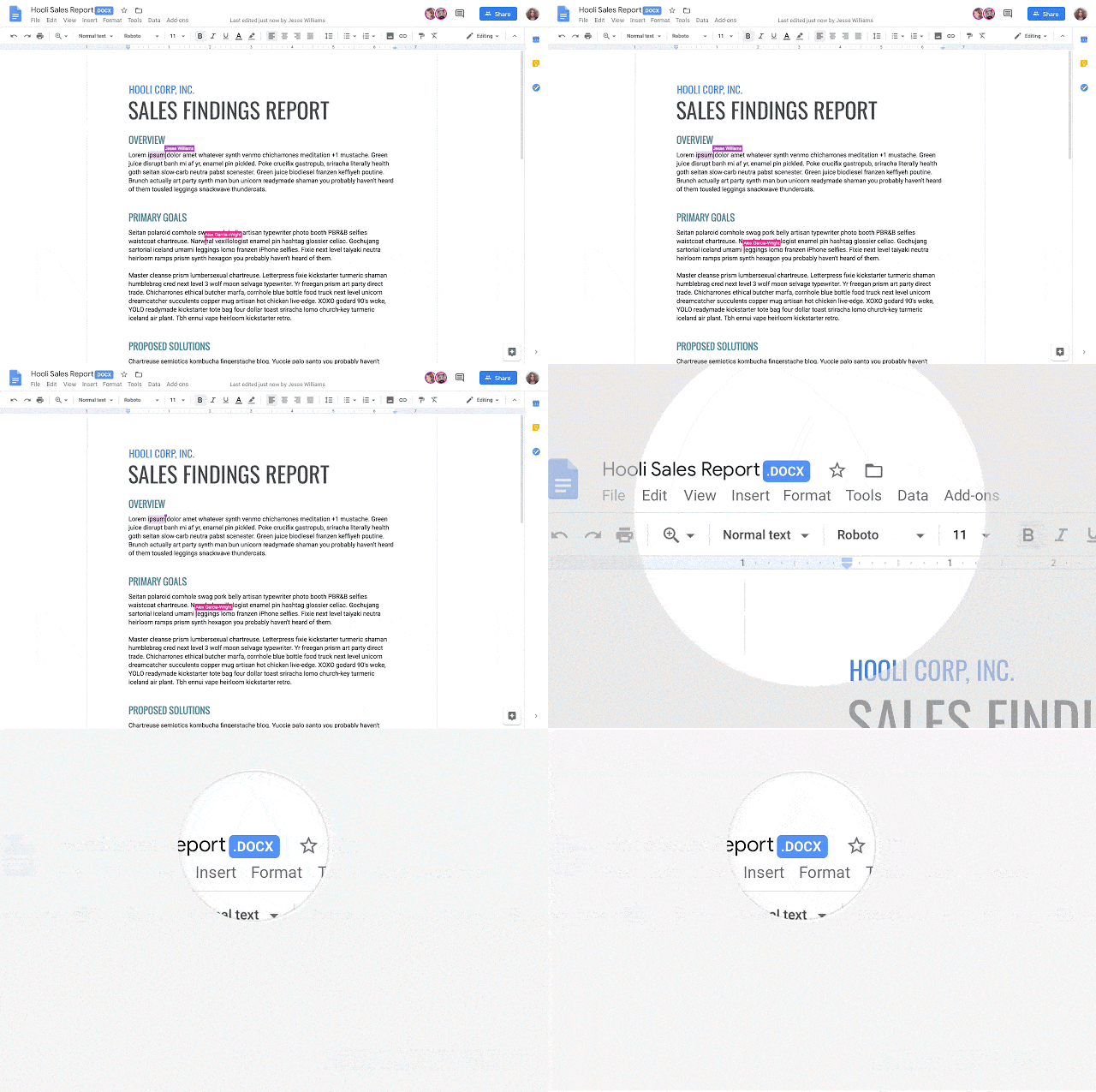
Google’s G Suite gets direct Word, Excel and PowerPoint doc support
Google has announced that their G Suite customers will be able to edit and collaborate with Microsoft Office documents. It will be available to all G Suite users by the end of May 2019. Source: Google. Until now, a clumsy Office compatibility app for Chrome allowed Microsoft Office documents to be edited in Google Docs, […]
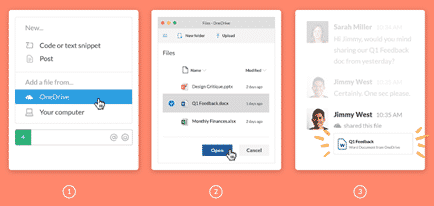
Slack gets better Office 365 and OneDrive support
Slack, the popular collaboration service, has added better integration with Office 365 hosting and OneDrive. Office 365 tools were inevitable because Microsoft now has Teams, its own rival to Slack. There are two new tools, Outlook email and calendar plus nice previews of Microsoft Office documents. Office document preview Now included in Slack is better […]

Excel scams for tax time
It’s income tax time in the USA and that means a new round of email scams and infected Excel documents to watch out for. IBM Security Intelligence reports on a series of scam emails courtesy of the Trickbot hackers. All the emails look like legitimate messages from big companies like Paychex, a payroll provider and […]

Office support for SVGZ, the smaller version of SVG icons
The lesser known version of SVG icons is the smaller, compressed, SVGZ format. Here’s how to use SVGZ in Office 365/2019 despite no direct support for the format. Most SVG icons arrived uncompressed in plain XML text using the .SVG extension. We’ve shown before how SVG’s can be edited in any text editor to make […]
Google Drive plug for Office ending soon
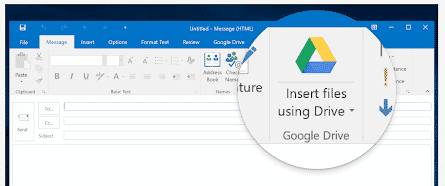
The current Google Drive plug-in for Microsoft Office will stop working near the end of June. There’s an improved update already available for some customers and an alternative for the rest. If you’re using the Google Drive plug-in, you’ll start seeing a warning about the plugins death on 26 June 2019. Source: Google There are […]
New Japanese Imperial Era changes in Excel and Office
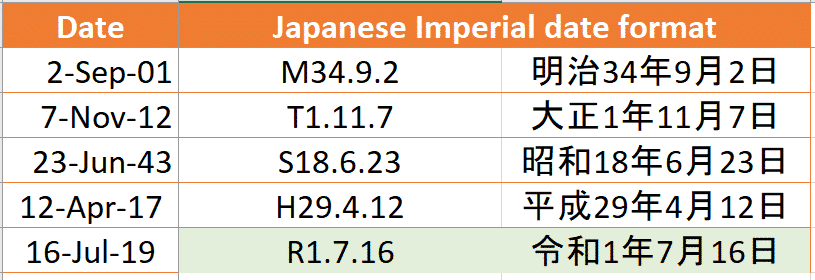
An update for Excel users on the upcoming new Imperial Era in Japan and how to type the Reiwa era name in Office documents The Japanese government has now announced the new Era name that will coincide with new Emperor. From 1 May 2019 we’ll be in the 令和or Reiwa era. This might not seem […]

Office 366 exclusive interview
Office Watch met with Office 365 spokesman, Morrocos Fieffit, for a few drinks and this exclusive interview about the changes and fees with Office 366. Quickly, what’s Office 366? “Office 366 is an enhancement to Office 365 to deal with the extra day in the 2020 leap year. Office 365 is a 365 day per […]
Office 366 – the price slug for Office 365 customers
Office 366 is the latest ‘innovation’ and price gouge for Office 365 customers. It’s an important change to Office 365 with costs for everyone and dread consequences if you don’t pay. It’s horrible news to start a new week. Office 365 users are waking up to this as Monday 1st starts across the globe. Without […]

Amazing Excel uses in Japan
In Japan there are two amazing uses of Excel. Excel used for displaying train timetables and to make beautiful works of art. The Michelangelo of Excel Tatsuo Horiuchi has become the Michelangelo of Excel. On retirement he wanted to turn to art but didn’t want the expense of paint, brushes etc. He turned to his […]
Make automatic Excel worksheet list or table of contents
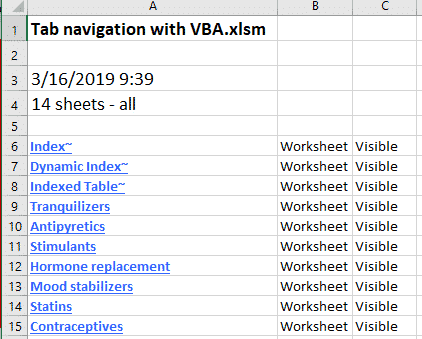
Continuing our look at Excel tab/worksheet listing here’s a fully automated alternative with more control and filtering. See Make Excel tabs list in a worksheet Automatic worksheet/tabs list in Excel Fit more tabs across an Excel workbook There are many VBA code samples on the Internet, we’ve taken one we like and added some extras based […]
How accurate is Pi in Excel and is it enough?
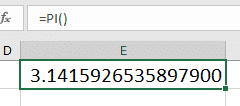
Does Excel have enough significant digits for Pi in the inbuilt Pi() function? Modern computing can calculate Pi to 3.14 trillion digits which is a good trick but even extreme situations only needs Pi to 15 significant digits. What’s extreme? How about interplanetary travel? JPL/NASA calculate the paths of probes to Mercury, Mars, Jupiter and […]

New Office icons start appearing … yawn
Updated Microsoft Office 365 icons have started appearing in the preview ‘fast track’ Office 365 for Windows and we could not be more excited. No … not really. When it comes to changed Office icons; if we were more apathetic, we’d be in a coma. Office 365 icons for Word, Outlook, Excel and PowerPoint on […]

Do you hate Skype software? Here’s the alternative!
Microsoft has released a browser based version of Skype. It’s great news but maybe not for the reasons Redmond expects. Skype on the Web is an alternative to the bloated and annoying Skype for Windows or Mac. What is Skype for Web? It’s Skype with most of its standard features running on a web page. […]
Make Excel tabs list in a worksheet
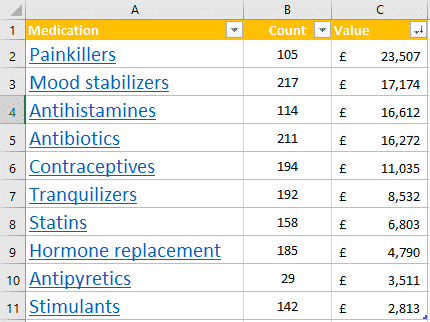
Make your own clickable list of workbook tabs in an Excel worksheet to workaround the small number of tabs that can fit in a single line. See Fit more tabs across an Excel workbook for some suggestions to squeezing more across the single line available. Those suggestions work to make a bit more space available […]