All about Microsoft Office for Apple Mac. Word, Excel, PowerPoint, Outlook on macOS, Microsoft 365 for Mac, Office 2021 for Mac and earlier versions.
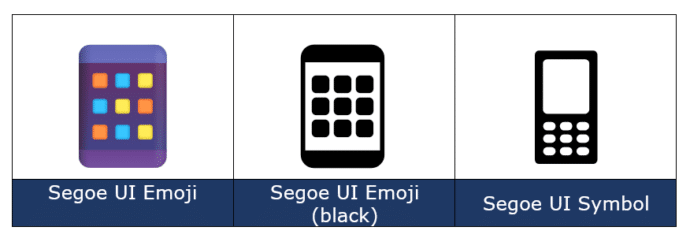
Mobile Phone 📱 emoji in Word, Excel, PowerPoint and Outlook
How to insert the Mobile Phone 📱 or smartphone emoji into Microsoft Word, Excel, PowerPoint or Outlook. Both in Office for Windows and Office for Mac. How Mobile Phone 📱 symbol looks in different fonts. The mobile phone emoji is available in these standard Windows fonts: Segoe UI Emoji and Segoe UI Symbol. Not surprisingly, […]

Make lines and arrows straight – a Word bug fix
Ever since Word 2013 there’s been a line alignment bug in Word. Line and Arrow shapes aren’t straight, horizontal or vertical. Here’s how to fix this ten year (and counting) bug. Whenever a line or arrow is inserted (Insert | Shapes | Lines ) the result is always a little off. The end points never […]
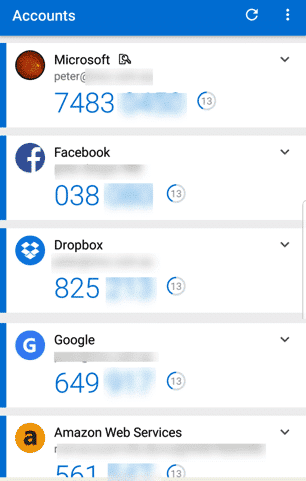
Busting the myth about Two-Factor Authentication
Don’t fall for the myth that’s stopped you from more secure online accounts. For some years we’ve been banging on about Two-Factor Authentication. ‘2-fac’ is one of the main protections against online hacking and identity theft. Savvy online users have 2Fac for their main online accounts: Microsoft/Office 365 account, Google. Facebook, banking and especially any […]

Transform a photo with Restyle Image in Designer
Ever wanted to make a drawing from a photo? Now you can with a new Microsoft Designer feature “Restyle Image”. It turns any photo into an image in a variety of styles. “Restyle Image” lets you upload a photo, choose a drawing style and then the Designer AI system will mash to two together to […]

Rose 🌹 emoji in Word, Excel, PowerPoint and Outlook
How to insert a Rose 🌹 emoji, symbol or icon into Microsoft Word, Excel, PowerPoint or Outlook. Both in Office for Windows and Office for Mac. Use the Rose 🌹 symbol on a romantic card, PowerPoint slide or anywhere that needs a flower icon. How Rose 🌹 looks in different fonts. Two standard Windows fonts have […]

Make a Jigsaw Puzzle in PowerPoint
Make your own jigsaw puzzle in PowerPoint to gradually reveal a photo or logo hiding underneath. We’ll show how to make the pieces plus a download sample PowerPoint file for our loyal subscribers. You can use a jigsaw puzzle PowerPoint slide as a powerful storytelling tool, ideal for illustrating how different parts of a story […]
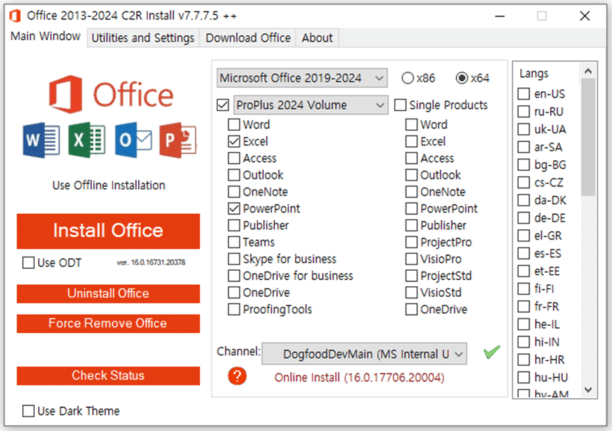
Beware malware in Microsoft Office installations
New malware is spreading under the guise of a Microsoft Office download and installation. Just the latest example of why Office should only be downloaded from Microsoft. This new way of distributing malware poses as a version of Microsoft Office or Windows activation tool. They might do that but also install nasty intrusions on your […]

Goggles 🥽 emoji in Word, Excel, PowerPoint and Outlook
Put on the Goggles 🥽 symbol/emoji into Microsoft Word, Excel, PowerPoint or Outlook. Both in Office for Windows and Office for Mac. Goggles 🥽 symbol is used for safety signs or maybe an alternative to the Glasses or Eyeglasses 👓 symbol How Goggles 🥽 looks in different fonts. Take a screen shot of this table […]
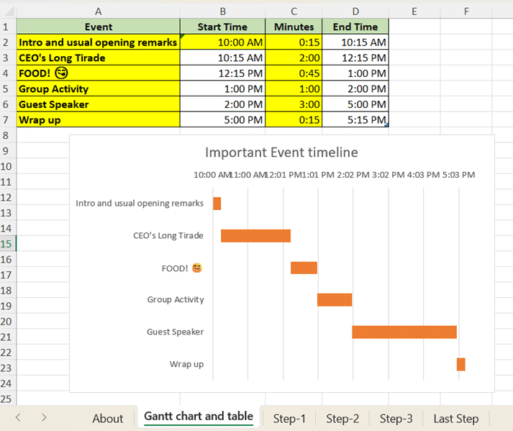
How to make a Gantt Chart in Excel
Gantt chart for project management or event scheduling are possible in Excel. Here’s the step-by-step help plus a complete sample worksheet for our subscribers. Gantt chart can be widely used in project management for visualizing project schedules. They break down a project or event into tasks or activities as horizontal bars on a timeline. Each […]

A $125 Billion lesson in why cloud backups are vital
Google Drive accidently deleted a $125 Billion dollar pension fund. It’s an extreme example of why it’s important to have your own backups of cloud stored files. Don’t rely entirely on one company, including Microsoft’s OneDrive. Cloud storage is great but nothing is 100% perfect so it’s essential to have your own backups of all […]
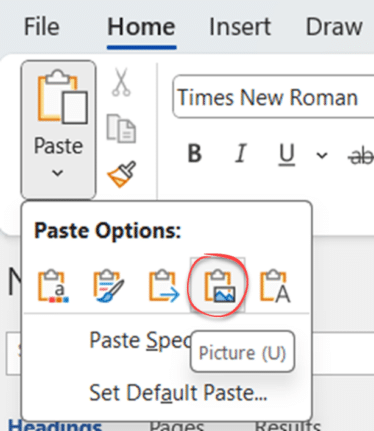
How Word pastes into your document
Pasting text in Word might seem like a simple thing but there’s a lot of important and smart options available to suit what you need to see and where the content is coming from. Don’t get too worried about all the different paste choices. The main thing is to be aware that there are various […]
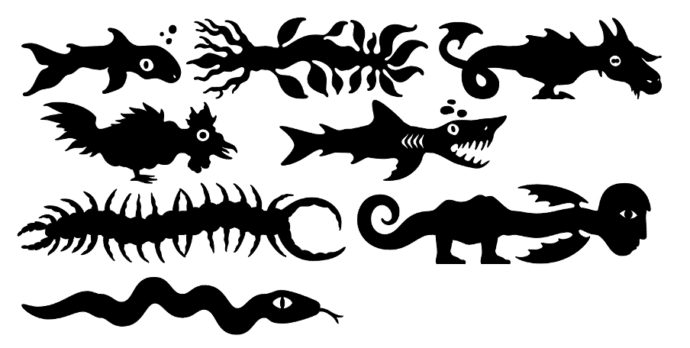
Make monsters and pipes with this clever font
Here’s a clever and innovative font that lets you make unique monsters or pipe connections for Word, PowerPoint or anywhere else you need something a little different. Office Watch has a complete list of the Teranoptia font symbols for easy reference. Teranoptia is a font that uses letters and some other symbols to create fantastical […]

Avoid the traps when adding Excel info into a Word document
A table or chart in Excel can be put into a Word document in two different ways but there are traps that Microsoft doesn’t mention in their help. We’ll explain what’s happening and how to fix it. This looks like a standard Word table and it can be formatted like a table … but it’s […]
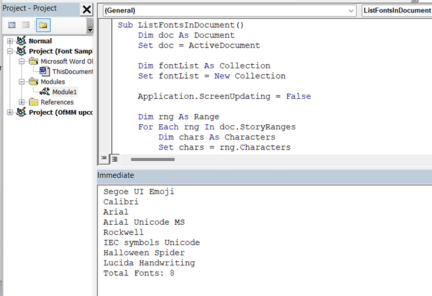
How to list all fonts in a Word document
Here’s one way to make a list of all the fonts used in a Word document. Sometimes there are stray fonts used in a Word document, perhaps from earlier versions or unused formatting trials. Even a single letter or blank paragraph set to a font can make a difference. Removing these fonts isn’t just being […]
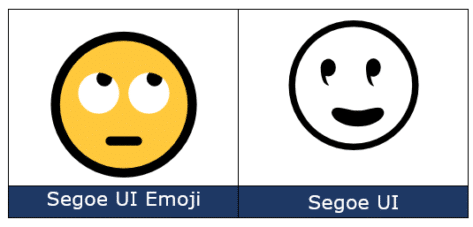
Face with rolling eyes 🙄 emoji in Word, Outlook, Office
Face with rolling eyes 🙄 symbol is one of the more popularly used emoji, also known as ‘Eye Roll’ or ‘Yeah whatever’. Here’s how to type it in Microsoft Word, Outlook and Office. Not to be confused with the ‘Rolling on the floor laughing’ 🤣 or ROFL emoji or other eye emoji:Eye 👁 emoji in […]

Glasses 👓 emoji in Word, Excel, PowerPoint and Outlook
Put on the Glasses or Eyeglasses 👓 symbol (emoji) or icon into Microsoft Word, Excel, PowerPoint or Outlook. Both in Office for Windows and Office for Mac. Glasses 👓 symbol is used for all manner of things like a graphic to illustrate “Look here” or “See this” or, of course, “Don’t forget your 👓”. Don’t […]









